
ASUS ROG Xbox Ally X Performance Tested: Can It Beat the Steam Deck?
Exploring the performance gains, usability changes, and challenges of replacing Windows 11 with Bazzite on the ROG Xbox Ally X.
Hardware by Tanisha Aria on Oct 21, 2025
ASUS ROG Xbox Ally X is a reliable handheld gaming system that lets you play games on both a PC and a console. With great specs, it promises desktop-level performance in a small package. But one big problem is that Windows 11 doesn't always provide a smooth experience on a handheld device.
The ROG Xbox Ally X stands out right away for its well-made design and comfortable use. The grips are like those on Xbox controllers, which makes it more comfortable than most handhelds. The design team put user experience first, which is why this is one of the most comfortable gaming consoles to hold.
.jpg)
It has AMD's newest handheld APU, 24GB of fast memory, and a 1080p 120Hz display. The screen quality is still pretty good, even though it's not OLED. The speakers are another strong point; they make sound that is clear, loud, and balanced.
The difference is very clear when compared to other handhelds. Nintendo Switch feels clunky and uncomfortable next to the Ally X, and even the Steam Deck isn't as comfortable. When it comes to ergonomics, it's one of the best devices on the market.
Issue with Windows 11
Even though the hardware is great, Windows 11 is very hard to use. It is mostly a desktop operating system and not one that works well with a small 8-inch touchscreen and controller inputs.
Microsoft and Asus both tried to make it easier to use on the go by adding software on top, like the Xbox app and Asus' Armoury Crate, but the experience is still broken up.
After the initial setup, which takes hours due to all the updates and settings, the device goes straight to the Xbox app. The interface is like a smart TV menu, with too many ads and not enough useful features.
You can change system settings, profiles, and manage games with Asus' Armoury Crate, but switching between Windows, Xbox, and Armory Crate makes things too complicated.
Three layers overlap: Windows 11 as the base, the Xbox app as a semi-console UI, and Asus' ecosystem on top. This makes the software run slowly, have input delays, and act in strange ways. Even simple navigation is slow because the system doesn't always listen to commands. It can be frustrating and inconsistent overall.
Why We Decided to Install Bazzite
Because Windows 11 has some issues, we decided to install Bazzite, a Linux-based operating system similar to SteamOS. It's made just for gaming on the go, so it runs more smoothly and responds better. We wanted to see if we could make the ROG Xbox Ally X more like a Steam Deck.
In theory, installing Bazzite was easy. We downloaded the ISO, used Rufus to flash it onto a USB drive, and then tried to boot it on the Ally X. At first, it didn't work because Windows encrypted the drive.
Bazzite installed successfully after disabling encryption and creating a new dual-boot partition (to keep Windows 11).
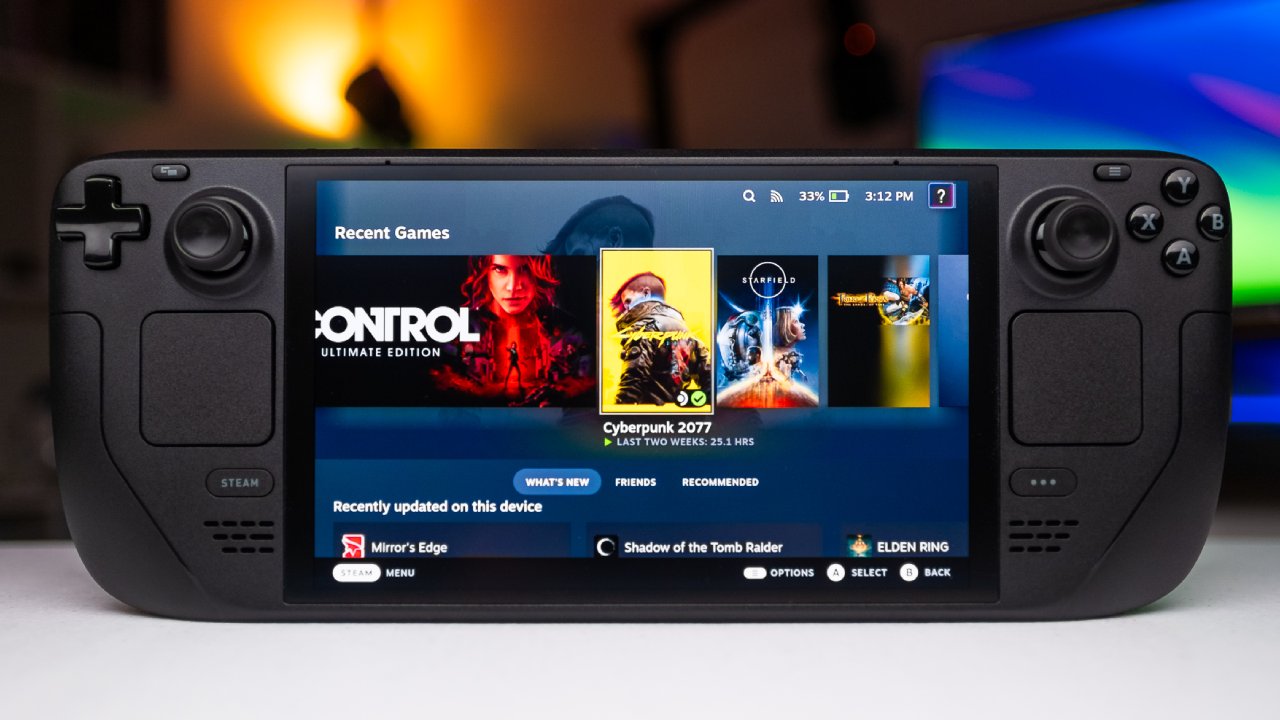
First Boot and First Thoughts
As soon as Bazzite loaded, you could tell the difference. The system seemed to be much faster and more responsive. Menus opened right away, inputs were recognized right away, and the whole thing felt smoother. It was like the device's performance had been set free.
But the trade-offs showed up quickly. The RGB lights didn't work anymore, you couldn't get to performance modes, and most of the side buttons didn't work. Some controls began working after a few minutes, but many features, such as power profiles, remained unavailable.
Even with these problems, the improvement in responsiveness alone was impressive. It showed how resource-heavy and poorly optimized Windows 11 can be for handheld devices.
Gaming Performance and Benchmarks
We ran many tests to evaluate how Windows 11 and Bazzite performed. The frame rates in Cyberpunk 2077 looked much better with Bazzite. Some settings caused strange visual issues, such as the game not recognizing the display resolution, but gameplay was smoother and more consistent.
When we ran Shadow of Mordor at 1080p on both operating systems, we found they performed almost identically. This meant that even though Bazzite made things more responsive, the raw performance gains in some games might depend on having the right drivers and hardware.
Switching between systems made it harder to control things, and sometimes inputs would break or need to be reconfigured. The next day, when I rebooted into Bazzite, both the controls and the RGB lighting started working again without me doing anything.
.jpg)
Final Thoughts
The Asus ROG Xbox Ally X has great hardware and ergonomics, but Windows 11 makes it hard to play games on the go. Installing Bazzite makes things much faster and easier to use, but it comes with some trade-offs in terms of features and stability.
Bazzite isn't a perfect replacement for SteamOS yet. Still, it shows what Ally X could be like if it had a better operating system. For now, it's an exciting test that shows how much this powerful handheld device can do.
Also, check our other ROG Xbox Ally X Articles below:
- ROG Xbox Ally X vs. Original Ally: Real-World FPS and Power Efficiency
- Next-Gen Xbox or No Console: Understanding the Impact on Games and Gamers
- Inside the ASUS ROG Xbox Ally: Power, Portability, and PC Gaming Without Limits
- ASUS ROG Xbox Ally Review: Ergonomics and Windows 11 Full-Screen Experience in 2025
- ASUS ROG Xbox Ally X Hands-on: Ryzen Z2 Extreme Power and Full-Screen Windows Experience
- Xbox Magnus: Next Generation Console with AI Power and PC Hybrid Design
- ROG Ally X Gets Xbox-Like Features with Latest Armoury Crate Update
- Future of Xbox: Cloud Gaming, Game Pass, and Hardware Exit Plans
- Xbox Series X vs. Xbox One X: Which Console Is Best for Backward Compatibility in 2025
- Xbox Full Screen Experience on the Lenovo Legion Go
Contributor, NoobFeed
Gaming Hardware Updates
No Data.