
Best $800 Gaming PC Setup with Ryzen 5 7500F and Intel Arc B580
Smart component pairing creates an affordable system capable of smooth gameplay and creative workloads.
Hardware by Tanisha Aria on Oct 23, 2025
You can still get a powerful gaming and creative PC for $800 if you make the right choices. The goal is to make something that looks and feels professional and polished, and that works well for the price.
It should be stylish and useful, but not too much RGB. Suppose you choose the appropriate parts and focus on clean design. In that case, you can build a powerful, good-looking machine that works with any arrangement.
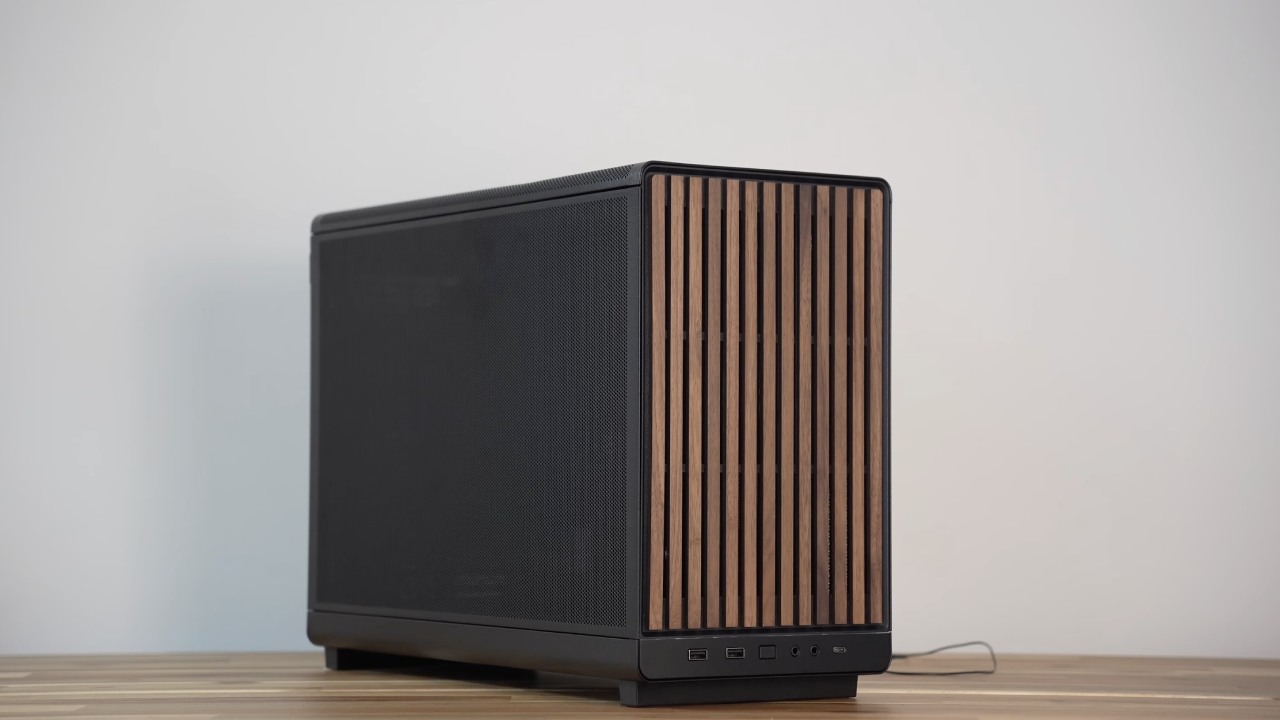
Because we spend a lot of time at our desks, they must look beautiful and be comfortable. If you want to look calm and grown-up, make sure your peripherals match and keep the lights low.
A clean setup helps you concentrate and ensures the PC doesn't stand out in the room. The sleek, balanced design of the entire structure indicates modest engineering.
Basic Parts and Options
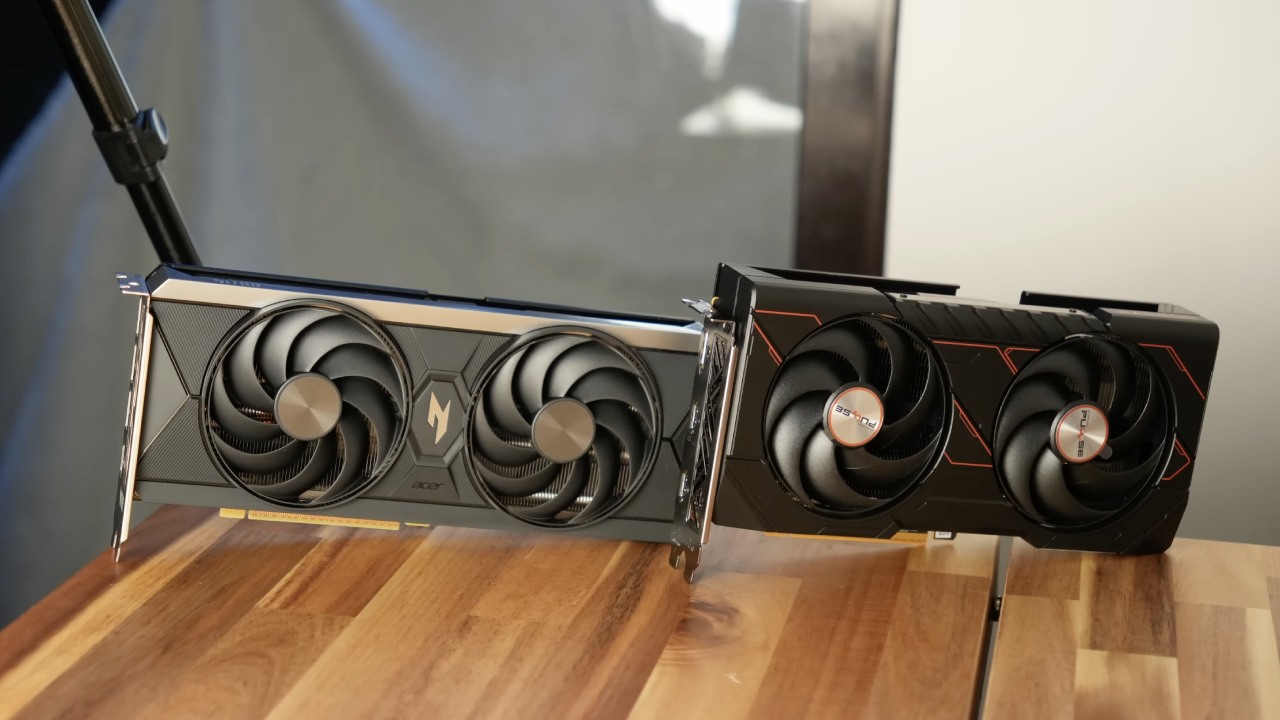
We chose the Intel Arc B580 because it has 12GB of VRAM and is a great value for the money. We picked this bit first. For about $230, it can comfortably play games at 1080p and 1440p. Most modern games run at 1440p at more than 60 fps, and competitive games regularly run at more than 100 fps, and sometimes even more than 200 fps.
If you want smooth gameplay without spending a lot of money, this GPU is a wonderful offer. The Lian Li A3 has a clean, modern look and elegant wood details that set it apart. It looks high-end without the gaudy RGB style. It may be little, but it has everything it needs and looks great.
The Ryzen 5 7500F is the most important part of the system because it delivers the highest performance for the money. It works well for gaming and handling more than one activity at once. It also runs on the AM5 platform, so you can update the CPU later.
The ASRock B850MX Wi-Fi motherboard ensures power is always available and that everything works together. When you buy a microATX board, make sure the top PCIe slot is at the top. This will give the GPU more space to move around.
Cooling, memory, and storage
For seamless performance, memory needs to be fast. The optimum responsiveness comes with a 32GB DDR5-6000MHz CL30 kit. It also ensures the system remains speedy even when it's busy. You can pick any brand as long as the specs match these.
For storage, the Crucial T500 or any other PCIe4 SSD with DRAM cache and a long lifespan will work well. Pick drives with these specs first if you want consistent speed and dependability during long sessions.
The Thermalright Digital Assassin X is a $20 tower cooler that keeps everything cool and looks amazing in black. There are two bottom intake fans to cool the GPU, one rear intake fan, one CPU fan that pushes air through the cooler, and two top exhaust fans.
This airflow pattern, which flows from bottom to top and left to right, helps the compact casing dissipate heat quickly.
Cable Management and Power Delivery
A good power supply is the last step in building. The DeepCool PF500 can handle the load, but the Corsair CX650 provides more space to work with. Modular PSUs are easier to work with when it comes to cables, but non-modular ones can still work well with a little extra effort.
Neatly tucking excess cords toward the front keeps the inside looking clean. You should update to a modular PSU with braided cables later, such as the RM850e. It will look better and operate better.
.jpg)
Benchmarks and Performance
When it comes to performance, the Intel Arc B580 performs well across a variety of games. Competitive titles like Apex Legends, Fortnite, and Call of Duty: Warzone run smoothly at 1440p resolution. Even games that are hard to run, like Cyberpunk and Black Myth: Wukong, perform better than expected.
The CPU utilization can reach 100%, but the frame pacing remains steady, and the game as a whole seems smooth and steady.
Better drivers have greatly improved the GPU experience on Intel platforms. By October 2025, most issues with overhead and optimization should be resolved. This means that the system operates well even with games that use a lot of CPU.
Upgrade Option: Adding More Power
You can speed up your machine by spending an additional $130 on the Radeon RX 9060 XT 16GB. This will change how the system works. Competitive games like Fortnite and Warzone perform better at higher frame rates.
The update costs roughly 50% more than the GPU, but gamers think it's worth it because frames are more consistent and images are smoother. The Arc B580 is still a wonderful pick because it's cheap, performs well, and can reliably play 1440p content.
Final Thoughts
The parts in this $800 PC build are carefully thought out and look nice. The Lian Li A3 case is the best of all worlds: it's tiny and handy, but it doesn't have the problems of ITX setups or the size of full towers. Running it with the glass side panel not only makes it look better but also makes it quieter, keeping it clean and polished.
We are quite happy with how this build looks and works. It boasts a clean, modern look, good cooling, and lots of space for changes. It strikes the right balance between form and function. This setup shows how careful planning and the right parts can make a PC that is both powerful and professional.
Also, check our other AMD articles:
- AMD Ryzen 9 9950X3D Review: Setting The Standard For 2025 Gaming CPU
- AMD Ryzen 7 9800X3D Review: 3D V-Cache Goes God Mode with Stunning Gaming Performance
- AMD RX 9070 Performance Review: Thermals, Clocks, and Real-World FPS
- AMD Ryzen 5 7600 Review: Best Budget Gaming CPU of 2025?
- AMD Radeon RX 7800 XT Review: RDNA 3 Power For Midrange Gaming
- Sapphire NITRO+ AMD Radeon RX 9070 XT Review: The Ultimate 4K Gaming GPU
- AMD Ryzen 7 7800X3D: Delivers Gaming Performance Far Beyond Expectations
- AMD Ryzen 9 7900X Review: Powering the AM5 Era with DDR5 & PCIe 5.0
- ASRock Radeon RX 7800 XT Challenger OC Review: Best Price-to-Performance GPU of 2025
- Intel Core i9‑14900K vs. AMD Ryzen 7 7800X3D: Power Profiles & Gaming Benchmarks
Contributor, NoobFeed
Gaming Hardware Updates
No Data.