
Microsoft Enhances Windows Handheld Experience with New Display and Notification Features
Microsoft introduces meaningful quality of life improvements for Windows handheld gaming through enhanced Game Bar features and system navigation fixes.
Hardware by Masaru Hoshino on Apr 04, 2026
A new update from Microsoft brings a range of small but meaningful improvements to Windows-based handheld gaming devices.
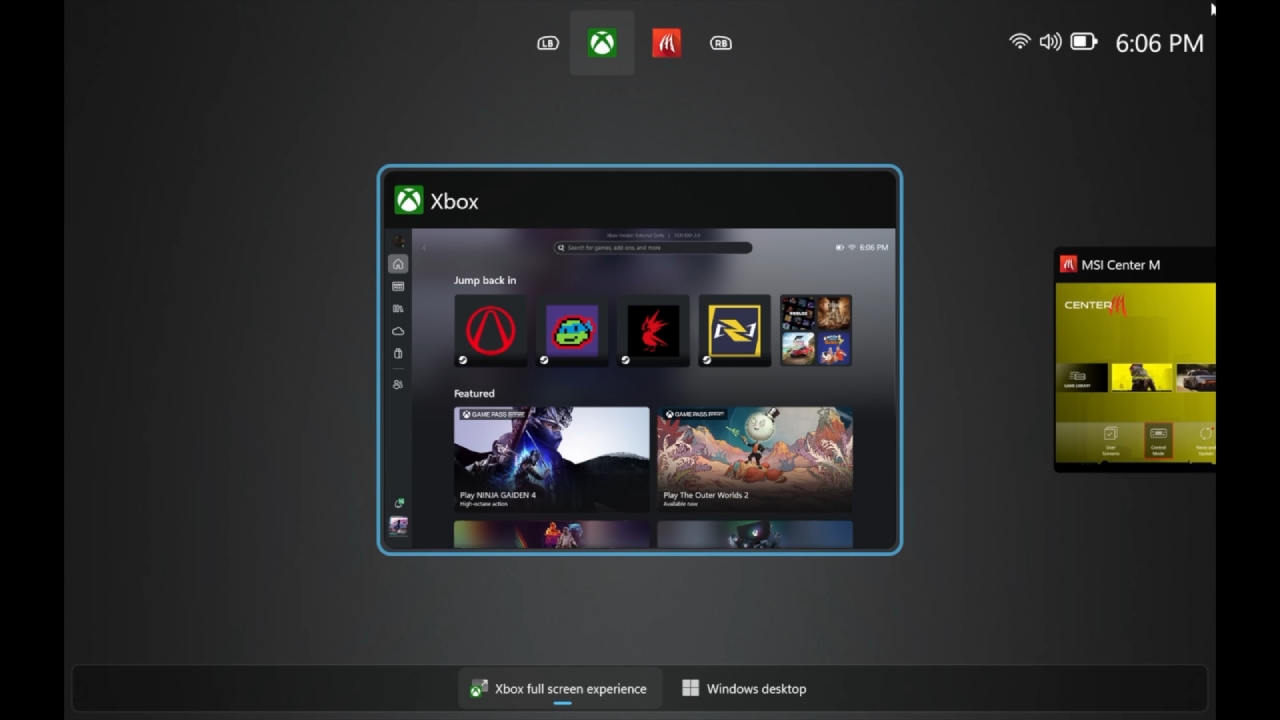
The update is available across multiple devices, including handhelds like the Legion Go and the Xbox All Series. It can be accessed through the Xbox Insider program, which is now easier than ever to join directly from within the interface.
.jpg)
Improved Navigation and Display Controls in Game Bar
One of the most obvious improvements is that you can use a joystick to go around in Windows settings. It was hard, and sometimes impossible, to get to deeper settings like display choices with the D-pad before. This update fixed the problem, so you can now easily navigate through system settings without having to use a mouse or touch screen.
Game Bar now features a new display widget that makes it much easier to change screen-related settings. People can now simply switch between different projection modes, such as duplicate, extend, second-screen only, or PC-screen only.
You may also change the resolution directly from Game Bar. This is quite helpful when playing on a larger screen, such as a 4K TV, while the console is docked. Instead of digging through Windows settings, users can now make these changes instantly using a controller.
Automatic Super Resolution Integration Hints
The update also suggests that Automatic Super Resolution (ASR) will be added to the Game Bar display area in the future.
This functionality for upscaling throughout the whole system would let older or unsupported games run at lower resolutions and be upscaled for better performance and visual quality, even if they don't include built-in technologies like FSR or DLSS. It isn't entirely available yet, but its location suggests it will be easy to reach once it is.
Enhanced Notification Customization
You have greater flexibility and personalization over notification management now that it has been improved a lot. Notifications can now be placed by users where they won't get in the way of gaming. The default arrangement is still familiar, but the fact that you can move notifications around makes it feel more personal.
You may also turn on or off startup hints, change the visibility of the battery %, and mark certain apps as games. This last feature is particularly useful for emulators or apps that are not automatically recognized as games, ensuring they receive proper gaming-related behavior, such as notification suppression.
Users can also silence notification sounds, hide HDR alerts, and completely disable notifications during full-screen gameplay. These choices work together to make the gaming experience more immersive and less interrupted.
Easier Access to Xbox Insider Program
It's now a lot easier to join the Xbox Insider program. Instead of searching externally, users can now enroll directly through Game Bar. This makes it easy to get to preview builds and experimental features without having to do a lot of work. Once they sign up, users can get upgrades, including new Game Bar features or tweaks to the layout, before regular users do.
The update also adds quick-access links to the "What's New" and insider enrollment sections, making it easier to stay informed and participate in testing upcoming features.
Ongoing Improvements for Handheld Gaming Experience
These upgrades show that the company is still working to improve the portable Windows gaming experience by making things easier to use. Fixes to how the controller works, better notification handling, and easier-to-use display controls all make the experience smoother and more console-like.
At first sight, the upgrade may not seem like a big deal. Still, the changes make the device much easier to use, especially for people who often switch between handheld and docked modes. The fact that ASR and UI consistency are still being worked on indicates that further integration and optimization are forthcoming.
Also, check our other hardware articles:
- AMD Ryzen 9 9950X3D Review: Setting The Standard For 2025 Gaming CPU
- Amazon Luna 2025 Review: Is Prime Gaming's Cloud Service Your Go-To For Casual Fun?
- AMD RX 9070 XT Review: AMD's RDNA 4 Champion for 1440p Gaming
- GeForce Now Ultimate: Ditching Your Gaming PC For Cloud RTX 4080 Power?
- NVIDIA GeForce RTX 5080 Review (2025): Still A 4K Gaming Powerhouse?
- Intel Core Ultra 9 285K Review And Performance Breakdown (2025)
- AMD Ryzen 7 9800X3D Review: 3D V-Cache Goes God Mode with Stunning Gaming Performance
- Intel Core Ultra 9 285K vs AMD Ryzen 7 9800X3D: In-Depth Gaming Performance and Benchmark Comparison
- NVIDIA GeForce RTX 5080 Super Performance In Cyberpunk 2077: Path Tracing & DLSS 4.0 Tested
- AMD Radeon RX 9070 XT In Cyberpunk 2077: Ray Tracing & FSR 4.0 Tested
- Intel Arc B580 Review: The $250 GPU Revolutionizing 1440p Gaming
- Intel Arc B570 Vs. B580: Value, Specs, And Real-World Gaming Performance
- RTX 5090 Laptop Vs. M4 Max MacBook Pro: Ultimate Raw Performance Vs. Battery Endurance
- Intel Arc b580 Vs. RTX 4060: Game Performance And Value Analysis
- RTX5090 Hell Is Us Demo 4K Ultra Benchmark: DLSS Vs. Native Performance Guide
- NVIDIA RTX 5070 Review: Mid-Range Muscle or Marketing Hype?
- Nintendo Switch 2 Review: Handheld Performance, Features & Value Breakdown
- RTX 5070 Ti Review: Performance, Thermals & Power Efficiency Tested
- Samsung Odyssey OLED G81SF Review 2025: Ultimate 32-Inch QD-OLED Gaming Monitor
- AMD RX 9070 Performance Review: Thermals, Clocks, and Real-World FPS
- AMD Ryzen 5 7600 Review: Best Budget Gaming CPU of 2025?
- AMD Radeon RX 7800 XT Review: RDNA 3 Power For Midrange Gaming
- Asus ROG RTX 5090 Astral OC Vs. Founders Edition: The 4K Gaming Benchmark
Editor, NoobFeed
Gaming Hardware Updates
No Data.