
Steam Deck OLED vs. High-End Handheld PCs: The Value Perspective
Premium handheld comparisons ignore pricing differences and target audiences within the portable gaming market.
Hardware by Shinji Okazaki on Feb 21, 2026
Steam Deck OLED is still one of the best deals for gaming in 2026. People keep comparing them to more expensive handheld PCs, but the argument doesn't really look at how different they are in terms of price or who they're meant for.
Devices that work better and take better pictures also cost a lot more. Comparing them directly doesn't take into account what each type of good is for or where it fits in the world.
Expectations Regarding Performance
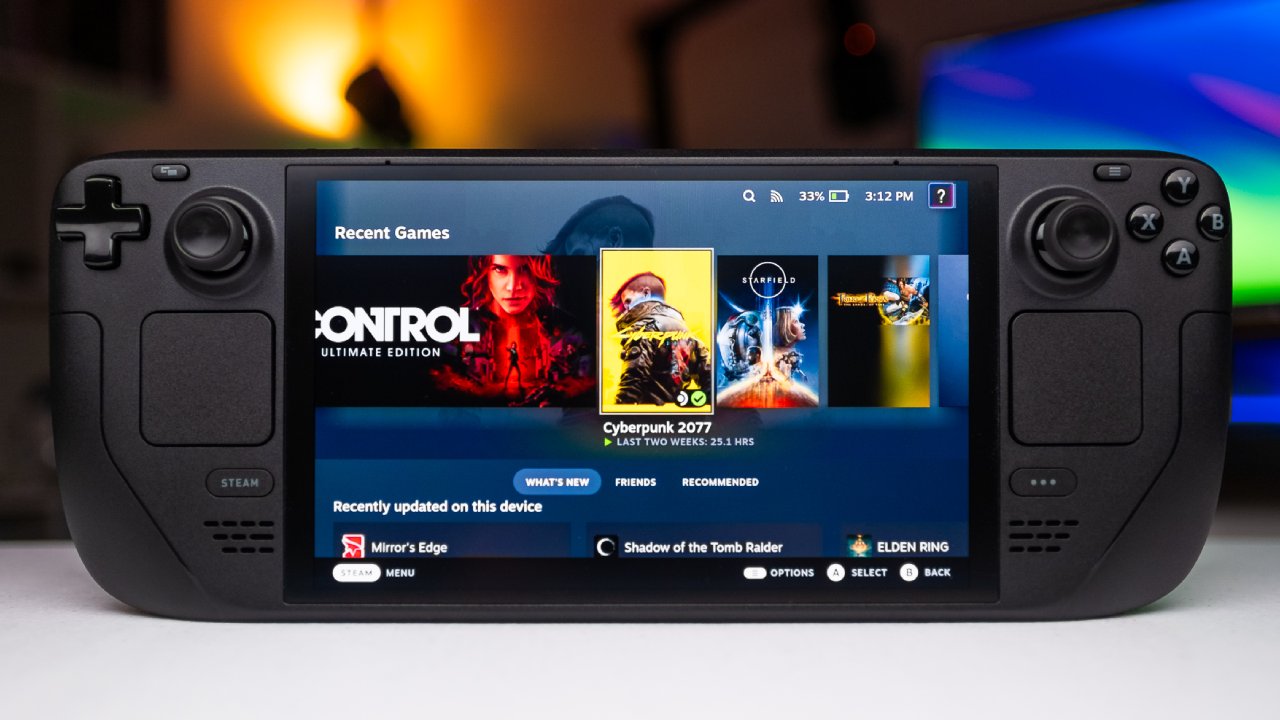
We don't need 120 frames per second in simple games to have fun playing games on our handhelds. If you need the best performance and can't take anything less than high refresh games, you're already thinking about premium mobile PCs. Steam Deck OLED delivers reliable 30 fps gameplay and easy-to-use controls for everyone.
It doesn't try to compete with gadgets designed for the best graphics. Instead, it focuses on delivering a robust, reliable handheld experience for $550, or $650 for the 1TB variant. Comparing it to gadgets that cost twice as much doesn't show how different people play games.
Reliability of Sleep and Wake
One of the most dependable characteristics is the ability to sleep and wake up. We can stop a game in the middle of a session and resume hours later with minimal battery loss. We can count on the device to pick up right where it left off, even when things get tough.
Other handhelds may have similar functionality, but they don't always work the same way. With other choices, the battery keeps draining as you sleep, games may quit without warning, and background programs keep running. When using a handheld every day, reliability is more important than peak benchmarks.
Operating System Benefits
Steam Deck's operating system is also a major factor in what makes it strong. SteamOS is a lightweight, focused operating system that puts games first. Other handhelds, like the Legion Go S, can run SteamOS, but the experience differs due to the hardware.
Even if another device runs the same operating system, it might not have the OLED display, big dual trackpads, four rear buttons, or the precise layout of the controls. The integration of design is important for more than just software.
Restrictions and Compatibility
There are problems with the equipment. When we start a game, we need to hold down the power button for 15 seconds, then restart the device. It usually takes about 45 seconds to reboot before you can play again, but the break is still obvious.
Another problem is that not all games work with it. Some games may not work properly if they need particular anti-cheat solutions. In other circumstances, multiplayer features may be limited, even when single-player options remain available. If you mainly play competitive online games that need full compatibility, you should think about such limits very carefully.
Emulation and Playing Remotely
Steam Deck works great for playing and emulating games remotely. We can add it to a bigger gaming setup, like when we play with a PlayStation 5 from a distance. The PlayStation Portal and other devices offer unique controller features, but combining them into a single handheld makes them easier to use.
We can use a single system that supports local games, streaming, and emulation, eliminating the need to deal with multiple portable devices.
Updates and Stability of the System
Updates to the Steam Deck's system run in the background and rarely pause gameplay. We may pick up the device and start a game right away, without waiting for operating system prompts. The system itself doesn't often block access, but updates for individual games may still happen.
Updates may occur more often on other handheld PCs, and they may temporarily pause games for a few minutes. These delays may not seem like a big deal on their own, but they add up over time and impact the whole experience.
Layout of Hardware and Ergonomics
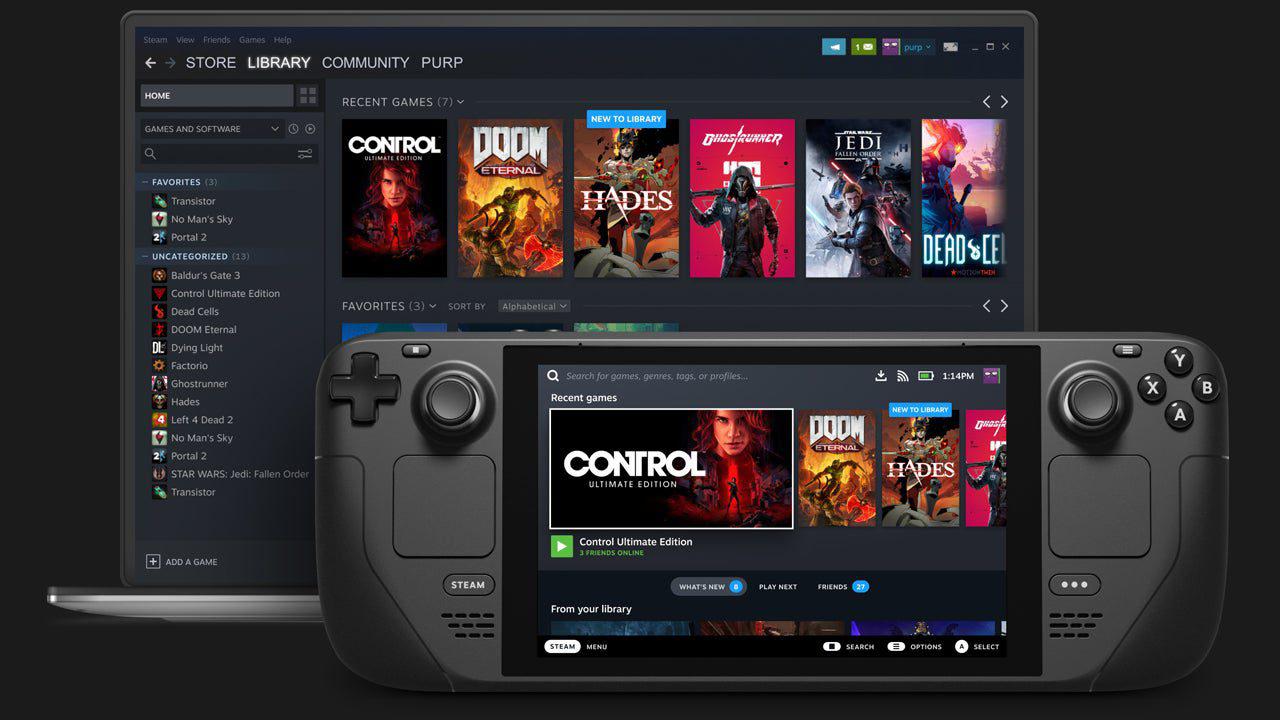
The configuration of the controls affects long-term comfort. The top-aligned functionality and symmetrical layout seem natural even after long periods of use. Asymmetrical controller designs are still popular, although what people like best depends on how they hold the controller and where they put their hands.
You can't just install the same operating system on different hardware and get the same experience. The trackpads, rear buttons, and built-in controllers all work together to make a seamless interface.
Final Thoughts
Steam Deck isn't meant to be better than gadgets that cost more. At this pricing point, it is meant to be consistent and dependable. There are other handheld PCs that can offer the best graphical settings and the fastest refresh rates. The Steam Deck is a reliable device that works right out of the box with little setup.
For a tiny group of people, installing SteamOS on a used portable PC is still an option. But most consumers want a product that is ready to use, comes with warranty support, and has an easy-to-follow setup. Steam Deck is still popular because it offers a complete, consistent gaming experience with no further setup required.
When you think about pricing, expectations, and how you plan to utilize something all at once, the debate loses some of its relevance. Steam Deck does its job well, and that's why it will still be useful in 2026.
Also, check our other hardware articles:
- AMD Ryzen 9 9950X3D Review: Setting The Standard For 2025 Gaming CPU
- Amazon Luna 2025 Review: Is Prime Gaming's Cloud Service Your Go-To For Casual Fun?
- AMD RX 9070 XT Review: AMD's RDNA 4 Champion for 1440p Gaming
- GeForce Now Ultimate: Ditching Your Gaming PC For Cloud RTX 4080 Power?
- NVIDIA GeForce RTX 5080 Review (2025): Still A 4K Gaming Powerhouse?
- Intel Core Ultra 9 285K Review And Performance Breakdown (2025)
- AMD Ryzen 7 9800X3D Review: 3D V-Cache Goes God Mode with Stunning Gaming Performance
- Intel Core Ultra 9 285K vs AMD Ryzen 7 9800X3D: In-Depth Gaming Performance and Benchmark Comparison
- NVIDIA GeForce RTX 5080 Super Performance In Cyberpunk 2077: Path Tracing & DLSS 4.0 Tested
- AMD Radeon RX 9070 XT In Cyberpunk 2077: Ray Tracing & FSR 4.0 Tested
- Intel Arc B580 Review: The $250 GPU Revolutionizing 1440p Gaming
- Intel Arc B570 Vs. B580: Value, Specs, And Real-World Gaming Performance
- RTX 5090 Laptop Vs. M4 Max MacBook Pro: Ultimate Raw Performance Vs. Battery Endurance
- Intel Arc b580 Vs. RTX 4060: Game Performance And Value Analysis
- RTX5090 Hell Is Us Demo 4K Ultra Benchmark: DLSS Vs. Native Performance Guide
- NVIDIA RTX 5070 Review: Mid-Range Muscle or Marketing Hype?
- Nintendo Switch 2 Review: Handheld Performance, Features & Value Breakdown
- RTX 5070 Ti Review: Performance, Thermals & Power Efficiency Tested
- Samsung Odyssey OLED G81SF Review 2025: Ultimate 32-Inch QD-OLED Gaming Monitor
- AMD RX 9070 Performance Review: Thermals, Clocks, and Real-World FPS
- AMD Ryzen 5 7600 Review: Best Budget Gaming CPU of 2025?
- AMD Radeon RX 7800 XT Review: RDNA 3 Power For Midrange Gaming
- Asus ROG RTX 5090 Astral OC Vs. Founders Edition: The 4K Gaming Benchmark
Editor, NoobFeed
Gaming Hardware Updates
No Data.