
SteamOS Gaming PC Build with AMD Ryzen and Radeon GPU
Building a compact gaming system designed for smooth 1440p performance and console-like functionality using SteamOS.
Hardware by Tanvir Kabbo on Oct 15, 2025
If you want a console-like experience in your living room, building a small-form-factor gaming PC might be a fun endeavor. You may develop a strong system without spending a lot of money by carefully choosing parts and using the used market.
Using SteamOS as the operating system adds a unique touch for gamers who want something different from Windows while still enjoying high-quality performance.
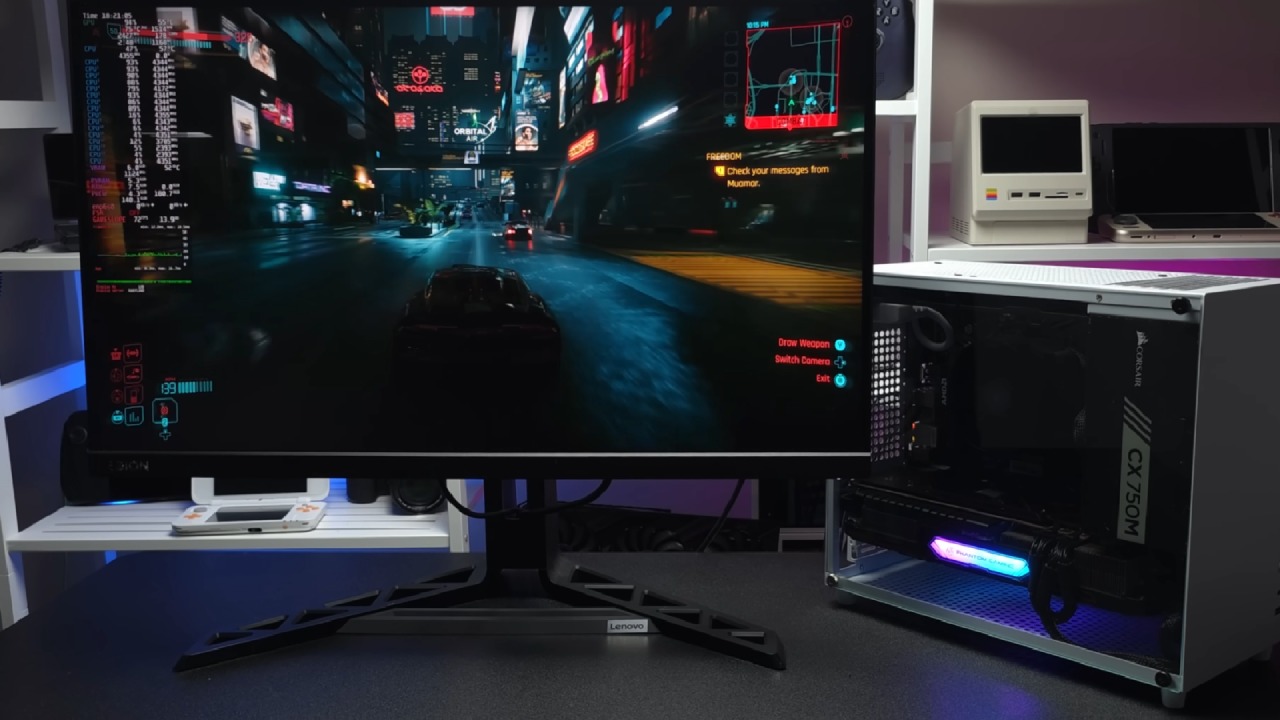
Choosing the Motherboard and Storage
For this build, we chose an AM4 platform for its affordability. A Gigabyte microATX board was chosen over a MiniITX board to balance cost and expandability. While you could opt for a MiniITX motherboard depending on the case you select, the B550 board we used supports everything we need.
Storage is flexible and depends on your needs. We installed a 1TB M.2 drive with a heat sink, as the motherboard doesn't provide cooling for M.2 SSDs. For system memory, DDR4 was the obvious choice for cost efficiency.
We used a 16GB dual-channel T-Force kit running at 3200MHz, which was around $26 on Amazon. For SteamOS, 16GB is plenty, but for a Windows build, 32GB would be ideal.
CPU and Cooling Options
The choice of CPU has a big effect on both performance and cost. We choose the AMD Ryzen 7 5700G for this arrangement. It has eight cores and sixteen threads, plus it has a good iGPU, but we're utilizing a separate GPU for this build. The Ryzen 5 5600X is another good choice, although the 5700G is a little faster.
The Wraith Spire cooler was utilized to cool the 65W CPU. It is a reliable choice. The Wraith Stealth works well, but the Spire is taller and cools better without getting too hot.
Selecting the Case and Power Supply
We chose an Amazon-special V500 case, priced at $45. It includes a tempered glass side panel, supports miniITX or microATX motherboards, SFX or ATX power supplies, and can fit GPUs up to 335mm in length. Although it didn't come with extra fans, we added two 120mm fans on top to improve airflow.
For the power supply, a semi-modular CX750M was used. While 750W is slightly overkill for this build, a 650W supply would suffice. The modular design allows us to only use necessary cables, keeping the interior clean.
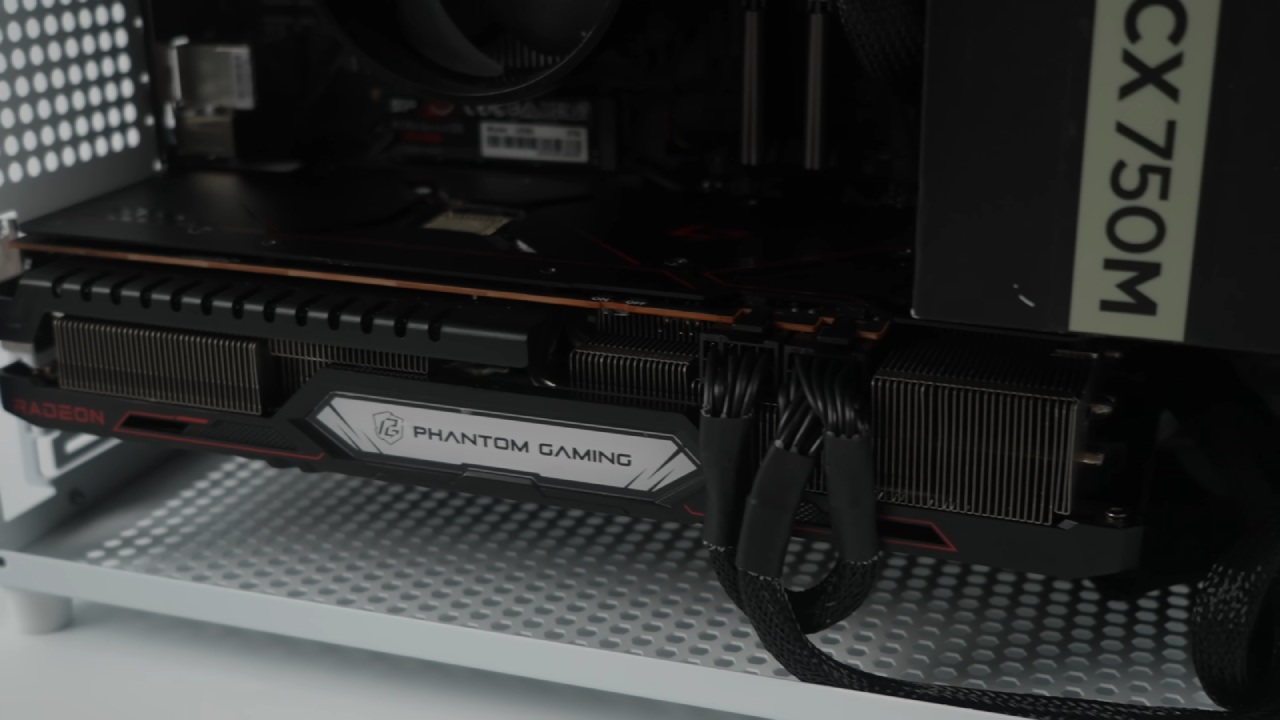
We connected the 24-pin motherboard and 8-pin CPU power, plus two 8-pin PCIe connectors for the GPU. No SATA drives were used, but additional cabling can be added later if needed. Zip ties were essential for organizing cables.
Installing the GPU
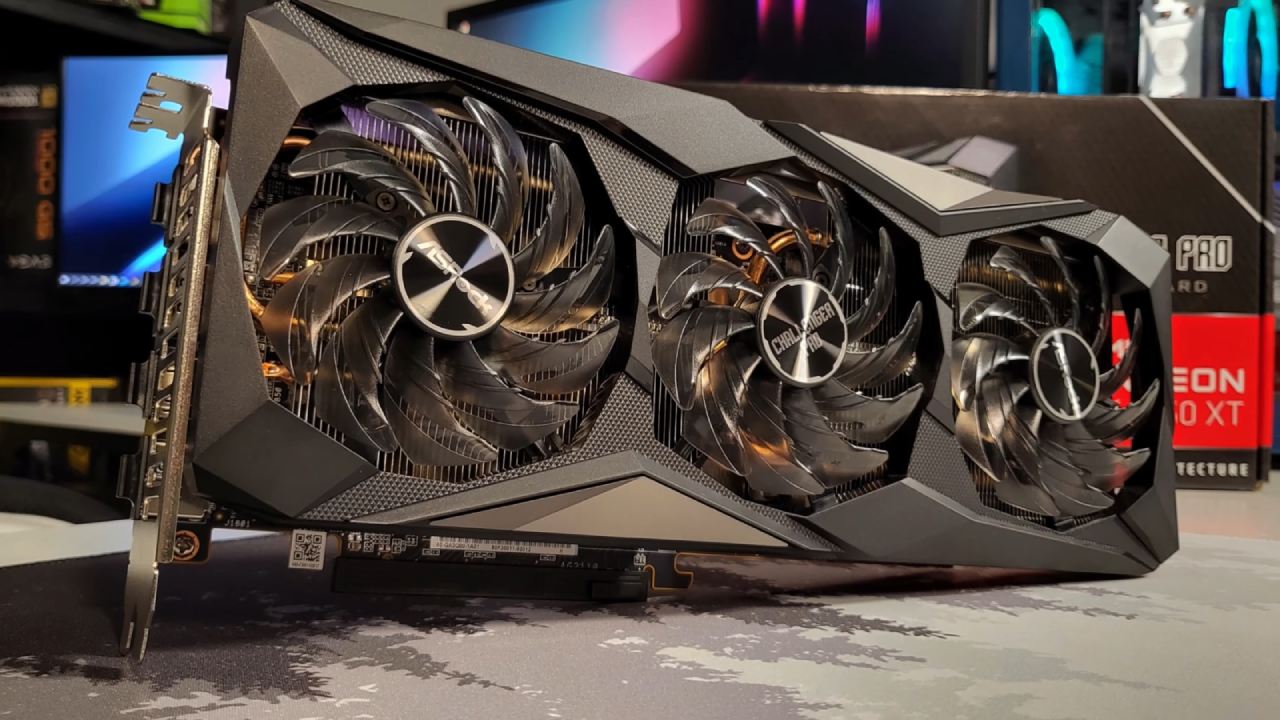
To run official SteamOS, a Radeon GPU is required. We installed a used ASRock Radeon RX 6750 XT with a triple-fan design. For 1440p gaming, this GPU provides excellent performance, though an RX 6600 is a more budget-friendly option suitable for 1080p.
The RX 6750 XT comes with 12GB of VRAM, which is helpful for higher resolutions. Installation was straightforward, and the GPU required two 8-pin PCIe connectors.
Installing SteamOS
Installing SteamOS is simple. We downloaded the Steam Deck recovery image from Valve's website and flashed it to a fast USB drive using Rufus. Booting from the USB allowed us to install SteamOS onto the M.2 SSD with ease. After installation, the system booted successfully, with all components functioning as expected.
SteamOS does not allow direct GPU fan control, but the BIOS can manage the CPU and case fans. Ethernet was utilized to connect because the motherboard didn't have Wi-Fi or Bluetooth. But if you want, you may install a dongle or PCIe card.
Performance Testing
We tested several games to evaluate the system's performance.
Cyberpunk 2077: At 1440p ultra with FSR 2.1 set to quality, the RX 6750 XT averaged 71fps. Balanced FSR settings provided smoother gameplay without sacrificing visuals. 1080p Ultra is excellent across the board.
Doom Eternal: At 1440p high with FSR set to balance, performance was excellent. Frame generation initially caused issues, but disabling it resolved the low FPS.
Spider-Man 2: Performance was limited by SteamOS or Proton, with 1080p low being necessary for smooth gameplay. At 1440p high with FSR and frame generation enabled, gameplay improved.
Borderlands 3: 1440p ultra performed well despite occasional shader stutters.
Marvel's Rivals: 1440p high with FSR balanced performed smoothly, and 1080p allowed consistent 120fps.
Average temperatures were reasonable. The CPU averaged 56°C during 1440p gaming with a maximum of 63°C. The GPU averaged 73°C with a maximum of 81°C, without thermal throttling. Fans became audible only above 70°C, suggesting that additional cooling could further reduce temperatures.
Final Thoughts
This build shows that a compact gaming PC that runs SteamOS can be both cheap and powerful. If you're on a tight budget, you may consider an RX 6600 or a smaller casing for 1080p gaming. The RX 6750 XT still lets you play games at 1440p with some FSR tweaks.
All components used are available online, including used options from eBay. With careful selection and assembly of parts, this system provides a console-like experience with the flexibility of a PC.
Also, check our other hardware articles:
- AMD Ryzen 9 9950X3D Review: Setting The Standard For 2025 Gaming CPU
- Amazon Luna 2025 Review: Is Prime Gaming's Cloud Service Your Go-To For Casual Fun?
- AMD RX 9070 XT Review: AMD's RDNA 4 Champion for 1440p Gaming
- GeForce Now Ultimate: Ditching Your Gaming PC For Cloud RTX 4080 Power?
- NVIDIA GeForce RTX 5080 Review (2025): Still A 4K Gaming Powerhouse?
- Intel Core Ultra 9 285K Review And Performance Breakdown (2025)
- AMD Ryzen 7 9800X3D Review: 3D V-Cache Goes God Mode with Stunning Gaming Performance
- Intel Core Ultra 9 285K vs AMD Ryzen 7 9800X3D: In-Depth Gaming Performance and Benchmark Comparison
- NVIDIA GeForce RTX 5080 Super Performance In Cyberpunk 2077: Path Tracing & DLSS 4.0 Tested
- RTX 5090 Performance Testing In GTA 5 – 1080p, 1440p, and 4K Max Settings Benchmark
- AMD Radeon RX 9070 XT In Cyberpunk 2077: Ray Tracing & FSR 4.0 Tested
- Intel Arc B580 Review: The $250 GPU Revolutionizing 1440p Gaming
- Intel Arc B570 Vs. B580: Value, Specs, And Real-World Gaming Performance
- Intel Arc B570 Review: Efficient Xe2 Performance At An Affordable Price
- RTX 5090 Laptop Vs. M4 Max MacBook Pro: Ultimate Raw Performance Vs. Battery Endurance
- Intel Arc b580 Vs. RTX 4060: Game Performance And Value Analysis
- RTX5090 Hell Is Us Demo 4K Ultra Benchmark: DLSS Vs. Native Performance Guide
- NVIDIA RTX 5070 Review: Mid-Range Muscle or Marketing Hype?
- Nintendo Switch 2 Review: Handheld Performance, Features & Value Breakdown
- RTX 5070 Ti Review: Performance, Thermals & Power Efficiency Tested
- Samsung Odyssey OLED G81SF Review 2025: Ultimate 32-Inch QD-OLED Gaming Monitor
- AMD RX 9070 Performance Review: Thermals, Clocks, and Real-World FPS
- AMD Ryzen 5 7600 Review: Best Budget Gaming CPU of 2025?
- AMD Radeon RX 7800 XT Review: RDNA 3 Power For Midrange Gaming
- Asus ROG RTX 5090 Astral OC Vs. Founders Edition: The 4K Gaming Benchmark
- ASUS ROG Astral RTX 5090 OC Edition Review: 32GB GDDR7 & 4K Gaming Benchmark
- Intel Core i5-13400F Gaming Performance: Still Worth It in 2025?
- ASUS GeForce RTX 5090 LC Liquid Cooled GPU Review: Unmatched Silence & Speed
- ASUS ROG Ally X Handheld Review: Double the Battery, Double the Comfort
- Lenovo Legion Go S Review: The Ultimate Steam Deck 2 Alternative
- Sapphire NITRO+ AMD Radeon RX 9070 XT Review: The Ultimate 4K Gaming GPU
- Alienware 16 Area 51 Review: The Ultimate 2025 Gaming Laptop
- Alienware Area-51 Review: Unmatched 4K, Thermal, and Acoustic Performance
- AMD Ryzen 7 7800X3D: Delivers Gaming Performance Far Beyond Expectations
- AMD Ryzen 9 7900X Review: Powering the AM5 Era with DDR5 & PCIe 5.0
- Intel Core i9‑14900K vs. AMD Ryzen 7 7800X3D: Power Profiles & Gaming Benchmarks
- Intel Core i9 14900K: Specs, Benchmarks, and Competitor Comparison
- ASRock Radeon RX 7800 XT Challenger OC Review: Best Price-to-Performance GPU of 2025
Senior Editor, NoobFeed
Gaming Hardware Updates
No Data.