
ASUS PG32UCDM3 Review: The Refined 4K 240Hz QD-OLED Gaming Monitor
Improved QD-OLED panel technology brings slightly higher brightness, exceptional motion clarity at 240hz, and accurate HDR color performance.
Hardware by Tanvir Kabbo on Mar 09, 2026
The third time might truly be the charm. The ASUS PG32UCDM3 represents the third revision of the beloved 32-inch 4K 240hz OLED monitor lineup. This new version slightly increases brightness, upgrading the certification to DisplayHDR True Black 500 instead of True Black 400. It also introduces a new glossy coating that allegedly offers 2.5x better scratch resistance while improving ease of cleaning and ambient light handling.
Connectivity remains strong with one DisplayPort 2.1a full-bandwidth port, two HDMI 2.1 ports, and a 90W USB-C connection. The monitor also supports HDR10 and Dolby Vision, while keeping the same $1299 price point and a three-year warranty that includes limited bright- and dark-dot coverage. Availability is expected around the end of March, depending on the region.
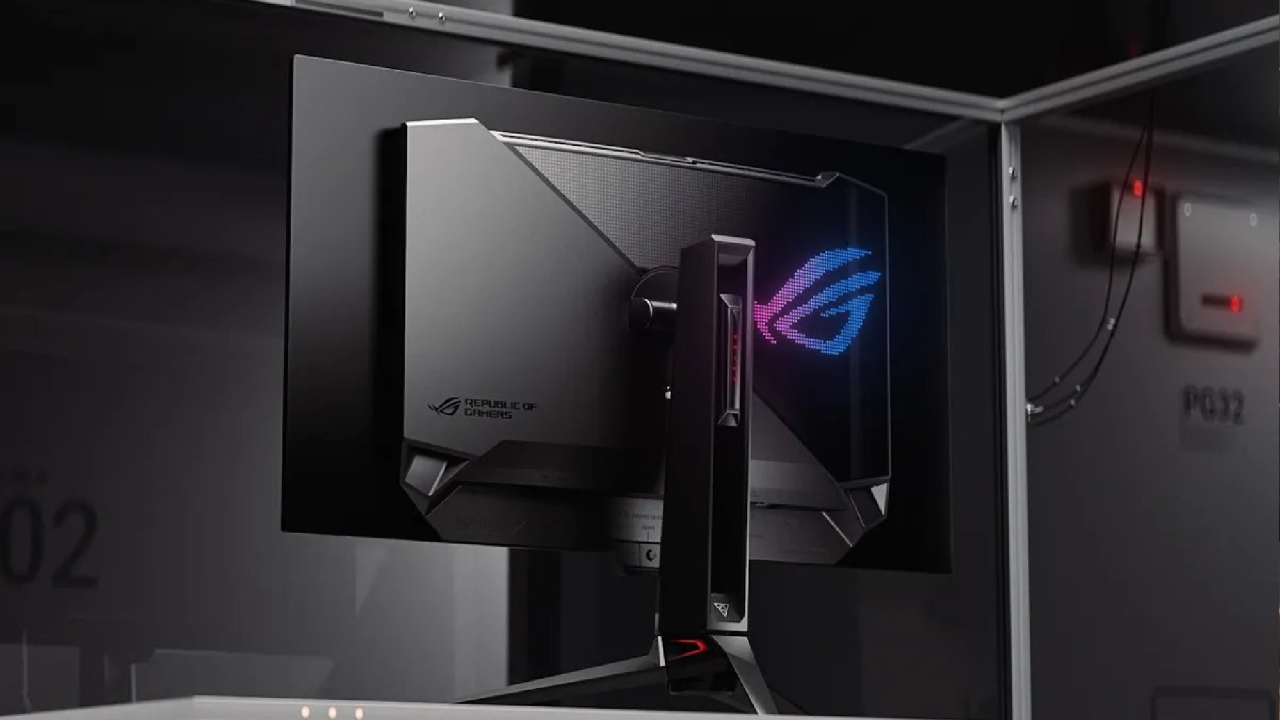
The PG32UCDM3 offers small improvements across several areas compared to the original PG32UCDM. The previous version was already excellent, and this iteration refines the formula even further.
Gaming Performance and Latency
Gaming performance is where OLED technology truly shines. OLED panels are incredibly fast, delivering near-instant pixel response while providing per-pixel local dimming for exceptional image quality.
Using Nvidia's LDAT tool for latency testing shows that the display latency and click-to-photon reaction times are quite low. These numbers show both the display latency and the entire system delay from the time you click until the action happens on the screen. The results reveal that the PG32UCDM3 is quite responsive and is on par with some of the top gaming monitors on the market.
Motion performance is equally impressive. Using the Blurbusters UFO ghosting test at 1920pixels per second, the monitor displays very clear motion at 240fps. Motion clarity gets close to the reference example image, and the “Better Than 60Hz” text becomes clearly visible during the test.
Higher refresh displays like 360hz or 500hz QD-OLED panels can perform better, but the improvement is not massive. Compared to 120hz or 60hz displays, however, the difference is dramatic. For many gamers, 240hz remains a perfect sweet spot.
Advanced Gaming Features
The monitor includes a wide range of gaming features designed to improve flexibility and performance.
One notable feature is Extremely Low Motion Blur (ELMB). Running the display at 120hz with ELMB can produce motion clarity similar to 240hz. This effectively reduces GPU requirements by half for achieving similar motion clarity.
However, there are some limitations. ELMB disables VRR technologies such as G-Sync and also disables HDR. Testing also revealed a latency penalty of over 10ms and a significant reduction in brightness. Because of these trade-offs, the feature will likely remain a niche option for specific use cases.
The display also lets you decrease the screen with excellent pixel aspect control. You may choose between simulated screen sizes of 27 inches and 24.5 inches, and both HDR and VRR still work. Other features include support for anti-flicker through a smaller VRR range, customizable HDR modes, and options for uniform brightness.
With extremely low latency, strong motion clarity, excellent picture quality, and a wide feature set, the PG32UCDM3 easily ranks among the best gaming monitors available.
HDR Brightness Performance
Despite the improvements, HDR brightness remains a limitation. Peak window brightness testing at the D65 white point shows that the PG32UCDM3 slightly improves the 100% window brightness compared to the original model. However, the 10% window brightness has barely changed.
When compared to larger OLED televisions like a 55-inch LG G5, the difference becomes obvious. The television can be roughly five times brighter. This highlights an ongoing limitation with OLED monitors in general.
In games such as Baldur’s Gate3 at the D65 white point, the PG32UCDM3 measures as the brightest QD-OLED monitor tested so far. Unfortunately, the improvement over older QD-OLED monitors is minimal.
A meaningful HDR leap would likely require at least double the current real-world brightness levels to deliver consistently impactful HDR highlights.
That said, HDR should still be used whenever possible. HDR provides a wider color gamut and higher dynamic range compared to SDR, which results in noticeably better image quality.
Color Accuracy and Calibration
Out-of-the-box accuracy is already very good in the sRGB mode, which is commonly used for SDR content. However, the default gamma appears to target the less common sRGB gamma curve.
After some small adjustments, color accuracy improves even further. Aside from minor issues in very near-black performance, the monitor delivers excellent results.
Color checker analysis confirms this. The monitor achieved an average DeltaE of just 0.7, which is far below the typical accuracy threshold of 2.
HDR accuracy is also strong. The monitor includes several HDR modes such as Gaming HDR, Cinema HDR, Console HDR, and True Black500. While none are perfect, most deliver solid performance. Console HDR mode slightly under-tracks brightness, and some shadow lifting occurs near the bottom of the luminance curve.
Even so, HDR color checker testing produces an average DeltaE of about 1, which is among the best results seen on HDR monitors. BT.2020 gamut coverage reaches roughly 78%, allowing the display to produce rich and highly saturated colors.
Dark Room and Bright Room Performance
In dark rooms, QD-OLED panels perform exceptionally well. Per-pixel local dimming creates effectively infinite contrast ratios, producing deep blacks and outstanding image depth.
In bright rooms, performance becomes more complicated. The PG32UCDM3 does show improvement compared to older QD-OLED displays, offering better ambient light handling.
However, the panel still trails behind modern four-layer WOLED panels. Current WOLED technology performs roughly four times better in bright room reflections and still outperforms QD-OLED in this environment.
If future QD-OLED panels improve ambient light performance by a similar margin again, they could become highly competitive even in bright spaces.
Coating, Clarity, and Text Rendering
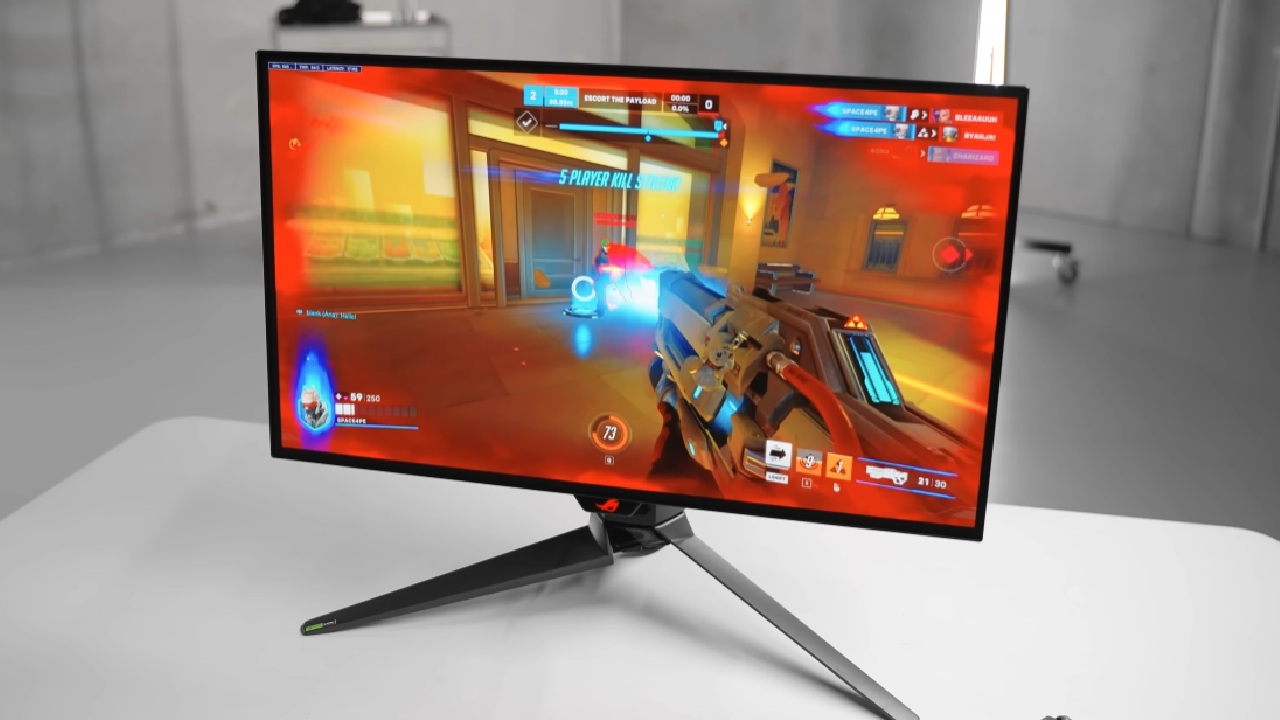
The new glossy covering has evident benefits. The panel is much less likely to get scratched, and it's easier to clean than previously.
The glossy surface keeps everything clear since it makes images look crisper and brighter than matte coatings. Glossy OLED displays often appear more detailed and three-dimensional because they avoid the diffusion effect introduced by matte layers.
The panel still uses a triangular RGB subpixel arrangement, which can cause minor color fringing on text edges. At a 4K resolution, however, the effect is rarely noticeable during normal use.
Viewing angles and panel uniformity are also excellent, which is typical for QD-OLED displays. The tested unit delivered nearly perfect results in both categories.
Final Thoughts
The ASUS PG32UCDM3 improves upon its predecessor in several key areas. It offers better ambient light handling, DisplayPort2.1 support, slightly improved HDR brightness, stronger scratch resistance, and excellent color accuracy.
Considering that the original PG32UCDM already won multiple awards for best QD-OLED monitor, this refined third-generation version continues the legacy. Overall performance earns a strong 9 out of 10 rating.
For users already owning the first-generation model, upgrading might not provide a large enough leap. Waiting for features like RGB stripe subpixel layouts and True Black600 HDR support could deliver a more meaningful upgrade.
The PG32UCDM3 is a great pick for anyone else looking for one of the top QD-OLED gaming monitors on the market. It has a great price and great gaming performance, color accuracy, and build quality.
Also, check our other hardware articles:
- AMD Ryzen 9 9950X3D Review: Setting The Standard For 2025 Gaming CPU
- Amazon Luna 2025 Review: Is Prime Gaming's Cloud Service Your Go-To For Casual Fun?
- AMD RX 9070 XT Review: AMD's RDNA 4 Champion for 1440p Gaming
- GeForce Now Ultimate: Ditching Your Gaming PC For Cloud RTX 4080 Power?
- NVIDIA GeForce RTX 5080 Review (2025): Still A 4K Gaming Powerhouse?
- Intel Core Ultra 9 285K Review And Performance Breakdown (2025)
- AMD Ryzen 7 9800X3D Review: 3D V-Cache Goes God Mode with Stunning Gaming Performance
- Intel Core Ultra 9 285K vs AMD Ryzen 7 9800X3D: In-Depth Gaming Performance and Benchmark Comparison
- NVIDIA GeForce RTX 5080 Super Performance In Cyberpunk 2077: Path Tracing & DLSS 4.0 Tested
- AMD Radeon RX 9070 XT In Cyberpunk 2077: Ray Tracing & FSR 4.0 Tested
- Intel Arc B580 Review: The $250 GPU Revolutionizing 1440p Gaming
- Intel Arc B570 Vs. B580: Value, Specs, And Real-World Gaming Performance
- RTX 5090 Laptop Vs. M4 Max MacBook Pro: Ultimate Raw Performance Vs. Battery Endurance
- Intel Arc b580 Vs. RTX 4060: Game Performance And Value Analysis
- RTX5090 Hell Is Us Demo 4K Ultra Benchmark: DLSS Vs. Native Performance Guide
- NVIDIA RTX 5070 Review: Mid-Range Muscle or Marketing Hype?
- Nintendo Switch 2 Review: Handheld Performance, Features & Value Breakdown
- RTX 5070 Ti Review: Performance, Thermals & Power Efficiency Tested
- Samsung Odyssey OLED G81SF Review 2025: Ultimate 32-Inch QD-OLED Gaming Monitor
- AMD RX 9070 Performance Review: Thermals, Clocks, and Real-World FPS
- AMD Ryzen 5 7600 Review: Best Budget Gaming CPU of 2025?
- AMD Radeon RX 7800 XT Review: RDNA 3 Power For Midrange Gaming
- Asus ROG RTX 5090 Astral OC Vs. Founders Edition: The 4K Gaming Benchmark
Senior Editor, NoobFeed
Gaming Hardware Updates
No Data.