
Best Budget QD-OLED Monitor 2026: 1440p 280hz for $477
Entry-level OLED pricing meets advanced QD technology for enhanced brightness, color accuracy, and gaming performance.
Hardware by Tanvir Kabbo on Mar 04, 2026
OLED monitors have been getting really good, even at entry-level pricing. In an entry-level OLED, pricing typically starts at $500+, but the technology no longer feels entry-level. The 2780S OLED monitor features a QD-OLED panel, which improves brightness, contrast, and color accuracy.
An OLED panel already looks great, and with QD technology, it looks even better. With a discount code applied, pricing drops to around $477, and you can save an additional $50 using the provided code. That brings a QD-OLED monitor under $500, which makes it a strong upgrade option for a gaming setup in 2026.
.jpg)
We are getting 280hz here with a 0.03ms response time, and the design is very similar to the previous white 500hz model. This feels like the toned-down version, offering 280hz instead of 500hz, which for most gamers is more than enough. Not everyone will take advantage of 500hz, and reducing that refresh rate lowers the price significantly without sacrificing key specs.
If you were to buy a VA panel at 1440p and 280hz with a 1ms response time, you would still spend around $200–$300 for a good-spec monitor. With this model offering 0.03ms response time and QD-OLED technology, it does not feel like you are paying too much more for significantly better display performance.
In a market where everything is getting more expensive, monitors are becoming more affordable. That makes upgrading to OLED a compelling option if you already have a solid gaming PC.
What Comes in the Box
The monitor includes a very thick DisplayPort cable, clearly capable of handling high refresh rates. It also comes with white connectors and a 120W power adapter featuring the classic three-prong “Mickey Mouse” connector.
While we prefer to see the power supply built directly into the monitor, using an external brick likely helps reduce costs. On the bright side, if the power supply fails, you can replace it separately instead of replacing the entire monitor.
The stand is metal and feels very sturdy. It supports height adjustment, tilt, swivel, and full pivot into vertical orientation. You can easily rotate it 90° for a vertical setup, which works great for Discord, Twitch chat, or a secondary display layout.
Design and Build Quality
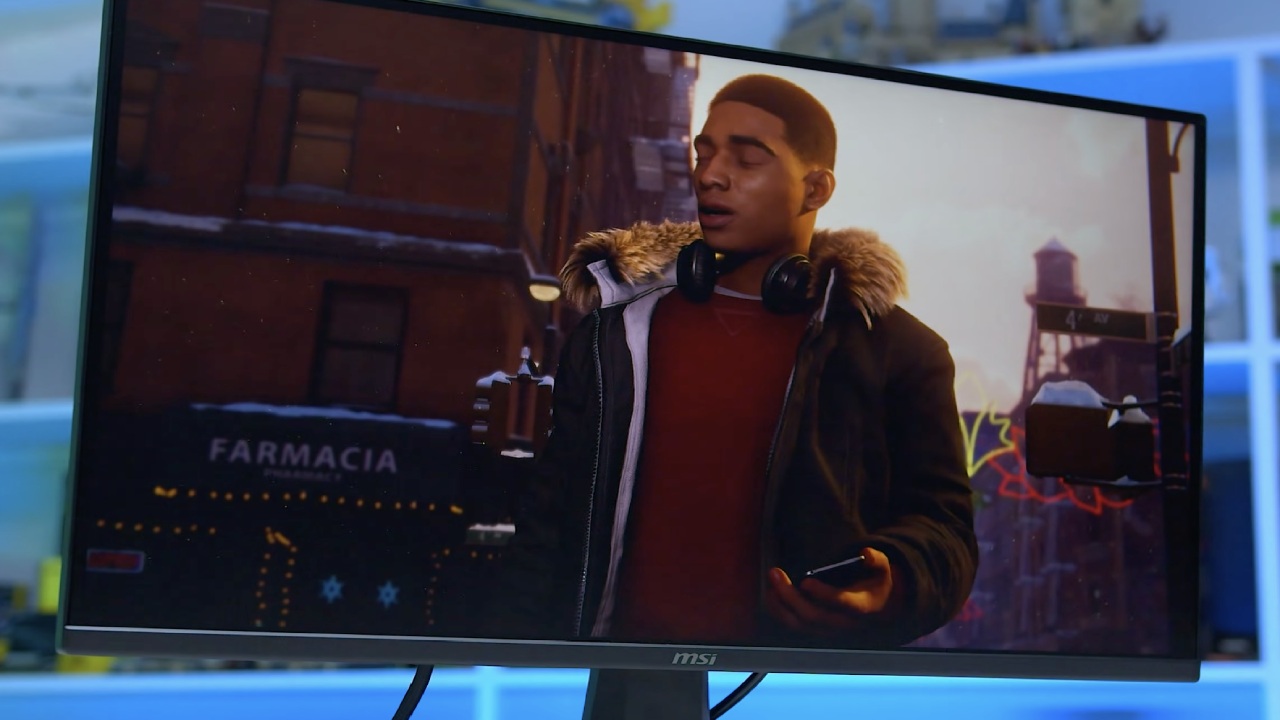
The shiny finish really sticks out right away. People used to stay away from glossy displays because they caused glare and reflections. But now that OLED panels are available and brightness levels are higher, gloss actually improves picture quality and makes colors stand out more. Glossy screens usually look brighter than matte OLED panels.
The back design integrates the typical OLED “hump” more smoothly into the chassis, making it look cleaner. Port selection includes two HDMI inputs, two DisplayPort inputs, an audio passthrough port, and a DC power jack. Menu navigation is handled by a single control nub, which is much easier than traditional button layouts.
RGB lighting is integrated into the back panel. By default, it lights up red, but you can switch between several preset colors in the OSD menu.
On-Screen Display and Settings
Once powered on, the OSD provides multiple picture modes, including DCI-P3, Adobe, sRGB, Reading, Mac, Movie, MOBA, FPS, and RTS profiles. Out of the box, the monitor runs in its standard mode. For those who want maximum color accuracy, proper color calibration is recommended.
Brightness is set to 70 by default, but increasing it significantly boosts the visual impact. HDR is set to Auto, though HDR400 peak brightness is not where OLED truly shines yet. For the best experience, leaving HDR off can prevent unnecessary switching.
The menu also includes picture-in-picture functionality, quick boot options, and quantization range settings for color range adjustment. For most users, leaving the color range on Auto is perfectly fine.
The monitor runs at 280hz at 1440p, and the smoothness is immediately noticeable.
Gaming Performance – The Finals
We tested the monitor with a system featuring a 9850X3D CPU and a Radeon 9700XT GPU to represent a strong but realistic high-end gaming setup. Instead of using a 5090-class GPU, we chose hardware more representative of what most gamers actually own.
In The Finals, running at native 1440p with AMD FSR3 set to Quality, high ray tracing, and high settings, the monitor delivered excellent visuals. The game’s vibrant colors and intense contrast benefit tremendously from QD-OLED technology. The bright whites and deep blacks create a striking contrast, and motion feels incredibly smooth.
To maximize FPS, settings can be lowered to medium, or ray tracing can be disabled. Even so, the experience remains smooth and visually impressive. For a 1440p 280hz monitor, you would normally spend a few hundred dollars on IPS or VA panels. Spending slightly more for QD-OLED offers a major visual upgrade.
Budget-focused does not always mean the cheapest possible. It can mean the best value for performance. While this monitor may not be ideal for entry-level gamers, it makes a lot of sense if you already have a powerful PC or plan to build one.
Console players also benefit. Many people pair $500 consoles with extremely expensive 360hz monitors. Instead, choosing a QD-OLED like this provides comparable performance with dramatically improved image quality.
Gaming Performance – Clair Obscur: Expedition 33
We also tested Clair Obscur: Expedition 33 at Epic preset with FSR Native AA and no upscaling. With global illumination and all Epic settings enabled, performance hovered around 60–70fps. This represents a worst-case scenario with heavy GPU load.
For a cinematic AAA-style experience, 60fps to 120fps is perfectly acceptable. Enabling frame generation can push performance closer to 120fps while maintaining visual quality. The deep blacks, sun rays, and strong highlights showcase the true strengths of QD-OLED contrast.
Under maximum stress, FPS occasionally dipped below 60fps. Lowering settings slightly provides a more consistent experience. While the 9700XT is powerful, it is not at the ultra-enthusiast tier, so optimization is still important. Even so, the monitor’s image quality elevates the entire experience.
Final Thoughts
At around $477 with an additional $50 discount, getting a 1440p 280hz QD-OLED monitor with a 0.03ms response time represents strong value. You are not just buying high refresh rate performance; you are buying superior contrast, color accuracy, and response times that traditional VA or IPS panels cannot match.
If you already have a capable gaming system, upgrading your monitor to QD-OLED can transform your overall experience. Instead of chasing extreme refresh rates that most gamers will never fully utilize, investing in better display technology delivers noticeable improvements every time you power on your system.
Also, check our other hardware articles:
- AMD Ryzen 9 9950X3D Review: Setting The Standard For 2025 Gaming CPU
- Amazon Luna 2025 Review: Is Prime Gaming's Cloud Service Your Go-To For Casual Fun?
- AMD RX 9070 XT Review: AMD's RDNA 4 Champion for 1440p Gaming
- GeForce Now Ultimate: Ditching Your Gaming PC For Cloud RTX 4080 Power?
- NVIDIA GeForce RTX 5080 Review (2025): Still A 4K Gaming Powerhouse?
- Intel Core Ultra 9 285K Review And Performance Breakdown (2025)
- AMD Ryzen 7 9800X3D Review: 3D V-Cache Goes God Mode with Stunning Gaming Performance
- Intel Core Ultra 9 285K vs AMD Ryzen 7 9800X3D: In-Depth Gaming Performance and Benchmark Comparison
- NVIDIA GeForce RTX 5080 Super Performance In Cyberpunk 2077: Path Tracing & DLSS 4.0 Tested
- AMD Radeon RX 9070 XT In Cyberpunk 2077: Ray Tracing & FSR 4.0 Tested
- Intel Arc B580 Review: The $250 GPU Revolutionizing 1440p Gaming
- Intel Arc B570 Vs. B580: Value, Specs, And Real-World Gaming Performance
- RTX 5090 Laptop Vs. M4 Max MacBook Pro: Ultimate Raw Performance Vs. Battery Endurance
- Intel Arc b580 Vs. RTX 4060: Game Performance And Value Analysis
- RTX5090 Hell Is Us Demo 4K Ultra Benchmark: DLSS Vs. Native Performance Guide
- NVIDIA RTX 5070 Review: Mid-Range Muscle or Marketing Hype?
- Nintendo Switch 2 Review: Handheld Performance, Features & Value Breakdown
- RTX 5070 Ti Review: Performance, Thermals & Power Efficiency Tested
- Samsung Odyssey OLED G81SF Review 2025: Ultimate 32-Inch QD-OLED Gaming Monitor
- AMD RX 9070 Performance Review: Thermals, Clocks, and Real-World FPS
- AMD Ryzen 5 7600 Review: Best Budget Gaming CPU of 2025?
- AMD Radeon RX 7800 XT Review: RDNA 3 Power For Midrange Gaming
- Asus ROG RTX 5090 Astral OC Vs. Founders Edition: The 4K Gaming Benchmark
Senior Editor, NoobFeed
Gaming Hardware Updates
No Data.