
ASUS ROG Strix B850A Gaming Wi-Fi Motherboard Review: DDR5, M.2 Slots, & Wi-Fi 7
High-performance ATX motherboard with white-themed design, advanced VRM, and DDR5 support for modern Ryzen processor builds.
Hardware by Masaru Hoshino on Aug 28, 2025
The high-end ASUS ROG Strix B850A Gaming Wi-Fi motherboard is made for enthusiasts who want to assemble a robust and aesthetically pleasing Ryzen system. Its design, featuring a white motif and black and silver accents, creates a dramatic look that complements contemporary construction.
By turning the PCB itself white, ASUS has gone one step further and achieved a smooth contrast with the integrated components and silver heat sinks.
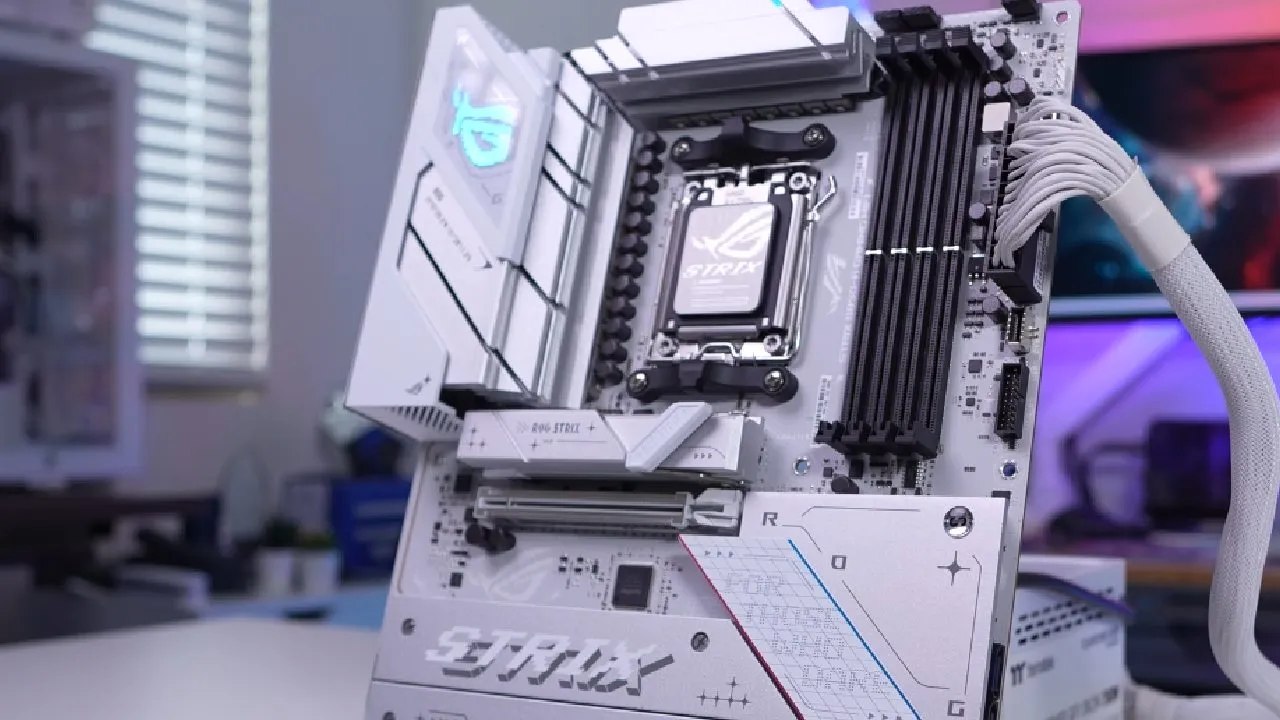
Design of the Board
Due to its thoughtful design, the motherboard is both aesthetically pleasing and well-suited for high-performance systems. The combination of silver heat sinks, white accents, and a few black highlights makes it one of the best-looking B850 motherboards available.
The top heat sinks cover critical components, including the power delivery system, while maintaining a clean and stylish appearance.
CPU Socket and VRM
At the heart of the board is AMD's AM5 socket, supporting Ryzen 9000, 8000, and 7000 series processors. Surrounding the CPU socket, ASUS has implemented a 14+2+2 power phase design with 80A power stages and high-quality alloy chokes.
Two silver heat sinks cover the power delivery components, with the rear IO cover partially overlapping one of the heat sinks. This all-white cover, featuring the ROG logo, contrasts nicely with the silver heat sinks, enriching the overall aesthetics.
Top-Edge of the Board
There are two eight-pin EPS connectors in the upper corner. Installing both guarantees more reliable power delivery for high-end processors and overclocking, even though only one is required for everyday use.
Three four-pin fan headers are provided across the top: an optional CPU fan header, an AIO pump header, and a CPU fan header. If these headers are not being used, ASUS provides protective covers to keep them looking neat and tidy.
Slots for DDR5
The motherboard's DDR5 DIMM slots support up to 256 GB of DDR5 8000 memory. The slots' notable lack of bottom-side locks makes it simpler to install and upgrade RAM, even when a large graphics card is mounted.
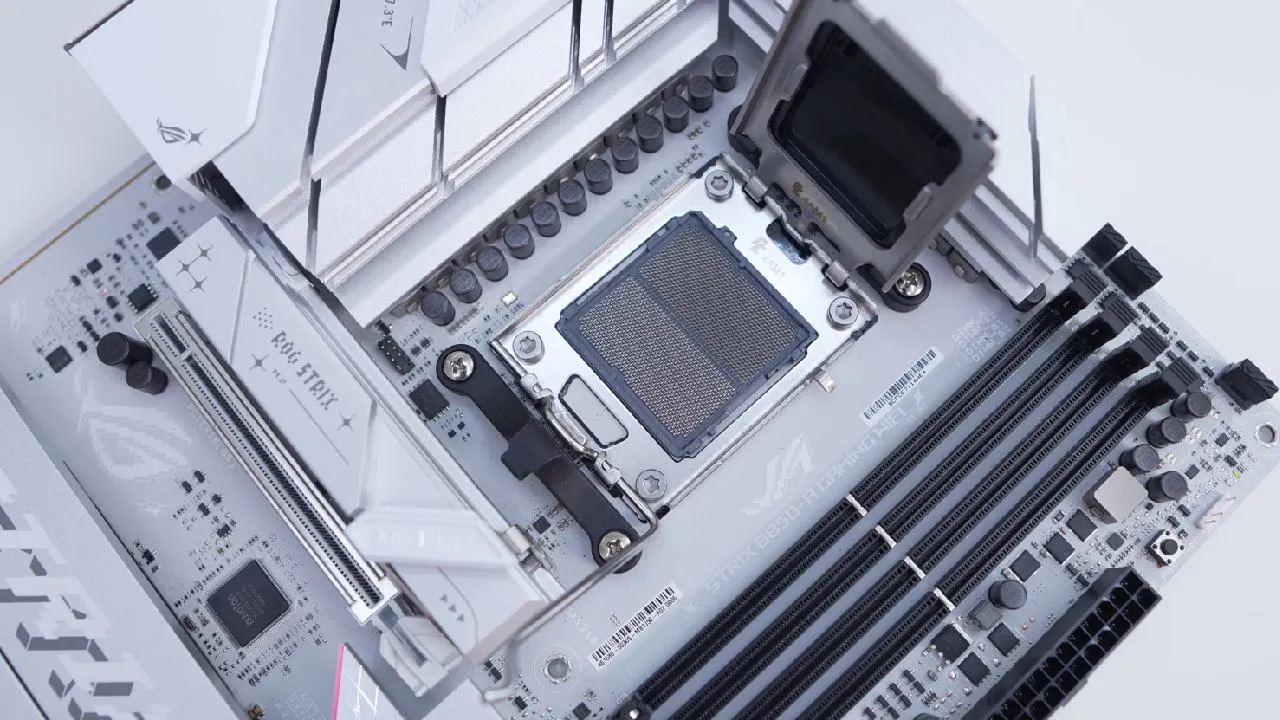
Front-Edge Connections
Along the front edge, users will find a three-pin addressable RGB header, a power button, a 24-pin ATX power connection, a USB 3.2 Gen2 header, and a USB 3.2 Gen1 header. Two SATA 6Gb/s ports are positioned at a 90° angle to prevent interference with expansion cards.
Bottom Connections
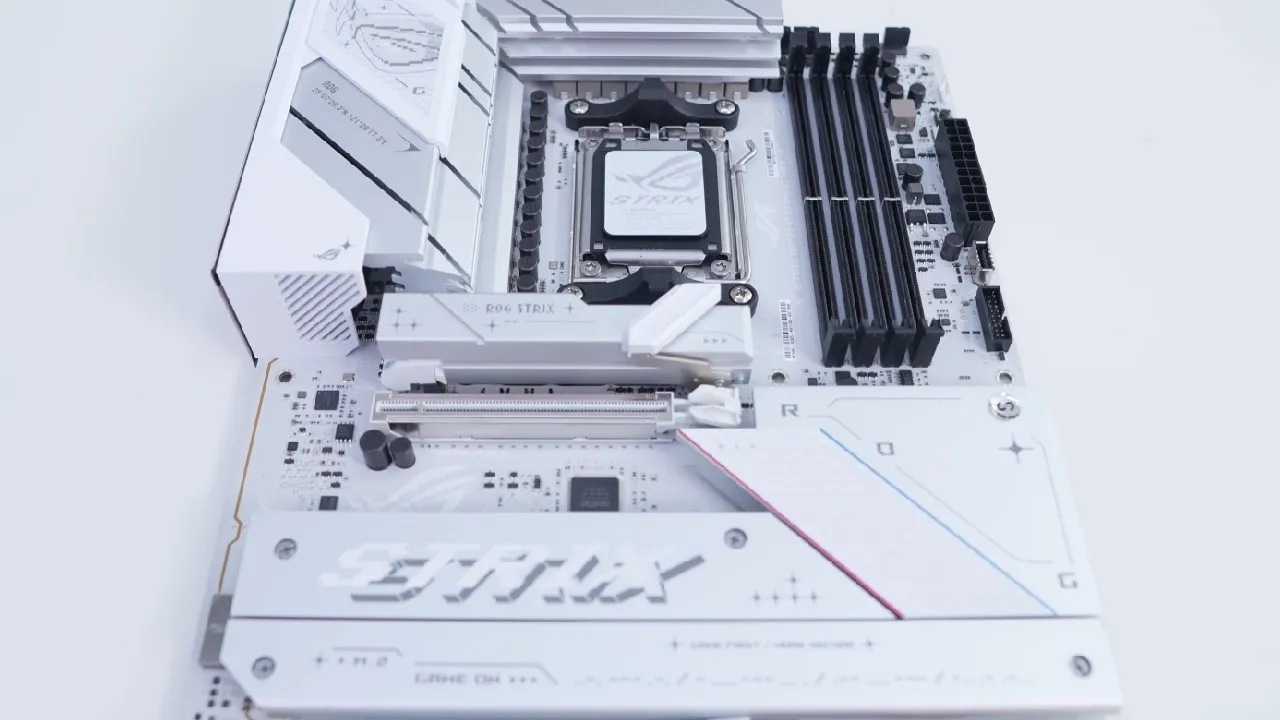
The bottom half of the motherboard houses additional headers, including front panel audio, two four-pin fan headers, two three-pin addressable RGB headers, a Thunderbolt header, two USB 2.0 headers, and front panel headers. Heat sinks occupy much of the bottom half, featuring multiple ROG and Strix logos.
Designed for PCIe 5.0 NVMe SSDs, the top heat sink features the M.2 Q release system for simple screw-free installation and removal.
M.2 Slots
The remaining M.2 slots function at PCIe 4.0, but removing the top heat sink reveals a PCIe 5.0 slot. The M.2 Q latch system is used in all slots, simplifying and eliminating the need for tools during drive installation. The M.2 drive is locked in place when the latch is pressed down, and it is released when it is lifted. Upgrading and maintaining M.2 is made easier using this system.
Slots for expansion
The motherboard comes with two PCIe x16 slots: a metal-reinforced PCIe 5.0 slot at the top and a PCIe 4.0 slot at the bottom, both with X4 electrical connectivity.
Instead of a traditional release button, ASUS provides the PCIe Slot Q Release Slim system, allowing users to remove graphics cards easily by lifting in a specific direction. The system works flawlessly and eliminates the need for levers or buttons.
Rear I/O
The integrated rear IO shield is white, matching the board. It includes DisplayPort, HDMI, four USB 3.2 Gen 1 ports, three USB 3.2 Gen 2 ports (including Type-C), two USB 2.0 ports, a clear CMOS button, a BIOS Flashback button, 2.5Gb LAN, Wi-Fi 7 connectors, and audio connections. The Wi-Fi 7 antennas are white and feature simple press-in Q connectors for easy installation and removal.
RGB Lighting
RGB lighting is minimal, limited to the ROG logo on the rear IO cover. Additional lighting can be added using the three onboard RGB headers for system customization.
Final Thoughts
ASUS ROG Strix B850A Gaming Wi-Fi motherboard is feature-rich, offering Zen 5 support on the top PCIe slot and top M.2 slot. With four M.2 slots, it can accommodate storage-heavy builds with ease. Building and upgrading are made easy by the M.2's unique graphics card release system and tool-free installation.
Wi-Fi 7 and USB 3.2 Gen 2 support are among the connectivity options, and the antenna positioning is thoughtfully planned for a simple setup. The board looks great for builds with a white theme.
It offers great pricing for Ryzen builds, even though it lacks some of the more sophisticated capabilities available on X870 or X870E boards, like more reliable VRMs, USB4, or Thunderbolt 4. This motherboard is highly recommended for most customers due to its overall good performance, ease of use, and stylish design.
Also, check our other hardware articles:
- AMD Ryzen 9 9950X3D Review: Setting The Standard For 2025 Gaming CPU
- Amazon Luna 2025 Review: Is Prime Gaming's Cloud Service Your Go-To For Casual Fun?
- AMD RX 9070 XT Review: AMD's RDNA 4 Champion for 1440p Gaming
- GeForce Now Ultimate: Ditching Your Gaming PC For Cloud RTX 4080 Power?
- NVIDIA GeForce RTX 5080 Review (2025): Still A 4K Gaming Powerhouse?
- Intel Core Ultra 9 285K Review And Performance Breakdown (2025)
- AMD Ryzen 7 9800X3D Review: 3D V-Cache Goes God Mode with Stunning Gaming Performance
- Intel Core Ultra 9 285K vs AMD Ryzen 7 9800X3D: In-Depth Gaming Performance and Benchmark Comparison
- NVIDIA GeForce RTX 5080 Super Performance In Cyberpunk 2077: Path Tracing & DLSS 4.0 Tested
- RTX 5090 Performance Testing In GTA 5 – 1080p, 1440p, and 4K Max Settings Benchmark
- AMD Radeon RX 9070 XT In Cyberpunk 2077: Ray Tracing & FSR 4.0 Tested
- Intel Arc B580 Review: The $250 GPU Revolutionizing 1440p Gaming
- Intel Arc B570 Vs. B580: Value, Specs, And Real-World Gaming Performance
- Intel Arc B570 Review: Efficient Xe2 Performance At An Affordable Price
- RTX 5090 Laptop Vs. M4 Max MacBook Pro: Ultimate Raw Performance Vs. Battery Endurance
- Intel Arc b580 Vs. RTX 4060: Game Performance And Value Analysis
- RTX5090 Hell Is Us Demo 4K Ultra Benchmark: DLSS Vs. Native Performance Guide
- NVIDIA RTX 5070 Review: Mid-Range Muscle or Marketing Hype?
- Nintendo Switch 2 Review: Handheld Performance, Features & Value Breakdown
- RTX 5070 Ti Review: Performance, Thermals & Power Efficiency Tested
- Samsung Odyssey OLED G81SF Review 2025: Ultimate 32-Inch QD-OLED Gaming Monitor
- AMD RX 9070 Performance Review: Thermals, Clocks, and Real-World FPS
- AMD Ryzen 5 7600 Review: Best Budget Gaming CPU of 2025?
- AMD Radeon RX 7800 XT Review: RDNA 3 Power For Midrange Gaming
- Asus ROG RTX 5090 Astral OC Vs. Founders Edition: The 4K Gaming Benchmark
- ASUS ROG Astral RTX 5090 OC Edition Review: 32GB GDDR7 & 4K Gaming Benchmark
- Intel Core i5-13400F Gaming Performance: Still Worth It in 2025?
- ASUS GeForce RTX 5090 LC Liquid Cooled GPU Review: Unmatched Silence & Speed
- ASUS ROG Ally X Handheld Review: Double the Battery, Double the Comfort
- Lenovo Legion Go S Review: The Ultimate Steam Deck 2 Alternative
- Sapphire NITRO+ AMD Radeon RX 9070 XT Review: The Ultimate 4K Gaming GPU
- Alienware 16 Area 51 Review: The Ultimate 2025 Gaming Laptop
- Alienware Area-51 Review: Unmatched 4K, Thermal, and Acoustic Performance
- AMD Ryzen 7 7800X3D: Delivers Gaming Performance Far Beyond Expectations
- AMD Ryzen 9 7900X Review: Powering the AM5 Era with DDR5 & PCIe 5.0
- Intel Core i9‑14900K vs. AMD Ryzen 7 7800X3D: Power Profiles & Gaming Benchmarks
- Intel Core i9 14900K: Specs, Benchmarks, and Competitor Comparison
- ASRock Radeon RX 7800 XT Challenger OC Review: Best Price-to-Performance GPU of 2025
Editor, NoobFeed
Gaming Hardware Updates
No Data.