
B850 Motherboard Roundup: Best MicroATX and ATX Options Under $200
Evaluation of ASRock, Gigabyte, ASUS, and MSI B850 models, highlighting features, power delivery, and microATX versus ATX performance.
Hardware by Tanvir Kabbo on Aug 27, 2025
For months, a variety of B850 motherboards have been gathered to conduct an extensive review of the most affordable models available. In this roundup, we cover 23 motherboards, and there will be a part two featuring another set of boards. Several early pre-production models arrived without boxes, adding complexity to the project.
With so many boards incoming, it made sense to split the testing into two parts, starting with sub-$200 options, which are the most accessible for budget-conscious builders.
ASRock B850M-X and B850M-X R2.0
ASRock B850M-X was priced at $110, making it the cheapest B850 motherboard on the market. It features six 50A power stages for the Vcore, sufficient for Ryzen 5 and Ryzen 7 processors, but not ideal for Ryzen 9. The primary PCIe x16 slot is limited to PCIe 4.0.
R2.0 revision upgrades this slot to PCIe 5.0 at a $20 premium ($130), while other features remain the same.
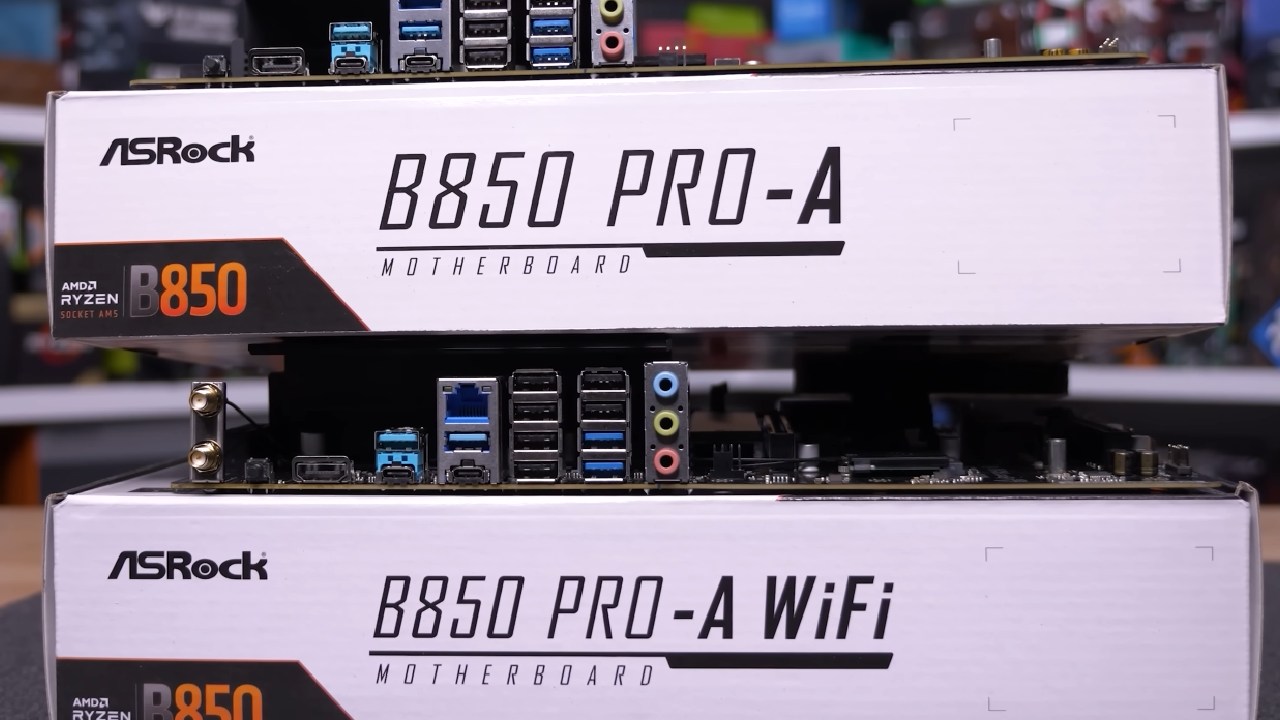
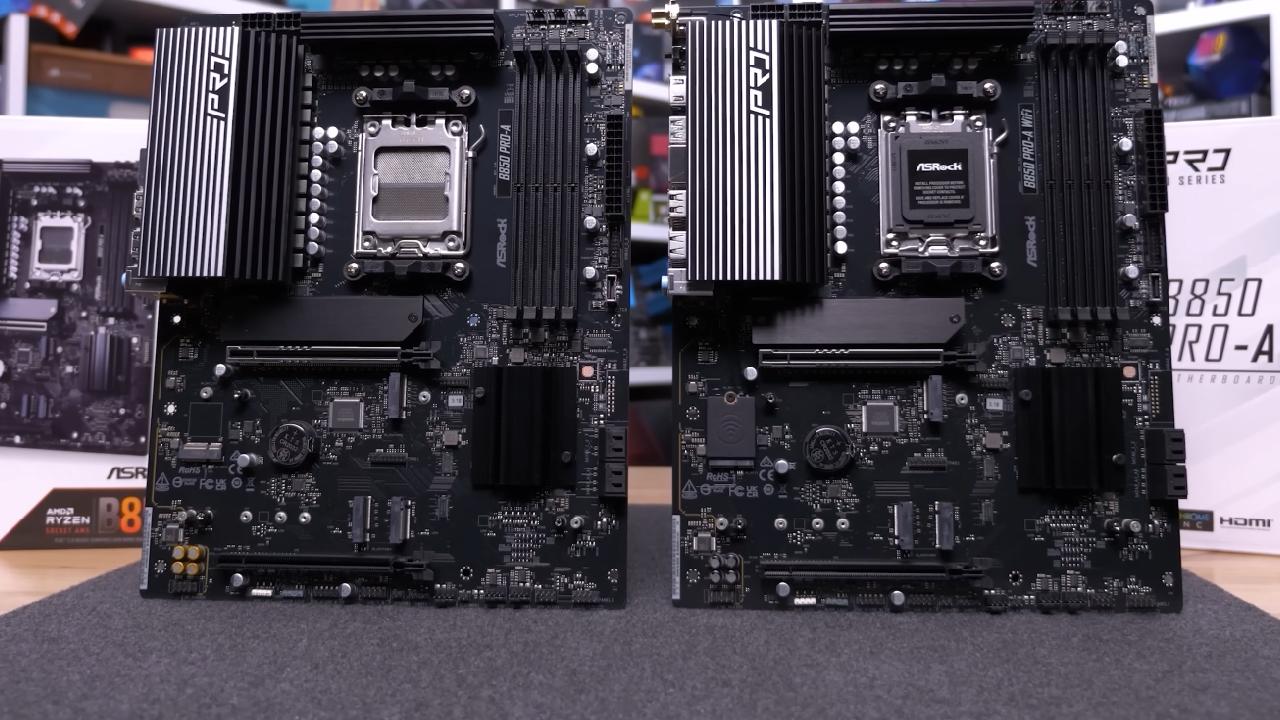
ASRock B850 Pro-A Series
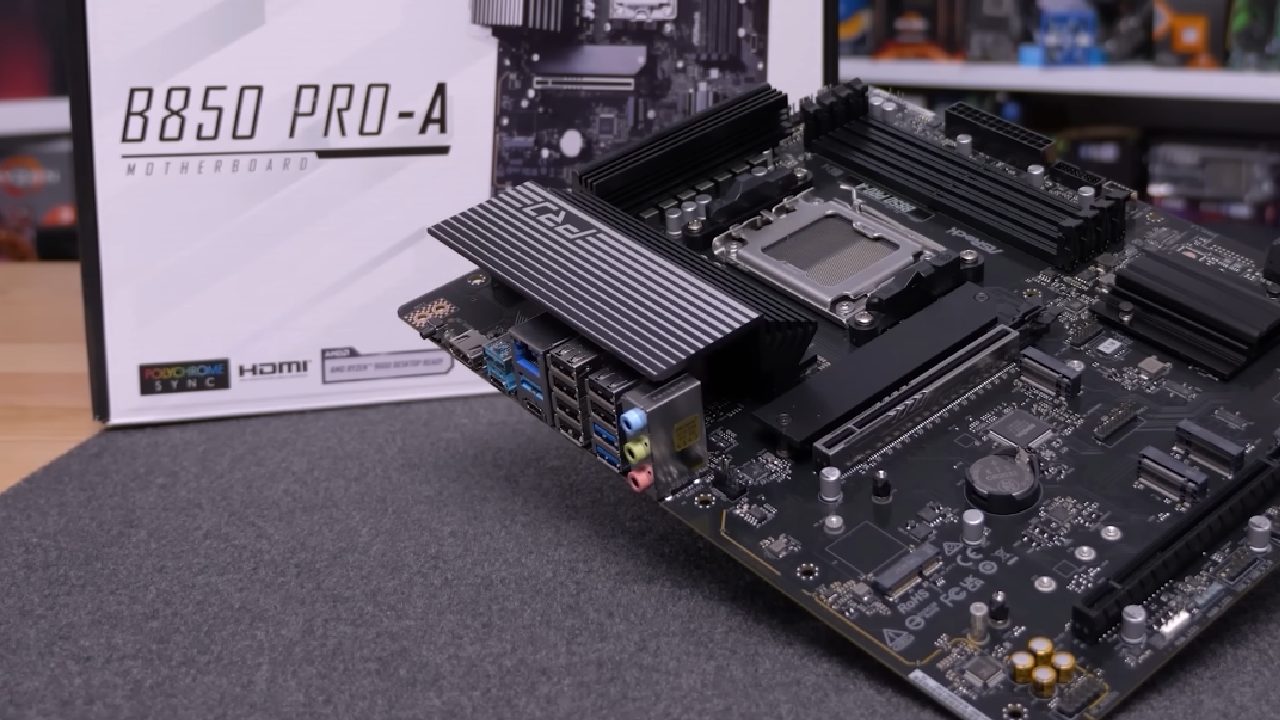
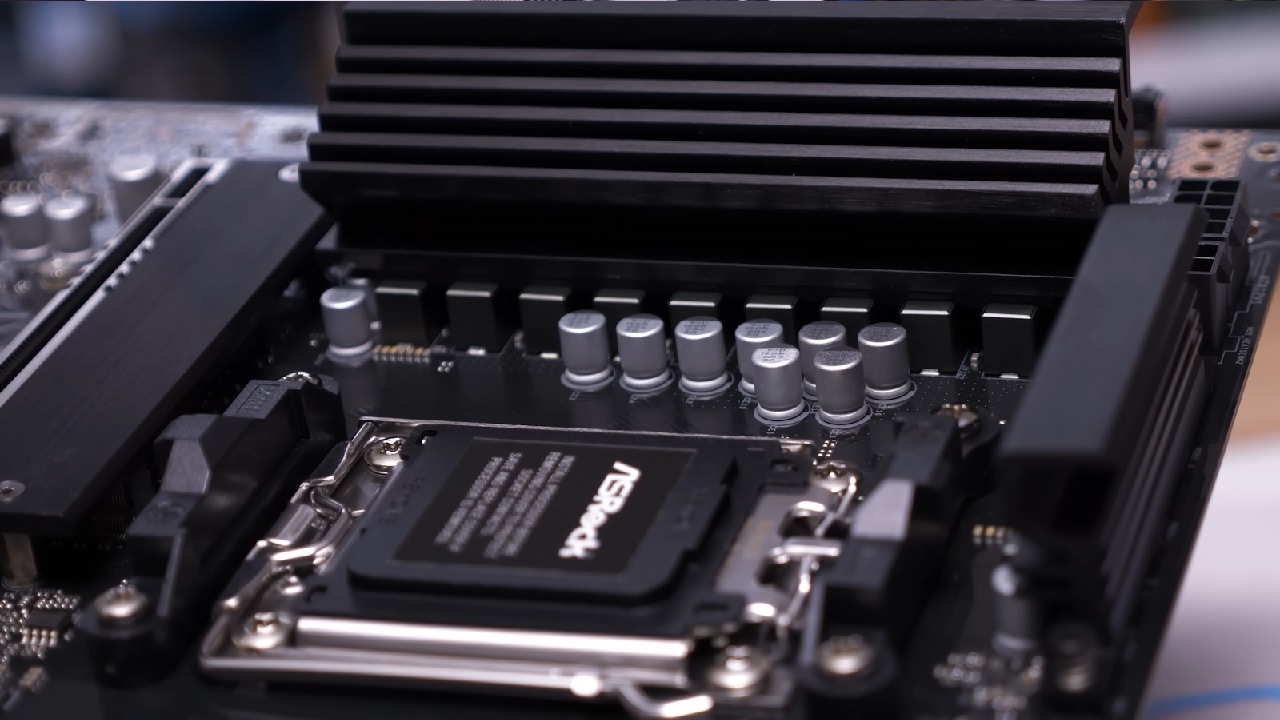
B850 Pro-A ATX model costs $140 and includes 14 80A power stages, twice as many M.2 ports, and the potential for nine USB ports. The mATX version, B850M Pro-A, also priced at $140, is less impressive with only eight 50A power stages, fewer M.2 slots, and no pre-installed IO shield.
The B850M Pro RS at $150 improves aesthetics with larger VRM heatsinks and a pre-installed IO shield, but maintains eight 50A power stages.
ASRock B850M Riptide Wi-Fi and Pro RS
The B850M Riptide Wi-Fi, priced at $170, comes with 12 60A power stages and Wi-Fi 7. Additional improvements include two M.2 heatsinks, a larger primary PCIe x16 release mechanism, and a larger VRM heatsink.
The Pro RS model, at $180, offers an enhanced design, larger chipset heatsinks, RGB lighting for M.2 slots, and extra USB headers, while keeping the VRM configuration the same.
ASRock B850M Steel Legend and B850 Live Mixer Wi-Fi
At $180, B850M Steel Legend is effectively a white-skinned version of the Riptide Wi-Fi, with the same features and performance. B850 Live Mixer Wi-Fi, which costs $190, is a little but useful upgrade that includes Wi-Fi 7, an extra PCIe x16 slot, a toolless primary M.2 slot, and a few minor adjustments to the USB and M.2 setups.
ASRock B850i Lightning Wi-Fi
For mini-ITX builders under $200, the B850i Lightning Wi-Fi is the only choice, featuring a PCIe 5.0 x16 slot, two DIMM slots, two M.2 slots, Wi-Fi 6E, and 2.5GB LAN. Compared to competitors priced above $250, this model delivers a strong feature set at a very competitive price.
ASUS B850 Motherboards
The most affordable ASUS B850 motherboard available is Prime B850M-K. Its VRM is minimal, with an 8-phase configuration resembling a 4-phase layout with doubled components. It offers two PCIe 16 slots, two M.2 slots, seven USB 3.2 ports, eight USB 2.0 ports, and a standard 2.5GB LAN, with no Wi-Fi.
Another variant featuring four PCIe x16 ports, three M.2 slots, an IO shield pre-installed, and comparable USB compatibility is Prime B850 Plus Wi-Fi. Nevertheless, both boards have poor VRM performance, which has a major impact on stability and cooling under load.
Gigabyte B850 Lineup
Gigabyte B850M DS3H, priced at $150, features eight 60A power stages but is hard-limited to 170W. It has two M.2 slots, fewer USB 3.2 ports than comparable ASRock boards. It supports triple displays with two DisplayPort outputs and one HDMI.
B850M Gaming X Wi-Fi 6E, at $160, adds Wi-Fi 6E, larger heatsinks, RGB lighting, and a five-phase 10 60A VRM, removing the power limit. The B850 Gaming Wi-Fi 6 has a weaker 6 60A VRM and aggressive 150W power limiting, making it less desirable.
B850 Eagle Wi-Fi 6E removes the power limit and matches the DS3H's 8 60A VRM for $165, though it only supports Gigabit LAN. B850M Aorus Elite Wi-Fi 6E ICE, at $185, combines 12 60A power stages with two M.2 slots and a tool-free heatsink design, competing strongly with ASRock's Steel Legend Wi-Fi.
MSI B850 Motherboards
MSI offers three models under $200. Pro B850M-P Wi-Fi at $160 includes four PCIe x16 slots, 5GB LAN, Wi-Fi 7, three M.2 slots, and nine USB 3.2 ports. However, its seven-phase discrete MOSFET VRM may affect stability under heavy load.
Pro B850M-A Wi-Fi, at $180, upgrades to eight 80A power stages, adds USB ports, and supports two M.2 slots. The B850 Gaming Plus Wi-Fi, at $190, is similar to the ASUS Prime B850 Plus Wi-Fi but includes Wi-Fi 7 and 5GB LAN.
Test Bench and Stress Testing
The test system used the Anttech Flux Pro case and an AMD Ryzen 9 9950X, with a digital thermometer and K-Type thermocouples recording peak PCB temperatures. Cinebench 2024 was looped for one hour to stress the boards.
VRM temperatures and system power draw were measured from the wall, and the average core clock frequency was recorded.
VRM Performance and Cinebench Scores
Top-performing boards included ASRock B850 Pro RS, Live Mixer, Riptide, and ProA, with sub-100° VRM temperatures. Gigabyte B850 Gaming X and B850M Gaming X also performed well, while the budget ASRock B850i Lightning Wi-Fi ran at 65°.
Power-limited MSI Pro B850MP ran cool at 76° but averaged a lower clock of 4.4GHz, resulting in lower Cinebench scores. Some Gigabyte boards reached over 80°, and ASUS boards performed poorly with temperatures exceeding 110°, demonstrating weak VRM design.
Cinebench results reflected VRM efficiency, with power-limited boards producing lower scores. Memory testing using G.Skill DDR5-6000 CL30 kits worked on all boards, with DDR5-8000 kits failing on four models. Boot times ranged from 20 to 28 seconds across boards.
Final Thoughts and Recommendations
For budget-focused builds, there are excellent B850 options as long as ASUS boards are avoided. ASRock's Pro-A series delivers outstanding value with great VRM performance at $140, though Wi-Fi is optional and priced higher.
ASRock B850M Riptide Wi-Fi, Gigabyte B850M Gaming X Wi-Fi 6E, and MSI Pro B850M-A Wi-Fi are all strong microATX options around $180, differing mainly in aesthetics, USB configuration, and LAN/Wi-Fi features.
At $140, ASRock B850 ProA provides outstanding VRM performance and functionality for ATX setups; for those who are ready to pay a little bit more, there are upgrades like the Pro RS and Gigabyte B850 Gaming X Wi-Fi 6E. Overall, the best option for your setup will be determined by carefully weighing VRM performance, USB ports, Wi-Fi standards, and aesthetics.
Also, check our other hardware articles:
- AMD Ryzen 9 9950X3D Review: Setting The Standard For 2025 Gaming CPU
- Amazon Luna 2025 Review: Is Prime Gaming's Cloud Service Your Go-To For Casual Fun?
- AMD RX 9070 XT Review: AMD's RDNA 4 Champion for 1440p Gaming
- GeForce Now Ultimate: Ditching Your Gaming PC For Cloud RTX 4080 Power?
- NVIDIA GeForce RTX 5080 Review (2025): Still A 4K Gaming Powerhouse?
- Intel Core Ultra 9 285K Review And Performance Breakdown (2025)
- AMD Ryzen 7 9800X3D Review: 3D V-Cache Goes God Mode with Stunning Gaming Performance
- Intel Core Ultra 9 285K vs AMD Ryzen 7 9800X3D: In-Depth Gaming Performance and Benchmark Comparison
- NVIDIA GeForce RTX 5080 Super Performance In Cyberpunk 2077: Path Tracing & DLSS 4.0 Tested
- RTX 5090 Performance Testing In GTA 5 – 1080p, 1440p, and 4K Max Settings Benchmark
- AMD Radeon RX 9070 XT In Cyberpunk 2077: Ray Tracing & FSR 4.0 Tested
- Intel Arc B580 Review: The $250 GPU Revolutionizing 1440p Gaming
- Intel Arc B570 Vs. B580: Value, Specs, And Real-World Gaming Performance
- Intel Arc B570 Review: Efficient Xe2 Performance At An Affordable Price
- RTX 5090 Laptop Vs. M4 Max MacBook Pro: Ultimate Raw Performance Vs. Battery Endurance
- Intel Arc b580 Vs. RTX 4060: Game Performance And Value Analysis
- RTX5090 Hell Is Us Demo 4K Ultra Benchmark: DLSS Vs. Native Performance Guide
- NVIDIA RTX 5070 Review: Mid-Range Muscle or Marketing Hype?
- Nintendo Switch 2 Review: Handheld Performance, Features & Value Breakdown
- RTX 5070 Ti Review: Performance, Thermals & Power Efficiency Tested
- Samsung Odyssey OLED G81SF Review 2025: Ultimate 32-Inch QD-OLED Gaming Monitor
- AMD RX 9070 Performance Review: Thermals, Clocks, and Real-World FPS
- AMD Ryzen 5 7600 Review: Best Budget Gaming CPU of 2025?
- AMD Radeon RX 7800 XT Review: RDNA 3 Power For Midrange Gaming
- Asus ROG RTX 5090 Astral OC Vs. Founders Edition: The 4K Gaming Benchmark
- ASUS ROG Astral RTX 5090 OC Edition Review: 32GB GDDR7 & 4K Gaming Benchmark
- Intel Core i5-13400F Gaming Performance: Still Worth It in 2025?
- ASUS GeForce RTX 5090 LC Liquid Cooled GPU Review: Unmatched Silence & Speed
- ASUS ROG Ally X Handheld Review: Double the Battery, Double the Comfort
- Lenovo Legion Go S Review: The Ultimate Steam Deck 2 Alternative
- Sapphire NITRO+ AMD Radeon RX 9070 XT Review: The Ultimate 4K Gaming GPU
- Alienware 16 Area 51 Review: The Ultimate 2025 Gaming Laptop
- Alienware Area-51 Review: Unmatched 4K, Thermal, and Acoustic Performance
- AMD Ryzen 7 7800X3D: Delivers Gaming Performance Far Beyond Expectations
- AMD Ryzen 9 7900X Review: Powering the AM5 Era with DDR5 & PCIe 5.0
- Intel Core i9‑14900K vs. AMD Ryzen 7 7800X3D: Power Profiles & Gaming Benchmarks
- Intel Core i9 14900K: Specs, Benchmarks, and Competitor Comparison
- ASRock Radeon RX 7800 XT Challenger OC Review: Best Price-to-Performance GPU of 2025
Senior Editor, NoobFeed
Gaming Hardware Updates
No Data.