
ASUS Pro WS TRX50-SAGE WIFI Review: High-End Threadripper Motherboard with PCIe Gen5
Discover Pro WS TRX50-SAGE WIFI, a TRX50 motherboard for Ryzen Threadripper 7000 with PCIe Gen5, dual PSU, WiFi 7, and creator-focused features.
Hardware by Masaru Hoshino on Aug 15, 2025
The TRX50 platform introduces a new level of performance and flexibility for high-end desktop and workstation users. With its strong design, wide range of connectivity, and power supply, Asus Pro WS TRX50 Sage WiFi stands out for both professionals and enthusiasts.
It offers an exceptional combination for different workloads by combining overclocking capability with creator-focused features.
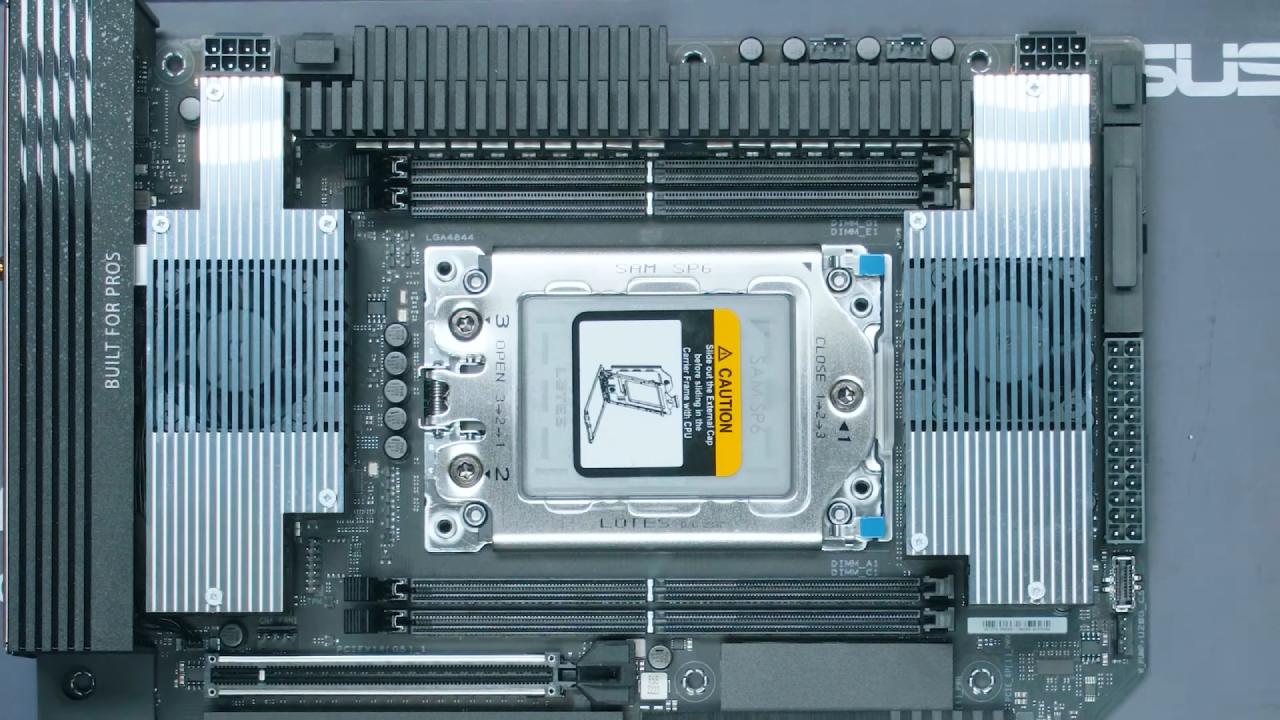
Overview & Design
The board features a professional-grade design with large heatsinks covering the chipset and VRM. It boasts 36 power stages connected via heat pipes that run across the VRM area, with fans on both sides for active cooling. The layout shows a balance between workstation needs and overclocking potential.
DIMM Slots (RAM Support)
There are four R-DIMM slots, meaning standard desktop DDR5 will not fit. R-DIMMs function differently, requiring different voltages and having distinct notch locations to avoid improper installation. When using appropriate R-DIMMs, this model can reach speeds of up to 6,400 MT/s.
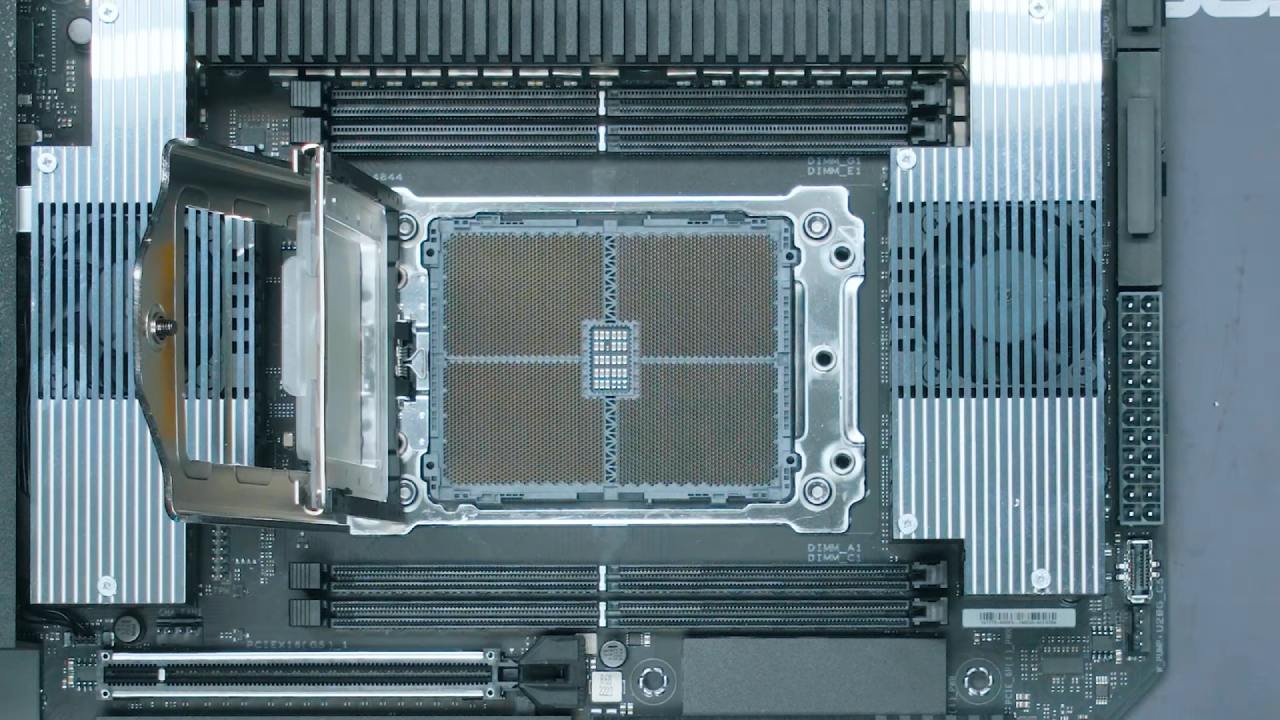
The CPU socket
The board is compatible with Ryzen Threadripper 7000 series CPUs using the SP6 socket. The socket design ensures high signal integrity and CPU contact by dividing the thousands of pins into four sectors.
Power Headers & Dual PSU Support
TRX50 Sage has a comprehensive power delivery system. Multi-GPU systems and extreme overclocking are examples of high-power configurations made possible by multiple CPU power inputs, PCIe power inputs, and compatibility for twin power supply.
Secondary PSUs can be synchronized to power on with the main system, and specialized cables are provided to adapt PCIe power outputs to CPU connectors.
Fan Headers
Multiple fan headers are available, including CPU and CPU optional headers, water pump headers, and several chassis fan headers spread across the board for optimal cooling control.
Front Panel Headers
USB-C (USB 3.2 Gen 2x2, 20Gbits), USB 3.0 Type-A (5Gbits), and USB 2.0 headers are supported via the front I/O area. For front panel devices, this guarantees high-speed communication choices.
SATA & SlimSAS
There are four SATA ports and one SlimSAS port, offering server-grade storage expansion capabilities. The SlimSAS connection supports extremely high data rates for demanding storage arrays.
Switches, Buttons & Other Headers
Overclocking-focused features include Safe Boot and Retry buttons, VRM test and Slow Mode switches, and liquid nitrogen mode headers. Additional onboard headers include USB4, COM, Dr. Debug/Q-Code, configurable Flex Key, and TPM support.
M.2 Slots & Speeds
The motherboard offers three M.2 slots, with PCIe Gen5 x4 and PCIe Gen4 x4 support. Heat sinks cover these slots, and the CPU directly handles most storage traffic, avoiding chipset bottlenecks. While three M.2 slots are generous, the platform’s lane capacity could allow for even more.
I/O Connectivity
Rear I/O includes a clear CMOS button, BIOS flashback, USB-C (20Gbits), WiFi 7, Bluetooth 5.4, six USB 10Gbits Type-A ports, two USB 2.0 ports, 10Gb LAN, 2.5Gb LAN, optical audio out, and standard audio jacks. While the USB Type-A count is high, additional rear Type-C ports would improve compatibility with modern devices.
Back Side Design
Small components are exposed since the board lacks a rear protective backplate. Although this lowers expenses, handling durability is compromised.
Size and Build
Because the TRX50 Sage is marginally bigger than the typical ATX, it can accommodate more features without needing a large chassis.
Purchasing the board includes 3 months of free Adobe Creative Cloud membership, adding value for creators.
.jpg)
PCIe Slot Layout & Speeds
The PCIe layout features a top slot running at PCIe Gen5 x16, followed by a second PCIe Gen5 x16 slot, a third PCIe Gen5 x8 slot, a fourth PCIe Gen4 x4 slot, and a bottom PCIe Gen4 x16 slot. The majority of these slots have direct connections to the CPU, guaranteeing maximum bandwidth and low latency.
However, with powerful GPUs, the distance between the first two slots may cause clearance problems, potentially losing important expansion space. With its full bandwidth, the bottom slot is particularly helpful for mounting an M.2 expansion card or adding more GPUs.
CPU vs Chipset Connection
PCIe Gen4 x4 lanes are used to connect the chipset to the CPU. With the chipset managing SATA, SlimSAS, USB 2.0, a few USB 3.0 ports, and one M.2 slot, the majority of high-speed components connect straight to the CPU.
The highest-bandwidth devices are protected from chipset-related delay thanks to this configuration.
Final Thoughts
Asus Pro WS TRX50 Sage WiFi delivers a balanced combination of creator-friendly features, extreme connectivity, and overclocking potential.
While some slot spacing decisions and the lack of a rear backplate may be questionable, the robust power delivery, PCIe Gen5 support, and workstation-class expansion options make it a competent choice for professionals building a high-performance Threadripper system.
Check Our Other AMD articles:
- AMD Ryzen 9 9950X3D Review: Setting The Standard For 2025 Gaming CPU
- AMD Ryzen 7 9800X3D Review: 3D V-Cache Goes God Mode with Stunning Gaming Performance
- AMD RX 9070 Performance Review: Thermals, Clocks, and Real-World FPS
- AMD Ryzen 5 7600 Review: Best Budget Gaming CPU of 2025?
- AMD Radeon RX 7800 XT Review: RDNA 3 Power For Midrange Gaming
- Sapphire NITRO+ AMD Radeon RX 9070 XT Review: The Ultimate 4K Gaming GPU
- AMD Ryzen 7 7800X3D: Delivers Gaming Performance Far Beyond Expectations
- AMD Ryzen 9 7900X Review: Powering the AM5 Era with DDR5 & PCIe 5.0
- ASRock Radeon RX 7800 XT Challenger OC Review: Best Price-to-Performance GPU of 2025
- Intel Core i9‑14900K vs. AMD Ryzen 7 7800X3D: Power Profiles & Gaming Benchmarks
Editor, NoobFeed
Gaming Hardware Updates
No Data.