
Gigabyte MO27Q2 QD OLED Review: Performance, HDR, and Gaming Experience
HDR capabilities offer deep blacks, high contrast, and ideal per-pixel control for both gaming and cinematic content.
Hardware by Masaru Hoshino on Sep 05, 2025
Gigabyte MO27Q2 is a 27-inch 1440p QD OLED gaming monitor designed for the more affordable segment of the market. It offers a range of features common to QD OLEDs, including adaptive sync support, display HDR true black 400 certification, and high refresh rate capabilities.
Compared to higher-end models, it comes at a lower price point while maintaining strong performance for gamers seeking both visual quality and speed.
Design and Build
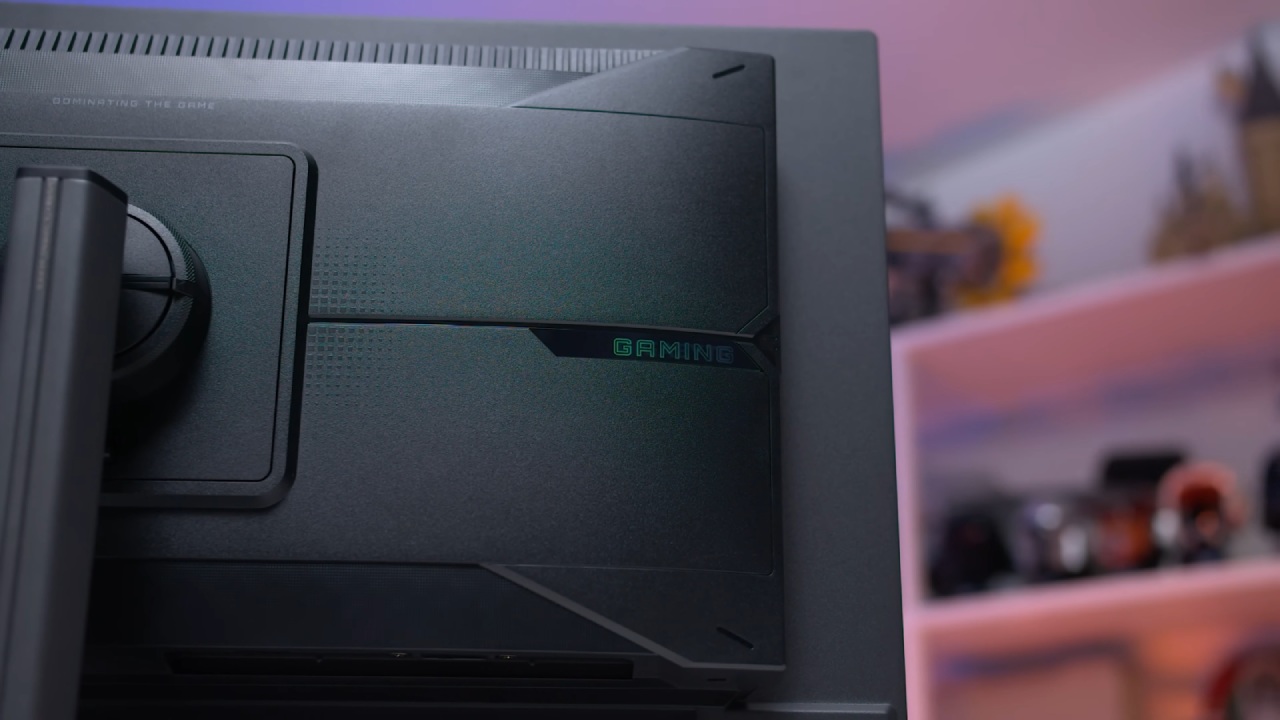
MO27Q2 adopts Gigabyte's updated 2025 M series design. The base is a compact six-sided metal plate instead of the large V-shape found on earlier editions.
Even though it's thin, the base is solid, takes up less workspace, and allows you to place the keyboard in a wider range of positions. The metal stand pillar is thin yet strong, and it can be adjusted for height, tilt, swivel, and pivot.
While the maximum height is acceptable, the stand assembly provides an overall premium and functional aesthetic.
The monitor's screen section features a central box design common among OLEDs, characterized by a glossy, glass-like front and a discreet Gigabyte logo on the chin. The rear houses components within a plastic enclosure. The overall black and gray design is neutral, with no RGB lighting included.
Ports and Connectivity
Port selection is comprehensive. MO27Q2 includes one DisplayPort 1.4, two HDMI 2.1 ports supporting 48 Gbits, and a USB-C port that supports DPL mode with 18W power delivery. All ports handle full 1440p 240Hz output, with DP 1.4 offering 10-bit with DSC and HDMI 2.1 providing up to 10-bit without DSC.
A two-port USB 3.2 hub and KVM switch support adds convenience. For consoles, it supports 4K 120Hz downscaling over HDMI.
On-Screen Display and Features
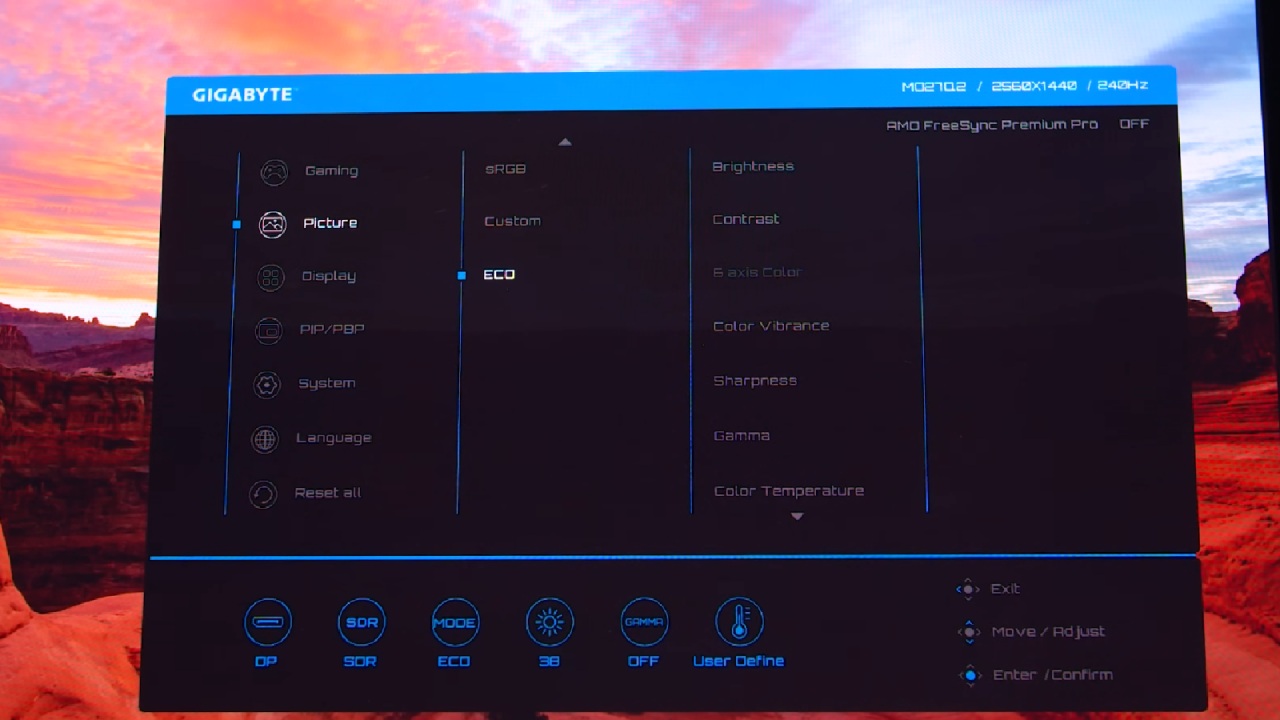
The OSD is navigated through a directional toggle and offers a variety of display and gaming features, including crosshairs, shadow boosting, FPS counters, and OLED care options.
The Samsung RGB subpixel layout makes text clearer, which is better than older RWBG 240 Hz OLEDs, but makes them slightly more likely to have pink-green fringing. Overall, word clarity is appropriate for casual desktop use and gaming.
Sharpness and clarity are enhanced by the glossy QD OLED panel, although reflections are introduced in bright situations. Ambient light can reduce black depth, so dimly lit rooms are ideal for optimal performance.
Static material still carries the risk of burn-in, making it less ideal for extended periods of productive work. However, it's fine to use it between game sessions. Gigabyte gives you a standard 3-year burn-in warranty.
Response Time and Motion Performance
Response times on the MO27Q2 are excellent, with OLED technology delivering a response time of around 0.3ms at all refresh rates.
There is no overshoot, and cumulative deviation metrics indicate performance significantly better than that of the fastest LCDs, resulting in approximately 1.5 times improved clarity at a given refresh rate. At 240Hz, QD OLEDs provide a similar experience to 360Hz LCDs.
For gamers, actual refresh rate usage is more important than the monitor's maximum refresh rate. In both SDR and HDR modes, input latency is less than 1 ms, which makes for a responsive gaming experience. QD OLEDs consume a normal amount of power, approximately 66W for full white images and around 30W for gaming sessions.
Color Performance
The MO27Q2 delivers strong color coverage, with 99% DCI-P3, 98% Adobe RGB, and 79.6% of the REC 2020 color space. Out-of-the-box performance shows a slight red tint and a delta E average of 8.1, mid-tier performance for gaming monitors.
SDR content may appear oversaturated without sRGB or REC 709 clamping. Using Windows 11 auto color management improves accuracy, providing full access to OSD settings while maintaining full sRGB coverage.
The monitor's sRGB mode is highly accurate, with improved gamma, color temperature, and delta E averages of 2.5. Color checker results average 3.6, making it the most accurate 240Hz OLED tested, surpassing the FO27Q3 and AW2725D. Performance can be further enhanced with full calibration using tools like Calman, especially for DCIP3 material.
Uniformity, Contrast, and Brightness
Similar to other 240–360 Hz OLEDs, the maximum SDR brightness is 250 nits, with a minimum brightness of 20 nits for use in a dark room. Wide viewing angles and superb homogeneity preserve even patches of dark gray and white without causing unclean screen effects. QD OLEDs continue to lead in display uniformity among OLED panels.
HDR Performance
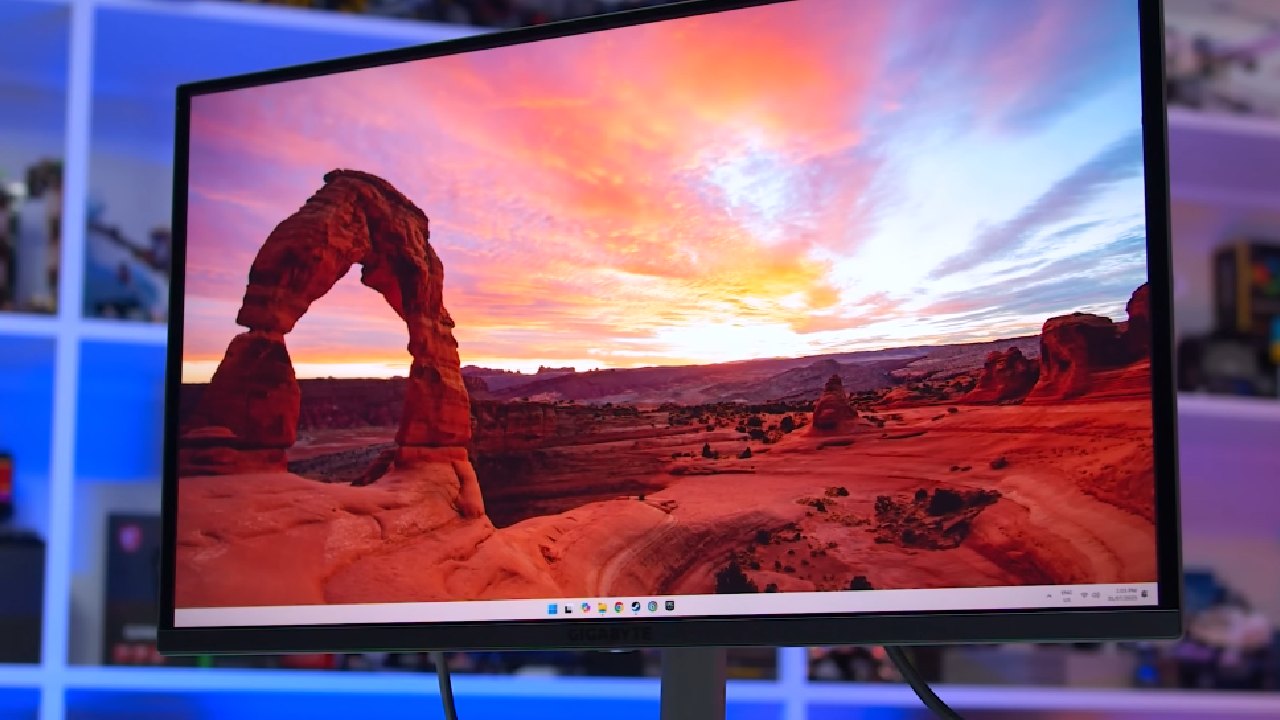
The MO27Q2 excels in HDR due to OLED's per-pixel light emission. Each pixel can independently vary from full off to high brightness, producing deep blacks, minimal bloom, and clean high-contrast scenes.
The monitor offers HDR True Black 400 mode for accurate performance at approximately 450 nits, as well as a boosted HDR peak mode of 1000 nits for higher brightness. While the boosted mode avoids panel dimming in bright scenes, it over-brightens darker content.
Compared to W OLED panels like the ASUS XG27 AQDMG, which maintain consistent brightness without trade-offs, the MO27Q2 HDR modes offer a strong but slightly less flexible experience.
HDR Configurations
The monitor provides five picture modes and three APL stabilization options. True black 400 mode is accurate for most scenes, while the boosted peak 1000 mode prioritizes brightness at the cost of dark scene fidelity.
Gigabyte has removed one of the traditional peak 1000 modes found in higher-end 360Hz models, reducing flexibility. Brightness results align with those of typical QD OLEDs: 260 nits full screen, 480 nits at a 10% window, and around 1,000 nits at a 2% window. Color volume and HDR performance remain strong across all tests.
Features and Essentials
Gigabyte offers a range of features and connectivity options, including integrated speakers, USB-C ports, and a KVM switch. Although the passive cooling architecture works well, the monitor does not provide black frame insertion or Dolby Vision.
Although QD OLEDs have passed various flicker-free certifications, a small minority may still experience flicker due to brief pulses that occur during each refresh.
Final Thoughts
A reliable 1440p QD OLED monitor, Gigabyte MO27Q2 offers features and performance that are on par with those of other models in its class. For most gaming scenarios, especially single-player games, its 240 Hz refresh rate is sufficient to give fast motion clarity.
image
Although peak brightness setups compromise shadow integrity, HDR performance is strong, with deep blacks produced by per-pixel control.
The monitor's sRGB mode is excellent, and connectivity options are comprehensive, including USB-C and a KVM switch. The updated 2025 M series design, metal stand, and OLED care features provide a premium feel.
At $600, the MO27Q2 competes with models like the Dell Alienware AW2725D and ASUS ROG Strix XG27AQDMG. While performance is similar, the Alienware offers a 280Hz refresh rate at a lower price, and the ASUS provides better balance in HDR and ambient reflection handling.
Unless the MO27Q2 is among the cheapest OLEDs in your region, it is difficult to strongly recommend it over these alternatives. At the right price, however, it remains a compelling choice for 240Hz QD OLED gaming with HDR support.
Also, check our other hardware articles:
- AMD Ryzen 9 9950X3D Review: Setting The Standard For 2025 Gaming CPU
- Amazon Luna 2025 Review: Is Prime Gaming's Cloud Service Your Go-To For Casual Fun?
- AMD RX 9070 XT Review: AMD's RDNA 4 Champion for 1440p Gaming
- GeForce Now Ultimate: Ditching Your Gaming PC For Cloud RTX 4080 Power?
- NVIDIA GeForce RTX 5080 Review (2025): Still A 4K Gaming Powerhouse?
- Intel Core Ultra 9 285K Review And Performance Breakdown (2025)
- AMD Ryzen 7 9800X3D Review: 3D V-Cache Goes God Mode with Stunning Gaming Performance
- Intel Core Ultra 9 285K vs AMD Ryzen 7 9800X3D: In-Depth Gaming Performance and Benchmark Comparison
- NVIDIA GeForce RTX 5080 Super Performance In Cyberpunk 2077: Path Tracing & DLSS 4.0 Tested
- RTX 5090 Performance Testing In GTA 5 – 1080p, 1440p, and 4K Max Settings Benchmark
- AMD Radeon RX 9070 XT In Cyberpunk 2077: Ray Tracing & FSR 4.0 Tested
- Intel Arc B580 Review: The $250 GPU Revolutionizing 1440p Gaming
- Intel Arc B570 Vs. B580: Value, Specs, And Real-World Gaming Performance
- Intel Arc B570 Review: Efficient Xe2 Performance At An Affordable Price
- RTX 5090 Laptop Vs. M4 Max MacBook Pro: Ultimate Raw Performance Vs. Battery Endurance
- Intel Arc b580 Vs. RTX 4060: Game Performance And Value Analysis
- RTX5090 Hell Is Us Demo 4K Ultra Benchmark: DLSS Vs. Native Performance Guide
- NVIDIA RTX 5070 Review: Mid-Range Muscle or Marketing Hype?
- Nintendo Switch 2 Review: Handheld Performance, Features & Value Breakdown
- RTX 5070 Ti Review: Performance, Thermals & Power Efficiency Tested
- Samsung Odyssey OLED G81SF Review 2025: Ultimate 32-Inch QD-OLED Gaming Monitor
- AMD RX 9070 Performance Review: Thermals, Clocks, and Real-World FPS
- AMD Ryzen 5 7600 Review: Best Budget Gaming CPU of 2025?
- AMD Radeon RX 7800 XT Review: RDNA 3 Power For Midrange Gaming
- Asus ROG RTX 5090 Astral OC Vs. Founders Edition: The 4K Gaming Benchmark
- ASUS ROG Astral RTX 5090 OC Edition Review: 32GB GDDR7 & 4K Gaming Benchmark
- Intel Core i5-13400F Gaming Performance: Still Worth It in 2025?
- ASUS GeForce RTX 5090 LC Liquid Cooled GPU Review: Unmatched Silence & Speed
- ASUS ROG Ally X Handheld Review: Double the Battery, Double the Comfort
- Lenovo Legion Go S Review: The Ultimate Steam Deck 2 Alternative
- Sapphire NITRO+ AMD Radeon RX 9070 XT Review: The Ultimate 4K Gaming GPU
- Alienware 16 Area 51 Review: The Ultimate 2025 Gaming Laptop
- Alienware Area-51 Review: Unmatched 4K, Thermal, and Acoustic Performance
- AMD Ryzen 7 7800X3D: Delivers Gaming Performance Far Beyond Expectations
- AMD Ryzen 9 7900X Review: Powering the AM5 Era with DDR5 & PCIe 5.0
- Intel Core i9‑14900K vs. AMD Ryzen 7 7800X3D: Power Profiles & Gaming Benchmarks
- Intel Core i9 14900K: Specs, Benchmarks, and Competitor Comparison
- ASRock Radeon RX 7800 XT Challenger OC Review: Best Price-to-Performance GPU of 2025
Editor, NoobFeed
Gaming Hardware Updates
No Data.