
PlayStation Portal vs. Lenovo Legion Go: Best Portable Gameplay
Discover how ergonomic design, detachable controllers, high refresh displays, and seamless ecosystem integration enhance your portable gaming experience
Hardware by Masaru Hoshino on Jul 20, 2025
Handheld gaming has evolved from niche curiosities to competent devices that rival home consoles in functionality and performance. Lenovo Legion Go and PlayStation Portal represent two distinct approaches: one as a standalone Windows-based handheld, and the other as a dedicated streaming companion for the PS5.
We compared their design, display, controls, operating systems, and value propositions to help you determine which one best aligns with your gaming needs.
Design and Build Quality
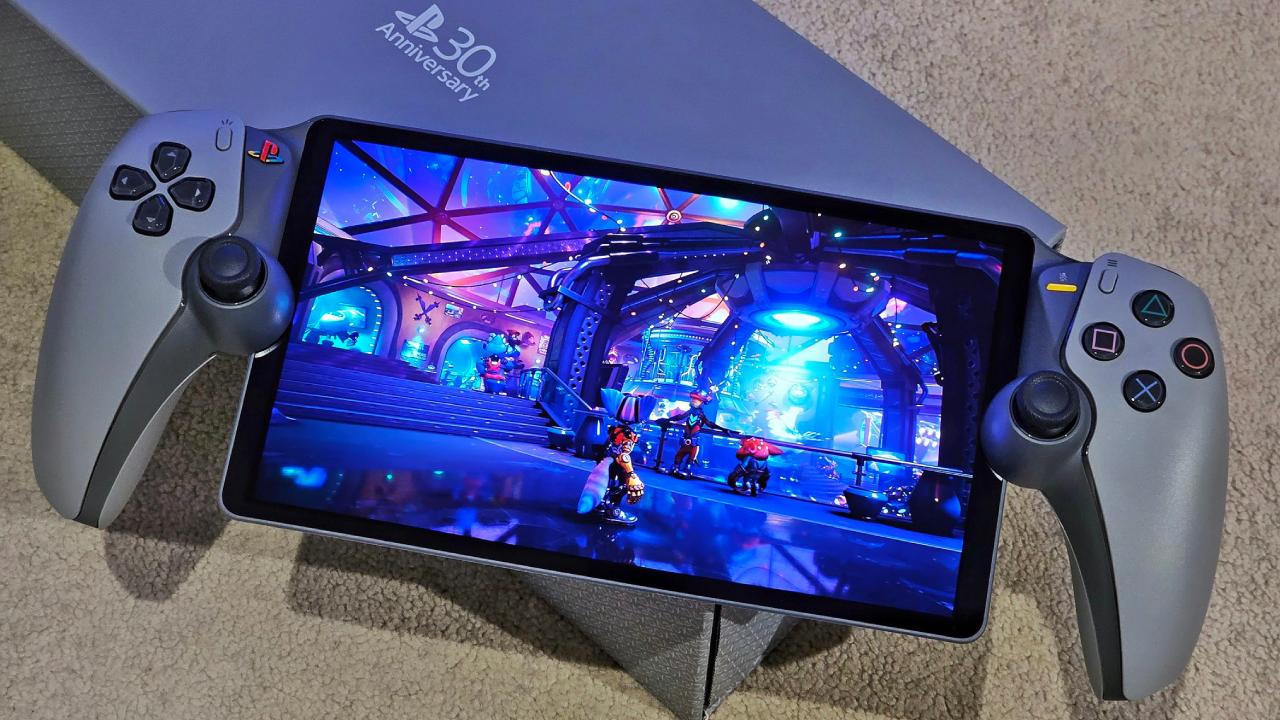
PlayStation Portal's design has a premium feel, with a controller layout familiar to PlayStation fans. Its slightly more compact form factor and refined materials give it a polished, high-end impression when held.
By contrast, Lenovo Legion Go feels sturdy but focuses more on functionality. It features detachable controllers on each side, similar to the Nintendo Switch, allowing for versatile gameplay styles.
We appreciate PS Portal's sleeker aesthetic, but you can't deny the Go's practical attachment mechanism that enhances portability and local multiplayer.
Display
Display size and quality play a vital role in the immersive experience. PlayStation Portal boasts an 8-inch display, which provides sharp visuals for streamed PS5 titles. However, Legion Go ups the ante with an 8.8-inch display at 144Hz, offering a larger viewing area, smoother motion, and a higher resolution.
If you're chasing the most responsive handheld experience—especially in fast-paced shooters or racing games—the Go's 144Hz panel gives you a noticeable edge.
Controls and Layout
Controls shape your tactile connection to games. PS Portal inherits the DualSense touchpoints—namely, the analog sticks, buttons, and triggers—ensuring familiar ergonomics for PlayStation players. The shoulder triggers and haptic feedback translate well to a handheld form.
Meanwhile, Legion Go's detachable controllers provide flexibility: they slide off for tabletop play or attach for handheld mode.
We find PS Portal's integrated layout slightly more comfortable for longer sessions, but Legion Go's modular design opens up more ways to play with friends.
Operating System and Performance
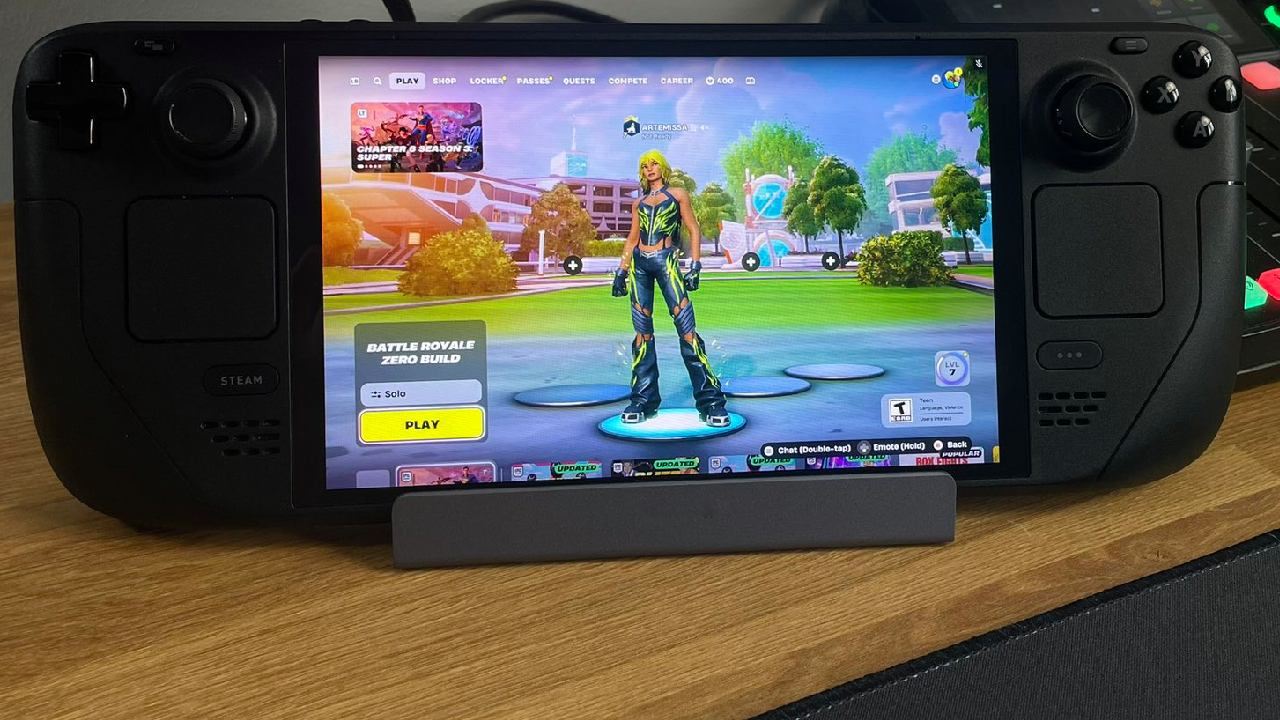
Under the hood, PS Portal functions primarily as a Wi-Fi–connected streaming device, relying on your PS5 to handle processing. You'll enjoy minimal local hardware demands, but you're tethered to a stable network. In contrast, Legion Go runs Windows 11 natively, giving you direct access to your PC game library.
You can play offline and utilize multiplayer features without requiring a streaming connection. We love having the freedom to launch our PC games on the go, and Windows 11 on a handheld device truly changes the game.
Price and Value
Cost is often the ultimate deciding factor. PlayStation Portal retails for around $200 but requires ownership of a PS5, which adds to the total investment. On the other hand, Legion Go is priced at $700 as a standalone device.
Depending on whether you already own a PS5 or a gaming PC, one option may present a more economical path. If you're starting from scratch, acquiring a used PS5, along with a Portal, might undercut the cost of the Go.
However, if you seek an all-in-one handheld solution that allows you to play all your existing Windows games offline, Legion Go justifies its higher price tag.
Final Thoughts
When choosing between the two, consider your playstyle and gaming ecosystem. PlayStation Portal is a stylish and reasonably priced option for PlayStation fans who want to stream PS5 games with ease using familiar controls.
If you crave versatility, native Windows 11 gaming, and a high-refresh-rate display for crisp, responsive gameplay, Lenovo Legion Go stands out as the more powerful—and ultimately more flexible—handheld.
Ultimately, both devices excel in their respective roles, and your decision will hinge on whether you prioritize streaming convenience or standalone performance.
Check our Other Handheld Articles :
- ASUS ROG Ally X Handheld Review: Double the Battery, Double the Comfort
- Nintendo Switch 2 Vs. Original Switch 1: A Full Comparison
- How To Connect A Camera And Join Voice Chat With Nintendo Switch 2
- Nintendo Switch 2 Review: Handheld Performance, Features & Value Breakdown
- ROG Xbox Ally X Vs. ROG Ally X: Display, Battery & Controls
- ASUS ROG Ally X vs. Steam Deck OLED: Display, Battery & Gaming Benchmarks
- MSI Claw 8 AI+ Review: Display, Controls & Gaming
- Nintendo Switch 2 vs. Steam Deck OLED: Gaming, Performance, Battery, Display and Value
- NVIDIA GeForce Now on Steam Deck: Battery Life, Gameplay, Streaming
Editor, NoobFeed
Gaming Hardware Updates
No Data.