
ASRock X870E Taichi OCF Review: Extreme Overclocking AM5 Motherboard Performance
Detailed exploration of the ASRock X870E Taichi OCF AM5 motherboard offering extreme overclocking, DDR5 support, and multiple M.2 slots.
Hardware by Tanisha Aria on Nov 21, 2025
ASRock has released a new line of motherboards. X870E Taichi OCF stands out as a board for overclocking enthusiasts seeking the best performance. Overclocking Formula (OCF) is, as its name suggests, focused on high-end cooling solutions and advanced tuning tools.
The board is designed to work with liquid nitrogen (LN2) setups and other unusual cooling systems. Still, it also has useful features for regular games and high-performance PC builds.
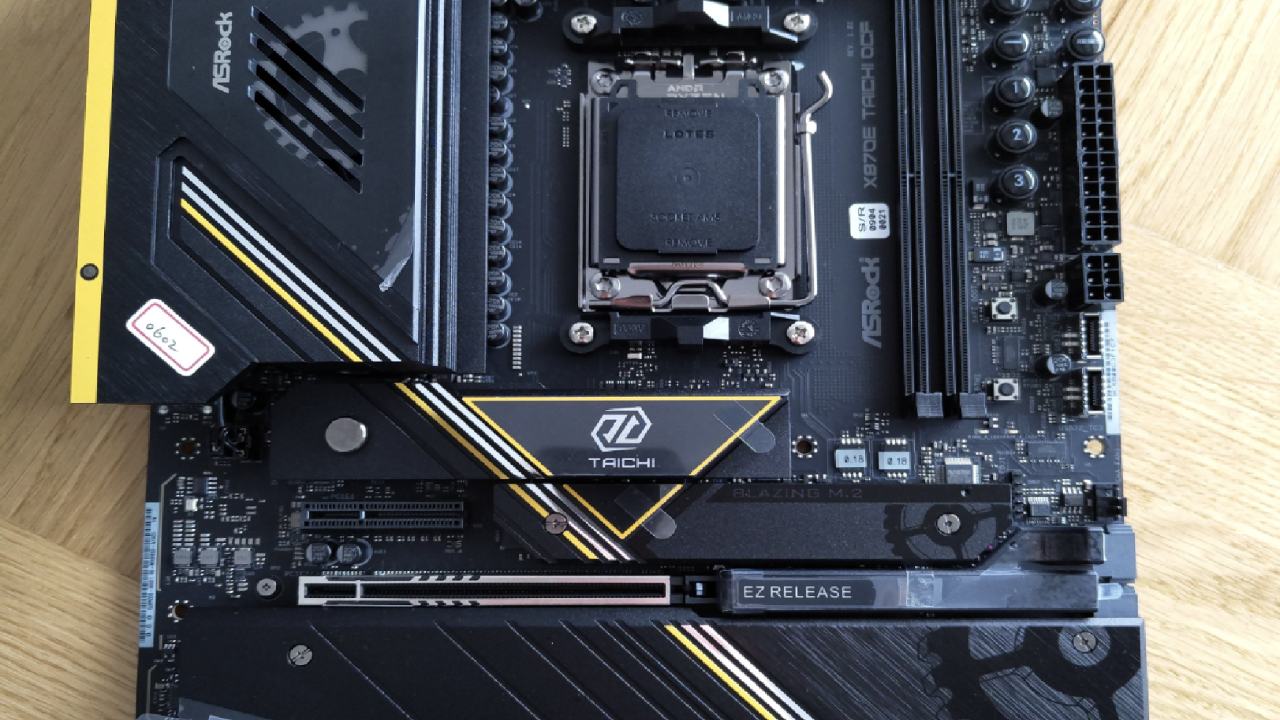
First Impression
Many extras and instructions come with the X870E Taichi OCF. Manuals on paper with a QR code for digital access are inside the box. The instructions cover setting up the CPU socket, the memory, and the system in general. You can change the Taichi logo on a keycap that comes with the game, most likely for the escape key.
The kit also includes thermal probes that let you check the case temperature and adjust fan curves to improve cooling. The package includes SATA cables that can be used with either 2.5-inch SSDs or 3.5-inch hard drives for storage.
Along with an ASRock-powered badge for your build, you get a 5V addressable RGB splitter cable with three connections.
It is also possible to add an extra fan to the CPU to improve VRM cooling. It's not required, but it's very helpful for extreme overclocking setups. Lastly, a Wi-Fi receiver is included to work with the Wi-Fi 7 module that is already built in.
Motherboard Layout and Connectivity
When the ASRock X870E Taichi OCF was made, it was made to be both useful and very fast. There are two SATA ports, a USB 3.2 front-panel header, a front-panel header for switches and LEDs, and two USB 3.2 Type-C headers on the right edge of the board.
Several PWM fan headers and PCIe power lines for extra USB devices are also present. There are three PWM fan headers and two more three-pin 5V addressable RGB ports in the top-right corner.
Two 8-pin EPS ports in the top-left corner can power Ryzen 7000, 8000, or 9000 CPUs. There are three PCIe slots for expansion: one PCIe Gen4x4 slot that can be used however you like, and two PCIe Gen5x6 slots, one 4x6 and the other 8x6.
The main PCIe Gen5x6 slot features ASRock's easy-release latch, making GPU installation easy. VRM layout comprises 110A smart power stages and a 22+2+1-phase design.
Both VRM heatsinks are linked by a heat pipe, and an extra fan can be added for extra cooling. The board still uses AM5 sockets and standard AMD cooler mounts, making it easy to use with current-generation Ryzen processors.
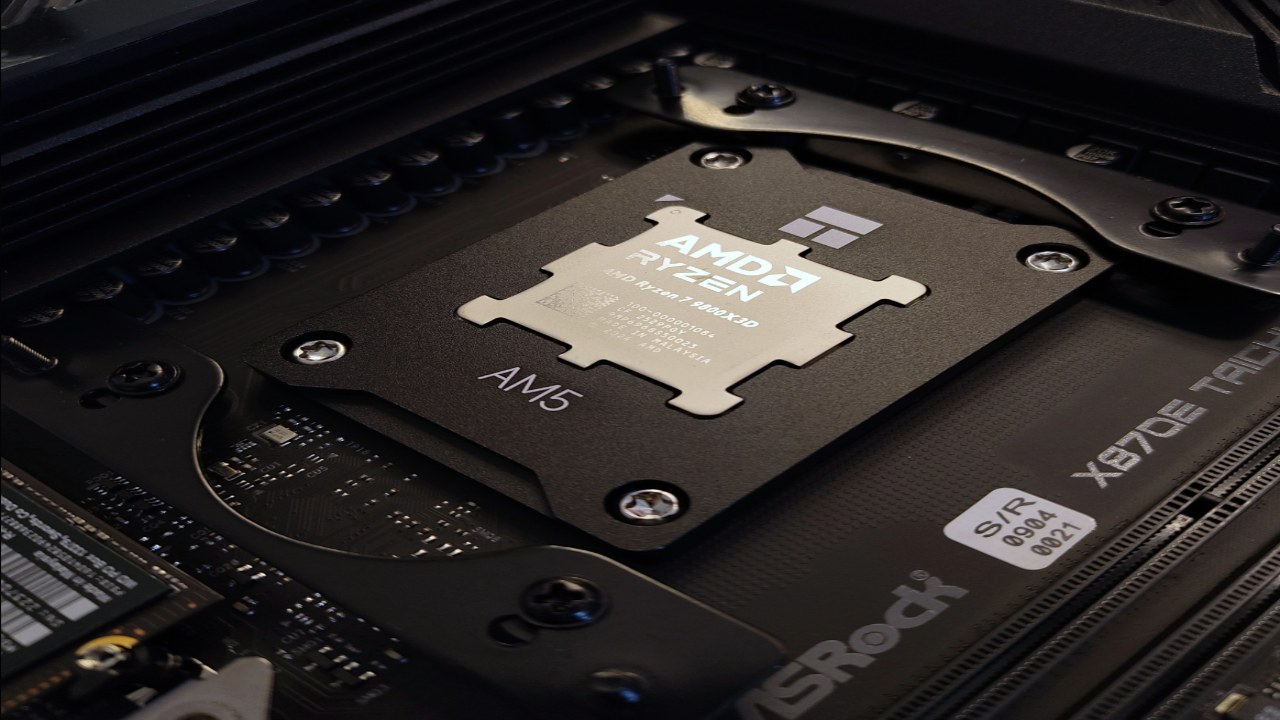
Memory and Storage Support
One great thing about the X870E Taichi OCF is that it can handle memory. The board has two DDR5 slots and supports up to 128GB of RAM. This limited-slot design shortens the distance between the CPU and memory, boosting signal quality and allowing you to increase memory significantly.
RAM speeds of up to 8400 MT/s are possible with Ryzen 9000 CPUs and up to 10400 MT/s with Ryzen 8000 CPUs. Ryzen 7000 CPUs can reach up to 8000 MT/s, and they might go even faster in certain extreme setups.
The storage choices are also very good. The motherboard has six M.2 slots: two PCIe Gen5x4, four PCIe Gen4x4, and one PCIe Gen4x2. This setup lets you use a large number of fast NVMe drives, making it ideal for heavy workloads or multiple storage arrays.
Rear I/O and Special Features
The back I/O panel includes a BIOS switch, two BIOS support options, a clear CMOS button, and a BIOS flashback button.
In addition, it has connectors for the Wi-Fi 7 antenna, HDMI 2.1, two USB 2.0 Type-A ports, a PS2 port for devices that can handle being cold, several USB 3.2 Type-A ports, USB 4 ports, 5GB Ethernet, and audio outputs such as line-in, line-out, and optical.
For extreme boosting, having a PS2 port is especially useful because older ports are less likely to get cold bugs, which can happen when CPUs are running very cold.
Design Philosophy and Extreme Overclocking
For LN2 and other extreme cooling situations, the ASRock X870E Taichi OCF was designed from the ground up. The board is designed to maximize memory speed and latency reduction by using only two memory slots and focusing on short trace lengths.
Even though the design might not seem right for everyday use, these features can still improve performance for games, AI workloads, and high-performance computing by making the system faster overall.
The black-and-yellow motherboard design looks like a a high-end overclocked boardboard, making it a great combination of style and performance.
This is a big step forward for ASRock, which has mostly made Intel extreme overclocking boards in the past. It's the first OCF board for AM5. It can be used for testing outside because it has two BIOS, more mappable buttons, and many cooling choices.
Price and availability
At the time of this review, the exact price of the X870E Taichi OCF has not been made public. These boards, on the other hand, usually cost $500 to $800 or more because they are made for a specific market and feature unique features.
The board is made for extreme overclocking, but it also has real benefits for standard high-end builds. This makes it a flexible choice for fans who want both speed and customization.
.jpg)
Final Thoughts
ASRock X870E Taichi OCF is a one-of-a-kind AM5 motherboard that strikes a good mix between extreme overclocking and useful high-performance features.
It has a limited number of memory slots, a wide range of cooling options, dual BIOS support, and six M.2 slots, making it ideal for gamers and other users seeking the best performance.
The board offers great speed, reliability, and style, making it a great choice in the AM5 ecosystem, even if you don't plan to use liquid nitrogen.
Also, check our other hardware articles:
- AMD Ryzen 9 9950X3D Review: Setting The Standard For 2025 Gaming CPU
- Amazon Luna 2025 Review: Is Prime Gaming's Cloud Service Your Go-To For Casual Fun?
- AMD RX 9070 XT Review: AMD's RDNA 4 Champion for 1440p Gaming
- GeForce Now Ultimate: Ditching Your Gaming PC For Cloud RTX 4080 Power?
- NVIDIA GeForce RTX 5080 Review (2025): Still A 4K Gaming Powerhouse?
- Intel Core Ultra 9 285K Review And Performance Breakdown (2025)
- AMD Ryzen 7 9800X3D Review: 3D V-Cache Goes God Mode with Stunning Gaming Performance
- Intel Core Ultra 9 285K vs AMD Ryzen 7 9800X3D: In-Depth Gaming Performance and Benchmark Comparison
- NVIDIA GeForce RTX 5080 Super Performance In Cyberpunk 2077: Path Tracing & DLSS 4.0 Tested
- AMD Radeon RX 9070 XT In Cyberpunk 2077: Ray Tracing & FSR 4.0 Tested
- Intel Arc B580 Review: The $250 GPU Revolutionizing 1440p Gaming
- Intel Arc B570 Vs. B580: Value, Specs, And Real-World Gaming Performance
- RTX 5090 Laptop Vs. M4 Max MacBook Pro: Ultimate Raw Performance Vs. Battery Endurance
- Intel Arc b580 Vs. RTX 4060: Game Performance And Value Analysis
- RTX5090 Hell Is Us Demo 4K Ultra Benchmark: DLSS Vs. Native Performance Guide
- NVIDIA RTX 5070 Review: Mid-Range Muscle or Marketing Hype?
- Nintendo Switch 2 Review: Handheld Performance, Features & Value Breakdown
- RTX 5070 Ti Review: Performance, Thermals & Power Efficiency Tested
- Samsung Odyssey OLED G81SF Review 2025: Ultimate 32-Inch QD-OLED Gaming Monitor
- AMD RX 9070 Performance Review: Thermals, Clocks, and Real-World FPS
- AMD Ryzen 5 7600 Review: Best Budget Gaming CPU of 2025?
- AMD Radeon RX 7800 XT Review: RDNA 3 Power For Midrange Gaming
- Asus ROG RTX 5090 Astral OC Vs. Founders Edition: The 4K Gaming Benchmark
- Intel Core i5-13400F Gaming Performance: Still Worth It in 2025?
- ASUS GeForce RTX 5090 LC Liquid Cooled GPU Review: Unmatched Silence & Speed
- ASUS ROG Ally X Handheld Review: Double the Battery, Double the Comfort
- Lenovo Legion Go S Review: The Ultimate Steam Deck 2 Alternative
- Sapphire NITRO+ AMD Radeon RX 9070 XT Review: The Ultimate 4K Gaming GPU
- Alienware 16 Area 51 Review: The Ultimate 2025 Gaming Laptop
- Alienware Area-51 Review: Unmatched 4K, Thermal, and Acoustic Performance
- AMD Ryzen 7 7800X3D: Delivers Gaming Performance Far Beyond Expectations
- AMD Ryzen 9 7900X Review: Powering the AM5 Era with DDR5 & PCIe 5.0
- Intel Core i9‑14900K vs. AMD Ryzen 7 7800X3D: Power Profiles & Gaming Benchmarks
- Intel Core i9 14900K: Specs, Benchmarks, and Competitor Comparison
- ASRock Radeon RX 7800 XT Challenger OC Review: Best Price-to-Performance GPU of 2025
Contributor, NoobFeed
Gaming Hardware Updates
No Data.