
Bosgame M5 AI Mini PC Review With AMD Strix Halo 395 Performance Analysis
Powerful integrated graphics and high memory bandwidth enable gaming, productivity, and AI workloads without discrete GPU requirements.
Hardware by Nahe Yan on Dec 28, 2025
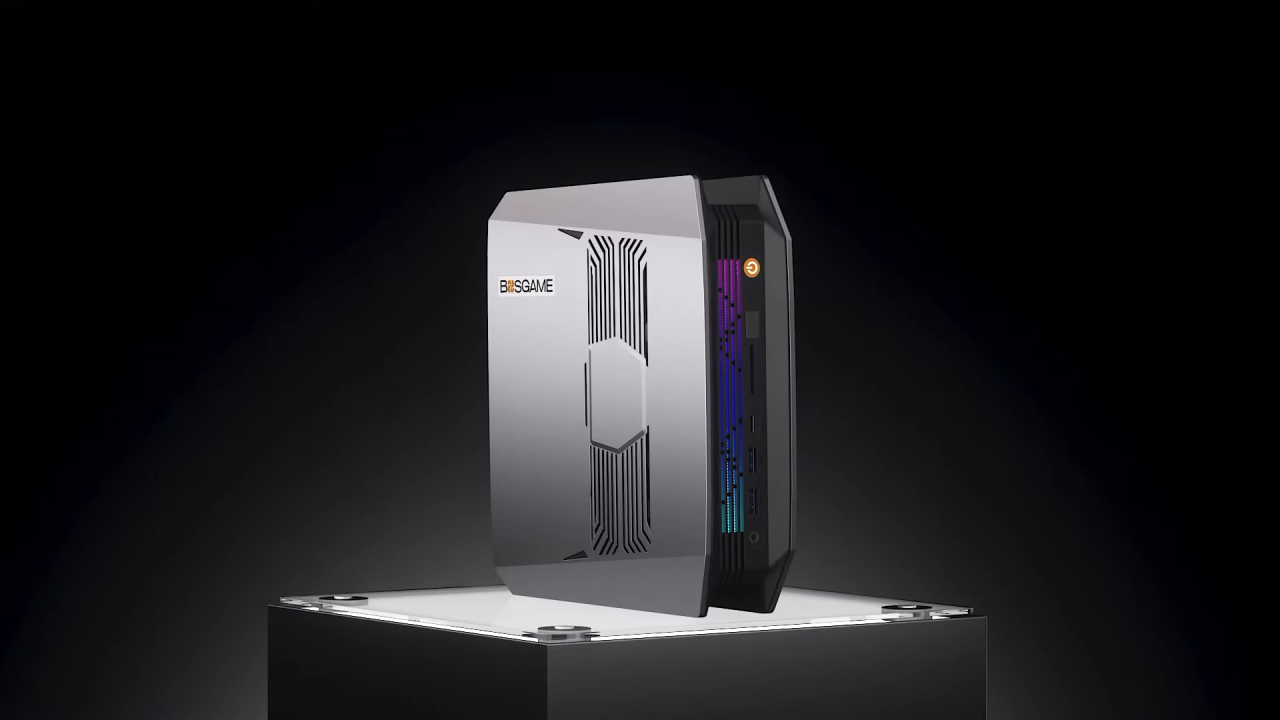
Bosgame M5 AI PC is a compact desktop computer that uses AMD's Strix Halo 395 Plus APU, which is the best one they make. This is for anyone who is considering buying a Steam Machine in the future but is concerned about the price, availability, or platform limitations.
The device works well in a living room configuration, can handle large-language-model workloads with a lot of RAM, and doesn't require any extra setup to run with regular Radeon drivers. Because it is small and powerful, it fits in with a growing group of strong mini desktops.
Concentrate On the Platform and the Test Range
This model checks how well it holds its charge, how hot it gets, how well it plays games, and how well the operating system adapts. The 16 Zen5 cores are good at compiling shaders, and they can do considerably more work when power limitations are in place.
You may set the system to consume up to 120W on the CPU, enabling all cores to run at about 4GHz for a long time. We look closely at how the CPU and GPU work together, how power consumption varies, and how performance changes over time for jobs that use only the CPU and for those that use both the CPU and GPU.
Setting up and Expanding Hardware
Bosgame M5 AI Mini Desktop's 395 APU and 96GB of memory were examined. If you require extra memory for tasks such as extensive LLM testing, there is also a 128GB option. The system has two M.2 slots, and one of them has a 2TB NVMe SSD installed. There is a heatsink and an adhesive thermal interface inside that transmit heat from the NVMe to the metal chassis. You need to consider how much space an NVMe drive with a built-in heatsink will take up before you install it.
Wi-Fi 7 and Bluetooth 5.2 are two types of wireless connectivity. A 2.5Gbit LAN port is used for wired networking. You may attach an eGPU to the USB4 connector on the back, which operates like a Thunderbolt 4 port. USB4 eGPU enclosures or M. 2-to-OCuLink adapters can help you add more PCIe ports to your computer. You can't place more PCIe ports inside your machine.
Connections and Ports for Other Devices
There is a UHS-II SD card reader, a 3.5mm audio jack, two USB 3.2 Type-A ports, and one USB 4 port on the front I/O. A physical performance mode switch works like BIOS power presets. Still, you can access more options by changing it manually in the software.
The gadget has USB2 ports, HDMI2.1 ports with VRR support, DisplayPort1.4 ports, an extra USB4 port, a USB3.2 Type-A port, a 2.5Gbit Ethernet jack, a second 3.5mm audio jack, and a barrel connector for the 240W power supply that comes with it. The power supply can run at up to 120W continuously without any stability issues.
How BIOS Works and How to Manage Power
The BIOS doesn't have many settings. There are three power modes: Quiet, Balanced, and Performance. Even when the load is large, performance stays acoustically controlled. The typical TDP is roughly 85W; however, you can use software to increase it to 120W. Most of the time, even after you find secret menus, sophisticated BIOS options are still not available. You can't get help with PBO, reducing the voltage, or changing the memory time. BIOS doesn't list 8000 MT/s for memory speed, even though it runs that fast.
How to Install and Set Up Linux
We used CachyOS, which is based on Arch, to install Linux. Installation went successfully when I used a ZFS filesystem instead of the default Btrfs. The network connection worked during installation, and no extra configuration was needed.
The CachyOS version designed for handhelds starts up with an interface that looks like the Steam Deck. This makes it a viable choice for a console-style system. After that, you can switch to desktop mode to get a standard Linux experience. RyzenAdj was built to limit CPU power directly in the operating system, allowing it to run at 120W for a long time.
How Well Games Work on Linux
When you run Linux at 120W, the game's performance keeps getting better. When tested at 1440p with high or extremely high settings, the games run smoothly. When frame creation is enabled, frame rates improve significantly. Most of the time, CPU cores favor one CCD, keeping frequencies higher for longer. Linux works in the same manner as Windows in most gaming settings.
Benchmarks for Productivity Performance
Cinebench R23 multi-core testing at 120W shows that this CPU performs better than older workstation CPUs with many cores, such as the 32-core Threadripper 2990WX, while using less power. Single-core performance is better than that of older mobile designs, and it scales effectively without consuming much power.
The Cinebench2024 multi-core results show that this machine is about 10% faster than the Apple M1 Ultra. Single-core performance is better than both the M1 Max and the M1 Ultra. Single-threaded loads use roughly 20-25W.
Study of Power Scaling and Efficiency
Testing performance per watt from 10W to 120W shows that it gets worse after 80W. You gain around a 10% boost in performance when you raise the wattage from 80W to 120W, but you also use 50% more electricity. At lower power levels, there are performance gaps that suggest that upgrading the firmware could help things function more smoothly, especially below 60W. Still, pushing strength makes up for the fact that you can't change things.
With a 256-bit bus, the memory bandwidth is around 235 GB/s for 8000 MT/s LPDDR5X. The system uses all its memory bandwidth, so the 40CU integrated GPU never runs out.
How Well Windows Games Work
When running Windows, the system can handle many different gaming tasks. You can still play hard games with aggressive upscaling and 4K output, although it depends on the settings. Ray tracing workloads operate well on an integrated GPU with a lot of RAM. When settings are configured to prioritize performance and VRR, competitive games can reach 120 to 160 fps at 1440p.
The enormous shared memory pool lets you use as much VRAM as you like, even in new games. Upscaling is usually better than frame generation, but both can be used depending on the game and the user's preferences.

Positioning and Value Factors for Use Cases
Bosgame M5 is more adaptable than a hypothetical Steam Machine. It works with both Windows and Linux, and there are no driver delays. It has a lot of CPU power for productivity and can run memory-intensive programs. The performance envelope replaces big, costly workstation components that were once necessary, even if it costs more. Moreover, Cyberpunk can run on more than 60 fps.
The system can handle gaming, work, and testing all in one little box. No functional difficulties were detected during testing. People's opinions of the platform's value are influenced by how well it performs across different operating systems and workloads, as well as by the cost of RAM and the limited options for configuring it.
Final Thoughts
Bosgame M5 AI Mini Desktop is a small computer that runs reliably for a long time. It can be used as a gaming machine, a productivity workstation, and a development platform, among other things. The hardware shows how far integrated solutions have come, providing computational power that used to require far bigger, more complicated systems.
Also, check our other AMD articles below:
- AMD Ryzen 9 9950X3D Review: Setting The Standard For 2025 Gaming CPU
- AMD Ryzen 7 9800X3D Review: 3D V-Cache Goes God Mode with Stunning Gaming Performance
- AMD RX 9070 Performance Review: Thermals, Clocks, and Real-World FPS
- AMD Ryzen 5 7600 Review: Best Budget Gaming CPU of 2025?
- AMD Radeon RX 7800 XT Review: RDNA 3 Power For Midrange Gaming
- Sapphire NITRO+ AMD Radeon RX 9070 XT Review: The Ultimate 4K Gaming GPU
- AMD Ryzen 7 7800X3D: Delivers Gaming Performance Far Beyond Expectations
- AMD Ryzen 9 7900X Review: Powering the AM5 Era with DDR5 & PCIe 5.0
- Intel Core i9‑14900K vs. AMD Ryzen 7 7800X3D: Power Profiles & Gaming Benchmarks
Editor, NoobFeed
Gaming Hardware Updates
No Data.