
Dave the Diver Guide | How to Take a Picture
A guide on how to get take a picture in Dave the Diver.
Game Guide by Rubaiyat Shihab on Dec 23, 2025
In Dave the Diver, you can get prizes and finish some tasks by taking shots. At different times in the game, you have to take pictures of certain kinds of fish. This guide tells you when you can use the camera, where you can use it, and how to take a good picture. All of the steps are set out so that you can clearly understand what to do next in the game.
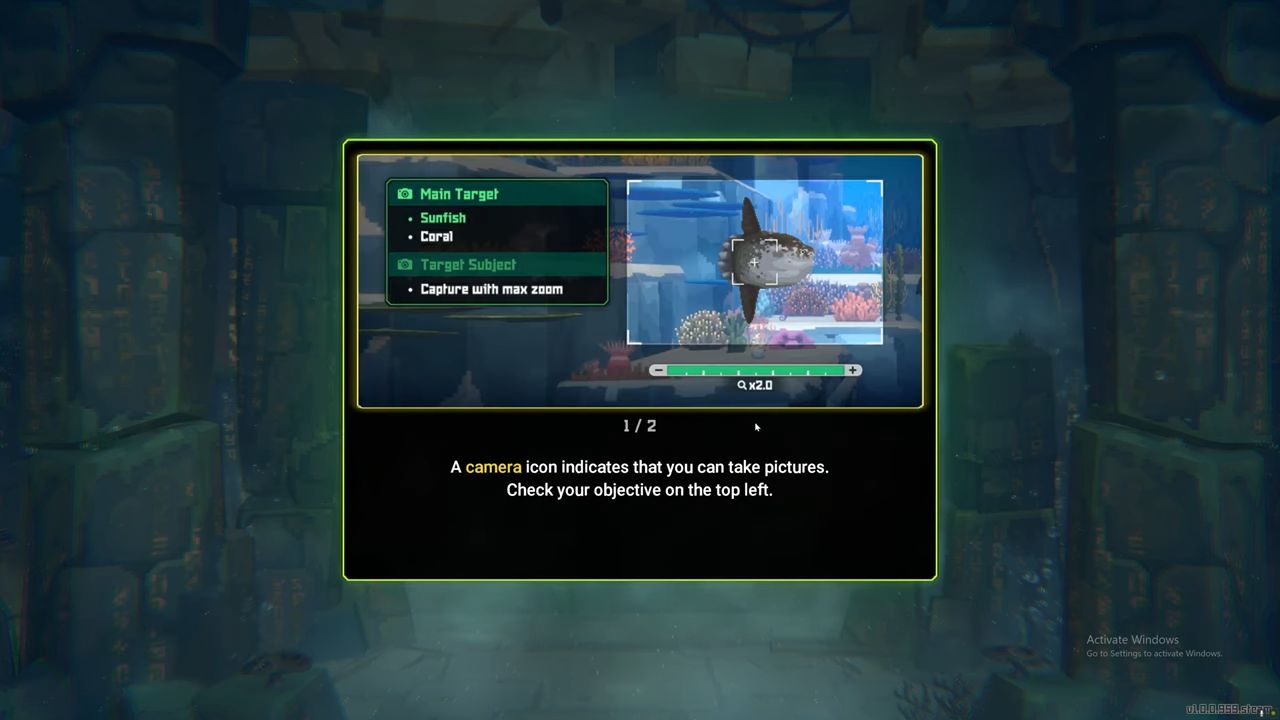
Unlocking the Camera
At the beginning of Dave the Diver, you can't get to the camera. You can get to it in Chapter 1 by working on the main quest "Beyond the Rock Pile." In this case, the camera immediately becomes part of the story, and there is no need to do anything else to get it.
When You Can Use the Camera
In many other games, you can use the camera anytime you want, but that's not true in Dave the Diver. You can take shots only in places where it is allowed. These places have camera signs to show that it's okay to take shots there. These ads mostly appear when you're doing something.
Don't think you can take pictures of any fish type at any time. You only see camera prompts at certain times, mostly when a quest says you need to take a picture.
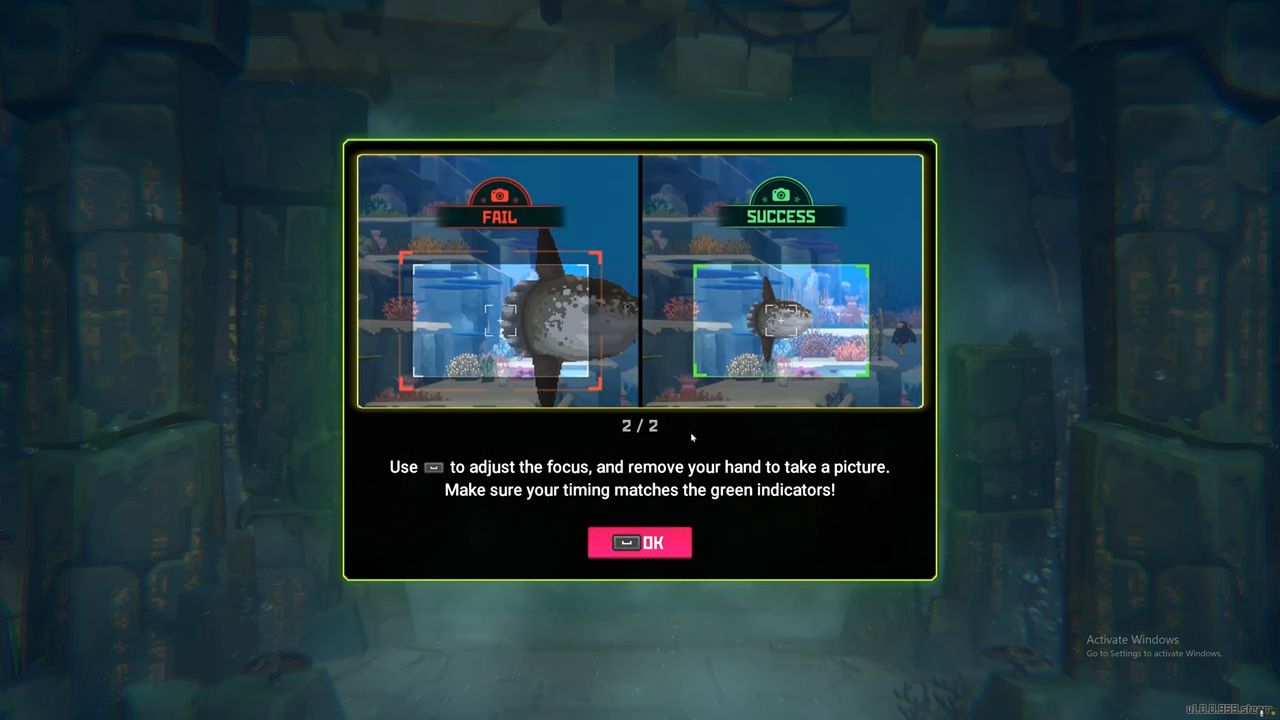
How to Take a Picture
When you use a camera cue, the main target and any side targets will show up on the screen, with the side targets in the upper-left corner. To get the subject in the middle of the screen, you need to move the horizontal frame.
Also, check our Dave the Diver Review and other guides below:
- Dave the Diver Beginner's Guide | Essential Tips and Tricks
- Dave the Diver Guide | Restaurant's Essential Tips
- Dave the Diver Guide | Fish Farm's Essential Tips
- Dave the Diver Guide | Minigames's List and Rewards
- Dave the Diver Guide | All Weapons
- Dave the Diver Guide | All Fish
- Dave the Diver Guide | All Recipes
- Dave the Diver Guide | How to Get Best Taste
- Dave the Diver Guide | How to Transfer Staff
Editor, NoobFeed
Latest Articles
No Data.