
MSI MPG 341C QR QD OLED X36 Review: 34in Ultrawide 360hz QD-OLED Gaming Monitor
A clean gaming aesthetic featuring carbon fiber accents, rear RGB lighting, and a sturdy, well-balanced stand design.
Hardware by Tanisha Aria on Jan 10, 2026
The MSI MPG 341C QR QD OLED X36 game monitor has an ultrawide shape, a very high refresh rate, and fifth-generation QD-OLED technology.
This 34-inch ultrawide display is made for fans who care about picture quality, smooth motion, and advanced features. It's meant to take modern gaming and content consumption to the next level.
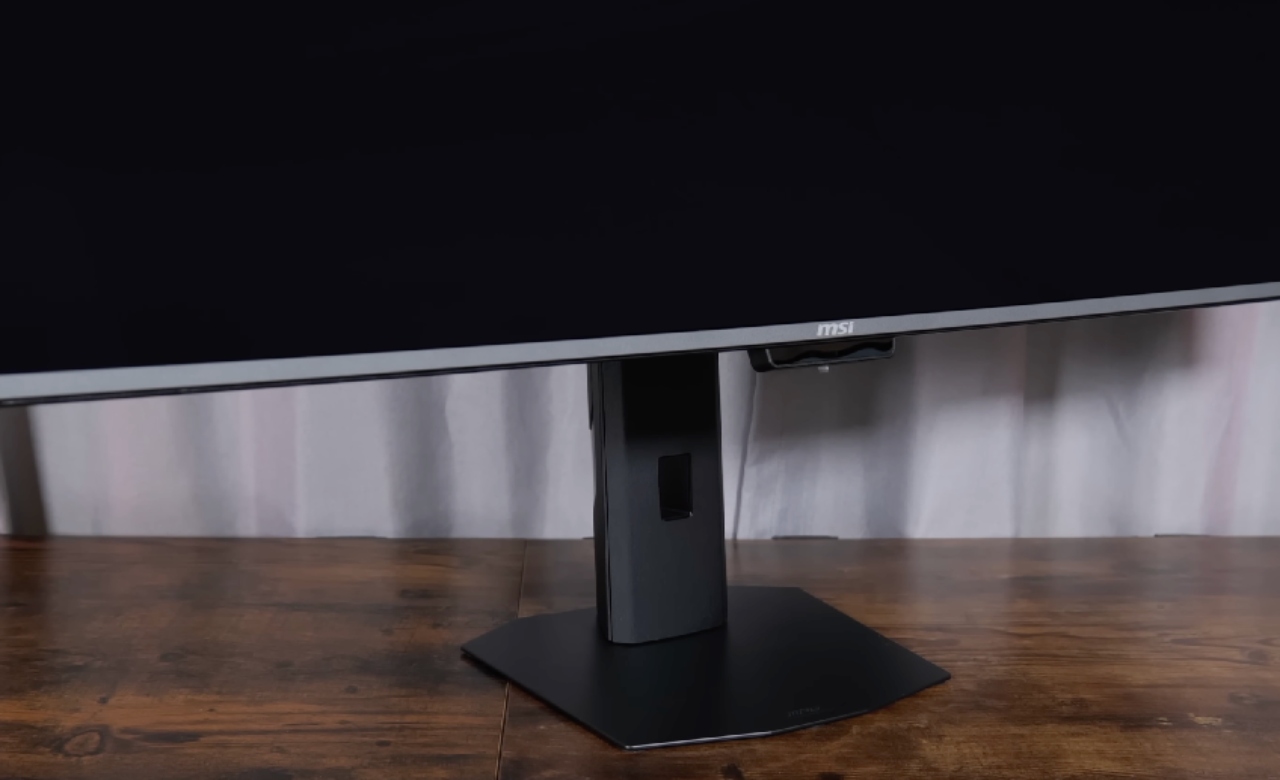
The monitor comes with a good set of extras right out of the box. It's easy to put together because the base snaps onto the mount and locks tightly into the back of the panel.
A USB-C cable, an HDMI cable, a power wire, and a sticker sheet are all included as extras. The built-in power source is a good design choice because it eliminates the need for an extra power brick that takes up desk space.
Quality of Design and Build
The style as a whole looks high-end and well thought out. The MSI Dragon logo and an RGB light bar are on the back. The light bar can be fully controlled either through software or directly from the monitor's screen.
There are carbon-fiber accents all over the body, and they don't look fake at all. The design is neither too aggressive nor too simplistic. It has a gamey look while also being clean and modern.
Options for connectivity and I/O
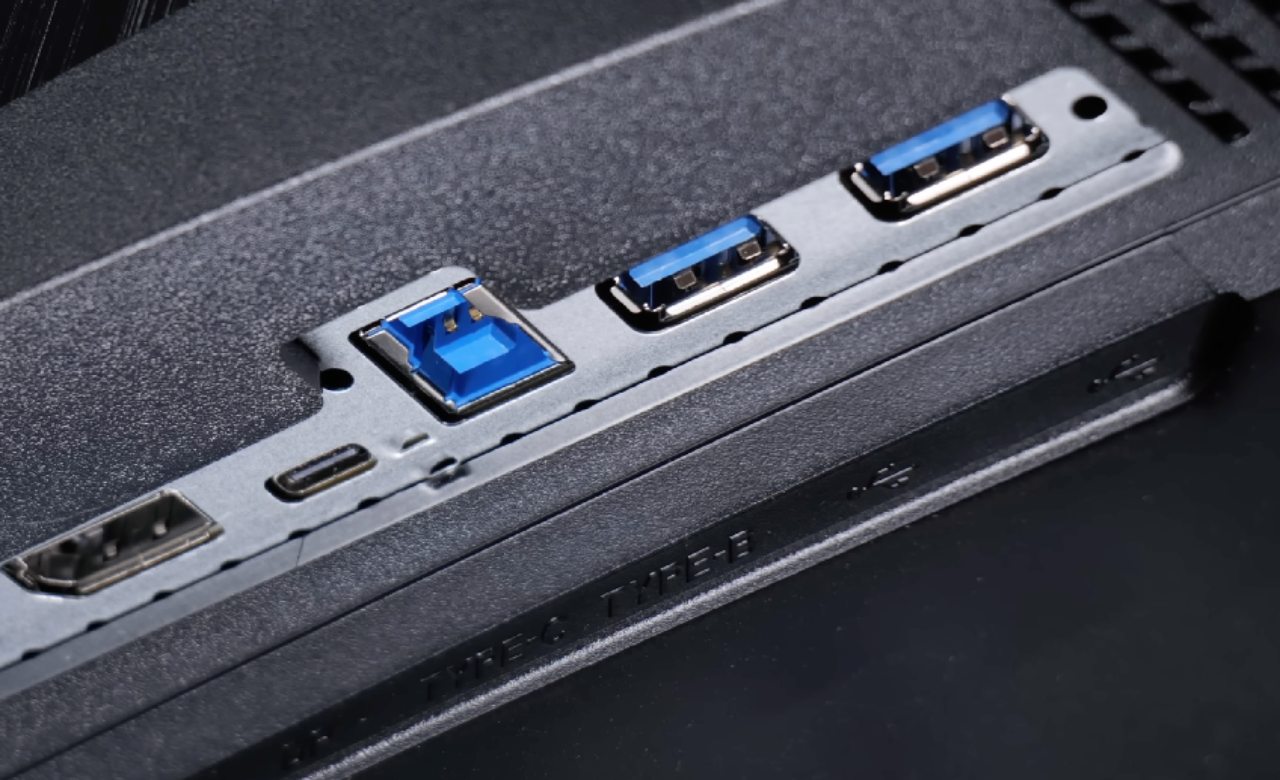
Many ports are on the back of the monitor. One is a USB Type-B port for upstream connectivity, the other is a USB-C port that can send up to 90W of power and support video over USB-C.
You can connect a display via DisplayPort2.1, two full-size HDMI ports, or a 3.5mm headphone jack. With KVM support, devices linked to the monitor can share any plugged-in accessories. This makes mixed setups a lot easier to use.
Display and software options on the screen
As soon as the monitor is turned on, the image clarity makes it stand out. The back joystick lets you access the on-screen display, which gives you quick access to many features. At the top of the menu are AI options such as AI Crosshair and AI Vision. There are also KVM controls, MPRT, DSC, HDMI2.1 support, adaptive sync, a built-in timer, and a display that shows the refresh rate.
There are also color presets, and users can create their own profiles to suit their tastes. There is a section dedicated to OLED care features, including pixel shift, panel protect, protect notice, multi-logo detection, and multi-icon detection. These are all meant to lower the risk of burn-in over time.
For people who prefer software, MSI's Gaming Intelligence app offers the same controls as the PC version. When the monitor is linked via USB, the app lets you change color profiles, OLED care settings, and AI features such as AI automatic color and AI crosshair.
Improvements to AI Crosshair and Smart Gaming
The AI-powered crosshair is one of the best parts. This version of crosshairs differs from others because it can identify what you are looking at and change color based on the background.
The crosshair changes color automatically, so it remains visible as the scene gets darker. You can still pick a set color and change the size, but in fast-paced games, leaving adaptive color on is much more helpful.
Customization and Panel Technology for HDR
Customizing the HDR curve is only possible on this MSI monitor. You can adjust the True Black500 and Peak1300 HDR curves in the monitor settings to make them work the way you want. This allows deeper blacks and fewer sudden brightness changes, making the HDR experience more consistent.
The black levels stand out right away on the screen after a while. MSI has added a new sheet of film called Dark Armor, which is completely black. Reducing ambient light reflections helps eliminate magenta across a range of lighting conditions. In addition, the front panel is now 3H hardness instead of 2H, making it less likely to be scratched.
The AI Care Sensor and OLED Care 3.0
MSI's OLED Care3.0 suite is built into the monitor and adds even more security features. These are pixel shift, multi-icon detection, border detection, taskbar detection, and multi-logo detection.
A special AI care monitor can detect whether you are looking at the screen. The panel instantly dims when you move away or look at something else. This helps keep the panel healthy. The monitor can also tell what color the light around it is, so brightness and color temperature stay the same.
Performance and quality of the graphics in games
The picture quality is the main reason to buy this kind of monitor, and it does not disappoint. The screen works at up to 360Hz, features HDR, and covers 90% of the DCI-P3 color space. With fifth-generation QD-OLED technology, you can see true dark and bright colors right away. Even difficult games look great, with smooth motion and great sharpness.
It's very smooth at high frame rates, especially above 300fps in fast arcade races. Watching this on film can't fully capture the experience, but seeing it in person makes the difference clear. Ultrawide resolution and a high refresh rate work together to make a feel that is both very engaging and responsive.
Help for USB-C Video, KVM, and Handheld Devices. Video over USB-C gives you even more options. It is possible to connect devices directly that support USB-C video output and get up to 90W of power.
This makes it simple to use a single cable to charge and power compatible devices. Because these devices have built-in USB ports and KVM support, tools like a mouse and keyboard can be used on multiple computers.
Final Thoughts
The MSI MPG 341C QR QD OLED X36 is a great ultrawide gaming monitor with many features. It's a good choice for fans because it offers great picture quality, a refresh rate of up to 360Hz, advanced AI features, and a thoughtful OLED care system.
The style doesn't try to be too flashy, the RGB is subtle and easy to control, and the performance is clear. Highly responsive ultrawide QD-OLED gaming is possible with this monitor, which offers a great experience all around.
Also, check our other Monitor articles:
- ASUS ROG Strix XG27AQWMG Review: 280Hz 1440p OLED Gaming Performance
- Samsung Odyssey OLED G81SF Review 2025: Ultimate 32-Inch QD-OLED Gaming Monitor
- Adaptive Sync Explained: FreeSync vs. G-Sync for Modern Gaming Monitors
- Gigabyte MO27Q2 QD OLED Review: Performance, HDR, and Gaming Experience
- ASUS ROG Swift PG27UCDM Review: Blazing Fast 240hz 4K OLED Performance
Contributor, NoobFeed
Gaming Hardware Updates
No Data.