
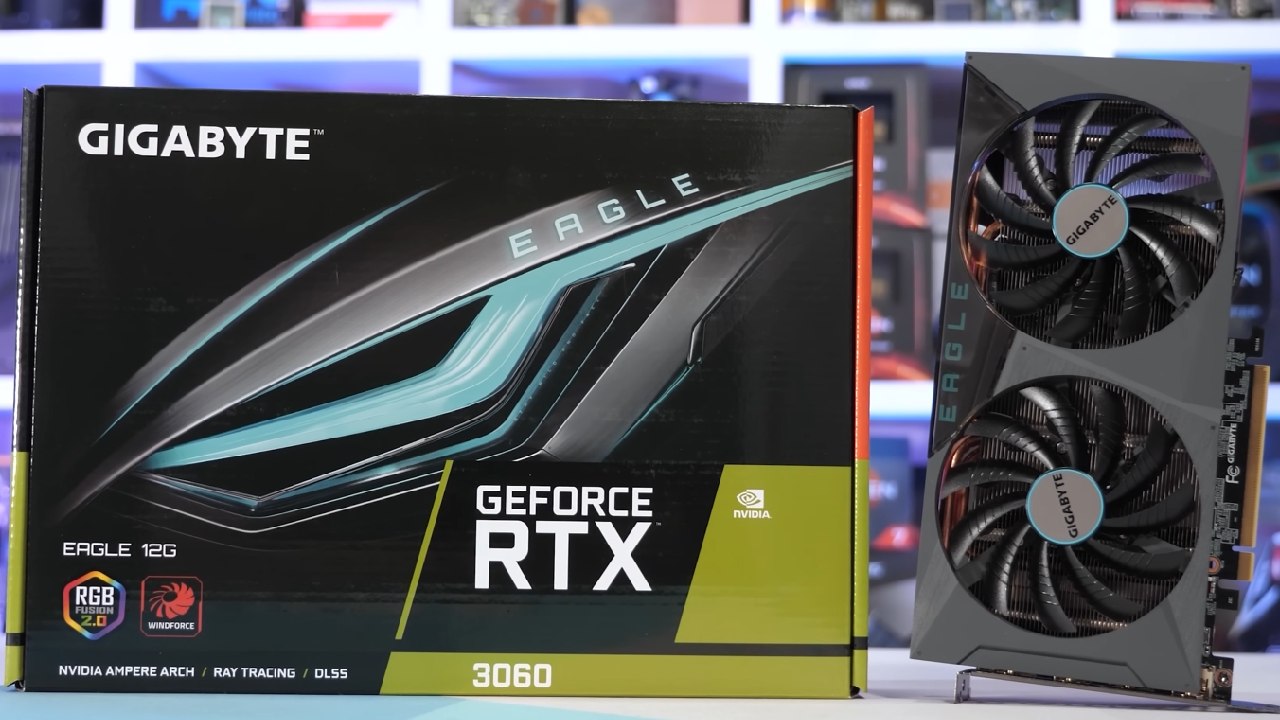
NVIDIA GeForce RTX 3060 Optimization Guide for Stable Performance on i7-14700K
Performance overview of RTX 3060 paired with i7-14700K, showcasing frame rates, temperatures, and behaviour across multiple graphics presets
Hardware by Nahe Yan on Nov 17, 2025
We try several graphics settings in-game to see how well an RTX 3060 works with an i7-14700K and 64GB DDR5 6400MHz.
We looked at how the system behaves, frame rates, temperatures, and GPU load across low, ultra, and balanced settings. The performance overlay and future frame rendering are both off.
Performance on Low Settings
We're going to look at the 3060 with the i7-14700K and 64GB of DDR5 6400MHz. We have everything custom-made, and prices are affordable. We don't support advanced anti-aliasing, but it's off by default. Nvidia Reflex Low Latency is turned off. The dynamic resolution scale is turned off. The frame rate limitation is off. The fixed resolution scale is 100%.
We're getting roughly 120-132 fps right now. The GPU runs at about 5.6GHz. It's 84 degrees. It's a bit hot in here. The RTX 3060 is 98% full. For now, everything is working fine.
Changing to Max and Overkill Settings
Now we'll try it with everything set to the highest level or higher. We go back to the main menu and try again. Everything is set to too much customisation. Nvidia Reflex Low Latency and Boost are both enabled. Everything else stays the same.
With the GPU maxed out, the machine runs at about 70 fps on Ultra settings. At 1080p, it seems clear. The 1440p monitor isn't here yet, but we'll try it out when it arrives. I hope it will be here in a few days. Everything stays at a steady temperature. VRAM isn't filled, but it's near.
The map is big, and we'll see how it works once we start playing. There are times when we get good kills and others when we get killed, but our performance stays about the same.
How Well the Game Works
The RTX 3060 keeps frame rates steady in games like Battlefield, Cyberpunk 2077, Call of Duty, and Red Dead Redemption 2, no matter what settings you choose. Firefights, driving, and exploring the vast environment are all fast-paced things that keep the game going. Depending on the settings, frame rates range from 50 to 90 fps.
The GPU can handle large maps and detailed environments without overheating. Balanced and medium settings provide a good balance of graphics and performance, so you can play without slowing down your CPU or GPU.
.jpg)
More Gameplay and FPS Falls
In larger areas, the system runs at about 53-60 fps. Getting 53 fps isn't great, but engagements still work. After changing the graphics again, they try balanced mode. The VRAM is almost full. TAA is turned on, but DLAA is not. FPS stays between 50 and 53.
Another try is made using the custom settings: high, medium, and mixed. The Nvidia Low Latency reflex stays on, while future frame rendering stays off. With these improvements, the frame rates go up to about 87fps, 88fps, low 90s, and mid 80s, depending on how much movement and action there is in the match.
Final Thoughts
Let us know if you want to see a 980 Ti or a 1660 Super tested. You can also try a 1650 and a 3050. We can keep making changes and testing. More gaming is shown, including a helicopter test before the end.
Also, check our other NVIDIA articles:
- NVIDIA GeForce RTX 5080 Review (2025): Still A 4K Gaming Powerhouse?
- RTX 5090 Performance Testing In GTA 5 – 1080p, 1440p, and 4K Max Settings Benchmark
- NVIDIA RTX 5070 Review: Mid-Range Muscle or Marketing Hype?
- RTX 5070 Ti Review: Performance, Thermals & Power Efficiency Tested
- ASUS ROG Astral RTX 5090 OC Edition Review: 32GB GDDR7 & 4K Gaming Benchmark
- ASUS GeForce RTX 5090 LC Liquid Cooled GPU Review: Unmatched Silence & Speed
- MSI GeForce RTX 5090 32GB SUPRIM SOC Review: Power Efficiency, Cooling, and Gaming Performance
- INNO3D RTX 5060 Ti 16 GB X2 Review: Gaming Benchmarks, Temps, and Power Efficiency
- HP Omen 45L Review: RTX 5090 Performance, Thermals, and Value Analysis
- ASUS TUF Gaming GeForce RTX 5060 Ti Review: DLSS 4, Power Efficiency, and Gaming
- ASUS Prime RTX 5060 Ti OC 16GB Review: DLSS 4, Ray Tracing, & Thermals Tested
- NVIDIA GeForce RTX 5060 Review: Specs, Gaming, and Cost per Frame
- MSI GeForce RTX 5090 GAMING TRIO OC Review: A Monster Power GPU
Editor, NoobFeed
Gaming Hardware Updates
No Data.