
RX 9070 Gaming PC Build (2025): Best Value 1440p & Entry-Level 4K Performance
A balanced RX 9070 gaming build focused on long-term value, modern performance, and efficient component selection
Hardware by Tasnim Yoshi on Dec 17, 2025
RX 9070 gaming PC delivers solid performance, can play 1440p games well, and offers entry-level 4K options in some titles. The changing prices of memory and GPUs make value optimization a top priority.
This article will help you make good decisions about which parts to use by providing guidance on choosing them, why to choose them, and what to look for in performance.
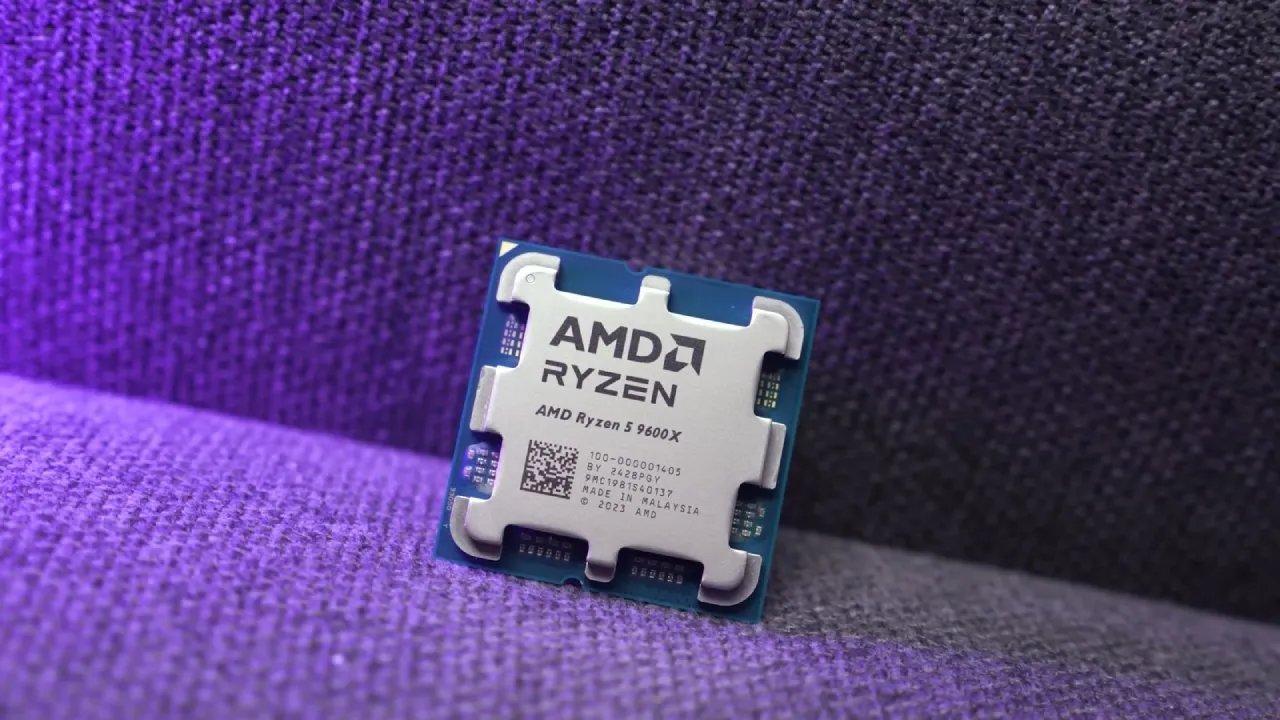
CPU & GPU
The CPU and GPU are the first two parts we look at because they determine how well the whole system works. We chose an all-AMD setup with an RX 9070 and a Ryzen 5 9600X. It's easy to choose a CPU: it has six cores, twelve threads, a great price of roughly $200, high clock speeds, and good single-thread performance.
AMD's AM5 architecture is quite flexible. You can upgrade to a Ryzen 9 9950X3D with AM5. The next generation of Ryzen processors is planned for 2026 and should still work with AM5 with BIOS updates.
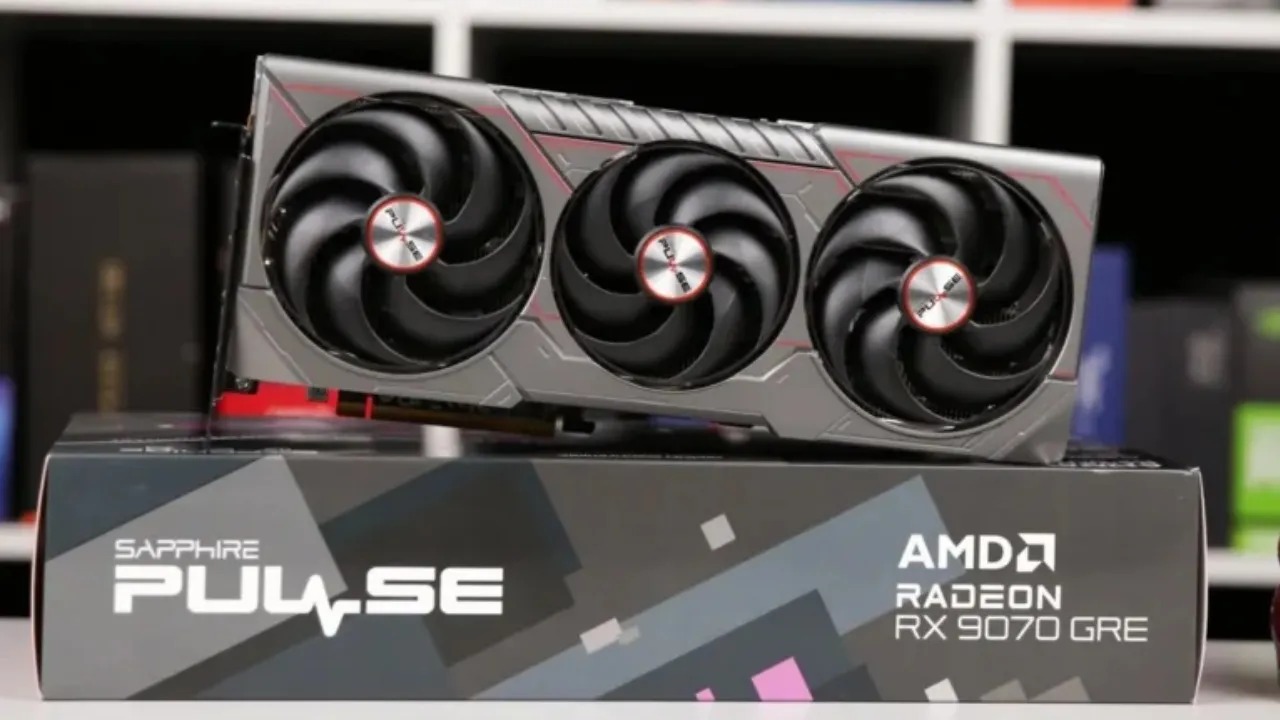
We chose RX 9070 for the GPU. It often sits at the top of its price range. It's basically a trimmed-down version of 9070 XT that has great rasterization performance, better ray tracing capabilities, and FSR technology that is closing the gap with NVIDIA's DLSS.
This card has 16GB of VRAM, which is 4GB more than RTX 5070. It is very similar to its NVIDIA opponent. Changes in prices may make you think about 5070, so it's a good idea to check US prices right now. RX 9070 isn't as powerful as the XT version, but it's still very good at playing recent games.
Memory Pricing
Memory cost is very important to the construction strategy. The cost of DDR5 has risen sharply due to higher global demand driven by AI workloads. SSD prices are starting to follow the same path. Due to limited DDR5 supply and changing wafer allocation, prices are likely to stay high.
We don't think you should wait to complete a full build in hopes that memory prices will drop, but GPU and SSD prices may go up even more.
SSD
SSD prices remain reasonable, making this choice easier. We chose a 1TB TeamGroup MP44L drive. Any Gen 4 NVMe with good reviews and fast speeds would work fine. Scaling up is easy if you need more space.
RAM
TF Vulcan low-profile memory is a good choice for this project if you want to use DDR5 RAM, especially if you want to use large air coolers that need space. RAM prices are higher than usual right now.
If you already have DDR5, even 16GB of lower-rated modules, hold on to them for now and upgrade once the market stabilizes. If you're buying new, make sure to shop carefully and think about whether the item is in stock at the store. The build needs low-profile sticks because there isn't much room for them.
Motherboard
We chose the Gigabyte B850 Eagle WiFi 6E. It has two 5-Gig Ethernet ports, four dual-channel DIMMs, USB-C, and Gen5 PCIe compatibility. It has worked well in many builds and is a great value. You can also easily upgrade using AM5.
Case
Black SAMA V60 PC case is a model that combines high-end curved glass designs with low-cost construction. It has seven ARGB fans: three bottom fans with reverse blades, three side fans, and one rear exhaust fan. This means you won't have to buy more fans.
The cable management is neat, and the built-in fan/ARGB hub has room for two additional fan headers, allowing you to add more fans. The dual-curved front and side glass panels make the case seem better, and it works well with reverse-connect motherboards and full-size GPUs. Even though it has two chambers, it is still small.
CPU Cooler
Sama A60 air cooler is a cheap, silent, all-black cooler that looks good with the build. It keeps everything cool without the extra cost of an AIO. It fits well with low-profile RAM and keeps enough space between the two.
CPU Installation
First, we put in the Ryzen 5 processor. AMD's latest CPU generations still rule the mid-range market. To accommodate the dual-channel configuration and cooler clearance, memory is installed in the second and fourth DIMM slots. Low-profile modules don't get in the way of dual-tower air coolers.
SSD Installation
To install the SSD, you need to remove the M.2 heatsink, install the MP44L drive, and then reinstall the heatsink. Remove any old SSDs that are still in place to ensure the correct-sized drive is used.
CPU Cooler Installation
To reach the mounting points, we remove the central fan from the cooler. We remove the factory plastic brackets from the motherboard and install the provided male-to-male standoffs and mounting rails according to the cooler manual, after confirming there is enough room for the RAM. The cooler is held in place by spring-tension screws, and the center fan is then reinstalled.
Motherboard Installation
We put the motherboard in the case after making sure there are six pre-installed standoffs and adding three more along the right edge. The screws from the case accessory kit hold the board in place once it is lined up.
PSU
A Summit P1000 PSU was included; however, the 750W or 850W units might work better for this design. These units include a native 12V-2x6 connector, are ATX3.1 compliant, and have an 80+ Platinum efficiency rating. They also come with a 10-year warranty. Before putting the PSU in the case, plug in the CPU power, GPU power, SATA power for the fan hub, and any other wires you need.
GPU Installation
Next, we put in RX 9070. Compared to competing triple-fan cards, the Gigabyte model is small and often matches MSRP levels. It fits well in the enclosure and uses the top PCIe slot. After the GPU is installed, the PCIe bracket screws are installed and the power wire is connected.
Boot Check
We plug in the last of the front-panel cables and power, then use a screwdriver to start the manual boot. The system turns on, and the curved glass and built-in fans produce a stunning lighting effect. Then, before full testing, cable management is done.
Benchmarks
We used an Iiyama GB3271QSU monitor to test the system. It has a bright IPS display with a 1ms reaction time, a 180Hz refresh rate, and a 1440p resolution. RX 9070 was consistently strong at 1440p, showing how well it worked with newer games.
Arc Raiders
At 1440p High, the system averaged 161 frames per second (fps), with lows of 108 fps and 85 fps for 0.1% of the time.
Battlefield 6
The build averaged 142 frames per second (fps) at 1440p High, with steady frame pacing.
Call of Duty: Black Ops 7
At 1440p High, the average frame rate was 167 fps, while VRAM usage was close to 14GB. This shows how useful RX9070's 16GB VRAM capacity is.
Cyberpunk 2077
At 1440p High rasterization (no RT, no FSR), the average frame rate was 130fps. When FSR was enabled for Quality, performance increased to 172 fps. Ray tracing with FSR averaged 84 frames per second while improving graphics.
Marvel Rivals
At 1440p High, the average frame rate was 140.1fps.
Final Thoughts
The build that came out of it was impressive. The dual curved-glass panels showcase the seven ARGB fans well. The CPU cooler gives the case a sleek, stealthy design, and RX 9070 offers great 1440p performance at a good price. AM5 architecture ensures future upgrades, while the SAMA V60 case exceeded expectations in both functionality and price.
Also, check our other AMD articles:
- AMD Ryzen 9 9950X3D Review: Setting The Standard For 2025 Gaming CPU
- AMD Ryzen 7 9800X3D Review: 3D V-Cache Goes God Mode with Stunning Gaming Performance
- AMD RX 9070 Performance Review: Thermals, Clocks, and Real-World FPS
- AMD Ryzen 5 7600 Review: Best Budget Gaming CPU of 2025?
- AMD Radeon RX 7800 XT Review: RDNA 3 Power For Midrange Gaming
- Sapphire NITRO+ AMD Radeon RX 9070 XT Review: The Ultimate 4K Gaming GPU
- AMD Ryzen 7 7800X3D: Delivers Gaming Performance Far Beyond Expectations
- AMD Ryzen 9 7900X Review: Powering the AM5 Era with DDR5 & PCIe 5.0
- ASRock Radeon RX 7800 XT Challenger OC Review: Best Price-to-Performance GPU of 2025
- Intel Core i9‑14900K vs. AMD Ryzen 7 7800X3D: Power Profiles & Gaming Benchmarks
Subscriber, NoobFeed
Gaming Hardware Updates
No Data.