
Unreal Engine 5.7 Brings Major Foliage, Material, and AI Upgrades
Significant leap forward in foliage rendering delivers richer forests, improved lighting, and smoother performance across expansive environments.
Hardware by Masaru Hoshino on Nov 16, 2025
Unreal Engine 5.7 introduces significant changes to how foliage, materials, animations, and procedural algorithms are utilized. The upgrade enhances performance, visual fidelity, and workflow efficiency in various aspects of game development. These changes make real-time rendering appear more like film-quality images, facilitating the creation of interactive worlds.

New Nanite Foliage System
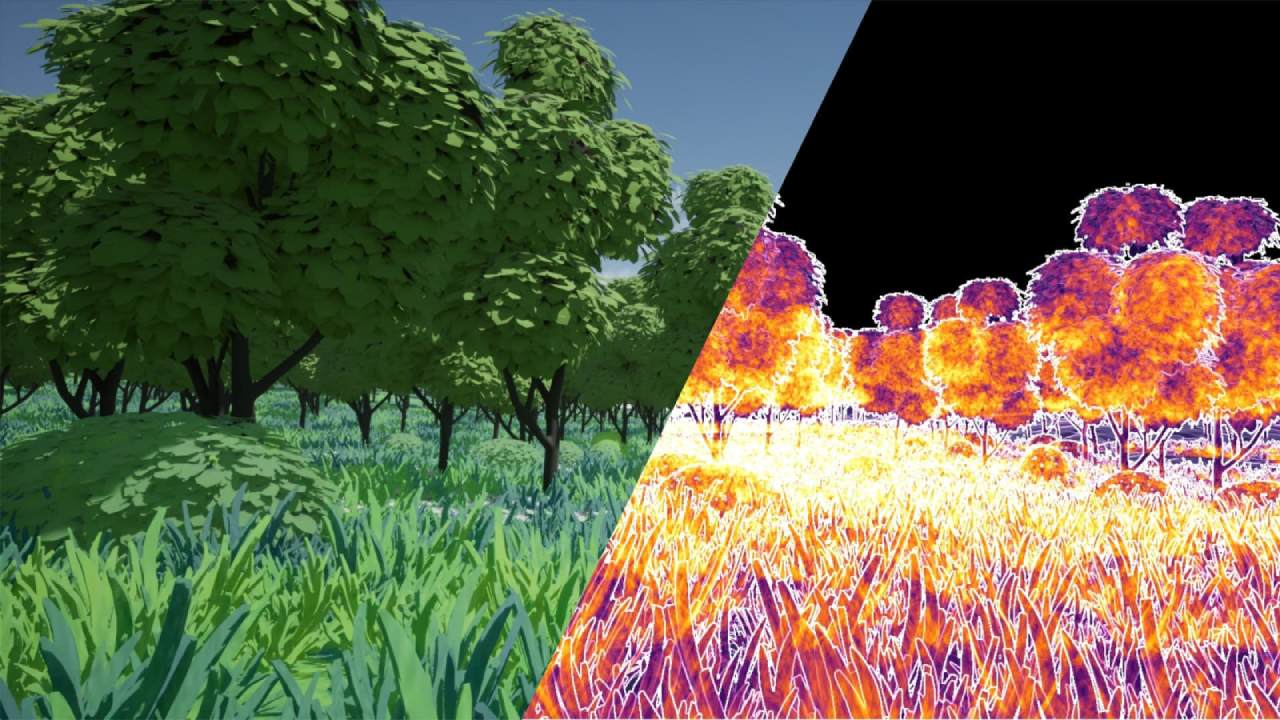
Unreal's newest update, Unreal Engine 5.7, introduces a groundbreaking Nanite foliage system that revolutionizes how foliage is rendered in computer graphics. Plants, such as trees, are among the most challenging objects to render due to their complex composition of many different elements. A tree can have hundreds of branches, and on these branches are thousands of leaves, meaning a single tree mesh can easily contain hundreds of thousands of polygons. The more polygons present on screen, the longer the Engine will take to render them.
To create dense forests, we typically have to use these high-polygon trees thousands of times, quickly resulting in environments containing millions of polygons and experiencing drastic frame-rate drops. Developers traditionally relied on level of detail systems, where an object switches to a lower-polygon version of itself when farther from the camera. Trees generally use billboards at their lowest LOD—a flat plane with a texture—which look unappealing and cause noticeable transitions.
Unreal Engine 5.1 introduced Nanite for foliage, giving us the ability to use Unreal's virtualized geometry system on vegetation. This eliminated the need for traditional LODs and allowed for vegetation-dense environments, where every visible color represents an individual polygon. However, large forests still suffered performance issues because Nanite had difficulties rendering thin, clustered geometry and masked materials. Polygons of distant, occluded trees could still be rendered unnecessarily, wasting computational power.
Nanite Voxels: The New Form of LOD
Unreal Engine 5.7 solves these remaining issues with Nanite voxels—a new form of automatic level of detail. If a Nanite tree is far away, it transitions into a voxel version of itself. This functions like a 3D block representation, almost as if the tree were made in Minecraft. Only nearby trees receive full Nanite geometry, while distant ones convert to lightweight voxel representations.
As the camera moves farther, Nanite uses fewer voxels and increases their size. We can activate this by opening a tree and selecting "Voxelize" under Shape Preservation. Console commands enable us to force voxelized plants to appear closer for visualization purposes. Each colored cube represents a voxel, and these voxelized forms also produce more accurate shadows and lighting from far distances, making vegetation appear fuller and more cohesive.
Voxels are only one component of the new Nanite foliage system.
Procedural Vegetation Editor
The update introduces the ability to create trees directly inside Unreal using the new procedural vegetation editor. Building trees manually is challenging due to their geometric complexity, which has led to the popularity of dedicated tools like SpeedTree. But SpeedTree is a subscription service and not optimized for the new Nanite foliage system.
Now we can easily create trees in Unreal itself. We can begin with a trunk, determine how the trunk generates, and then scatter branches and leaves. The result is a mesh ready for use like any other asset, drastically reducing the time required to build unique plant life. All trees shown in the demonstration world were created with this editor.
A major benefit of in-engine creation is the automatic generation of dynamic wind animations. Each branch receives its own wind calculation. Previously, wind was simulated through shader math and couldn't change direction realistically in a dynamic manner. Now, trees can be rigged with their own bone systems that respond to wind strength and direction. This is powered by a new Nanite skinning system optimized for trees with hundreds of bones, enabling large-scale foliage interaction.
A New AI Developer Assistant
One of the most forward-looking features in 5.7 is a new AI developer assistant—an LLM similar to ChatGPT—built directly into Unreal. It opens like any tool and is trained on Unreal documentation and projects. We can ask any Unreal-related question, and it can generate complete C++ and Verse code from prompts.
The system is still experimental and lacks context awareness; it doesn't know our project's code, blueprints, or environment. It also doesn't generate blueprints and struggles to guide the creation of blueprints. For now, it functions like interactive documentation that we can access without leaving the Engine.
Still, it signals Epic Games' direction as more AI features arrive, similar to the talking AI agents recently implemented in Fortnite. More capabilities can be expected in the future.

Substrate: The New Material System
Unreal Engine 5.7 fully transitions to Substrate, Unreal's new material system, no longer in beta. By default, all materials use Substrate, which provides significantly more features for creating lifelike materials.
The older material system struggled when blending two different materials. On an example object, blending dirt and metal using the traditional method could look incorrect because Unreal calculated them as one combined material. Blending a metallic and non-metallic surface produced poor transitions.
In Substrate, materials render separately. Transitions look realistic, with preserved highlights and accurate coloration. The difference between the old material and the Substrate version is dramatic. Substrate still utilizes standard PBR rendering but provides expanded control through a new layering system.
Not only can we blend materials correctly, but we can also stack them vertically with precision and accuracy. For instance, we can place an ice layer over a cliff material, and both render with distinct shadows and specular reflections—something impossible before. Although Substrate introduces more complexity, all new features are optional. The default material graph remains the same unless we plug into the Substrate input at the bottom.
Procedural Content Generation (PCG) Leaves Beta
Procedural Content Generation (PCG) is now production-ready. It is safe for any project and reshapes how environments are built. PCG allows us to set rules that control how Unreal uses random generation to scatter objects, much like Blender's geometry nodes or Houdini.
This enables biome-style systems. A snowy biome can be instantly converted into a desert or a spring environment with bright green vegetation. Density can be adjusted to create thicker forests as needed. Blender's geometry node ecosystem demonstrates the vast potential of procedural tools, and similar communities will develop around PCG in Unreal.
The new procedural vegetation editor itself is built using PCG, showing how foundational the system has become. The entire planet of Lego Fortnite was created using PCG principles, which are similar to those used in Minecraft's world generation rules. This demonstrates its applicability in the real world, enabling the creation of games and vast open worlds.
Advancements in Animation and Retargeting
Animation workflows have improved significantly. Character animations can be challenging and often require the expertise of professional animators or motion-capture performers. Retargeting animations between characters is essential, but extreme body proportions caused issues. For example, transferring animation from a robot to a troll could result in hands clipping through the body.
The new spatially aware retargeting system automatically adjusts animations to avoid unwanted collisions. Animators now have more control, thanks to physics world collisions, which enable rigs to interact realistically with the environment. Hair is also animatable, allowing us to switch between art-directed motion and physics-based simulation.
Beyond body movement, facial animation can now be transferred between characters. With the new rigmapper retargeting tool, face animation captured through Metahuman Animator can be applied to completely different characters, enabling new and more flexible workflows.
Unreal's Increasing Importance and Learning Resources
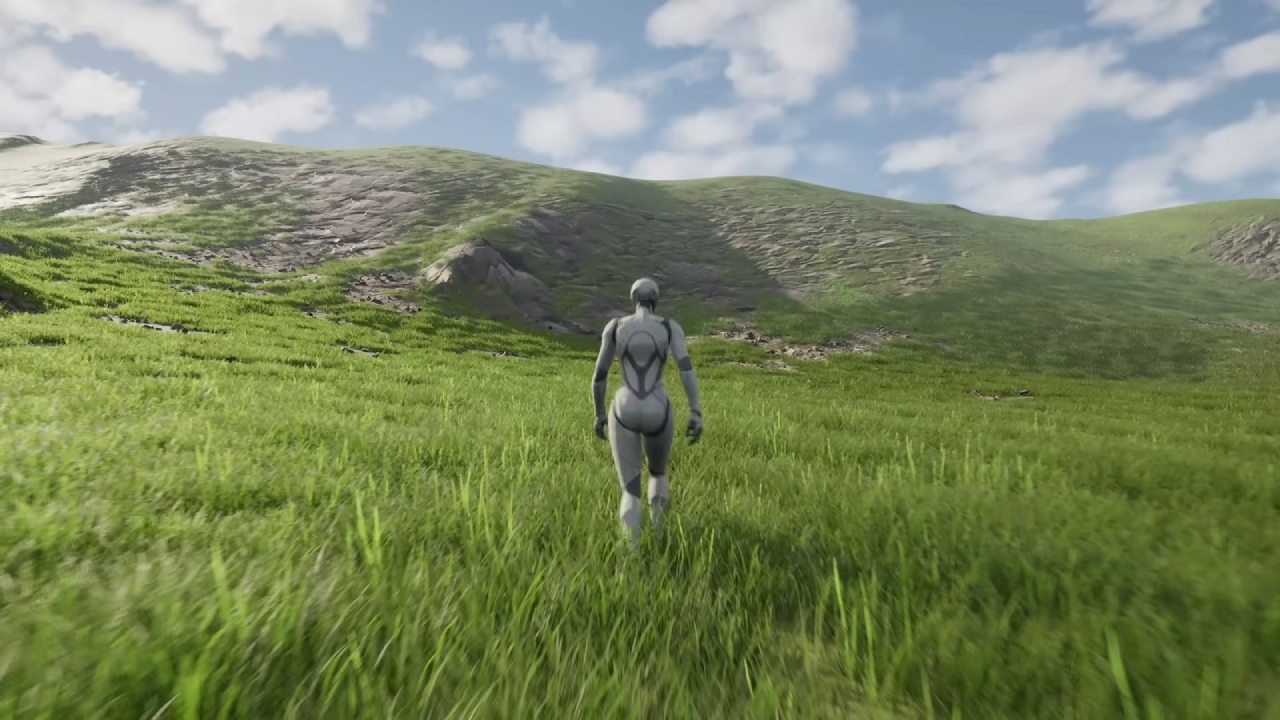
Unreal Engine continues to grow in importance, with around half of all next-generation games being developed using UE5. There has never been a better time to learn the Engine.
Two free beginner courses are available: one teaches how to build a castle environment, and the other covers programming a first video game. Both are accessible with the links provided by the creator.
Also, check our other NVIDIA articles:
- NVIDIA GeForce RTX 5080 Review (2025): Still A 4K Gaming Powerhouse?
- RTX 5090 Performance Testing In GTA 5 – 1080p, 1440p, and 4K Max Settings Benchmark
- NVIDIA RTX 5070 Review: Mid-Range Muscle or Marketing Hype?
- RTX 5070 Ti Review: Performance, Thermals & Power Efficiency Tested
- ASUS ROG Astral RTX 5090 OC Edition Review: 32GB GDDR7 & 4K Gaming Benchmark
- ASUS GeForce RTX 5090 LC Liquid Cooled GPU Review: Unmatched Silence & Speed
- MSI GeForce RTX 5090 32GB SUPRIM SOC Review: Power Efficiency, Cooling, and Gaming Performance
- INNO3D RTX 5060 Ti 16 GB X2 Review: Gaming Benchmarks, Temps, and Power Efficiency
- HP Omen 45L Review: RTX 5090 Performance, Thermals, and Value Analysis
- ASUS TUF Gaming GeForce RTX 5060 Ti Review: DLSS 4, Power Efficiency, and Gaming
- ASUS Prime RTX 5060 Ti OC 16GB Review: DLSS 4, Ray Tracing, & Thermals Tested
- NVIDIA GeForce RTX 5060 Review: Specs, Gaming, and Cost per Frame
- MSI GeForce RTX 5090 GAMING TRIO OC Review: A Monster Power GPU
Editor, NoobFeed
Gaming Hardware Updates
No Data.