
ASUS ROG Crosshair X870 Hero Review: Premium Design, VRM Power, and Dual GPU Support
Crosshair X870 Hero brings elite motherboard design, extreme overclocking headroom, and future-proof hardware compatibility.
Hardware by Masaru Hoshino on Aug 23, 2025
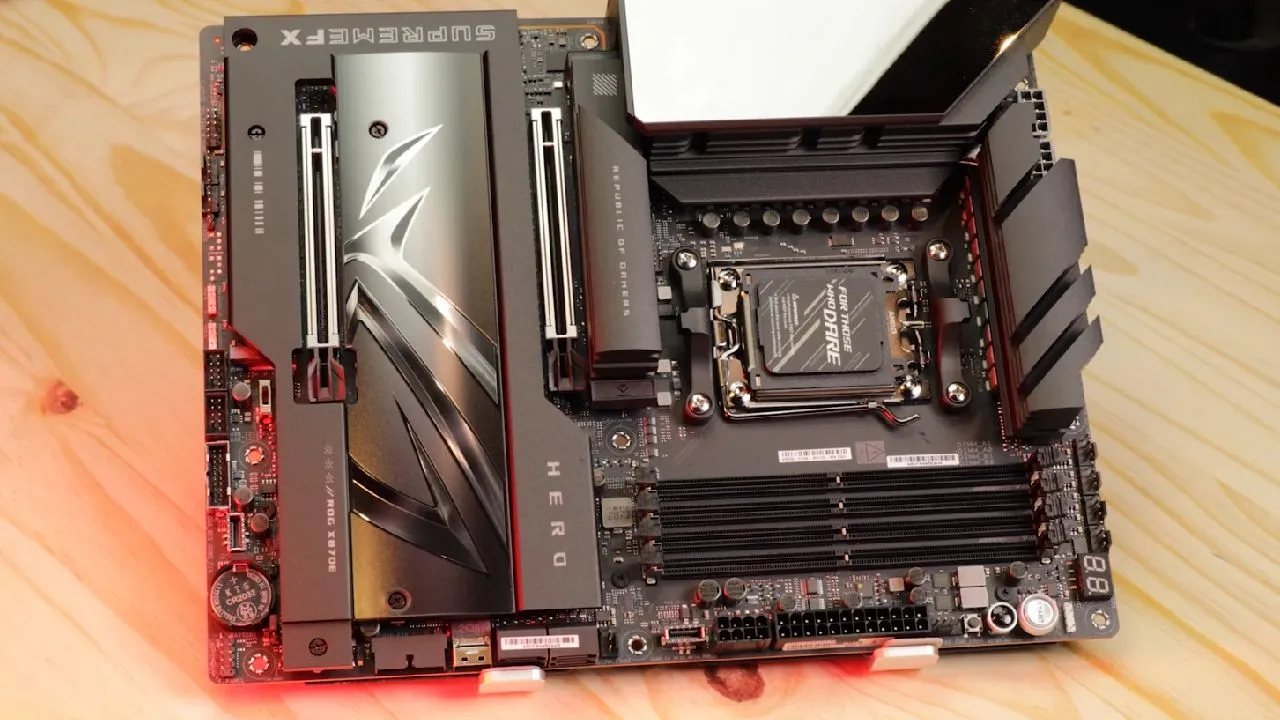
ROG Crosshair X870 Hero enters the premium motherboard category with an imposing mix of aesthetics, durability, and performance. Built with an 8-layer PCB reinforced with two copper plates, the board ensures reliability for long-term use while also integrating a backplate to shield delicate solder points and improve thermal efficiency.
From its sleek design to advanced hardware support, it sets a high standard for enthusiasts who seek both beauty and function.
Design & RGB
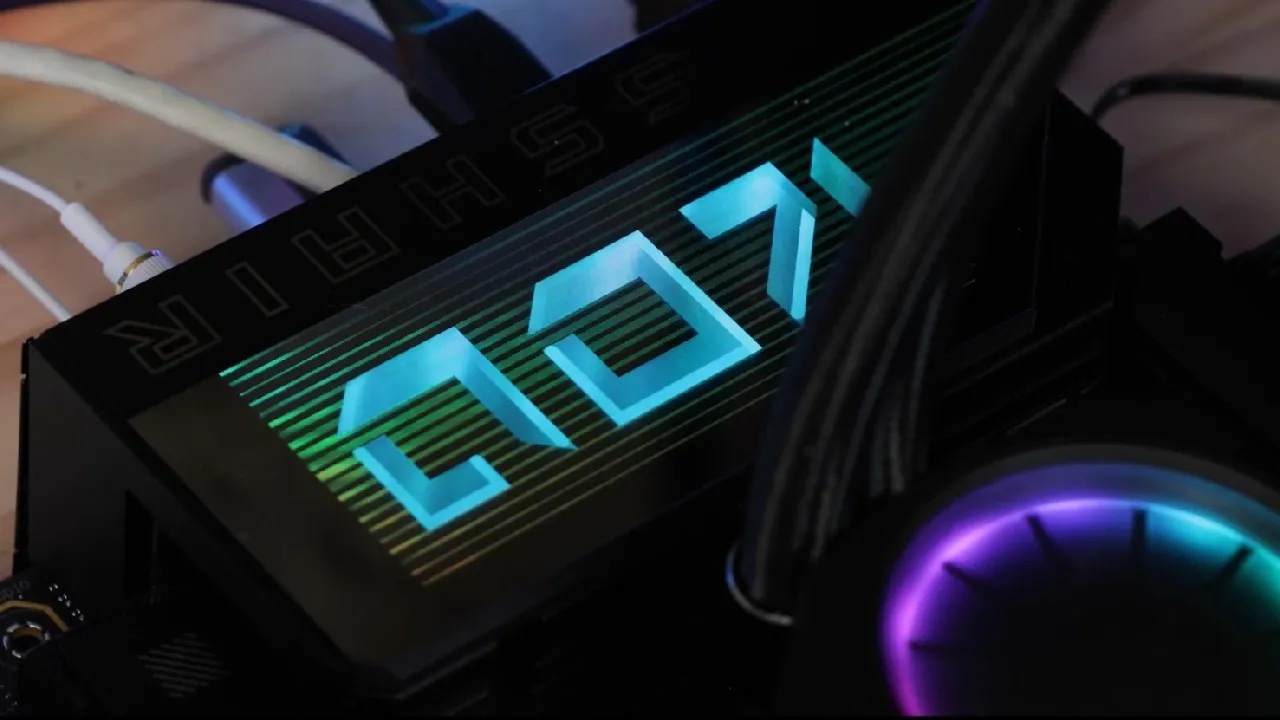
Hero offers a sleek and balanced design that plays beautifully with aluminum finishes and is centered around the polished ROG eye, in contrast to its more chaotic ROG Strix sister. It avoids superfluous cluttering aesthetics, making it one of the cleanest and most beautiful motherboards on the market.
The enlarged VRM roof is illuminated with luminous ROG letters thanks to the accurate and uniform RGB implementation. Although the board feels complete without further illumination, three RGB connectors are provided for those who wish to expand.
CPU & PCH
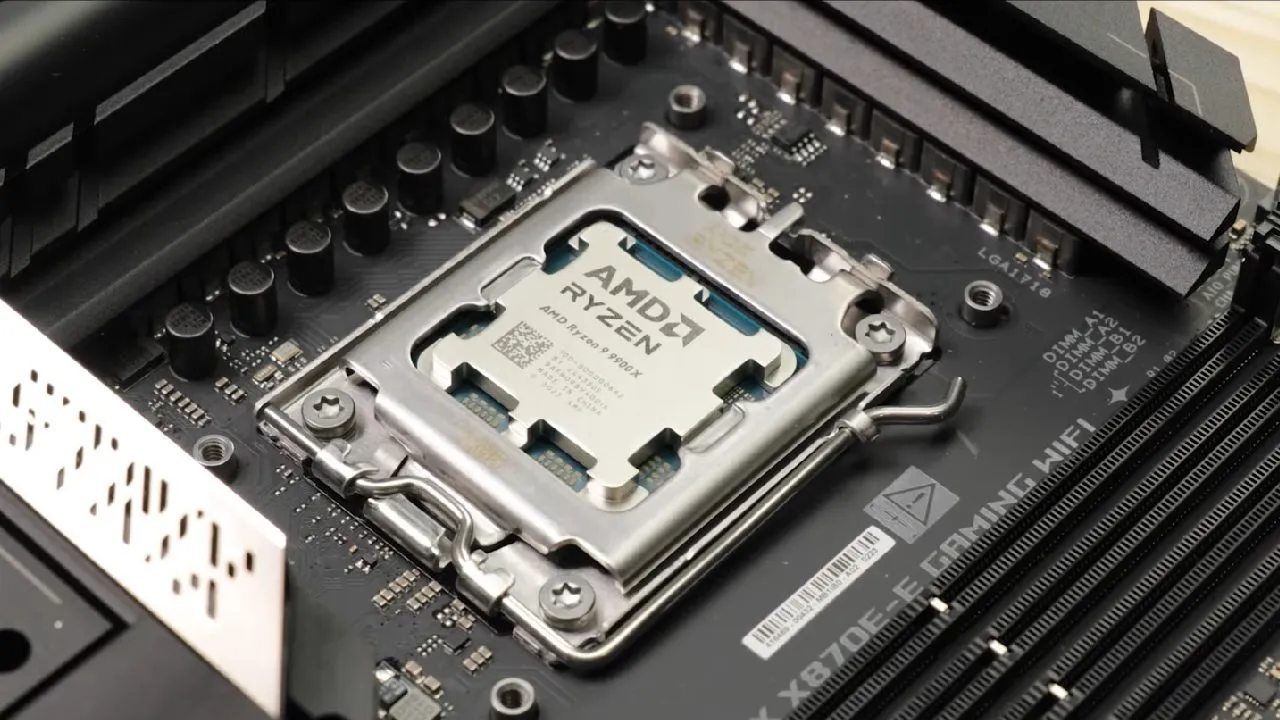
Hero is equipped with the AM5 CPU socket, which remains AMD's go-to solution until 2027. This ensures excellent longevity and upgrade potential. X870E chipset, powered by dual Promontory 21 PCHs, handles PCIe lane distribution, connectivity, and the massive bandwidth demands of USB4. Together, they form a future-ready platform for high-performance builds.
VRM
Hero features a 20-phase power delivery system with 110A power stages in an 18+2+2 configuration, delivering up to 2400A of current. Around 2000A is reserved for CPU operations, ensuring stability even for Ryzen 9 processors running at peak performance.
The cooling solution is exceptional, with oversized heatsinks, a double contact design, and efficient copper heatpipes. VRM temperatures remain under 50°C during stress, providing plenty of headroom for heavy overclocking.
Anything less than a Ryzen 9 would underutilize the board's capabilities, given its sturdy build.
RAM
Hero has a variety of configurations and supports up to 256GB DDR5 memory at speeds up to 8400MT/s.
Users can opt for full dual-channel setups at lower transfer rates ideal for content creation or go with a high-speed single stick (48GB or 64GB) to maximize gaming performance at 7000-8000MT/s.
Storage
Three of the 5 NVMe slots have PCIe 5.0 speeds of up to 128GB/s. With its large cooling blocks, heatsinks, and multiple thermal pads, ASUS guarantees thermal performance, especially for the primary PCIe 5.0 slot.
Additional NVMe SSDs, each with a 64GB/s capacity, connect via PCIe 4.0 lanes. Durability and usability are increased by the screwless latch mechanism on the main NVMe slot.
PCIe Expansion
The board supports dual GPUs, with a single card running at PCIe 5.0 x16 or dual cards at PCIe 5.0 x8/x8. This provides enough bandwidth for even the most powerful graphics cards.
A new Q-Release Slim mechanism allows for easier GPU installation and removal, though frequent swapping may scratch GPU PCBs over time.
PCIe Bifurcation
One limitation arises when using the third PCIe 5.0 M.2 slot, which reduces the primary GPU slot to x8 and the secondary slot to x4. Using both PCIe 5.0 NVMe slots disables dual GPU support entirely. This limitation is not unique to ASUS, as it affects all boards with current chipsets.
Back I/O
Hero delivers 120GB/s of total USB bandwidth with USB4 ports offering 40GB/s each. These ports also double as display outputs, complementing the integrated GPU support. Networking options include dual LAN (5Gb and 2.5Gb) and Wi-Fi 7 with speeds up to 6.5GB/s.
The premium audio solution uses Realtek's flagship codec, gold-plated connectors, copper PCB layers, and extensive shielding for high-quality gaming and recording experiences.
Cooling
Numerous options for air and water cooling are made possible by 8 PWM fan headers, including two pump headers. Hero appeals to enthusiasts seeking cutting-edge thermal solutions because it can manage two unique water loops.
Troubleshooting
Troubleshooting tools include debug LEDs, an OLED error screen, programmable buttons, and dedicated BIOS controls. These features minimize guesswork and make resolving issues straightforward.
BIOS & Software
The AI Advisor from ASUS offers basic advice but feels incomplete and has little hardware interaction. Much more helpful is the BIOS's new Q-Dashboard, which has an easy-to-use interface that connects highlighted components to their configuration menus.
Final Thoughts
ROG Crosshair X870 Hero, which retails for $700, markets itself as a high-end product for a specific market. It has superior connection, great water-cooling capabilities, and support for two GPUs. But for $200 less, its less expensive sister, ROG Strix X870, offers nearly comparable VRM, storage, and bandwidth capabilities.
The Strix offers more value for the majority of users, whilst Hero is more appealing to enthusiasts who need two GPUs or have highly customized water-cooling setups in mind. Hero is an excellent choice if you belong to that uncommon group.
Also, check our other hardware articles:
- AMD Ryzen 9 9950X3D Review: Setting The Standard For 2025 Gaming CPU
- Amazon Luna 2025 Review: Is Prime Gaming's Cloud Service Your Go-To For Casual Fun?
- AMD RX 9070 XT Review: AMD's RDNA 4 Champion for 1440p Gaming
- GeForce Now Ultimate: Ditching Your Gaming PC For Cloud RTX 4080 Power?
- NVIDIA GeForce RTX 5080 Review (2025): Still A 4K Gaming Powerhouse?
- Intel Core Ultra 9 285K Review And Performance Breakdown (2025)
- AMD Ryzen 7 9800X3D Review: 3D V-Cache Goes God Mode with Stunning Gaming Performance
- Intel Core Ultra 9 285K vs AMD Ryzen 7 9800X3D: In-Depth Gaming Performance and Benchmark Comparison
- NVIDIA GeForce RTX 5080 Super Performance In Cyberpunk 2077: Path Tracing & DLSS 4.0 Tested
- RTX 5090 Performance Testing In GTA 5 – 1080p, 1440p, and 4K Max Settings Benchmark
- AMD Radeon RX 9070 XT In Cyberpunk 2077: Ray Tracing & FSR 4.0 Tested
- Intel Arc B580 Review: The $250 GPU Revolutionizing 1440p Gaming
- Intel Arc B570 Vs. B580: Value, Specs, And Real-World Gaming Performance
- Intel Arc B570 Review: Efficient Xe2 Performance At An Affordable Price
- RTX 5090 Laptop Vs. M4 Max MacBook Pro: Ultimate Raw Performance Vs. Battery Endurance
- Intel Arc b580 Vs. RTX 4060: Game Performance And Value Analysis
- RTX5090 Hell Is Us Demo 4K Ultra Benchmark: DLSS Vs. Native Performance Guide
- NVIDIA RTX 5070 Review: Mid-Range Muscle or Marketing Hype?
- Nintendo Switch 2 Review: Handheld Performance, Features & Value Breakdown
- RTX 5070 Ti Review: Performance, Thermals & Power Efficiency Tested
- Samsung Odyssey OLED G81SF Review 2025: Ultimate 32-Inch QD-OLED Gaming Monitor
- AMD RX 9070 Performance Review: Thermals, Clocks, and Real-World FPS
- AMD Ryzen 5 7600 Review: Best Budget Gaming CPU of 2025?
- AMD Radeon RX 7800 XT Review: RDNA 3 Power For Midrange Gaming
- Asus ROG RTX 5090 Astral OC Vs. Founders Edition: The 4K Gaming Benchmark
- ASUS ROG Astral RTX 5090 OC Edition Review: 32GB GDDR7 & 4K Gaming Benchmark
- Intel Core i5-13400F Gaming Performance: Still Worth It in 2025?
- ASUS GeForce RTX 5090 LC Liquid Cooled GPU Review: Unmatched Silence & Speed
- ASUS ROG Ally X Handheld Review: Double the Battery, Double the Comfort
- Lenovo Legion Go S Review: The Ultimate Steam Deck 2 Alternative
- Sapphire NITRO+ AMD Radeon RX 9070 XT Review: The Ultimate 4K Gaming GPU
- Alienware 16 Area 51 Review: The Ultimate 2025 Gaming Laptop
- Alienware Area-51 Review: Unmatched 4K, Thermal, and Acoustic Performance
- AMD Ryzen 7 7800X3D: Delivers Gaming Performance Far Beyond Expectations
- AMD Ryzen 9 7900X Review: Powering the AM5 Era with DDR5 & PCIe 5.0
- Intel Core i9‑14900K vs. AMD Ryzen 7 7800X3D: Power Profiles & Gaming Benchmarks
- Intel Core i9 14900K: Specs, Benchmarks, and Competitor Comparison
- ASRock Radeon RX 7800 XT Challenger OC Review: Best Price-to-Performance GPU of 2025
Editor, NoobFeed
Gaming Hardware Updates
No Data.