
X870 & X870E Motherboard Roundup: ASRock, ASUS, Gigabyte, and MSI Compared
Comparative overview of X870E motherboards from top brands evaluating performance benchmarks, BIOS usability, and platform reliability.
Hardware by Masaru Hoshino on Aug 20, 2025
When AMD's new X870 and X870E motherboards were released, PC builders eager to match the Ryzen 9000 series with the best platforms became very interested. These boards include new BIOS features, PCIe 5.0 support, and improved connections.
To find out how they compare in design, performance, and pricing, four boards were tested side by side: the ASRock X870E Taichi Lite, Asus ROG Crosshair X870E Hero, Gigabyte X870E Aorus Master, and MSI X870E Carbon.
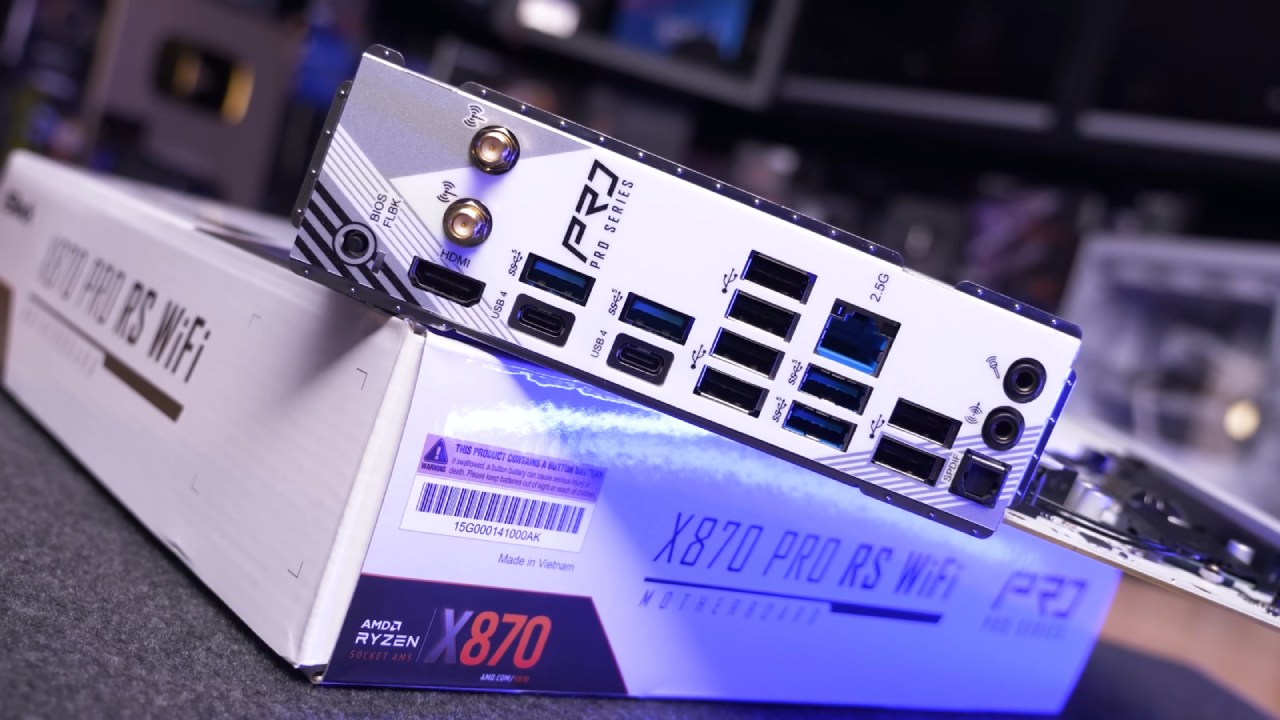
ASRock X870E Taichi Lite
The ASRock Taichi Lite offers a more understated design compared to the full Taichi while retaining the same internal features. Its VRM setup is solid, handling Ryzen 9000 CPUs with stability under heavy workloads. The I/O includes dual 2.5 Gb LAN ports, Wi-Fi 7, HDMI, DisplayPort, and multiple USB ports, including USB4.
Storage is well covered with several PCIe 5.0 and PCIe 4.0 M.2 slots, as well as SATA connectivity. Priced at $500, it delivers strong value for those who want flagship-class power delivery without excessive RGB or premium styling.
Asus ROG Crosshair X870E Hero
With the Crosshair Hero, Asus maintains its reputation as a manufacturer of high-end enthusiast motherboards. Top-tier VRM performance allows Ryzen CPUs to easily maintain maximum boost speeds without experiencing thermal throttling. The rear I/O is stacked with USB4, 10 Gb Ethernet, and multiple high-speed USB ports.
Its BIOS is still among the most user-friendly, making RAM setting and overclocking simple. Despite its $700 price tag, it markets itself as a high-end board for consumers who expect no sacrifices in connectivity, reliability, or design.
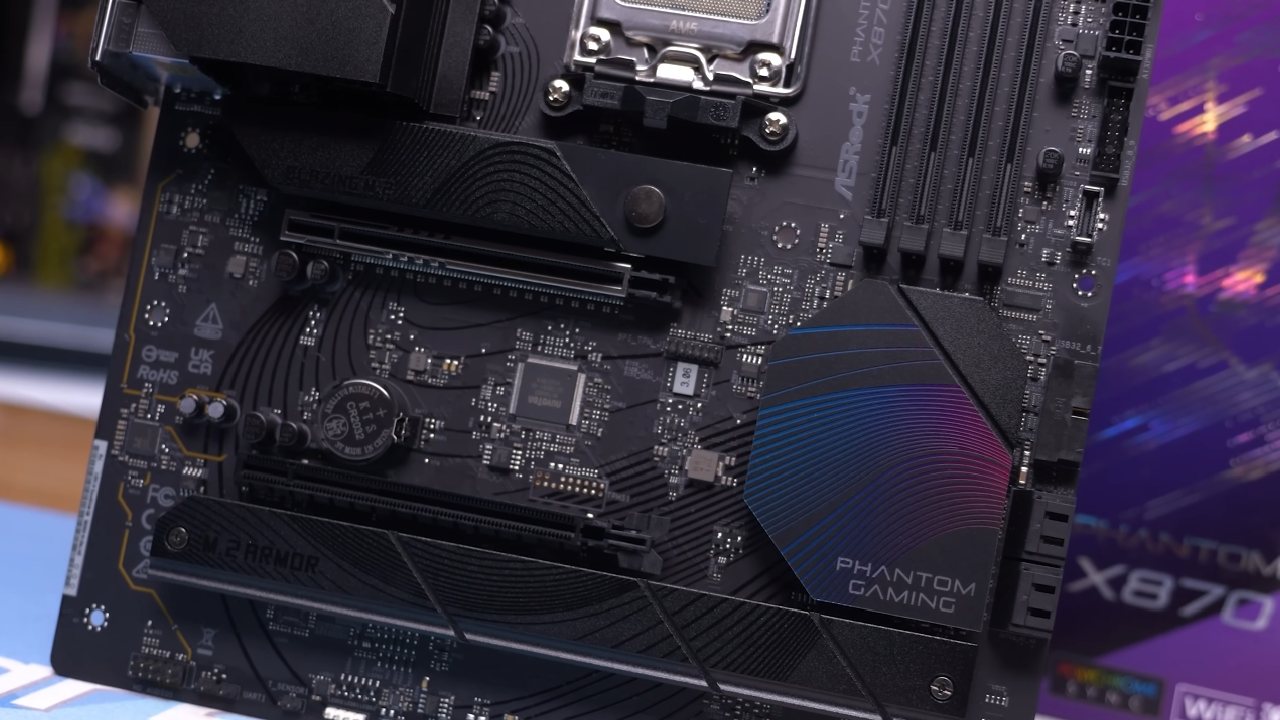
Gigabyte X870E Aorus Master
Gigabyte's Aorus Master has built a reputation for well-balanced premium boards, and this X870E model is no exception. The VRM quality ensures stable operation even with the Ryzen 9 9950X under heavy load. Connectivity includes dual Ethernet ports, Wi-Fi 7, and an impressive number of USB ports.
The PCIe layout offers flexibility with full Gen5 support for graphics and storage. Additionally, compared to earlier versions, BIOS usability has increased, making it simpler to configure DDR5 memory at high rates. At $600, it sticks out as a high-end choice with many features at a reasonable price.
MSI X870E Carbon
The MSI Carbon has historically been a go-to choice for high-performance builds without crossing into extreme flagship pricing, and the new X870E model continues that tradition. VRM thermals remain excellent, allowing efficient performance across Ryzen 9000 CPUs. The I/O design includes 5 Gb Ethernet, Wi-Fi 7, and USB4 alongside multiple Gen5 M.2 slots.
Additionally, the Carbon has an easy-to-use BIOS interface, which is very useful for overclocking memory. It provides gamers and power users who require powerful features but wish to avoid the high cost of $700 boards with an outstanding performance-to-price ratio at $500.
Performance Testing and Memory Support
Using a Ryzen 9 9950X, all four boards were put through rigorous workload testing. The multi-core results from Cinebench R23 demonstrated nearly comparable scaling, with just slight variations based on power restrictions and VRM efficiency.
All of the DDR5-6000 CL30 kits had consistent memory compatibility and operated without a hitch. ASRock and Gigabyte needed a little more manual modification for some RAM settings, while Asus and MSI provided the smoothest BIOS tuning experience.
Pricing and Value Considerations
Both the MSI Carbon and the ASRock Taichi Lite, which retail for $500, offer flagship-class power output with only slight compromises in luxuries.
At $600, Gigabyte's Aorus Master offers a well-designed device with connectivity enhancements. At $700, Asus' Crosshair Hero is aimed at aficionados who need the most expensive device without sacrificing quality.
Final Thoughts
AMD's Ryzen 9000 series runs well on the motherboards X870 and X870E; however, each model is distinct due to variations in price and design. Leading the pack in terms of value, the MSI Carbon and ASRock Taichi Lite provide premium stability at a more affordable price.
Gigabyte's Aorus Master presents a balanced premium option, while Asus' Crosshair Hero dominates the flagship tier for those who demand the absolute best. Choosing the right board comes down to whether the focus is on value, balanced features, or uncompromising performance.
Also, check our other hardware articles:
- AMD Ryzen 9 9950X3D Review: Setting The Standard For 2025 Gaming CPU
- Amazon Luna 2025 Review: Is Prime Gaming's Cloud Service Your Go-To For Casual Fun?
- AMD RX 9070 XT Review: AMD's RDNA 4 Champion for 1440p Gaming
- GeForce Now Ultimate: Ditching Your Gaming PC For Cloud RTX 4080 Power?
- NVIDIA GeForce RTX 5080 Review (2025): Still A 4K Gaming Powerhouse?
- Intel Core Ultra 9 285K Review And Performance Breakdown (2025)
- AMD Ryzen 7 9800X3D Review: 3D V-Cache Goes God Mode with Stunning Gaming Performance
- Intel Core Ultra 9 285K vs AMD Ryzen 7 9800X3D: In-Depth Gaming Performance and Benchmark Comparison
- NVIDIA GeForce RTX 5080 Super Performance In Cyberpunk 2077: Path Tracing & DLSS 4.0 Tested
- RTX 5090 Performance Testing In GTA 5 – 1080p, 1440p, and 4K Max Settings Benchmark
- AMD Radeon RX 9070 XT In Cyberpunk 2077: Ray Tracing & FSR 4.0 Tested
- Intel Arc B580 Review: The $250 GPU Revolutionizing 1440p Gaming
- Intel Arc B570 Vs. B580: Value, Specs, And Real-World Gaming Performance
- Intel Arc B570 Review: Efficient Xe2 Performance At An Affordable Price
- RTX 5090 Laptop Vs. M4 Max MacBook Pro: Ultimate Raw Performance Vs. Battery Endurance
- Intel Arc b580 Vs. RTX 4060: Game Performance And Value Analysis
- RTX5090 Hell Is Us Demo 4K Ultra Benchmark: DLSS Vs. Native Performance Guide
- NVIDIA RTX 5070 Review: Mid-Range Muscle or Marketing Hype?
- Nintendo Switch 2 Review: Handheld Performance, Features & Value Breakdown
- RTX 5070 Ti Review: Performance, Thermals & Power Efficiency Tested
- Samsung Odyssey OLED G81SF Review 2025: Ultimate 32-Inch QD-OLED Gaming Monitor
- AMD RX 9070 Performance Review: Thermals, Clocks, and Real-World FPS
- AMD Ryzen 5 7600 Review: Best Budget Gaming CPU of 2025?
- AMD Radeon RX 7800 XT Review: RDNA 3 Power For Midrange Gaming
- Asus ROG RTX 5090 Astral OC Vs. Founders Edition: The 4K Gaming Benchmark
- ASUS ROG Astral RTX 5090 OC Edition Review: 32GB GDDR7 & 4K Gaming Benchmark
- Intel Core i5-13400F Gaming Performance: Still Worth It in 2025?
- ASUS GeForce RTX 5090 LC Liquid Cooled GPU Review: Unmatched Silence & Speed
- ASUS ROG Ally X Handheld Review: Double the Battery, Double the Comfort
- Lenovo Legion Go S Review: The Ultimate Steam Deck 2 Alternative
- Sapphire NITRO+ AMD Radeon RX 9070 XT Review: The Ultimate 4K Gaming GPU
- Alienware 16 Area 51 Review: The Ultimate 2025 Gaming Laptop
- Alienware Area-51 Review: Unmatched 4K, Thermal, and Acoustic Performance
- AMD Ryzen 7 7800X3D: Delivers Gaming Performance Far Beyond Expectations
- AMD Ryzen 9 7900X Review: Powering the AM5 Era with DDR5 & PCIe 5.0
- Intel Core i9‑14900K vs. AMD Ryzen 7 7800X3D: Power Profiles & Gaming Benchmarks
- Intel Core i9 14900K: Specs, Benchmarks, and Competitor Comparison
- ASRock Radeon RX 7800 XT Challenger OC Review: Best Price-to-Performance GPU of 2025
Editor, NoobFeed
Gaming Hardware Updates
No Data.