
NVIDIA GeForce RTX 5060 Battlefield 6 Performance Review
Performance overview of the RTX 5060 in Battlefield 6 showcasing frame rates across multiple resolutions and settings configurations
Hardware by Nahe Yan on Dec 03, 2025
Battlefield 6 is tested on a GeForce RTX 5060, a powerful CPU, and quick memory to see how well it works at different resolutions and settings.
The idea is to figure out how the GPU behaves under different settings, how VRAM limits affect gameplay, and where changing parameters can speed things up.
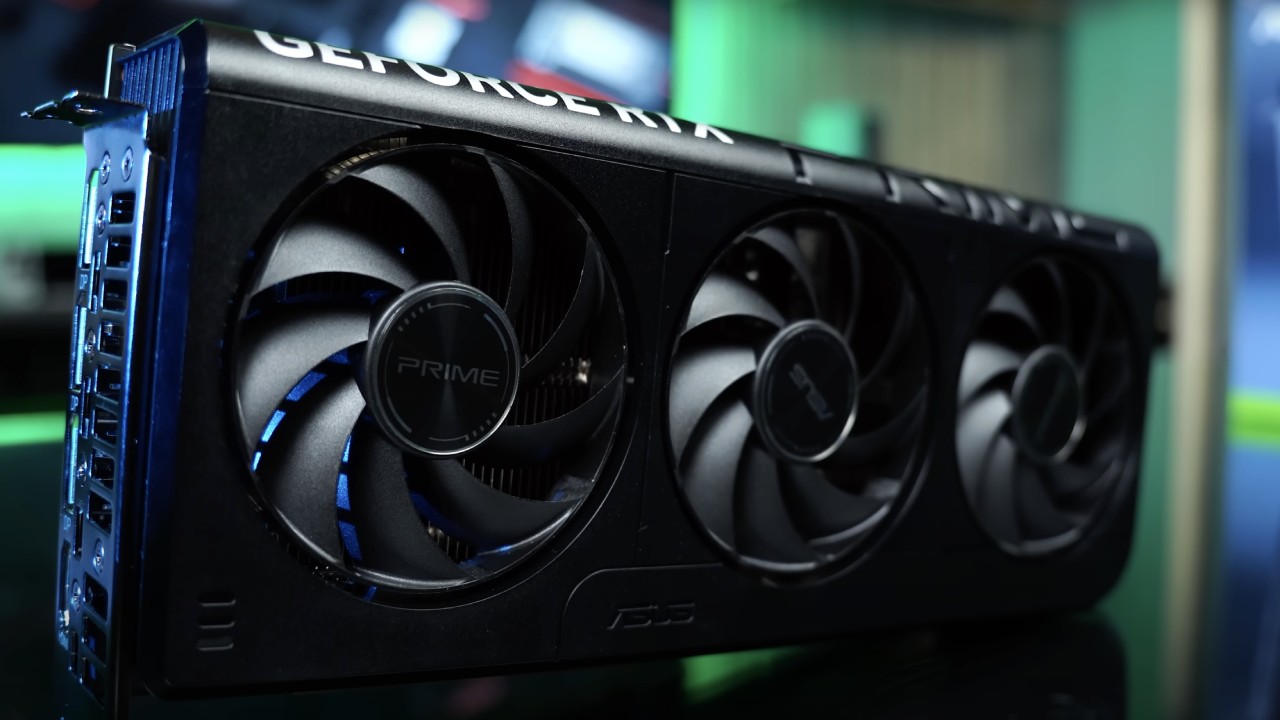
Setting up the Test
Tech Power-Up's GPU Z shows you all of its specs right here. And on the left, we're putting it together with a Ryzen 7 9800X3D and 32GB of RAM. We realise the CPU is too powerful for a 5060, but if you match it with something like a 5700X3D, you should be able to get the same frame rates.
We start with the high settings preset at 1080p resolution. DLEA is the approach used to smooth out jagged edges, and there is no upscaling.
High Settings at 1080p: How to Play
The map is bright and still has the green hue that it is known for. We start measuring FPS, and the graphics stay the same because high, ultra, and overkill settings all look the same in this game. You can improve performance by not maxing out the game.
Combat situations remain the same, keeping the game running smoothly. It feels fantastic to come back to this map after testing it with a GTX 1630, which gave me about 30–40 fps at 720p with the lowest settings, dropping into the low 20s. The 5060 works much better, but we won't call it a strong GPU because it has certain problems.
At 1080p high, VRAM use is comfortably within bounds, and performance stays the same. We travel through gameplay scenarios, fight enemies, and interact with vehicles without any noticeable drops, which keeps the experience smooth at this resolution.
1440p High Settings and Texture Limits
At 2560x1440, performance starts at mid-30 fps because the VRAM is full. The 8GB of VRAM is a problem since it slows things down when textures overflow into system memory.
The experience stays stable at roughly 70–80 fps when you lower the textures while leaving the other settings high. Low textures don't have much effect on the visuals, since the weapons, hands, and environment still look good.
If the GPU had 12GB instead of 8GB, it would have been possible to use large textures without slowing down the system. Using VRAM at 1440p is already pushing the available memory to its limit. Even with minimal textures, the game runs smoothly and consistently at over 60 fps.
DLSS Quality at 1440p
DLSS quality mode starts at 960p and then increases up to 1440 p.m. The result looks very close to native resolution with DLSS4, except for a bit of softness. Visual clarity remains good, and the frame rate is about 100 fps.
Reflections don't look as good as native rendering, but most other visuals do. Engagements all across the map indicate steady performance and a high refresh rate.
We can make several frames, but we don't use them. The extra input lag and mild visual blurring make it unsuitable for competitive multiplayer play, even with an FPS in the 200s.
.jpg)
1080p Low Settings for Competitive Mode
Going back to 1080p and turning off AA while lowering the settings gives the most competitive look. The details are less clear, but the objective is clearer because there are no smoothing filters.
The FPS goes from 150 to 180, depending on what is happening. This arrangement offers the fastest response time because there is no input lag, and the images are easier to see.
Gameplay continues with quick fights and control of objectives. People often compare it to older Battlefield games, such as Bad Company 2 and Battlefield 3. The low settings method is still a good choice for competitive players who want their games to be responsive.
1440p Performance on Low Settings
When you turn off AA and set the resolution to 1440p low, the picture looks much sharper. FPS usually stays between 115 and 120, which is about the same as 1080p high settings.
With this level of stability and clarity, 1440p Low is a good option for gamers who desire clear resolution without losing smoothness. In competitive situations, this setup gives you a good mix of vivid graphics and responsive gameplay.
Small DLSS Gains at 1440p Low. When you use DLSS at 1440p low, you only get about 10 fps more than with AA off. Here, the softness that comes with upscaling is more obvious.
The mode is still useful, though, as it can produce clean presentations and great performance, depending on what you want. Competitive players will probably turn off AA to get the clearest picture and the least amount of input latency.
Testing for 4K Resolution
At low settings in 3840x2160, the RTX 5060 gets 60 to 70 fps, but it often dips into the 50s. You can play the experience, but it's not the best.
The GPU isn't designed for native 4K gaming, as shown by the dips and stutters. Still, the card surprisingly works well at low settings.
When you switch to DLSS performance mode and upscaling from 1080p to 4K, the picture becomes much clearer and more stable. DLSS4 still makes graphics that look almost as if they were made in the game itself, and the game looks sharper and more detailed than it does on low settings. This lets people with 4K TVs keep the RTX5060's quality and performance at a good level.
Final Thoughts
RTX5060 works nicely at 1080p and 1440p across all tested resolutions, as long as VRAM utilisation is kept in check. At 1440 p.m., high textures exceed the 8GB VRAM limit, so changes are needed.
DLSS4 gives you more options for performance and enables higher resolutions like 1440p and even 4K. People who play competitively will want to turn off AA and utilise lower settings for better responsiveness. General users can use high settings at 1080p or low at 1440p with DLSS for a more balanced experience.
Also, check our other NVIDIA articles below:
- GeForce RTX 5090 Unleashed: Is NVIDIA's New Flagship the Ultimate 4K Gaming GPU?
- NVIDIA GeForce RTX 5080 Review (2025): Still A 4K Gaming Powerhouse?
- RTX 5090 Performance Testing In GTA 5 – 1080p, 1440p, and 4K Max Settings Benchmark
- RTX 5090 Laptop Vs. M4 Max MacBook Pro: Ultimate Raw Performance Vs. Battery Endurance
- NVIDIA RTX 5070 Review: Mid-Range Muscle or Marketing Hype?
- RTX 5070 Ti Review: Performance, Thermals & Power Efficiency Tested
- Asus ROG RTX 5090 Astral OC Vs. Founders Edition: The 4K Gaming Benchmark
- ASUS ROG Astral RTX 5090 OC Edition Review: 32GB GDDR7 & 4K Gaming Benchmark
- ASUS GeForce RTX 5090 LC Liquid Cooled GPU Review: Unmatched Silence & Speed
- MSI GeForce RTX 5090 32GB SUPRIM SOC Review: Power Efficiency, Cooling, and Gaming Performance
- INNO3D RTX 5060 Ti 16 GB X2 Review: Gaming Benchmarks, Temps, and Power Efficiency
- HP Omen 45L Review: RTX 5090 Performance, Thermals, and Value Analysis
- ASUS TUF Gaming GeForce RTX 5060 Ti Review: DLSS 4, Power Efficiency, and Gaming
- ASUS Prime RTX 5060 Ti OC 16GB Review: DLSS 4, Ray Tracing, & Thermals Tested
- NVIDIA GeForce RTX 5060 Review: Specs, Gaming, and Cost per Frame
- MSI GeForce RTX 5090 GAMING TRIO OC Review: A Monster Power GPU
Editor, NoobFeed
Gaming Hardware Updates
No Data.