
Steam Deck OLED vs. Xbox ROG Ally X Full Comparison
Key differences in gaming experience, operating systems, and real-world usability between Steam Deck OLED and Xbox ROG Ally X.
Hardware by Shinji Okazaki on Jan 17, 2026
Steam Deck OLED and the Xbox ROG Ally X are two popular handheld gaming consoles, although they have quite distinct strengths. Both are good for gaming on the go. Still, they are better for various kinds of players because of how they manage performance, comfort, display quality, software, and battery life.
Steam Deck OLED has an 800p resolution and a 90hz OLED screen. Xbox ROG Ally X has an LCD screen with a 120Hz refresh rate and 1080p resolution. Steam Deck features a larger OLED display that delivers deep blacks, strong contrast, and natural colors. Games look more real, whether they're indie games, older games, or hard-to-play games like Elden Ring.
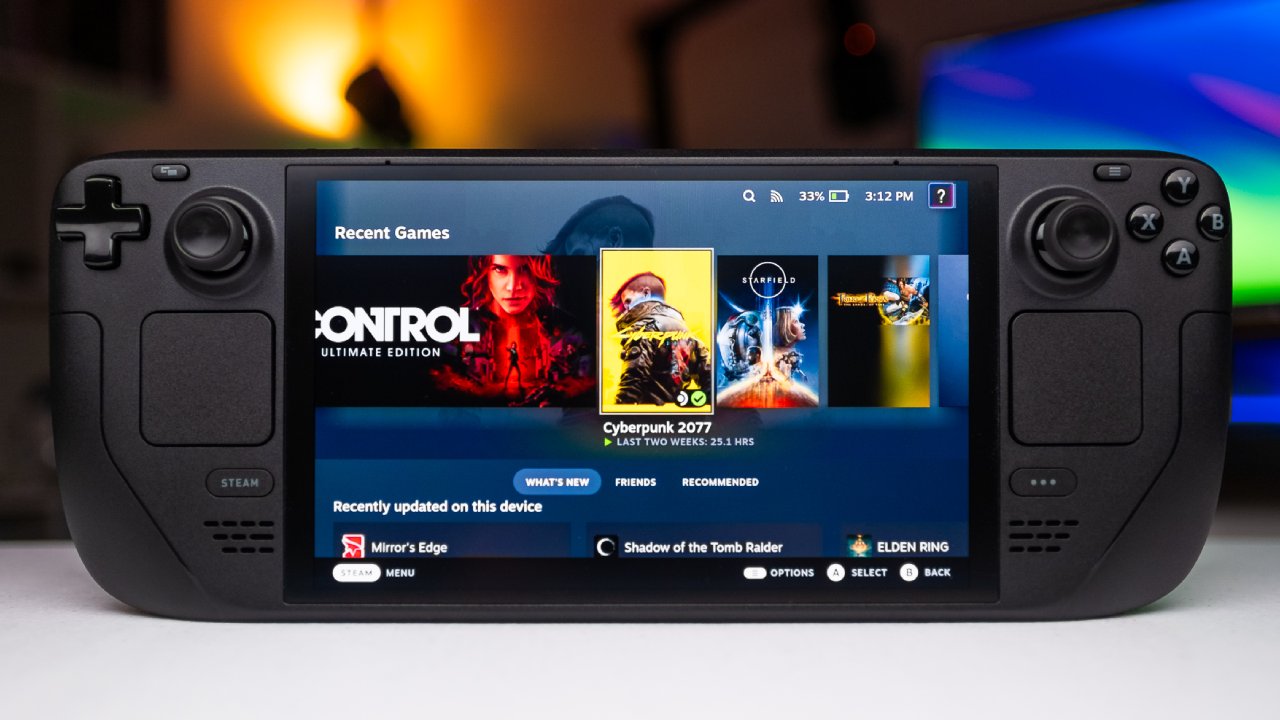
It's hard to go back to a regular LCD panel after using an OLED display for a while. You can see a difference, especially whether you play games for a short time or just for fun. Steam Deck OLED has a higher screen quality.
How well it Works in Modern Games
New AAA games run very well on the Xbox ROG Ally X. About 90 to 100 fps are used by games like Forza Horizon 5, and you can play Cyberpunk and Elden Ring with better graphics. The extra power makes the game feel faster and more real, especially when it's hard or moves quickly.
You can still play the same games on the Steam Deck OLED, but the performance difference is clear. The device wasn't made to run the newest AAA games at high settings. With the right changes, the performance is still good, but Ally X definitely plays newer games better.
Emulation and Older Games
Steam Deck OLED works well with older games, games that bring back memories, and emulation. Setting up emulation is easy, and tools like SteamOS make it simple to improve speed and map controllers.
Operating System and User Interface
SteamOS is the operating system for the Steam Deck, and it is built for handheld use. It's easy, quick, and clean to get around. The sleep function lets you pick up where you left off in a matter of seconds, and the UI is smooth.
Xbox ROG Ally X runs Windows, which gives you options but can also make things harder. You will have to deal with desktop menus, upgrades, and sometimes restarting games. You can simply choose between performance and turbo settings, and you can change the LED lights, but the UI feels more like a regular PC.
SteamOS is better for playing games on the go. You can install SteamOS on the Ally X, but it doesn't feel as smooth as it does on the Steam Deck.
Using It in Real Life
Ally X is the superior choice for playing hard games like Cyberpunk at about 60 fps. It can handle higher settings, runs all the time smoothly, and loads quickly. Elden Ring and Forza Horizon 5 run smoothly without any issues.
Steam Deck OLED is the best choice for playing indie, cozy, or emulated games in a leisurely way. The device operates silently, remains cool, and uses less battery power for low-power gaming. Short sessions are easy and comfortable because you don't have to worry about charging.
The Life of the Battery
Xbox ROG Ally X lets you play AAA games for about 2.5 to 3 hours. The new battery lasts longer than the old ones, so it's good for gaming on the go.
You can play older games, indie games, and emulators on the Steam Deck OLED for a long time on a single charge. If you set the device to a lower power level, it may last much longer, so you can use it for longer amounts of time without having to charge it often.
.jpg)
Comparing Prices
Xbox ROG Ally X costs $1,000, while the Steam Deck OLED costs about $600. Ally X works better, but it costs a lot more. Steam Deck is a great deal for users who want to play casual games, older games, and games that run smoothly.
Final Thoughts
Steam Deck OLED and the Xbox ROG Ally X are both good choices, but which one you choose will depend on how you want to use it.
Steam Deck is the better choice if you like to customize, use touchpads, play older games, play cozy games, and emulate. OLED screen, SteamOS, convenience, and efficiency make it easy to pick up and play for short or long sessions.
Xbox ROG Ally X is better for recent AAA games, faster refresh rates, and superior performance. Windows is a powerful handheld experience as long as you know how to use it and change settings.
Both devices work well and let you play games without any problems. But when you look at the screen, operating system, comfort, battery life, and overall usage, the Steam Deck OLED is a better portable gaming device for on-the-go.
Also, check our other articles below :
- ASUS ROG Ally X Handheld Review: Double the Battery, Double the Comfort
- Nintendo Switch 2 Vs. Original Switch 1: A Full Comparison
- How To Connect A Camera And Join Voice Chat With Nintendo Switch 2
- Nintendo Switch 2 Review: Handheld Performance, Features & Value Breakdown
- ROG Xbox Ally X Vs. ROG Ally X: Display, Battery & Controls
- ASUS ROG Ally X vs. Steam Deck OLED: Display, Battery & Gaming Benchmarks
- MSI Claw 8 AI+ Review: Display, Controls & Gaming
- Nintendo Switch 2 vs. Steam Deck OLED: Gaming, Performance, Battery, Display and Value
- PlayStation Portal Review: Remote Play, Cloud Streaming & Travel Gaming
- PlayStation Portal vs. Lenovo Legion Go: Best Portable Gameplay
- Cyberpunk 2077 Patch 2.3 FPS Test on MSI Claw 8 AI+
Editor, NoobFeed
Gaming Hardware Updates
No Data.