
Steam Machine Brings PC and Classic Gaming Together
Steam Machine combines modern PC gaming, console convenience, and access to multiple generations of classic games through one setup.
Hardware by Naheyan Tahmin on Aug 10, 2026
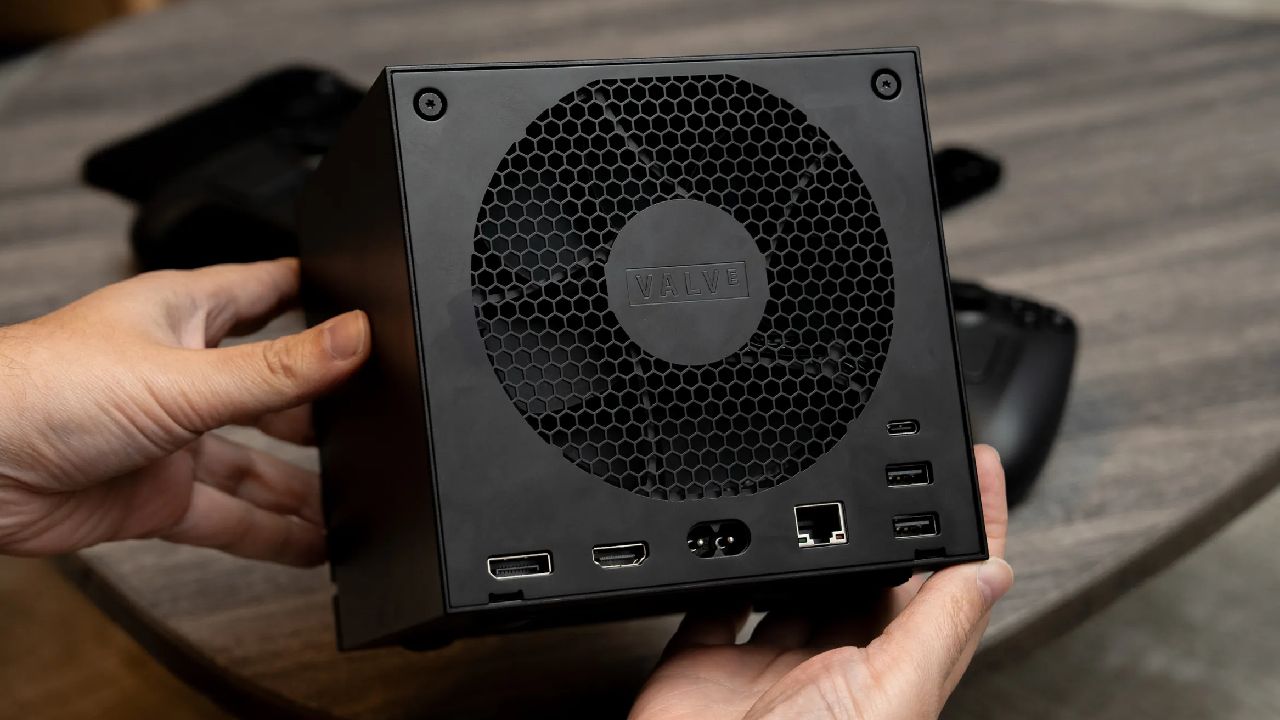
Steam Machine has been used as a living-room gaming device for several weeks, showing how a PC-based console can combine modern PC gaming with older console experiences. Its SteamOS interface, Steam library support, PC flexibility, and emulation capabilities make it possible to bring multiple generations of games together in one setup.
Steam Machine has been in regular use for around 3 or 4 weeks, primarily as a console with some PC use. After spending that time with it, the device stands out as an interesting piece of technology and potentially an all-in-one console replacement. Steam Deck was the most recent device to create a similar feeling about gaming.
A Different Way to Approach Console Gaming
It helped bring PC gaming away from the desk and made playing games more accessible. Steam Machine takes that same idea and moves it closer to the TV. Placed under a TV, the Steam Machine works as a bridge to PC gaming. When it is set up for the first time, the device provides access to the Steam library and can potentially support third-party launchers.
The biggest advantage comes from the range of use cases available through a PC-based system. Instead of buying separate hardware for an SNES, GameCube, PS3, or PS4, a single machine can bring many of those experiences together.
Steam Machine does this with a level of flexibility that is difficult to match with a traditional console. The setup process can take some time, but once a ROM library and the required prerequisites are already available, games from different generations can become part of the same gaming library.
One Machine for Multiple Gaming Generations
A modern game such as Double 07 First Light can be played one minute, followed by Brotato, Crazy Taxi, or NBA Street Volume 2 through a PS2 emulator. NBA Street Volume 2 runs at close to 60fps without major issues, which is useful for games that have not been available on modern platforms.
PS2 emulation has also been a problem on some gaming handhelds, where certain games have not run as expected. Pro Evolution Soccer is another example. With no version available through the Steam Store, older football titles can still be played through emulation.
NBA Street is another game with a personal connection, having been a title played heavily in the past. Games like these can run without major problems on the Steam Machine, which adds another reason to consider it as a console replacement.
SteamOS Keeps the Experience Simple
The flexibility comes from the fact that the Steam Machine is technically a PC at its core. The price can be argued, and the hardware can be considered expensive for the performance available, but the integration with the Steam library changes the overall experience.
SteamOS provides an interface that works like a console, with Big Picture mode making it possible to launch games without dealing with a traditional desktop experience. Games can start directly from the library and run at 60fps, while settings can still be adjusted when needed.
For many games, there is little reason to spend time constantly tweaking settings. 60fps on a 4K TV or a 1440p display is enough for a console-style experience, while games can look good at 1440p when upscaling is used.
Emulation Adds Another Layer of Flexibility
One of the more complicated areas involves Switch games. Getting the required setup working can be more difficult than it should be, partly because of actions taken by Nintendo against related projects. Once the setup is working, Switch games can be played at 1440p. Zelda Tears of the Kingdom, for example, can run at a solid 30fps without mods.
That provides an experience similar to the original hardware while avoiding some of the slowdowns that could occur there. Super Mario RPG is another example. After missing the game previously, it can now be played at 60fps through the same setup. Super Mario Odyssey can also be added to the regular gaming catalog without having to switch over to another device.
The same setup can bring together modern games, Nintendo titles, Dreamcast games, PlayStation 2 games, and PlayStation 1 games. Having these different platforms available through one machine is where the Steam Machine gains much of its flexibility.
EmuDeck and Steam ROM Manager Complete the Setup
After setting up EmuDeck and other emulation options on the Steam Machine, the Steam ROM Manager can be used to add games to Steam. The end result is a library that is fully integrated and can hold games from different generations along with normal Steam games.
That integration is a major part of the experience. Instead of moving between several consoles, the games can remain available through one interface connected to the TV. Steam Machine can therefore act as a bridge between a gaming PC and a Steam Deck in the living room, while also becoming a bridge to older consoles that have been owned over the years.
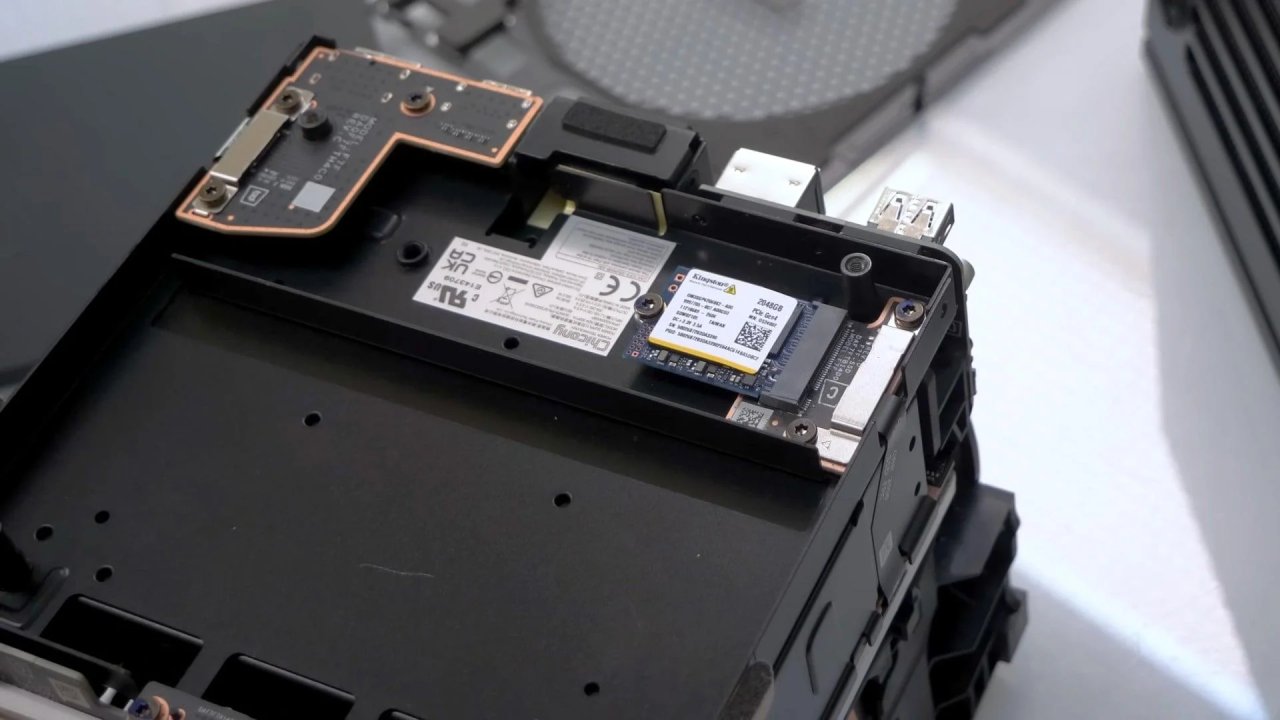
The price remains one of the biggest concerns.
Steam Machine offers a combination that traditional consoles do not provide in the same way. Modern PC games can sit alongside older console titles, while the SteamOS interface keeps the experience close to what is expected from a console. The hardware is expensive for the performance available, but the flexibility, Steam integration, PC functionality, and emulation capabilities add value beyond raw hardware performance.
Players who like both new games and old games can enjoy a variety of experiences with the Steam Machine that is hard to get with another single gaming box. With just one setup, it can be used as a PC in the living room, a Steam console, an emulator station, or to connect to older game systems.
Editor, NoobFeed
Gaming Hardware Updates
No Data.