

Steam Update Adds Major Steam Deck Features and Remote Play Upgrades
Valve expands Steam Deck functionality with faster chat access, remote downloads, and stronger wireless controller support.
Hardware by Okazaki on May 01, 2026
Valve just released a major update for the Steam Deck and the Steam app. This update adds many new features, including better support for Steam Remote Play, a chat tool for Steam Deck users, and more choices for Deck Filter players. Some long-standing issues in Steam's gaming settings have been fixed with these changes, including faster in-game chat and better streaming with Steam Remote Play.
The most significant update for Steam Deck is Quick Chat. Steam Chat is now part of the Quick Access Menu, meaning it's easier to access and use while playing games. Valve also provides canned responses that can be quickly sent.
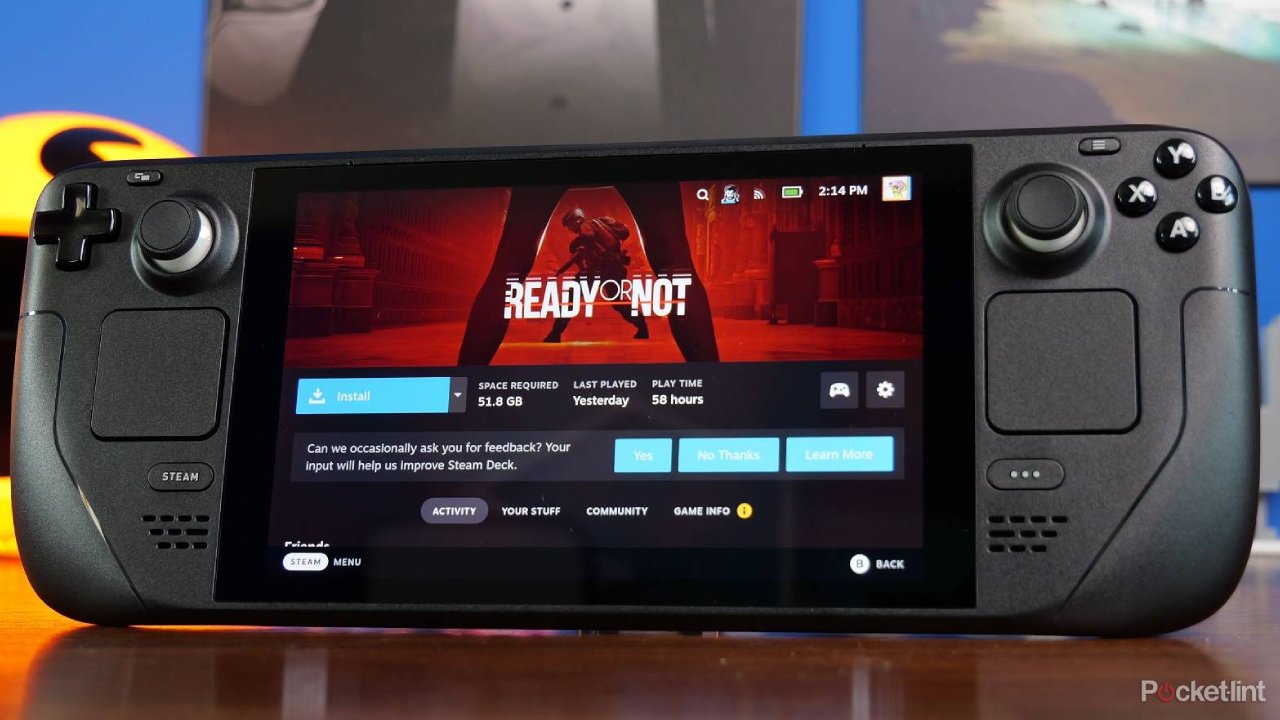
We can just hold down the View button, make a directional flick with the thumbstick, and release to send a response. These responses can also be set via the keyboard settings. If you're playing co-op and are asked if you are ready, you no longer need to pause the game or use the keyboard to input a response. Chat on the Steam Deck before this update was so clunky that many people didn't use it. That's no longer the case.
Finally, Wireless Controller Battery Warnings
But Valve has also added a wireless controller battery indicator to the Steam Deck header. You'll now get a warning that your controller is dying of thirst. If a wireless controller drop has caught you out, you'll appreciate this. This feature previously required a few plugins. Now this is natively supported in SteamOS.
There's a new system option to boot into the desktop mode. For those who use Desktop Mode, it eliminates a step in the login process. It may not sound much, but you get used to it.
Steam Deck now supports captive portal networks. If you've ever tried to connect to a hotel, airport, or other public network that requires a browser login, this will now be much easier. Steam Deck still has networking quirks, but this fix helps out with one of the more annoying scenarios when traveling.
Steam Store Navigation Changes
Valve has changed Steam Deck's Store button to navigate directly to the Steam Store website, rather than Great on Deck. The Great on Deck screen was a good way to browse recommended titles, but it seems Valve is focusing on the store. It could also be a clue to future Steam hardware products.
The Remote Downloads feature has left beta and is now stable. It's now possible to control downloads between Steam clients, such as your Steam Deck and PC. With a simple tap of the Y button on the Downloads page, you can easily swap between systems. Assuming you're running the latest version of Steam, it's all familiar stuff. This is one of the most valuable features for anyone who regularly plays new games, benchmarks, or runs software updates.
Steam Cloud Save Data Loss Bug Fixed
Valve also fixed a nasty issue with Steam Cloud. The bug involved uninstalling and reinstalling a game, then launching it without restarting Steam, which could result in loss of Steam Cloud data. If you've lost saves in the past under these conditions, that will now be prevented.
The Steam input configuration menu has a new look. The menu now uses fewer tabs and a menu-and-detail approach. If you've struggled to manage Steam Input before, you should find it easier now.

Remote Play Receives Big Improvements
Steam desktop client has received several Remote Play enhancements. Steam now supports 7.1 surround sound streaming, and the new advanced host settings let you specify the monitor's resolution and refresh rate.
Windows also now supports the PseudoVDA virtual display driver. This is particularly helpful if you're streaming from a headless PC or a PC with multiple screens. This change is particularly useful if you've experienced issues streaming games from a PC to Steam Deck with a different resolution, aspect ratio, or refresh rate.
So, if you stream from a 1440p165hz monitor to the Steam Deck's 1280x800 screen, for instance, you might have experienced letterboxing and stuttering. But with Steam, you can now automatically generate a virtual display to match your client. This will improve performance, scalability, and compatibility.
Steam Remote Play May Finally Rival Moonlight
The Steam Remote Play feature has always worked. Still, many people have gravitated to third-party clients like Moonlight for superior performance and flexibility. These latest features make Steam's first-party solution more viable. Theoretically, it addresses some of the major longstanding issues for users. Rigorous testing will show how close it comes, but it's a huge improvement.
Valve also patched an AMD graphics driver bug on Windows that could lead to stream corruption and PC lockups while streaming with Remote Play. If you've experienced crashes on AMD, this fix should resolve your issues.
Big Picture Mode on desktop now has the same Quick Chat and wireless controller battery indicators as Steam Deck. Valve also addressed a bug that caused desktop chat windows to pop up and cover the Big Picture overlay when using a controller. That's been a longstanding issue that has made Big Picture Mode more difficult to use.
A Minor But Handy MacOS Fix
Apple Silicon users can now play Steam soundtracks. Not a huge fix, but it gives macOS users running Steam natively more compatibility. SteamDeck companion app Deck Filter is also in a new open beta.
In case you aren't familiar with it, Deck Filter offers advanced filtering for your Steam library, wishlist, and bookmarks that Steam doesn't yet support. It's now easy to find verified or playable Steam Deck games in your library. It will also be easier to find older games or games that have been removed. If you have games that are no longer on Steam, Deck Filter should now show them.
The Deck Filter beta is now open to anyone, with no caps on the number of users.
If you play games on Steam Deck, you should give it a try, particularly if you need more than the current Steam library tools. Valve's recent Steam changes enhance almost every aspect of the platform. Whether you're playing on Steam Deck, streaming from your PC, or managing your library, these updates address common issues and enhance the user experience.
Editor, NoobFeed
Latest Articles
No Data.