
Valve Reveals New Steam Frame Features and Setup Details
Valve’s Steam Frame onboarding videos reveal new details about accessories, charging, IPD adjustment, sign-in options, and wireless streaming.
Hardware by Naheyan Tahmin on Aug 20, 2026
Steam Frame is getting closer to launch, and Valve has now revealed more information about the headset through its finished onboarding materials. The materials cover the box contents, headset fitting, IPD adjustment, account sign-in, and wireless streaming. They also cover the included accessories, charging requirements, and how the wireless adapter may work with local Wi-Fi.
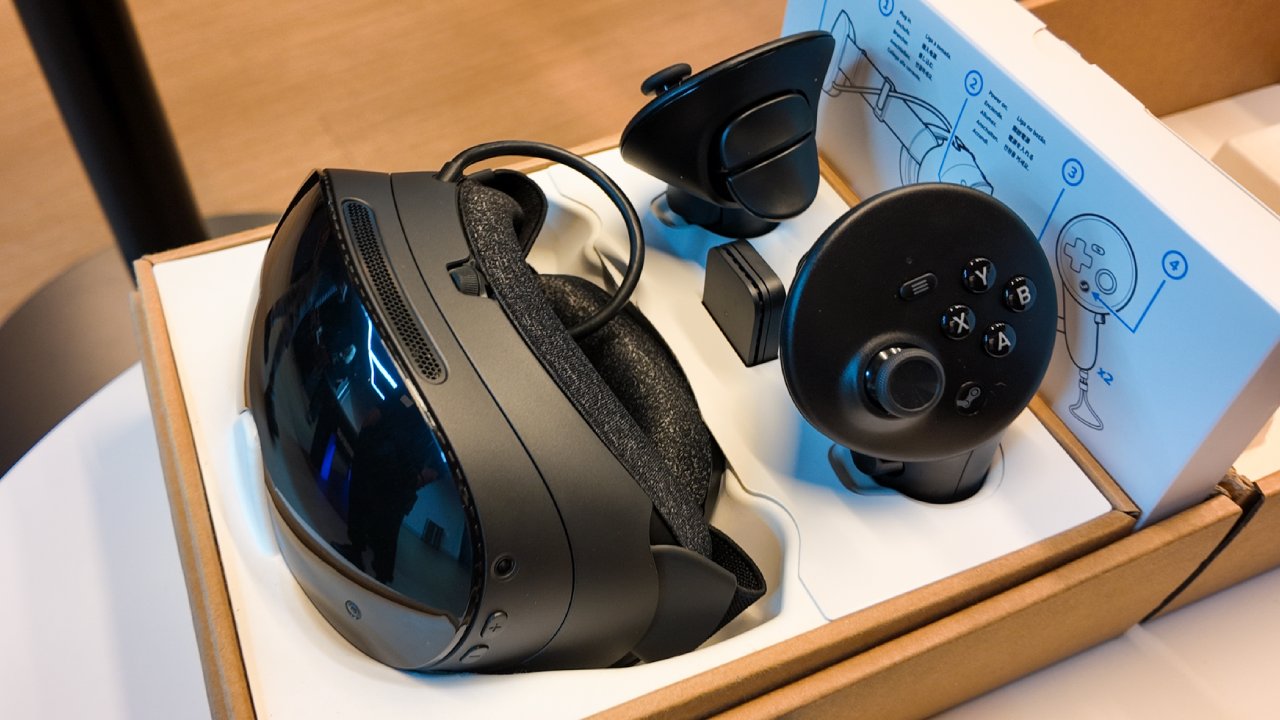
Inside the box, the Steam Frame comes with the headset, a pair of controllers, an eye relief spacer, a wireless adapter, an information booklet, and a USB-C cable. The box includes an eye relief spacer, so anyone who wears glasses doesn't need to buy it separately. On other headsets, this has been either an aftermarket purchase or a paid accessory, depending on the generation.
.jpg)
Box Includes the Headset, Controllers, Spacer, and Wireless Adapter
There is no power brick in the box, only the USB-C cable. That has become more common with newer hardware, but the question of charging has already come up. A Steam Deck charger will work with the Steam Frame because it provides 45W over USB-C, and the Steam Frame also charges at 45W over USB-C.
Steam Frame product information confirms the 45W USB-C charging requirement. Valve appears to assume many buyers already have a Steam Deck or another 45W charger, and leaving the power brick out also helps reduce the cost. Another detail appeared in the background of the material.
A Framework 16 laptop appears on the desk, and it shows up again in the wireless adapter material. That has already led to questions about a possible relationship between Valve and Framework. We should not read too much into it, since Framework laptops can simply end up on desks at companies like Valve. Still, it caught the community's attention.
Manual IPD Adjustment Uses a Locking Wheel
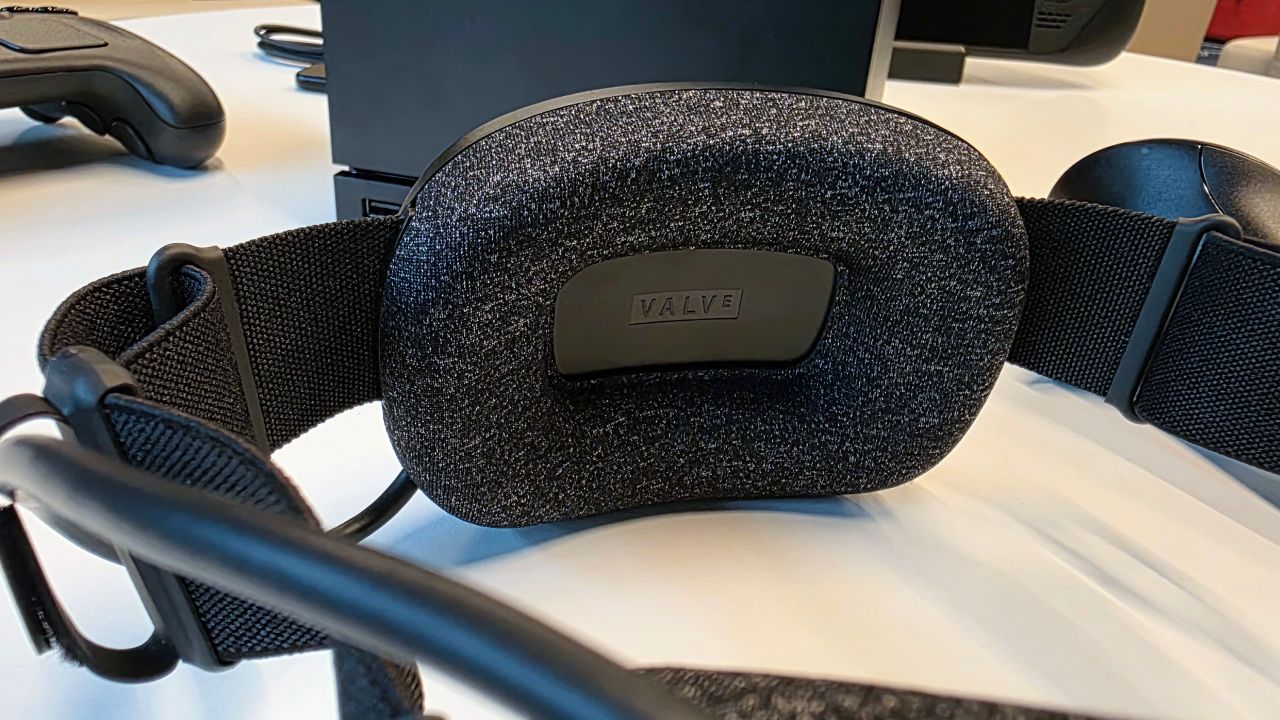
The IPD adjustment uses a manual wheel with a physical lock to hold the selected position. No specific numerical settings are shown, so instead of entering an IPD measurement, you adjust the setting manually. Valve describes the correct setting as subjective, with focus, sharpness, and comfort determining the final position. Once you find the right balance, you can leave the setting in place.
Steam Frame also has eye tracking as part of its foveated rendering and foveated streaming systems. However, the eye tracking does not appear to provide an IPD number or automatically adjust the headset. Other headsets can provide a millimeter IPD readout, while some can adjust it automatically. With the Steam Frame, you have to dial in the setting yourself.
Valve may have chosen this approach for a reason. A physical wheel with a lock does not need a motor, and it avoids adding another powered mechanism to the headset. The lock also suggests Valve expects the wheel to need protection against movement over time.
For someone sharing the headset or trying to match an IPD number provided by an optician, the process could require more adjustment. For a single user, you can dial in the setting once and leave it alone. The physical wheel also offers finer adjustment than fixed snap-on positions.
Steam Frame Supports Three Sign-In Methods
Steam Frame provides three ways to sign in to a Steam account, with the Steam mobile app presented as the recommended option. After adding an account to the headset, you can use the Steam mobile app to open the Steam Guard section, select the settings icon, and choose the option to sign in to Steam Frame.
The sign-in feature already appears in the Steam app, so it isn't entirely new. The second method uses a QR code. The headset displays the QR code, and the phone camera is held close to the lens until it recognizes the code. That means the phone is effectively photographing the inside of the headset through its optics.
The method is unusual because the headset has cameras. A natural alternative would be for the phone to display the QR code while the headset cameras scan it. The Steam app, however, also functions as an authenticator, so the process may depend on how account verification works.
Another possibility is that the pass-through cameras may struggle to read a QR code clearly from the headset display. Either way, the QR method is available if needed. The third option is entering the username and password using the virtual keyboard. Valve describes this method as clunky, but it works.
Wireless Adapter Supports Multiple Streaming Paths
The Steam Frame includes a wireless adapter designed to provide streaming from a Steam Machine or a VR-compatible PC. The adapter is intended for VR streaming, but the wireless system has another standout feature. VR streaming can use the dedicated adapter link, the local Wi-Fi network, or both at the same time.
The reference to using both connections at the same time is one of the more interesting details. Steam Frame has dual wireless radios supporting 5GHz and 6GHz, alongside the dedicated adapter connection. If the connections are actually combined for the VR stream, the system could use more than one wireless path simultaneously.
We still don't know exactly how the system handles those connections. One possibility is that the connections perform different jobs. Another is that the headset can combine them for the stream itself. The wording is important because it specifically describes VR streaming as using one connection, the other connection, or both.
The foveated streaming system is designed to reduce the amount of bandwidth required by focusing resources on the areas of the image where the user is looking. That raises the question of why multiple wireless paths would be needed if bandwidth requirements are already being reduced. Another explanation is that the system is designed to maintain the connection rather than simply increase raw bandwidth.
Another possibility is that the system is designed primarily to avoid dropouts.
Anyone who has used a dedicated router for VR streaming knows that maintaining a stable connection can still be difficult. If both wireless paths can work together, the system could offer an advantage over simply adding a dedicated router to an existing headset. That could make the Steam Frame's wireless system one of the more important parts of its design.
Another unresolved question is what the wireless adapter itself is doing. Claims suggest it may use its own encoding system instead of behaving like a normal access point, but no clear source confirms that. What is known is that the adapter is dedicated to the Steam Frame. It doesn't share its network with other devices, which gives it an advantage.
The combination of the dedicated adapter, 5GHz and 6GHz wireless connections, and the ability to use multiple paths for VR streaming gives the Steam Frame a wireless setup that still raises several unanswered questions. More information will be needed to determine whether those connections are combined for bandwidth, used for different tasks, or primarily designed to maintain a stable stream.
Editor, NoobFeed
Gaming Hardware Updates
No Data.