
Legion Go 2 BIOS 15WW Update Explained: Frame Buffer Change and Performance Results
BIOS 15WW update arrives for Legion Go 2 adding frame buffer preparation while overall performance and system behavior remain unchanged.
Hardware by Shinji Okazaki on Mar 06, 2026
Lenovo is sending out BIOS updates for the Legion Go 2, which has the Z2 Extreme processor. Since the debut, there have been several BIOS updates, including versions 12, 13, 14, and now 15WW. Even though BIOS updates keep coming out, GPU driver upgrades are still missing.
The most recent BIOS update, released on March 3, 2026, changed the BIOS frame buffer size. After the update was installed, no substantial changes were visible.
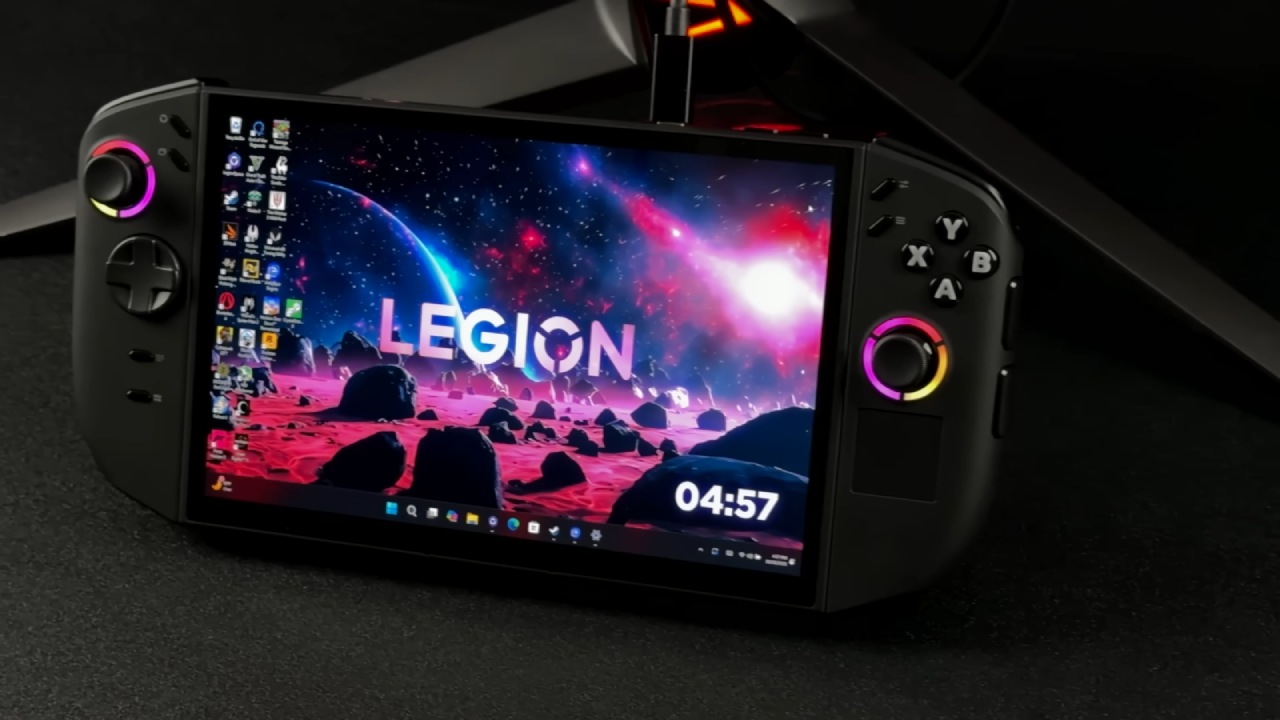
Looking for the New BIOS Update
We went to the official support site for the Legion Go 2 to download the latest BIOS update. While I was looking through the driver area, I saw the BIOS update 15WW, scheduled for release on March 3, 2026. There were no other drivers or GPU updates listed with it.
We also checked Legion Space for updates several times to see if the upgrade was available or if any related new tools had been added. Legion Space didn't display the BIOS update or any other linked modifications. The software still showed the old update information from older versions.
We also checked Windows Update, as it sometimes includes driver and firmware updates. In this scenario, Windows Update also didn't find any new BIOS or GPU driver updates.
Getting the BIOS Update from Lenovo Support
We couldn't get the update from Legion Space or Windows Update, so we went straight to the Lenovo support page to get it.
We entered the online support section and went to the PC and product support page using the fast access option. From there, we went to the Drivers and Updates section and chose Manual Drivers. The new 15WW upgrade was in the BIOS category.
We downloaded the file to the device after selecting the BIOS upgrade option. The download finished quickly, and the file showed up in the location where downloads go.
Installing BIOS 15WW
Before you can install the BIOS update, you need to plug the device in. The installer still asks for a power connection even when the battery is full to avoid problems during the upgrade.
We accessed the downloads folder and started the BIOS installer. After double-clicking the file, the procedure started automatically. The installation displayed several prompts and instructions, including warnings not to turn off the device while it was being updated.
The installation process started once I confirmed the prompts and clicked through the steps. The device restarted and entered BIOS update mode.
A progress bar showed the installation's progress during the update. After that step was done, the device showed blinking red lights. People often call these lights "the blinking lights of death," yet the process went on as usual and finished after a few seconds.
The device then showed a warning telling the user not to turn it off while the system was being set up. Before the device restarted and returned to the operating system, another loading bar appeared.
Searching for New Frame Buffer Controls
The update description said that a direct BIOS forum frame buffer size option would be added. This would mean we could change the amount of VRAM allocated directly through software.
We looked everywhere in Legion Space, the fast access menu, and other system settings to see if a new VRAM management option had been added. After installing the BIOS update, there was no such choice.
Legion Space might let you change VRAM settings without having to go into the BIOS every time. A software option and a restart would make things easier.
Even after looking through Legion Space and checking for more upgrades, no new controls or options showed up.
The VRAM Settings Stayed the Same
We also looked at the system configuration after the update to see if the amount of VRAM had changed.
Task Manager still showed the same VRAM configuration as before. The system stayed at 10GB of VRAM, and the BIOS upgrade didn't change this figure.
When I went back into the BIOS panel, the VRAM setting options still looked the same. The settings looked the same as they did in earlier versions of the BIOS.
Testing the Performance After the Update
We ran a few brief performance tests after confirming the installation was correct. We tested Cyberpunk with both 25W and 17W power profiles to make sure the system worked as it should.
The performance results were still about the same as they were with older BIOS versions. After the update, clock speeds seemed to stay the same, and nothing seemed wrong.
We also ran tests on Resident Evil Requiem to make sure it was stable overall. The game worked the same way it did before the upgrade, with no apparent performance changes.
Some places had slightly better frame times during testing at 17W and sometimes at 25W in Cyberpunk. But the overall performance didn't alter much.
.jpg)
Still no Updates for GPU Drivers
Even though BIOS updates have been released regularly, GPU drivers are still outdated. The machine is still using a GPU driver from September, and a newer version hasn't been released yet.
Since the system launched, multiple firmware updates have improved it. However, updated GPU drivers remain among the most requested enhancements.
Updates in the future may bring new GPU drivers or add more functionality through Legion Space. BIOS 15WW doesn't make any changes right away, but it does seem to get the device ready for future software updates.
Final Thoughts
After installing BIOS 15WW, the Legion Go 2 works normally. There were no problems during testing, and the performance of the games tested remained the same.
The update doesn't change much that you can see. Still, it might get the system ready for future updates that will add Legion Space, Xbox fullscreen functionality, or other improvements. Future versions are still planned to provide updates for GPU drivers.
Also, check our other articles below :
- ASUS ROG Ally X Handheld Review: Double the Battery, Double the Comfort
- Nintendo Switch 2 Vs. Original Switch 1: A Full Comparison
- How To Connect A Camera And Join Voice Chat With Nintendo Switch 2
- Nintendo Switch 2 Review: Handheld Performance, Features & Value Breakdown
- ROG Xbox Ally X Vs. ROG Ally X: Display, Battery & Controls
- ASUS ROG Ally X vs. Steam Deck OLED: Display, Battery & Gaming Benchmarks
- MSI Claw 8 AI+ Review: Display, Controls & Gaming
- Nintendo Switch 2 vs. Steam Deck OLED: Gaming, Performance, Battery, Display and Value
- PlayStation Portal Review: Remote Play, Cloud Streaming & Travel Gaming
- PlayStation Portal vs. Lenovo Legion Go: Best Portable Gameplay
- Cyberpunk 2077 Patch 2.3 FPS Test on MSI Claw 8 AI+
Editor, NoobFeed
Gaming Hardware Updates
No Data.