
Legion Go 2 BIOS 14WW Update, Tested Performance Changes and Installation Guide
Legion Go2 receives BIOS 14WW update with balance changes, improved compatibility, and stable real-world gaming results.
Hardware by Shinji Okazaki on Feb 06, 2026
Legion Go2 Z2 Extreme has a new BIOS update that changes the system from BIOS version 13WW to 14WW. The update came out on February 4, 2026.
It adds support for more platforms, fixes security issues, and makes small BIOS modifications to improve balance. However, it doesn't significantly affect performance.
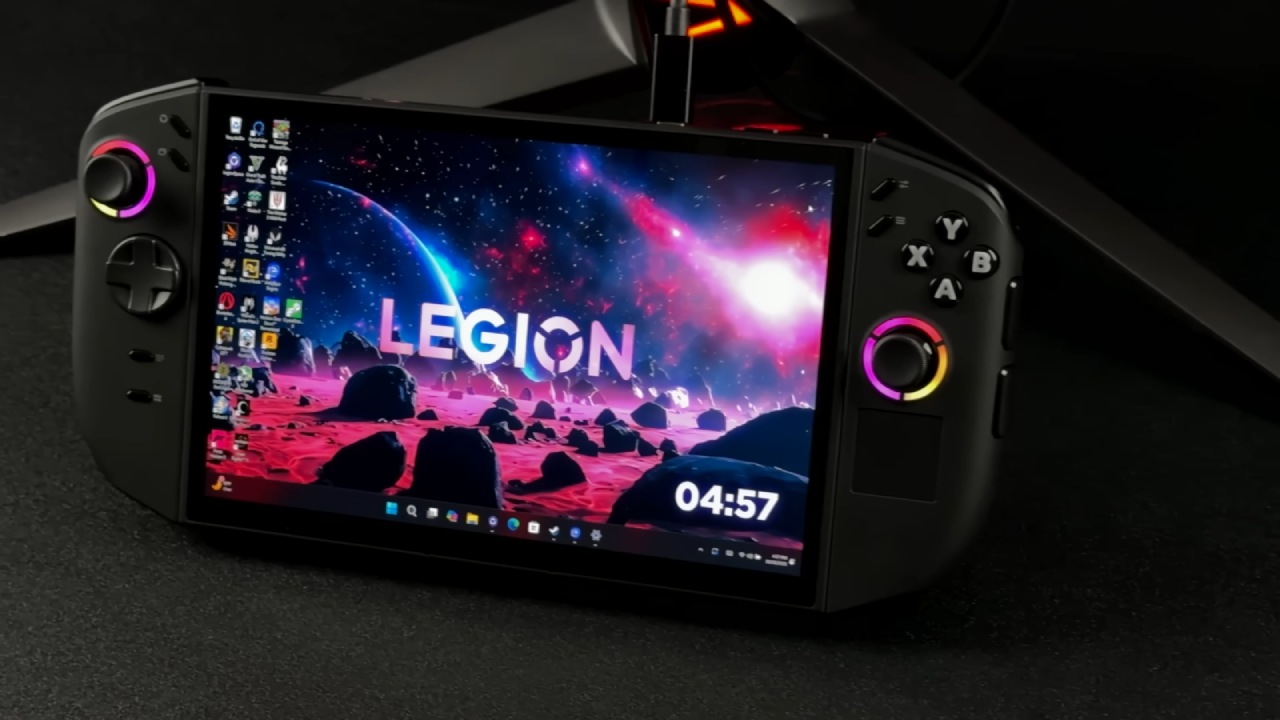
What's New in BIOS 14WW
The 14WW BIOS adds additional functionality for SteamOS in anticipation of a new model launching later this year. The update also adds security upgrades and adjusts the game's internal balance. The official notes don't include any obvious new features or modifications to the system. During testing, no problems that would break the game were found.
How to Check the Current BIOS Version
We reviewed the system details and determined that the device was running BIOS version 13WW, released on November 21. When we tested it, the latest BIOS wasn't in Legion Space or Windows Update. It was only available on Lenovo's own support page.
Getting the BIOS Update
To receive the update, we went to the Legion Go support page, clicked on Drivers and Software, then Manual Drivers, and finally the BIOS category. No further driver updates were identified in other areas. The BIOS file was sent straight to the device. It is best to plug the machine into a power source before initiating the update.
Installing BIOS 14WW
We opened the installer from the Downloads folder after downloading it and followed the instructions on the screen. You should remember to save all of your work, keep the gadget plugged in, and not turn it off while it's working. The system restarts on its own and goes into the BIOS flashing step.
While the update is in progress, the device turns off for a short time and shows red blinking lights, which may appear to indicate an error. This is standard behavior. After that, the system restarts with a progress bar and a warning not to turn off the device. It took about 8 to 10 minutes for the whole upgrade process to finish.
Confirmation After the Update
After the update was done and the system restarted, we checked the installation in the system information. The gadget was now running BIOS version 14WW, released on January 6, 2026. After installation, neither Legion Space nor Windows Update showed any new updates.
After the update, the driver status was the same. The GPU drivers stayed the same. Based on a build from September, the system is still running a driver package released in December. There hasn't been an update to the GPU driver yet.
Testing performance at 25W and 17W
We ran Cyberpunk and Doom: The Dark Ages to see whether there were any performance differences between BIOS 13WW and 14WW. The upgraded BIOS offered minor improvements in select situations, usually less than 1 fps, when running at 25W. At 17W, the performance of both BIOS versions remained quite similar, with most results differing by less than 1 fps.
The benchmark results indicated scores of 4665 and 4688, with very little variance. In open-world games, performance varied with factors like traffic and object spawns. Still, newer BIOSes usually performed better at higher wattages.
.jpg)
Observations for Specific Games
Cyberpunk ran a little better at 25W than at 17W, which was different from the last BIOS update. Again, the changes in Doom: The Dark Ages performance were small. At 17W, there was a 1 fps boost, and at 25W, there was a difference of just under 1 fps across several runs.
Final Thoughts
The BIOS update went smoothly, and after 24 hours of testing, there were no stability issues. Depending on the workload and wattage, games either worked the same or a little better. There were no new problems, and nothing got worse.
If you've already loaded BIOS 14WW, you may find small differences when you look at data from more games. However, tests done so far show that the update only makes small changes and keeps everything stable.
Also, check our other articles below :
- ASUS ROG Ally X Handheld Review: Double the Battery, Double the Comfort
- Nintendo Switch 2 Vs. Original Switch 1: A Full Comparison
- How To Connect A Camera And Join Voice Chat With Nintendo Switch 2
- Nintendo Switch 2 Review: Handheld Performance, Features & Value Breakdown
- ROG Xbox Ally X Vs. ROG Ally X: Display, Battery & Controls
- ASUS ROG Ally X vs. Steam Deck OLED: Display, Battery & Gaming Benchmarks
- MSI Claw 8 AI+ Review: Display, Controls & Gaming
- Nintendo Switch 2 vs. Steam Deck OLED: Gaming, Performance, Battery, Display and Value
- PlayStation Portal Review: Remote Play, Cloud Streaming & Travel Gaming
- PlayStation Portal vs. Lenovo Legion Go: Best Portable Gameplay
- Cyberpunk 2077 Patch 2.3 FPS Test on MSI Claw 8 AI+
Editor, NoobFeed
Gaming Hardware Updates
No Data.