
Lenovo Legion Go S vs. Steam Deck Experience Explained Beyond Benchmarks
Real-world testing highlights the gap between on-paper specifications and practical handheld gaming performance at native resolutions.
Hardware by Nahe Yan on Feb 02, 2026
After a recent conversation about the Steam Deck, people kept suggesting that you acquire a new portable altogether. The suggestion came up often enough that it was worth looking into more closely. People kept talking about two options: a Lenovo Legion Go S that runs SteamOS or an ROG Ally with a bespoke Linux install.
Both methods are worth considering, but they involve factors that affect how the comparison is conducted. The focus here is still on using a portable that officially comes with SteamOS right out of the box. That choice naturally led to the Lenovo Legion Go S.
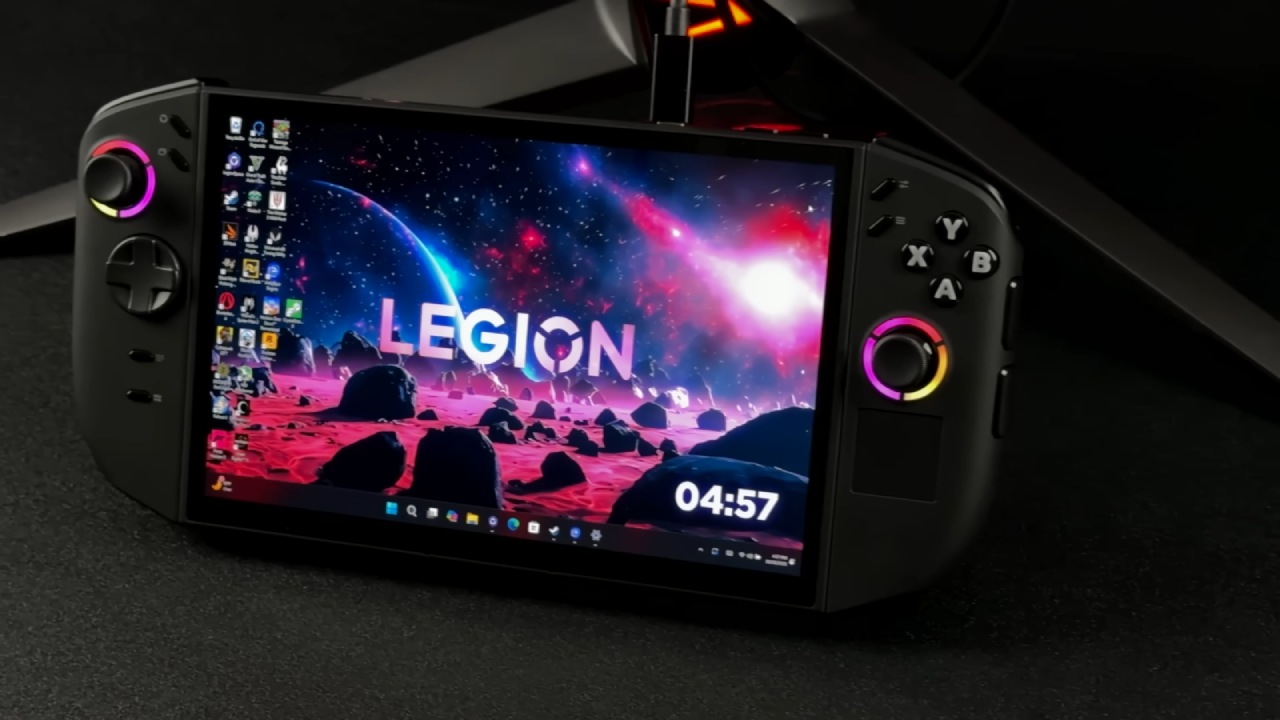
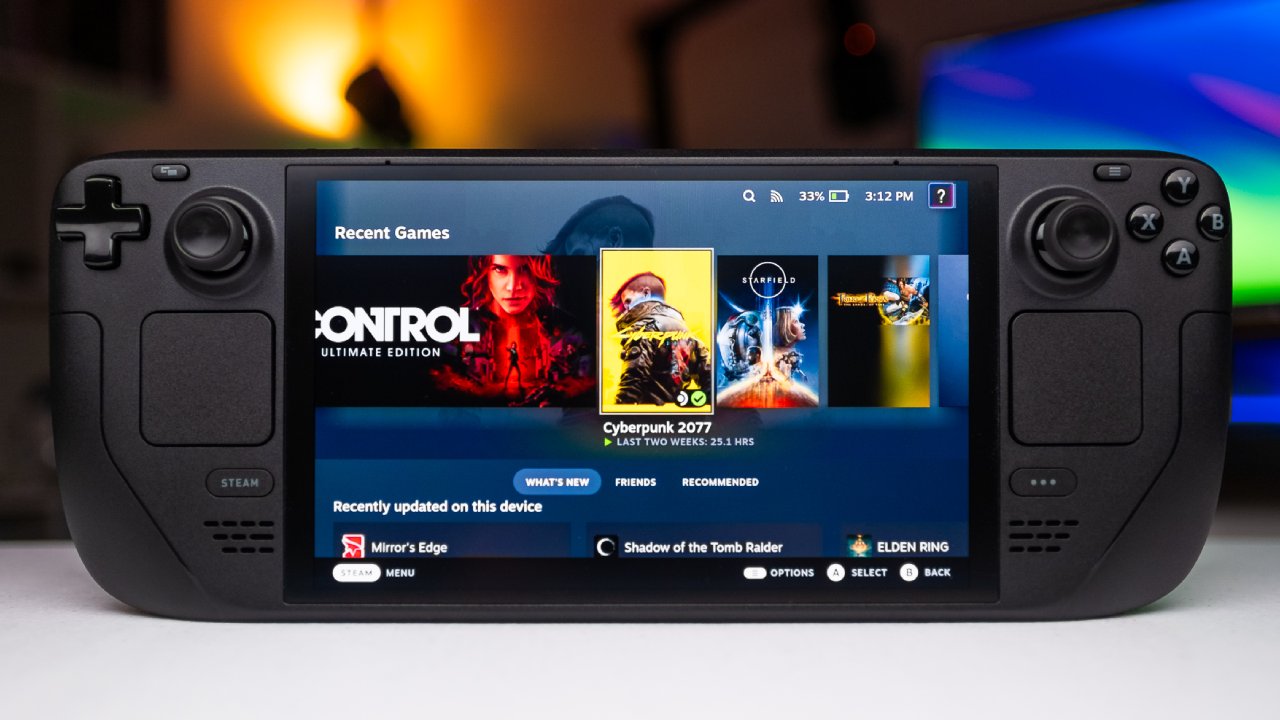
Steam Deck has never been known for just its gear. The OS has been tweaked so that you can still play AAA games in 2026, which gives it its power. The real question isn't about scores; it's about whether or not newer gear really makes the experience better as a whole. Most of the time, specs don't show how something feels when you use it every day. How people feel is affected by how performance, design, and software work together.
First Time Booting and Setting Up
As soon as you open the package, the adventure begins. Lenovo kept the packaging simple. It includes a 65W charger and the Legion Go S in a color available only on SteamOS. The device won't turn on until it's plugged in for the first time, just like the Steam Deck.
It took longer than I thought it would to set up. It took a long time for the system to load, and then a software update had to be installed by hand. After that, some buttons stopped working, and the bottom menu icon showed an Xbox logo instead of the Steam logo. That made many question right away if they had bought the right version. When I went back to the system settings, I saw that another update was waiting, this time a firmware upgrade.
The problems went away after the firmware update. The buttons worked again, and the menu icon changed to the Steam logo. Running all necessary updates during the first boot, or simply telling users to do so, would make it easier for first-time users.
What You Expect from Hardware vs. What You Get
Legion Go S is a newer device that launched roughly 8 months ago. On paper, it has clear improvements. It has an 8-inch screen that refreshes at 120Hz, can offer up to 40W of power, and works with a 65W charger. Steam Deck set the standard for how well PCs could work on the go, so people expected that newer hardware would do even better at the same settings.
The machine that was tested had the Z2 Go SteamOS setup. There is a Z1 Extreme version that shows greater frame rates in raw benchmarks. Still, most comparisons lower the resolution to Steam Deck levels. That way of thinking answers a different question. If a gadget comes with a higher-resolution display, you should expect it to work well at that resolution.
Limits on Performance at Native Resolution
The tests mostly focused on whether newer handhelds can deliver a consistent experience at their native resolution. The answer turned out to be difficult. Kingdom Come: Deliverance 2 was a crucial test case. When plugged in and drawing up to 40W, the default recommended settings of 1920x1200 often caused the frame rate to drop below 30fps, even in basic situations.
Lowering the resolution to 1280x800 made things run better right away. It allowed for consistent gameplay at roughly 50fps, with drops into the low 30s. The trade-off was how clear the picture was. It's hard not to notice the loss of sharpness on a screen this size after playing the game at its native resolution.
How the System Responds and how Much Space it Takes
Switching jobs on the Legion Go S is a lot faster than on the Steam Deck. It's quick and reliable to download files, start games, and end games. There's a lot of space because the games are stored on a 1TB internal SSD instead of a microSD card. The system still feels fast when you use it normally, even though there is that difference.
Cyberpunk and the Limits of Benchmarks
Another surprise came from Cyberpunk. About 41 fps were averaged when the Steam Deck setting was set to 1920x1200. On paper, that looks good. In real life, performance dropped into the low to mid-30s, especially in tough places, but it would sometimes rise into the low-40s.
Turning on FSR3 didn't make much of a difference to the experience. The frame rates stayed about the same, and the overall feel remained the same. As before, the only change that always made things better was lowering the resolution to 1280x800. At that point, Cyberpunk was more likely to stay at 40 fps or higher, but picture quality worsened again.
Living with the Legion Go S
Instead of trying to get more numbers, the focus changed to daily use. You can hear the fan sounds right away. Lenovo emphasizes thermal control, and the cooling system works well. Still, the fans get louder quickly and stay that way, even when you're not playing much. It's hard to play games quietly.
You can hold it without any problems. It's about the same size and weight as a Switch or a Steam Deck. It feels better than the first one. Still, it doesn't support your hands as well as the second one, especially if you have bigger hands. The buttons feel solid, and the design that is only partly see-through looks good. The analog sticks work fine, but the triggers don't move very far and lose their power quickly.
Show Strengths and Input Weaknesses
Legion Go S's screen is what sets it apart. It is big, sharp, and good for watching videos or reading. The higher resolution and aspect ratio make desktop mode much better, providing more usable space and a layout closer to a regular PC. The display makes a big difference for fast chores that need to be done while traveling.
That benefit is lessened by the small trackpad. Its size and placement make it hard to be precise, and the cursor feels random to control. Moving your finger often moves the pointer without you meaning to, which makes it hard to click accurately. In real life, the trackpad feels more like a toy than a useful way to input data.
Use while Docked and on External Displays
The performance of docked games varies by game. Lighter games may be played on battery power while driving a 15-inch, 60Hz display. You need to be hooked in to keep up with more demanding games. Docking doesn't make things work better, but it does affect how compromises look when you view them from a distance.
It's easier to accept lower resolutions on a larger screen when you're farther away. The lack of detail is less irritating than playing on an 8-inch screen held near, even though it is technically less detailed.
Final Thoughts
No one mobile device does everything flawlessly. There are pros and cons to any choice, and the actual choice is which concessions are the least important. The Legion Go S is more expensive than a Steam Deck LCD and a little more expensive than a basic Steam Deck OLED.
It has great visual clarity, is easy to use on a desktop, and works well with lighter titles where increased resolution makes things clearer. The bigger screen is better for docked use and multimedia viewing. The biggest problem is how well it works at its original resolution. To get the most out of the hardware, you typically have to lower the resolution to Steam Deck levels, which makes the devices' performance more similar.
Not all new hardware improves the experience. It makes it different. The value of the device depends on how and where you want to use it and which trade-offs work best for you.
Also, check our other articles below :
- ASUS ROG Ally X Handheld Review: Double the Battery, Double the Comfort
- Nintendo Switch 2 Vs. Original Switch 1: A Full Comparison
- How To Connect A Camera And Join Voice Chat With Nintendo Switch 2
- Nintendo Switch 2 Review: Handheld Performance, Features & Value Breakdown
- ROG Xbox Ally X Vs. ROG Ally X: Display, Battery & Controls
- ASUS ROG Ally X vs. Steam Deck OLED: Display, Battery & Gaming Benchmarks
- MSI Claw 8 AI+ Review: Display, Controls & Gaming
- Nintendo Switch 2 vs. Steam Deck OLED: Gaming, Performance, Battery, Display and Value
- PlayStation Portal Review: Remote Play, Cloud Streaming & Travel Gaming
- PlayStation Portal vs. Lenovo Legion Go: Best Portable Gameplay
- Cyberpunk 2077 Patch 2.3 FPS Test on MSI Claw 8 AI+
Editor, NoobFeed
Gaming Hardware Updates
No Data.