
RTX 4090 Power Connector Failure Explained With Full GPU Repair and Stress Testing Results
Careful PCB inspection identifies melted connector housing, damaged cable pins, and required solder repair for GPU restoration.
Hardware by Nahe Yan on Mar 16, 2026
The manufacturer initially declined the warranty request, but the damaged graphics card was sent in for inspection. The failure occurred with the 12VHPWR power connector, which has already been reported in several GPU failure cases.
The case was mostly about figuring out what was wrong and fixing the connector so that it would work again.
First Look at the Damage
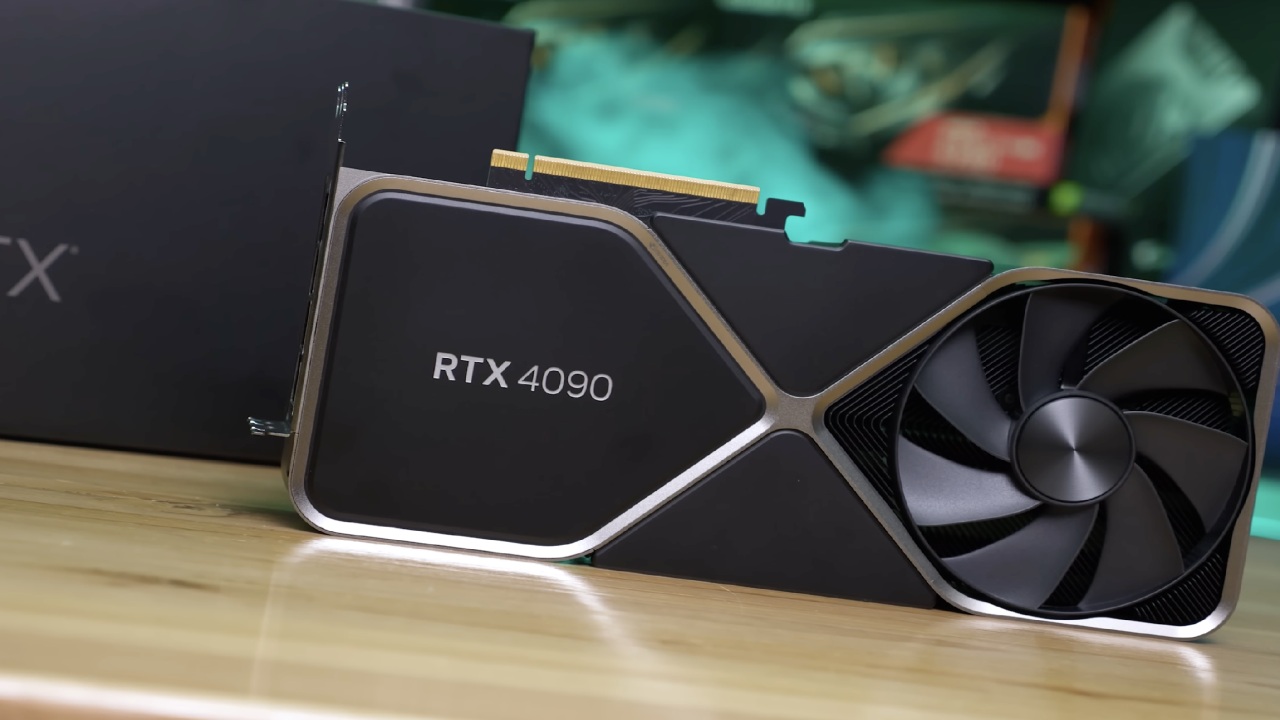
Mike, a viewer of the program, got in touch with us about a TUF Gaming RTX 4090 graphics card with damaged connectors. At first, the company turned down the RMA request. After talking to the manufacturer, they agreed to replace the connector for $83. But by that time, we had already agreed to look at the card and try to fix it. The card arrived in pieces, allowing it to be repaired more quickly. We started by looking at the damage with Eric, one of our engineers.
The failure occurred the same way as in several other situations with the 12VHPWR cable. The whole row of pins between the sense pins and the ground pins had melted. The plastic case around the connector was broken, and melted material was still stuck inside the GPU connector. In this scenario, you can't just replace the cable because debris is still stuck in the GPU socket pins. So, the only way to fix it was to replace the graphics card's connector.
The cable side also exhibited signs of damage after further scrutiny. One of the pins near the power-delivery region was clearly overheating. We suggested examining the cable's PSU side and replacing the PSU if necessary.
At this point, it's not possible to determine the specific cause. The original electrical issue disappears when the connector melts. This makes it hard to determine whether the problem was caused by cable seating, an imbalance in power delivery, or wear on the connector.
Capacitor Problem That Wasn't Expected During Disassembly
Another problem came up while I was still taking things apart. Two capacitors around the connecting region fell loose. One capacitor was almost loose, and the other one slipped off completely.
The parts' legs were still in place, and the PCB pads were still attached to the board. It was still able to restore the capacitors by soldering them back on because the pads were not broken.
We usually take extra care while using hardware that isn't ours. But since soldering was already needed to replace the connector, reinstalling the capacitors was added to the repair process.
How to Replace a Connector
The board showed signs of exposure to high temperatures after the broken connector was removed. The connector housing had melted significantly, and the heat damage extended deep into the housing, reaching the metal pins.
The broken connector was removed, and a new one was installed. The capacitors were reinstalled with solder. Resistance testing on all boards showed no short circuits. After the board passed the electrical tests, we started reassembling the graphics card to test it.
GPU Boot and Stress Tests
After putting it back together, the system found the graphics card when it started up. It correctly identified all PCIe lanes. After that, FurMark was used to test the GPU. After operating for a few minutes, the temperature and performance indicators stayed the same. The card ran for about 30 minutes to confirm it was stable and that the problem was fixed by changing the connector. The test showed that the fix worked and everything was back to normal.
Updates for YView Pro2 firmware and software
We reviewed the changes made to the YView Pro 2 monitoring equipment during the stress test. Several upgrades were made to the firmware and software. With the latest firmware, users can change the device's theme color. There are also more configuration choices available directly on the device, so it can work without the software interface.
Users can change the logging interval in the settings menu. This parameter controls how often the device saves power data. The recommended time between logs is still 60 seconds.
Another feature lets users choose which screen is shown by default when the device starts up. Many people prefer the current monitoring screen to the main overview panel. You can also set the time interval over which measurements will be averaged. To keep readings constant, the recommended value stays at 1417ms.
Fix for driver conflicts and improvements to software
Some consumers have had trouble updating their firmware in the past because of a DFU driver incompatibility with other device software. For instance, some steering wheel drivers on some systems caused problems with the firmware updater.
Now, the program has a way to get around that problem. It should now be possible to complete firmware updates properly, even if you have other DFU drivers installed.
Better autoscaling monitoring, clearer names for fault indications, and a new style for system status notifications are among the other enhancements. We changed the names of older labels, such as OTP and OCP, to make them easier to read.
More Features of the Device
You can now control the monitoring device directly from the software interface, without touching the hardware. From the software panel, users can move between the main screen and the current monitoring screen. The screen also turns off by itself after a given amount of time without any current. That lets the screen turn off when the computer is turned off.
The device itself is logging data, saving power readings every 60 seconds. The software interface for viewing this data still needs improvement in formatting, and it will receive upgrades.
Final Thoughts
The wired version of the monitoring device is still under development. The design will be mostly the same as the one already there, but it will use a cable instead of a direct plug connector.
The wired version will work with newer graphics cards that aren't compatible with the current version. There will also be mounting alternatives in the design, such as a metal backplate that can be attached within the PC case or on the graphics card.
There are plans for a white variant as well. In around two to three months, both versions should be ready. The fixed graphics card passed the 30-minute stress test. The performance, temperatures, and PCIe detection all stayed the same.
Also, check our other hardware articles:
- AMD Ryzen 9 9950X3D Review: Setting The Standard For 2025 Gaming CPU
- Amazon Luna 2025 Review: Is Prime Gaming's Cloud Service Your Go-To For Casual Fun?
- AMD RX 9070 XT Review: AMD's RDNA 4 Champion for 1440p Gaming
- GeForce Now Ultimate: Ditching Your Gaming PC For Cloud RTX 4080 Power?
- NVIDIA GeForce RTX 5080 Review (2025): Still A 4K Gaming Powerhouse?
- Intel Core Ultra 9 285K Review And Performance Breakdown (2025)
- AMD Ryzen 7 9800X3D Review: 3D V-Cache Goes God Mode with Stunning Gaming Performance
- Intel Core Ultra 9 285K vs AMD Ryzen 7 9800X3D: In-Depth Gaming Performance and Benchmark Comparison
- NVIDIA GeForce RTX 5080 Super Performance In Cyberpunk 2077: Path Tracing & DLSS 4.0 Tested
- AMD Radeon RX 9070 XT In Cyberpunk 2077: Ray Tracing & FSR 4.0 Tested
- Intel Arc B580 Review: The $250 GPU Revolutionizing 1440p Gaming
- Intel Arc B570 Vs. B580: Value, Specs, And Real-World Gaming Performance
- RTX 5090 Laptop Vs. M4 Max MacBook Pro: Ultimate Raw Performance Vs. Battery Endurance
- Intel Arc b580 Vs. RTX 4060: Game Performance And Value Analysis
- RTX5090 Hell Is Us Demo 4K Ultra Benchmark: DLSS Vs. Native Performance Guide
- NVIDIA RTX 5070 Review: Mid-Range Muscle or Marketing Hype?
- Nintendo Switch 2 Review: Handheld Performance, Features & Value Breakdown
- RTX 5070 Ti Review: Performance, Thermals & Power Efficiency Tested
- Samsung Odyssey OLED G81SF Review 2025: Ultimate 32-Inch QD-OLED Gaming Monitor
- AMD RX 9070 Performance Review: Thermals, Clocks, and Real-World FPS
- AMD Ryzen 5 7600 Review: Best Budget Gaming CPU of 2025?
- AMD Radeon RX 7800 XT Review: RDNA 3 Power For Midrange Gaming
- Asus ROG RTX 5090 Astral OC Vs. Founders Edition: The 4K Gaming Benchmark
Editor, NoobFeed
Gaming Hardware Updates
No Data.