
How the RTX 5070 Ti Handles 4K: Performance, Upscaling, and Ray Tracing Insights
Explore how medium and very high ray tracing settings improve visual fidelity without dropping framerate too severely.
Hardware by Mitsuba Miyu on Jan 23, 2026
As of now, Black Myth: Wukong is still one of the most challenging 4K games in terms of graphics.
The main goal of testing is to see how well the RTX 5070 Ti works with various presets, upscaling methods, ray tracing levels, and frame generation options, while keeping an eye on framerate and delay. The point is to see how well the card handles both speed and graphics as the settings are raised.
Ray Tracing Effects at Medium and Very High
Adding medium-level ray tracing makes the game feel more realistic while keeping frame rates in the 60 fps range. Light, shadows, and water surfaces all get deeper without dropping a lot. Very High ray tracing makes images even better by adding shadows and transparency. Still, frame rates can go down to about 40 frames per second. At this point, frame generation helps the game run smoothly without adding too much lag.
DLSS Presets and Ultra Performance Improvements
In Quality, Balanced, and Performance modes, DLSS Preset M delivers sharpness. But Preset L improves Ultra Performance by eliminating blurriness, making it a useful choice. This update gives you a free performance boost you couldn't get at Ultra Performance. It lets you boost frame rates while keeping visual clarity.
Pushing High Settings with Upscaling
Native frame rates drop to about 46fps when you turn up the graphics settings to high in 4K. Scenes with many cameras can slow performance to 30 frames per second, so upscaling is necessary. DLSS Quality instantly boosts performance to around 70 frames per second, and sharpening adjustments ensure the graphics are clear. Ghosting problems are mostly gone in modern DLSS models, even when frame generation is on.
Cinematic and Very High Graphics Presets
Very High settings don't make the graphics much better than High, but they do slow down the game to about 58 frames per second without upscaling. Cinematic mode is more of a filter for the eyes, focusing on style depth over detail. It can also further slow down frame rates. While Performance mode raises frame rates into the low-60fps range, Balanced DLSS modes help keep performance stable around 58fps. This ensures a smooth gaming experience.
Frame Generation and Ultra Performance Scaling
Frame generation shines when Ultra Performance is turned on with Preset L. High settings with low ray tracing still got about 60 frames per second at about 39% scaling. Scaling down to 25% makes the framerate even better, but things far away may look a little less clear. With a delay below 50ms, 2x frame generation boosts performance to a high 70fps, letting you play smoothly without noticeable input lag, especially if you use a controller.
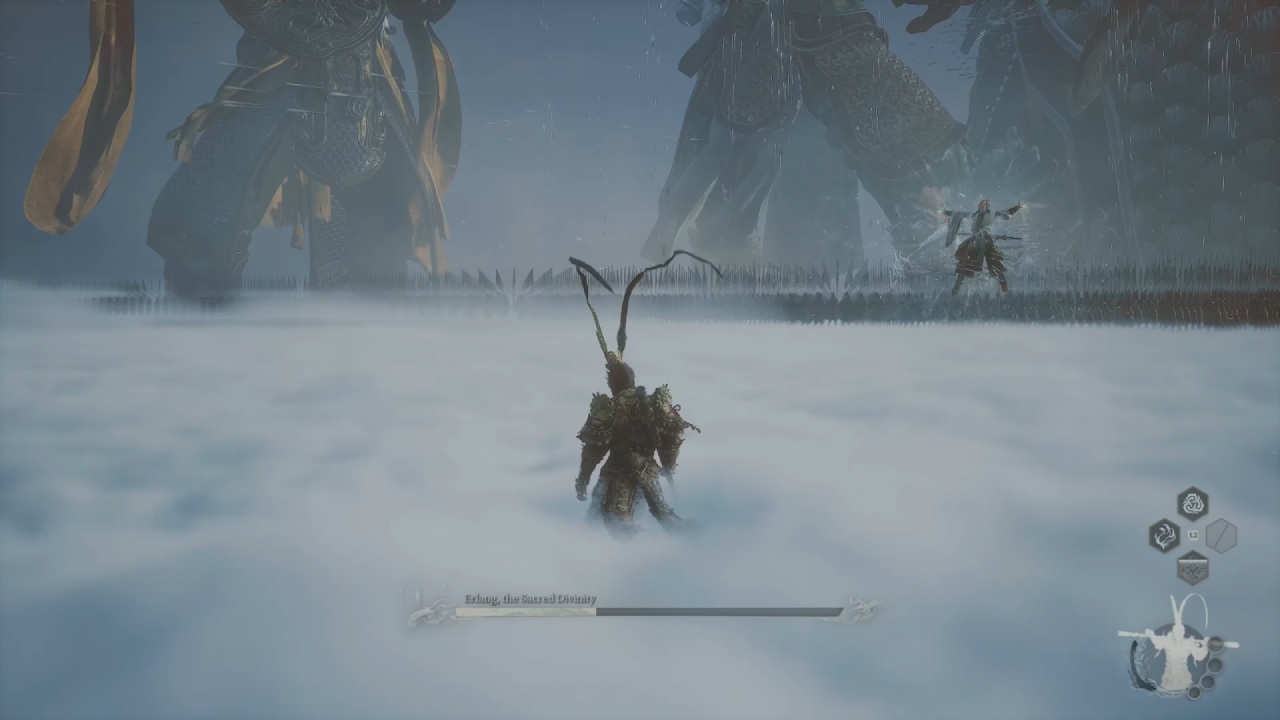
Maximizing 4K with Very High and Cinematic Settings
Frame generation enables the use of Very High or Cinematic settings with Very High ray tracing and Ultra Performance scaling. With latency below 80ms, two times frame generation keeps frame rates stable at about 78fps, and three times can hit close to 100fps.
When you push 4x frame generation, you can get more than 120 fps, which fills a 120 Hz monitor and makes the experience fluid and smooth even when the settings are all the way up.
Native 4K at Low and Medium Settings
When you start with native rendering on low settings, you get 63 frames per second, which is workable but not very impressive. Low settings keep the frame rate around 60 fps, but small drops occur in scenes with a lot of action.
In this case, upscaling makes sense because the latest DLSS models maintain picture quality well, so you can enjoy better visuals without sacrificing smooth performance.
Practical Tips for Performance and Latency
As frame data builds up, latency usually levels off after a short time. For most controller-based games, staying below 80ms is fine, even with fast frame generation.
Using external software to lock the framerate to a small part of your monitor's refresh rate can make games even smoother. Looking at FPS, latency, and the type of game can help you find the best options, since not all games need the fastest framerate or the lowest latency.
Final Thoughts
The RTX 5070 Ti can easily run Black Myth: Wukong at 4K with High to Very High settings, ray tracing enabled, and the latest DLSS features enabled.
Ultra Performance is now a useful setting thanks to Preset L, which makes a big difference in clarity and framerate. With careful tuning, players can achieve near-maximum graphics while still enjoying smooth performance, low latency, and a fully immersive 4K experience.
Also, check our other NVIDIA articles below:
- NVIDIA GeForce RTX 5080 Review (2025): Still A 4K Gaming Powerhouse?
- NVIDIA RTX 5070 Review: Mid-Range Muscle or Marketing Hype?
- RTX 5070 Ti Review: Performance, Thermals & Power Efficiency Tested
- ASUS GeForce RTX 5090 LC Liquid Cooled GPU Review: Unmatched Silence & Speed
- MSI GeForce RTX 5090 32GB SUPRIM SOC Review: Power Efficiency, Cooling, and Gaming Performance
- INNO3D RTX 5060 Ti 16 GB X2 Review: Gaming Benchmarks, Temps, and Power Efficiency
- HP Omen 45L Review: RTX 5090 Performance, Thermals, and Value Analysis
- ASUS TUF Gaming GeForce RTX 5060 Ti Review: DLSS 4, Power Efficiency, and Gaming
- ASUS Prime RTX 5060 Ti OC 16GB Review: DLSS 4, Ray Tracing, & Thermals Tested
- NVIDIA GeForce RTX 5060 Review: Specs, Gaming, and Cost per Frame
- MSI GeForce RTX 5090 GAMING TRIO OC Review: A Monster Power GPU
Editor, NoobFeed
Gaming Hardware Updates
No Data.