
Sapphire Nitro+ RX 7700 XT Review: Is the Premium Worth It?
The triple-fan cooler and reinforced structure provide strong airflow management, reducing thermal buildup under heavy gaming workloads.
Hardware by Masaru Hoshino on Aug 18, 2025
The newest models in AMD's RDNA3 family, RX 7700 XT and 7800 XT, are designed to provide powerful 1440p gaming performance along with cutting-edge ray-tracing capabilities, FSR3, and Smart Access Memory. Among the various models available, the Sapphire Nitro+ RX 7700 XT stands out with its premium design, upgraded cooling solution, and extra features that set it apart from standard editions.
Before diving into benchmarks and overclocking tests, it’s worth taking a closer look at the card’s build quality, accessories, and first impressions straight out of the box.
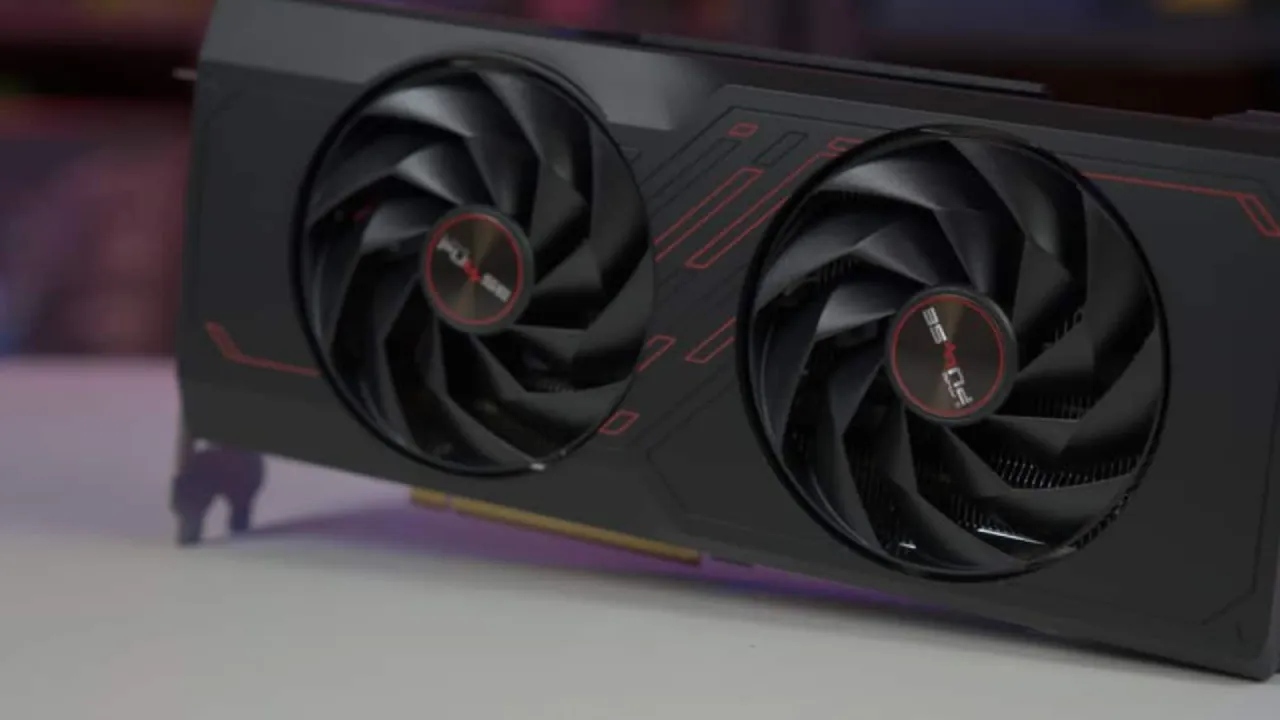
Sapphire Nitro+ Design and Details
The Sapphire Nitro+ model stands out as one of the best-looking GPUs in the RX 7000 series lineup. Competing designs like those from Asus, PowerColor, and ASRock—particularly the Taichi, OC Formula, and Phantom Gaming models—are impressive, but the Nitro+ still delivers the cleanest and sleekest appearance.
The box highlights the GPU’s features, including 54 AMD RDNA3 compute units with RT and AI accelerators, 48MB Infinity Cache, DisplayPort 2.1, Radiance Display Engine, Radeon Boost, and Anti-Lag+. It also advertises AMD’s Hyper-RX and FidelityFX Super Resolution 3 support, both major selling points.
On the sides and rear, the packaging lists specifications, Sapphire’s Pantheon cooling technologies, and support for advanced gaming features such as Smart Access Memory, Smart Access Storage (upcoming), Radeon Noise Suppression, and performance-enhancing AMD FidelityFX features. It's interesting that, in spite of the Nitro+'s eye-catching appearance, there are no pictures of the card on the box, which seems like a lost chance.
Accessories and Packaging
Opening the box reveals a simple cardboard container without any upscale branding. One would expect more luxurious packaging for a high-end product. Inside, we find the usual quick installation guide, an addressable RGB sync cable for motherboard lighting integration, and a BIOS switch guide.
The Nitro+ offers a triple-BIOS feature: primary default settings, secondary performance settings, and a software switch mode accessible via Sapphire’s Trixx utility. A support bracket is also included with installation instructions.
The anti-sag bracket, similar to ASRock’s, is a metal piece with rubber padding to prevent vibration, along with included screws. RGB cables are also provided as accessories. Compared to the Pulse version, which costs around $60 less, the Nitro+ includes more accessories, adding value to the higher price.
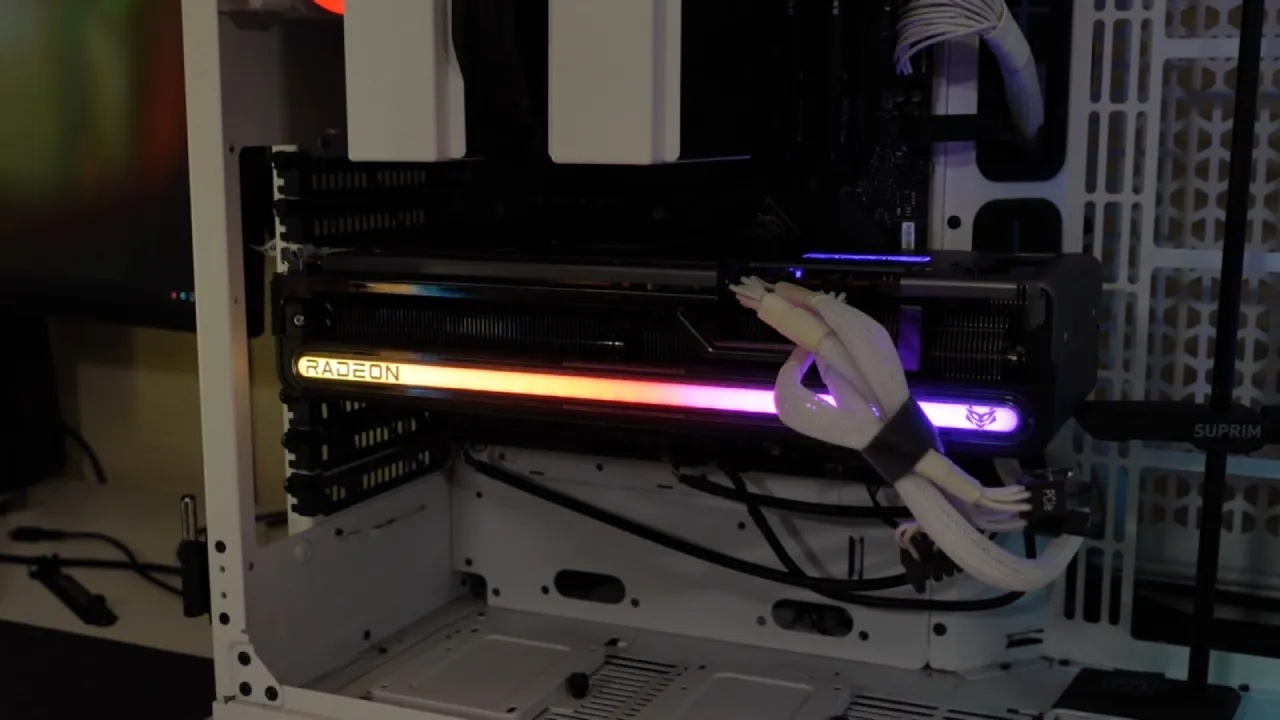
First Impressions of the Card
Upon unboxing, the Sapphire Nitro+ RX 7700 XT immediately impresses with its thickness and design. While not overly large in length, it is noticeably thick—thicker than the reference RX 7900 XTX. This triple-slot card comes with a massive cooler, giving it significant weight, close to 5kg. The design features triple fans, a sturdy build, cutouts for airflow, and a tasteful RGB Sapphire logo on the top.
The backplate is particularly stunning, complementing the overall sleek look. The BIOS switch is conveniently located, and dual 8-pin power connectors suggest good headroom for power limit adjustments.
With such a cooler, pushing the GPU clock beyond 3GHz is realistic, provided the silicon quality allows it. The cooler alone could handle much higher-tier GPUs, making it overkill for this model—in the best way possible.
I/O includes 2xHDMI and 2xDisplayPort outputs. A USB-C port would have been a welcome addition, but it is absent.
Size Comparisons
When compared to MSI’s RTX 4060 Ti Gaming X, the Nitro+ RX 7700 XT is slightly shorter in length, but far thicker and much heavier. The difference in heft is immediately apparent, even if less noticeable in photos.
Against the older Sapphire Nitro+ RX 6650 XT, the size difference is dramatic. The 6650 XT is significantly shorter and less power-hungry, though still fairly thick. The RX 7700 XT Nitro+ is clearly a step forward in terms of design quality, fit, and finish.
Cooling, Build, and Practicality
Once installed in a system, the Nitro+ looks excellent. Its neutral color scheme ensures it matches well with white, black, or gray PC cases. Despite including an anti-sag bracket, the GPU’s structural integrity means sagging is minimal, even without support. The card feels solid and well-built, giving confidence in long-term use.
Sapphire Nitro+ RX 7700 XT is one of the most aesthetically pleasing and useful GPUs on the market thanks to its sturdy cooler, sturdy design, and fashionable appearance. Even if performance and efficiency will be determined by future benchmarks, the unboxing already demonstrates that Sapphire has produced a high-end device that is worth taking into account.

Final Thoughts: Who Should Buy the Nitro+?
If you value build quality, premium aesthetics, and long-term durability, the Sapphire Nitro+ RX 7700 XT is the version to buy. The included accessories, stronger cooling solution, and sturdier design justify the $60 premium over the Pulse edition.
For gamers looking to overclock, maintain lower temperatures, or simply have a card that looks as good as it performs, the Nitro+ is worth it.
However, the Pulse edition offers the same essential functionality at a reduced price if you are on a limited budget and don't give much thought to accessories or appearance. However, the Nitro+ is a superior option if you want a card that feels luxurious from the inside out.
Check Our Other AMD articles:
- AMD Ryzen 9 9950X3D Review: Setting The Standard For 2025 Gaming CPU
- AMD RX 9070 Performance Review: Thermals, Clocks, and Real-World FPS
- AMD Ryzen 5 7600 Review: Best Budget Gaming CPU of 2025?
- AMD Radeon RX 7800 XT Review: RDNA 3 Power For Midrange Gaming
- Sapphire NITRO+ AMD Radeon RX 9070 XT Review: The Ultimate 4K Gaming GPU
- AMD Ryzen 7 7800X3D: Delivers Gaming Performance Far Beyond Expectations
- AMD Ryzen 9 7900X Review: Powering the AM5 Era with DDR5 & PCIe 5.0
- Intel Core i9‑14900K vs. AMD Ryzen 7 7800X3D: Power Profiles & Gaming Benchmarks
Editor, NoobFeed
Gaming Hardware Updates
No Data.