
WWE 2K26 Guide| How to Reverse, Counter and Kick Out
Here's a guide on how to Reverse, Counter and Kick Out in WWE 2k26.
Game Guide by Navid Kabbo on Jul 29, 2026
In WWE 2k26 Reversals, counters, and kickouts are the three defensive skills that decide whether you dominate a match or get squashed by it. This guide breaks down every mechanic, button input, and timing trick you need to stop button-mashing blindly and start playing with purpose.
What are Reversals, Counters, and Kick Outs in WWE 2K26?
Before diving into inputs, it helps to know what each defensive mechanic does:
- Reversals interrupt an opponent's strike, grapple, signature, or finisher and flip it into your own offense.
- Counters (Breakers) are used specifically against combo strikes and grapples while you're locked in a grab state.
- Kick Outs let you escape a pinfall before the referee's three-count.
Mastering all three is the difference between winning close matches and getting steamrolled by AI or online opponents who reverse everything you throw.
How to Reverse Moves in WWE 2K26
The standard reversal is your primary defensive tool and will work on most attacks coming your way, including strikes, grapples, signatures, finishers, and even weapon shots.
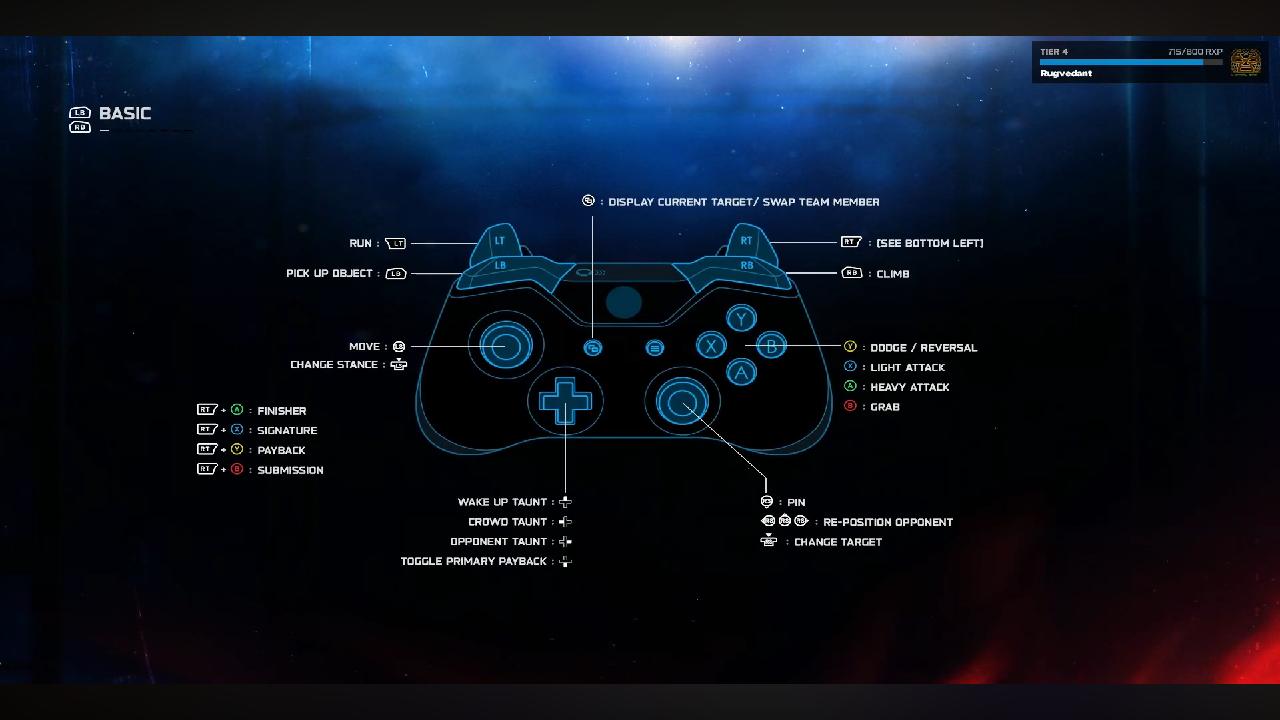
Reversal Button Controls on PS5 and Xbox
Tap the reversal button the moment the on-screen prompt appears above your wrestler's head:
Standard Reversal
- PS5: Triangle
- Xbox Series X|S: Y
Timing matters more than speed — press it too early or too late, and the reversal fails.
Block / Guard
- PS5: Hold Triangle
- Xbox Series X|S: Hold Y
Dodge / Roll
- PS5: Press Triangle + Left Stick in any direction
- Xbox Series X|S: Press Y + Left Stick in any direction
Mid-Move Reversal
- PS5: Triangle
- Xbox Series X|S: Y
Certain complex grapples, corner setups, and top rope moves offer a late second chance prompt. Watch for a rapid prompt flash right in the middle of the opponent's setup animation.
Understanding the Stamina Bar and Reversal Lockouts
Every time you reverse, you lose a bit of your stamina bar. If the bar turns purple, you are temporarily locked out of reversing altogether, leaving you vulnerable to follow-up offense. Don’t spam the reversal button on every attack; save that for signatures and finishers. Use blocking for regular strikes to preserve energy.
How to Counter Combos and Grapples Using Breakers
When you are in a grab state, normal reversals don't work on combo strikes or grapples. These have their own system in WWE 2K26 called Breakers.
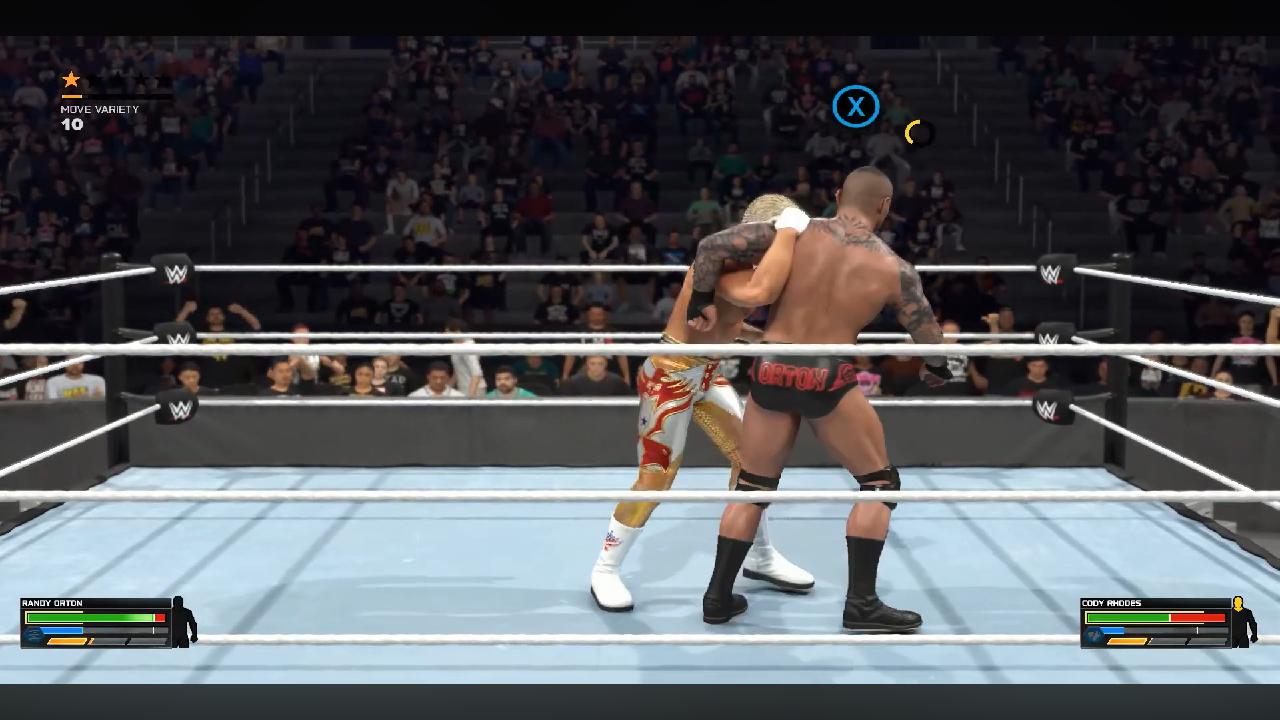
To counter, you must match the button your opponent is using:
PS5/ Xbox
- Square / X — counters a Light Strike or Light Grapple
- X / A — counters a Heavy Strike or Heavy Grapple
- Circle / B — counters a Grapple Combo Ender
Guess wrong mid-combo, and you’re locked out of Breakers for the rest of that sequence. So, pay close attention to your opponent’s animation before committing to a button.
How to Kick Out of Pins in WWE 2K26
Getting pinned doesn't mean the match is over. WWE 2K26 gives you two ways to escape, depending on your preferred play style.
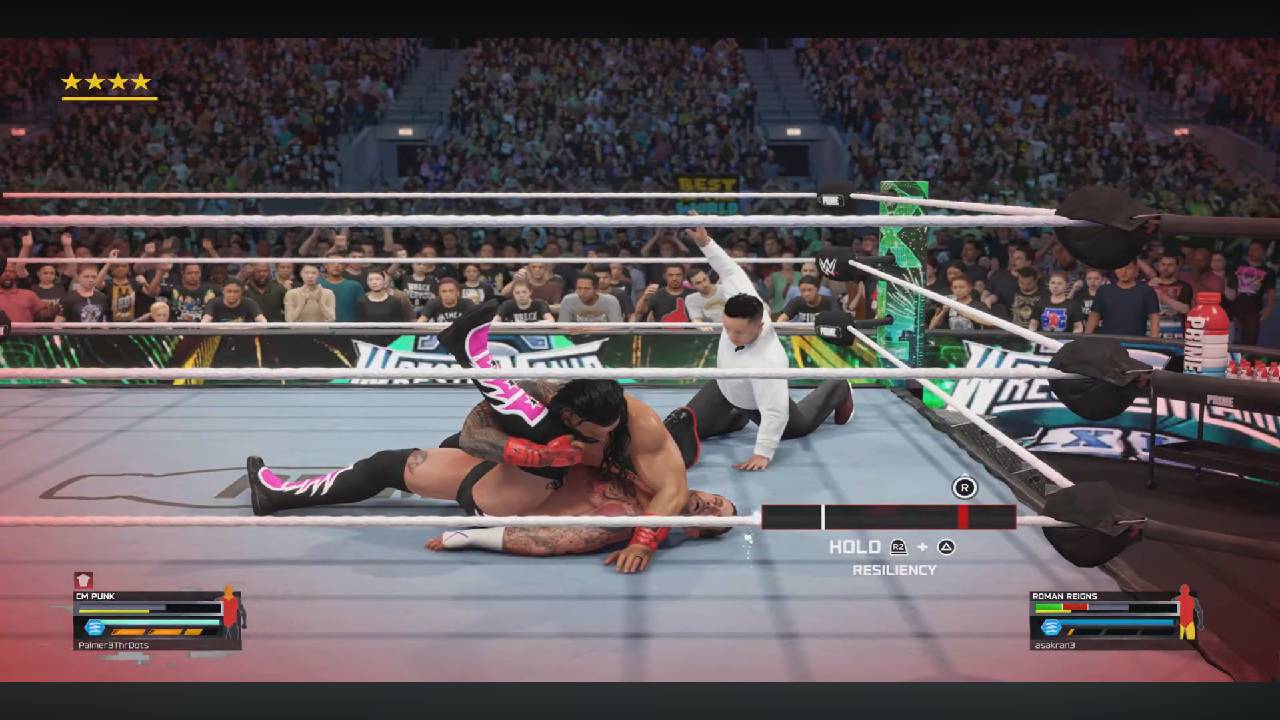
Timed Pin Minigame Explained
By default, a bar appears on the screen with a moving cursor and a target zone. Kick out the right analog stick up the instant the cursor lines up with the target. The lower your health, the smaller and faster the target zone gets, so filling up your health makes kicking out a lot easier.
Switching to the Rapid Button-Mash Kick Out System
If you miss the button-mashing days of older WWE games, you don't have to stick with the default timing wheel. Just head into Gameplay Options and swap the Pin Mini-Game from Timed to Rapid. This lets you escape pins the classic way—by repeatedly hammering X (PS5) or A (Xbox) to fill up your exit bar.
If button-mashing puts too much strain on your hands, you can also switch it to a Hold option, which gives your fingers a much-needed break without leaving you vulnerable to an easy three-count.
Using Resiliency Payback for Instant Kick Outs and Reversals
If you've filled at least two bars of your Special Meter, you can trigger a Resiliency Payback for an immediate escape from a pin, no minigame required.
- PS5: R2 + Triangle
- Xbox: RT + Y
This is hands down one of your best safety nets in WWE 2K26. When your health is in the red and you're one slip-up away from losing, it gives you a guaranteed way out, taking the pressure off having to nail that split-second kick-out timing when the stakes are highest.
Best Tips to Master Reversals, Counters, and Kick Outs
- Watch the prompt, not the animation. Reversal icons appear above your wrestler's head — that's your real cue.
- Don't spam reversals. The stamina system punishes overuse, so pick your moments rather than reacting to every hit.
- Stay topped up on health to keep the pin kick-out target zone larger and easier to hit.
- Save Resiliency Payback for finishers, since those are the hardest pins and submissions to escape normally.
- Practice Breakers in Exhibition matches before jumping online, since guessing wrong locks you out mid-combo.
Common Mistakes to Avoid When Countering in WWE 2K26
- Mashing the reversal button — this burns stamina fast and locks you out right when you need it most.
- Ignoring the Breaker system — trying to use the standard reversal button against combo strikes or grab-state grapples won't work.
- Letting health drop too low before a pin attempt — a shrinking, fast-moving target zone makes kick outs far harder to land.
- Forgetting about Resiliency Payback — many players sit on a full Special Meter without using it defensively.
Final Thoughts
Once you stop panicking, start trusting the reversal prompts, and rely on Breakers when someone locks you into a heavy combo, the game completely changes. Manage your stamina, protect your health bar to keep those kick-out windows manageable, and matches will stop feeling like an uphill battle and start feeling totally in your control.
Take a few rounds in Exhibition mode to drill the timing risk-free, then bring it into ranked or story matches once it's muscle memory. Get comfortable with reversal timing, Breaker inputs, and the pin kick-out system, and WWE 2K26 starts to feel a lot more in your control, even against aggressive AI or tough online opponents.
Also, check our WWE 2k26 review and other guides below:
Editor, NoobFeed
Latest Articles
No Data.