
Valve Steam Machine: Tested 1440p Gaming On SteamOS
Steam Machine combines compact hardware, SteamOS simplicity, and 1440p gaming into a living room experience between consoles and PCs.
Hardware by Naheyan Tahmin on Aug 24, 2026
Valve's return to the living room has been one of the year's most talked-about hardware launches, and the response has been mixed. Steam Machine sits between a traditional console and a gaming PC, bringing SteamOS, controller-focused navigation, and an entire Steam library to the TV in a compact system.
Its hardware offers a significant step up from the Steam Deck, while its design and software aim to remove much of the setup normally associated with PC gaming. Steam Machine is Valve's attempt at a proper living room gaming PC, essentially taking the same idea as the Steam Deck, scaling it up, and removing the battery.
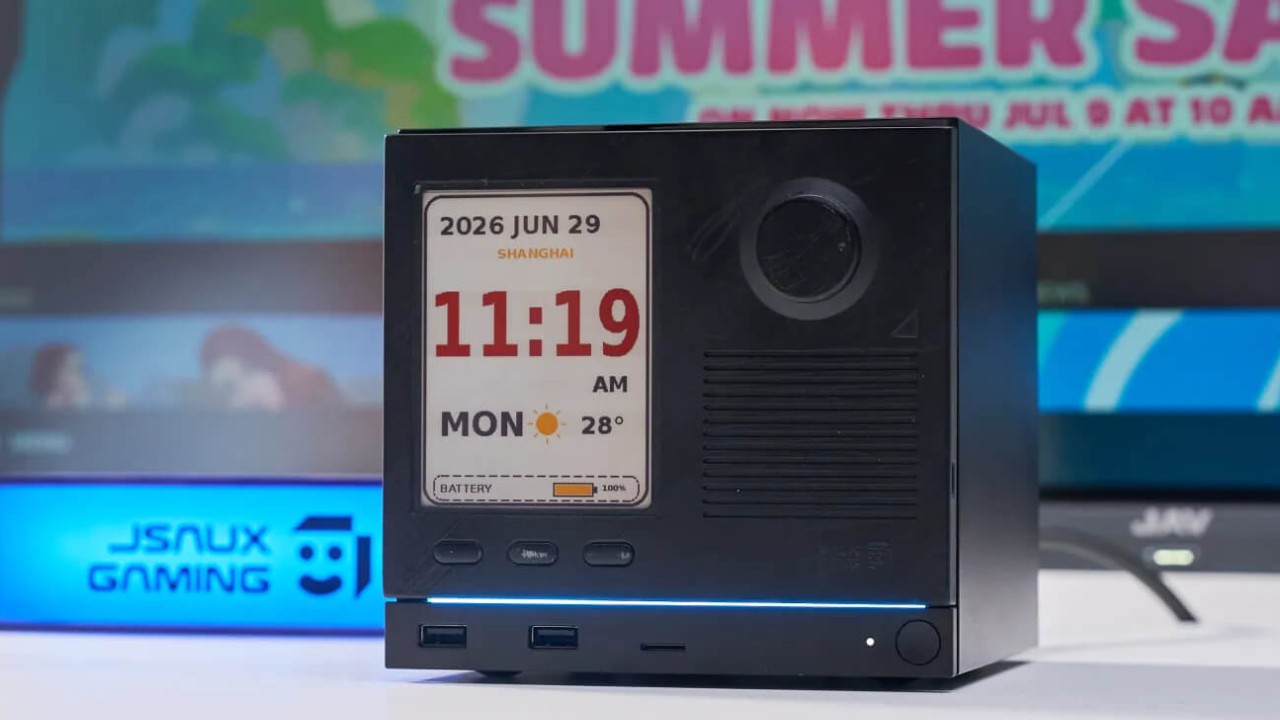
A Living Room Gaming PC
It runs SteamOS out of the box, is built around a controller from the moment it turns on, and is designed to put an entire Steam library on a TV without the usual PC setup. Inside, the Steam Machine uses a semi-custom AMD Zen 4 chip with 6 cores, a semi-custom RDNA 3 GPU with 8GB of dedicated VRAM, and 16GB of DDR5 RAM.
Valve estimates it is about 6 times more powerful than the Steam Deck, which is fairly close to the real-world experience. Two models are available: a 512GB version at $1,049 and a 2TB version at $1,349. The smaller model is the one used here, with additional storage handled externally. Steam Machine isn't really trying to be a console, and it isn't really trying to be a gaming PC either.
It sits somewhere in between. How that space fits into a gaming setup largely determines whether the system makes sense. The design is where the Steam Machine starts to make sense. The system is compact, measuring about 6 in on each side and taking up roughly half the volume of an Xbox Series X.
It is also about half the height of a PS5 Pro, and its width is roughly the same as that of the Steam Controller. The compact size works well next to a TV. It has a clean look and doesn't draw as much attention as a console or PC tower does. The power supply is also built into the chassis, so no large power brick hangs from the back.
The LED strip on the front is another useful detail. It reacts to what the system is doing instead of simply acting as RGB lighting. For example, it can show download progress while a game is installing, and the lighting is fully customizable. Build quality feels solid, except for the faceplate. It detaches easily, which makes it feel cheaper than the rest of the system.
Connectivity and Storage
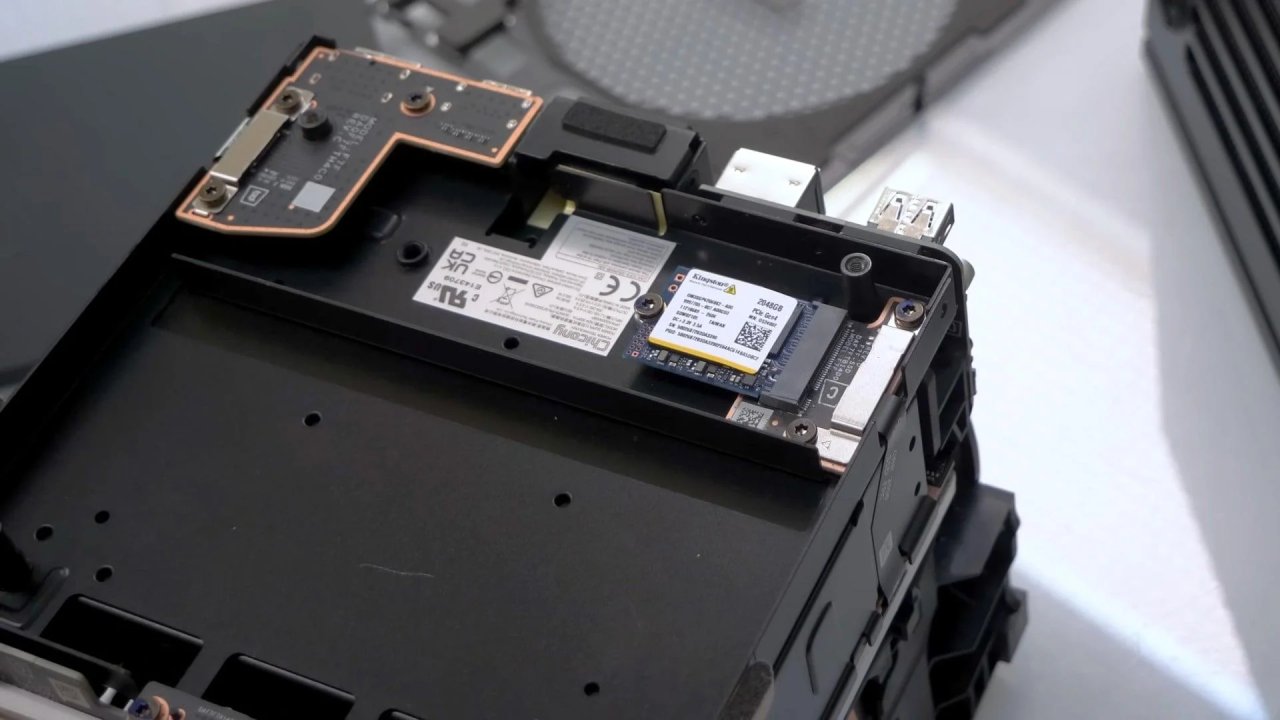
Connectivity covers most of what is needed for a living room setup. The front has 2 USB-A ports and a microSD card slot, which makes it easy to connect a controller or other device. On the back, it has HDMI 2.0, DisplayPort, gigabit Ethernet, 2 more USB-A ports, and a USB-C port. A simple setup can use HDMI directly to the TV, power, and an external 1TB SSD connected through the rear USB-C port.
For a 512GB system, additional storage can quickly become necessary. The HDMI connection also supports CEC. Turning on the Steam Machine can wake the TV and switch it to the correct input. It is a small feature, but it makes the system behave more like a console than a PC.
4K is more complicated. Steam Machine can run 4K, and lighter or older games can handle the resolution without much trouble. Halo 2 and Halo 3 through the Master Chief Collection were completed at 4K without issues. Modern AAA games are different. At 4K, the 8GB of VRAM and the available graphical performance become limiting much faster.
FSR is an important part of getting modern games to run at that resolution. For gaming on the Steam Machine, 4K is not the main use case. The system is better suited to 1440p, despite earlier marketing suggesting a stronger focus on 4K gaming. Testing across 1080p, 1440p, and 4K with the same base settings also shows how performance scales between the three resolutions.
One part of the Steam Machine that's easy to overlook is the setup experience.
From opening the box to reaching the home screen takes roughly 5 minutes. No driver hunting, no separate update process, and none of the usual PC setup work. The experience feels closer to setting up a console, which is what a living room gaming system should feel like.
SteamOS has also been reliable during extended use, despite the quirks that can sometimes appear on other Linux-based setups. Suspend and resume are particularly useful. After using a Bazzite machine previously, the Steam Machine's suspend and resume behavior feels considerably more reliable. The result is a system that can sit next to a TV, connect to a controller, and get into games without the same level of maintenance as a traditional gaming PC.
Editor, NoobFeed
Gaming Hardware Updates
No Data.