
ASUS Dual RX 9060 XT 16 GB Review Compact 1440p Gaming Performance
The compact Asus Dual RX 9060 XT 16GB delivers strong 1440p gaming performance with stable thermals and full PCIe x16 support.
Hardware by Nahe Yan on Jan 18, 2026
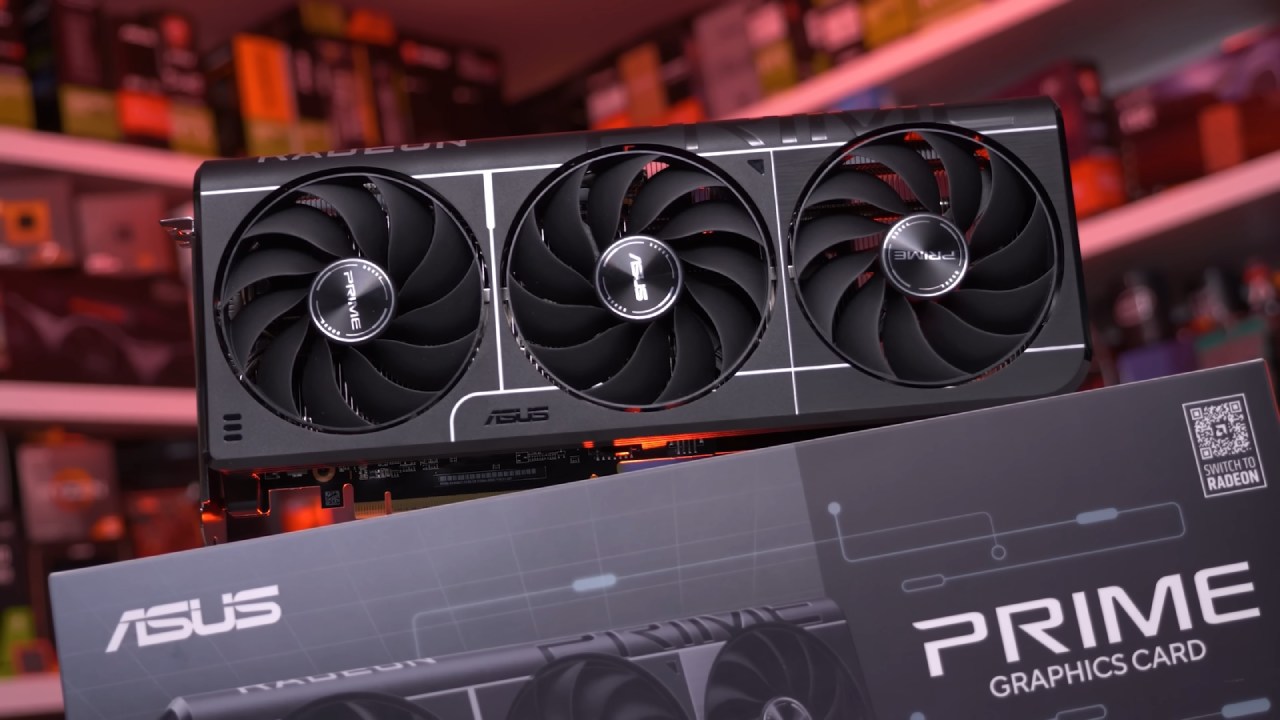
Is this really the second smallest RX 9060 XT you can get right now? Asus Dual Radeon RX 9060 XT 16GB is small and short, but it still has full-sized performance. We just get the GPU, a setup guide, and a thank-you note inside the box. There are no extra parts supplied.
The card has three display outputs: two DisplayPort and one HDMI. It is short, but with two slots, it is still very thick; it might not fit in every ITX case. The card is 202 mm long. We also made a 6L sandwich-style case just for this GPU, which will be revealed in a later version.
Compatibility and Interface for Building
Asus Dual RX 9060 XT has a full PCIe x16 interface, thus it can work well on older motherboards without losing performance. This card supports full bandwidth, unlike certain NVIDIA 5060 variants that use only 8 lanes.
We used GPU-Z to confirm that the card has 16GB of GDDR6 VRAM from Samsung, 2048SP cores, and PCIe x16 Gen5 support.
How Well it Works in Heat
We used FurMark stress testing to evaluate the thermal performance. The GPU reached a maximum temperature of 66°C, the hotspot reached 83°C, and the VRAM reached 80°C. These data show that the temperature remains steady even under high load.
How Well does God of War Ragnarök Work?
We played God of War Ragnarök at 1440p with the High preset. The game averaged 78 fps with FSR and Frame Gen off, and the graphics were still good.
When I enabled Quality mode for FSR and disabled Frame Gen, performance increased to 119 fps. This was a clear improvement without losing image clarity.
Doom: The Dark Ages Performance
Without FSR or Frame Gen, Doom: The Dark Ages ran at an average of 62 frames per second at 1440p High. This result is true for a new release at native 1440p.
When FSR was set to Quality and Frame Gen was turned off, performance increased to 72 fps. Turning on Frame Gen raised the average to 110 fps, making the game run more smoothly and quickly.
How Well Cyberpunk 2077 Works
When I ran Cyberpunk 2077 at 1440p Ultra with no upscaling or Frame Gen, the average frame rate was 65. The game stayed stable and looked the same.
When FSR Quality was enabled, the frame rate increased to 80 fps. When Frame Gen was enabled, the average frame rate rose to 150 fps, making the game run more smoothly in Night City.
.jpg)
How Well Shadow of the Tomb Raider Works
We didn't use upscaling for Shadow of the Tomb Raider; instead, we ran the game at the highest preset at 1440p. The built-in benchmark averaged 127 fps, indicating that the system performs well without any extra performance tools.
Final Thoughts
Even though the Asus Dual RX 9060 XT 16GB is only 202mm wide, it can handle 1440p video smoothly. It features full PCIe x16 bandwidth, keeps the temperature down, and runs modern games with a consistent frame rate. This makes it great for small builds while still keeping up with demanding games.
Also, check our other AMD articles below:
- AMD Ryzen 9 9950X3D Review: Setting The Standard For 2025 Gaming CPU
- AMD Ryzen 7 9800X3D Review: 3D V-Cache Goes God Mode with Stunning Gaming Performance
- AMD RX 9070 Performance Review: Thermals, Clocks, and Real-World FPS
- AMD Ryzen 5 7600 Review: Best Budget Gaming CPU of 2025?
- AMD Radeon RX 7800 XT Review: RDNA 3 Power For Midrange Gaming
- Sapphire NITRO+ AMD Radeon RX 9070 XT Review: The Ultimate 4K Gaming GPU
- AMD Ryzen 7 7800X3D: Delivers Gaming Performance Far Beyond Expectations
- AMD Ryzen 9 7900X Review: Powering the AM5 Era with DDR5 & PCIe 5.0
- Intel Core i9‑14900K vs. AMD Ryzen 7 7800X3D: Power Profiles & Gaming Benchmarks
Editor, NoobFeed
Gaming Hardware Updates
No Data.