
ASUS ROG NUC 15 (2025): Best Mini Gaming PC You Can Buy
A next-generation mini PC designed for consistent multitasking, immersive gaming, and with efficient thermal management.
Hardware by Tanisha Aria on Oct 16, 2025
The all-new 2025 ROG NUC 15 is one of the most powerful mini PCs available. Despite being very compact—under 3L—it delivers exceptional performance and versatility. It is designed for both gaming and productivity. This machine can handle top-tier hardware options, robust cooling, and stunning connectivity.
It's built to handle any modern AAA game while maintaining a sleek and stylish look, making it a top choice in the mini PC category.
First Impression
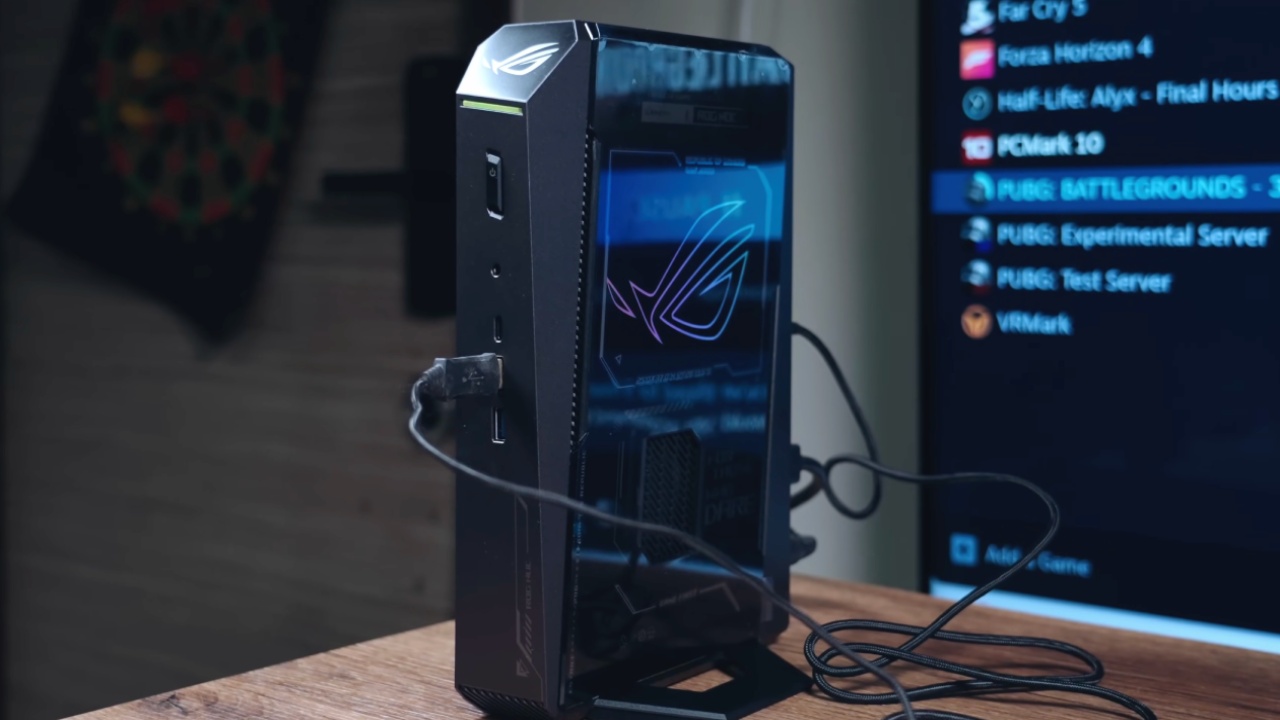
We've been looking forward to the release of the 2025 ROG NUC 15 for quite some time. After seeing it in action earlier this year, we were eager to get hands-on experience with it.
The unit's small form factor is remarkable—less than 3L—and it's capable of running modern AAA games with ease. There are several GPU variants available, with configurations reaching up to the RTX 5090.
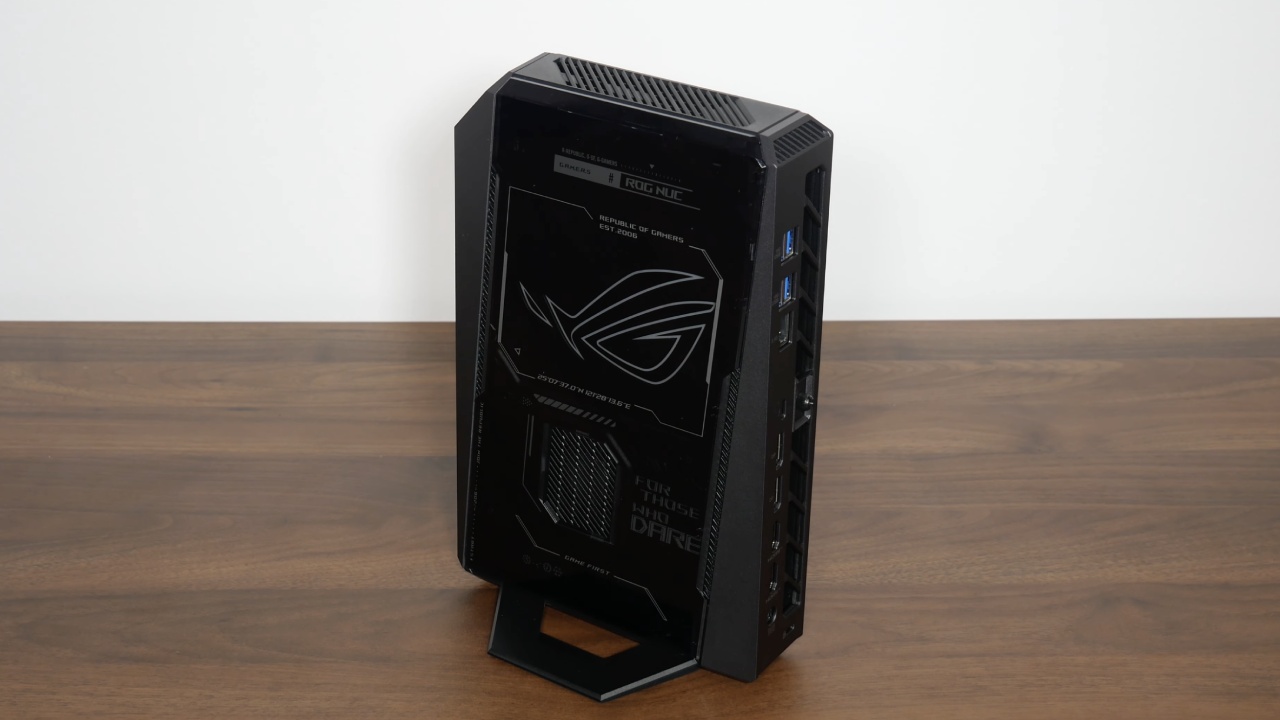
The ROG NUC 15 supports PCIe 5.0 SSDs, offering two slots—one PCIe 4.0 and one PCIe 5.0. It also features a completely redesigned cooling system that runs quieter while maintaining thermal efficiency. Despite its compact size, the I/O options are extensive, rivaling larger desktops.
Inside the box, we found a 330W power supply, providing more than enough headroom for performance demands. The front panel includes two full-size USB 3.2 ports, one USB Type-C Gen 3.2 port, and a 3.5mm audio jack.
Around the back, there's a power input, two HDMI 2.1 ports, two DisplayPort 2.1 ports, a Thunderbolt 4 port with 40Gbps bandwidth, a 2.5Gb Ethernet port, and four additional USB 3.2 Gen 2 ports. ASUS has adopted a toolless design for the newer ROG line, making upgrades simple and accessible.
Internals and Upgrades
Accessing the inside of the ROG NUC 15 is easy thanks to the toolless design. A single thumb screw must be loosened to reveal both M.2 slots, where one supports PCIe 4.0 and the other supports PCIe 5.0 drives. The unit we tested came with 32GB of RAM, but it can be easily upgraded if needed.
As a gaming-focused system, RGB lighting is included but implemented tastefully, with illumination controlled through Armory Crate. A subtle side glow and a front LED strip give it a refined appearance without being overwhelming.
2025 ROG NUC 15 Specifications
Our model comes with the Intel Core Ultra 9 275HX processor, offering 24 cores and 24 threads with 36MB of cache. It's configured with 8 performance cores clocking up to 5.4GHz and 16 efficiency cores clocking up to 4.6GHz.
Regarding graphics, it uses the Nvidia GeForce RTX 5070 Ti laptop GPU with a 115W power limit, 12GB of VRAM, and an additional 25W dynamic boost.
You can upgrade to 48GB of DDR5 RAM running at 6400MHz. There are two M.2 slots, one PCIe 5.0 (up to 2TB), and one PCIe 4.0 slot, which can hold up to 4TB of data. It also has the newest Wi-Fi 7 and Bluetooth 5.4 for quick connections, and the system runs fine with Windows 11.

Power and Performance
We could tell right away how powerful the system felt after we set it up and upgraded it. It had an Intel Core Ultra 9 275HX, 32GB of RAM, and an RTX 5070 Ti GPU, which made it work great in every way.
Using Armory Crate, we explored various performance profiles, including Silent, Performance, Turbo, and Manual. Turbo mode provides an excellent balance for gaming, while Manual mode allows fine-tuning of TDP and fan curves. The CPU can reach up to 170W TDP, while the GPU runs between 100W and 115W, with an additional 25W dynamic boost.
Minor GPU overclocking is available through Armory Crate, with core and memory offsets of up to +300MHz. For most tasks and gaming scenarios, Turbo mode delivered optimal results without manual adjustments.
Benchmark Results
In general, running benchmarks in Turbo mode gave quite good results. Geekbench 6 gave the ROG NUC 15 a score of 3007 for single-core and 19840 for multi-core, which shows how strong its CPU is. The Cinebench R24 results were also good. The single-core score was 126, and the multi-core score was 2013, which is better than any of Apple's M1 Ultra CPUs.
For graphics, 3DMark Steel Nomad scored 3944 with an average of 39.45 fps, while 3DMark Time Spy produced 16990 and 17625. For such a small PC, the ROG NUC 15 delivers great overall performance, as evidenced by the results.
Gaming Performance at 1440p
We began testing with Cyberpunk 2077 at 1440p Ultra without DLSS or frame generation. It averaged 77fps, maintaining smooth gameplay throughout. With DLSS Frame Generation enabled, performance skyrocketed to over 220 fps while remaining quiet and thermally efficient.
Next, we ran Hogwarts Legacy at 1440p Ultra with DLSS set to Quality. Average performance reached 78 fps, with minor dips in high-particle scenes, but it's still very playable.
In Marvel Rivals, at 1440p Ultra with DLSS Quality, we saw slightly lower averages, but switching to 1080p raised it to 127 fps, offering smooth, responsive gameplay.
Testing Horizon Zero Dawn Remastered at 1440p with DLSS Quality yielded an average of 83 fps, with no need for frame generation.
Finally, Doom: The Dark Ages ran at 1440p Ultra with DLSS Quality, averaging over 90fps. When it switched to Ultra Nightmare settings, it used more VRAM while still playing smoothly without disrupting performance.
Temperature and Noise
When it comes to temperature and noise, the redesigned cooling system on the 2025 ROG NUC 15 performs amazingly. During 1440p gaming in Turbo mode, CPU temperatures averaged 77°C, reaching 93°C during heavy stress tests such as Cinebench R24. GPU temperatures averaged 67°C, with a peak of 72°C, staying well below throttling thresholds.
The cooling fans remained quieter than expected in the Turbo and Performance modes. Manual mode can push fans harder for extra cooling, but the system stays within a quiet, comfortable noise range.
Final Thoughts
The ROG NUC 15's performance is really impressive. With a 24-core CPU and an RTX 5070 Ti GPU in a tiny case under 3 liters, it delivers desktop-grade performance.
At $1800 to $2700, depending on configuration, it is definitely not a budget-friendly system. Still, for those seeking a powerful, small-form-factor gaming PC, it's a perfect choice.
Building something this powerful in a similar size with off-the-shelf parts would be extremely difficult. The ROG NUC 15 strikes an excellent balance between size, performance, and design.
There is a plan to explore the manual performance mode and push this limit further in future testing. For now, the 2025 ROG NUC 15 proves itself as one of the most capable and compact gaming PCs available to buy today.
Also, check our other hardware articles:
- AMD Ryzen 9 9950X3D Review: Setting The Standard For 2025 Gaming CPU
- Amazon Luna 2025 Review: Is Prime Gaming's Cloud Service Your Go-To For Casual Fun?
- AMD RX 9070 XT Review: AMD's RDNA 4 Champion for 1440p Gaming
- GeForce Now Ultimate: Ditching Your Gaming PC For Cloud RTX 4080 Power?
- GeForce RTX 5090 Unleashed: Is NVIDIA's New Flagship the Ultimate 4K Gaming GPU?
- NVIDIA GeForce RTX 5080 Review (2025): Still A 4K Gaming Powerhouse?
- Intel Core Ultra 9 285K Review And Performance Breakdown (2025)
- AMD Ryzen 7 9800X3D Review: 3D V-Cache Goes God Mode with Stunning Gaming Performance
- Intel Core Ultra 9 285K vs AMD Ryzen 7 9800X3D: In-Depth Gaming Performance and Benchmark Comparison
- NVIDIA GeForce RTX 5080 Super Performance In Cyberpunk 2077: Path Tracing & DLSS 4.0 Tested
- RTX 5090 Performance Testing In GTA 5 – 1080p, 1440p, and 4K Max Settings Benchmark
- AMD Radeon RX 9070 XT In Cyberpunk 2077: Ray Tracing & FSR 4.0 Tested
- Intel Arc B580 Review: The $250 GPU Revolutionizing 1440p Gaming
- Intel Arc B570 Vs. B580: Value, Specs, And Real-World Gaming Performance
- RTX 5090 Laptop Vs. M4 Max MacBook Pro: Ultimate Raw Performance Vs. Battery Endurance
- Intel Arc b580 Vs. RTX 4060: Game Performance And Value Analysis
- RTX5090 Hell Is Us Demo 4K Ultra Benchmark: DLSS Vs. Native Performance Guide
- NVIDIA RTX 5070 Review: Mid-Range Muscle or Marketing Hype?
- Nintendo Switch 2 Review: Handheld Performance, Features & Value Breakdown
- RTX 5070 Ti Review: Performance, Thermals & Power Efficiency Tested
- Samsung Odyssey OLED G81SF Review 2025: Ultimate 32-Inch QD-OLED Gaming Monitor
- AMD RX 9070 Performance Review: Thermals, Clocks, and Real-World FPS
- AMD Ryzen 5 7600 Review: Best Budget Gaming CPU of 2025?
- AMD Radeon RX 7800 XT Review: RDNA 3 Power For Midrange Gaming
- Asus ROG RTX 5090 Astral OC Vs. Founders Edition: The 4K Gaming Benchmark
- ASUS ROG Astral RTX 5090 OC Edition Review: 32GB GDDR7 & 4K Gaming Benchmark
- Intel Core i5-13400F Gaming Performance: Still Worth It in 2025?
- ASUS GeForce RTX 5090 LC Liquid Cooled GPU Review: Unmatched Silence & Speed
- ASUS ROG Ally X Handheld Review: Double the Battery, Double the Comfort
- Lenovo Legion Go S Review: The Ultimate Steam Deck 2 Alternative
- Sapphire NITRO+ AMD Radeon RX 9070 XT Review: The Ultimate 4K Gaming GPU
- Alienware 16 Area 51 Review: The Ultimate 2025 Gaming Laptop
- Alienware Area-51 Review: Unmatched 4K, Thermal, and Acoustic Performance
- AMD Ryzen 7 7800X3D: Delivers Gaming Performance Far Beyond Expectations
- AMD Ryzen 9 7900X Review: Powering the AM5 Era with DDR5 & PCIe 5.0
- Intel Core i9‑14900K vs. AMD Ryzen 7 7800X3D: Power Profiles & Gaming Benchmarks
- Intel Core i9 14900K: Specs, Benchmarks, and Competitor Comparison
- Sapphire PURE AMD Radeon RX 9070 XT Review: Cooling, Specs & Gaming Benchmarks
- ASRock Radeon RX 7800 XT Challenger OC Review: Best Price-to-Performance GPU of 2025
Contributor, NoobFeed
Gaming Hardware Updates
No Data.