
DDR5 Memory Overheating Explained: How to Protect Your Desktop and Workstation DIMs
Why Desktop Memory Overheating Can Cause System Instability and ECC Errors on Modern Platforms.
Hardware by Mitsuba Miyu on Jan 11, 2026
With DDR5 memory, computers and workstations are faster and more efficient than ever before. However, this power comes with new problems. DDR5 was made with servers in mind, but PC versions often use some of the same architectural features without the same safety measures.
Because the memory has more cells, higher speeds, and more advanced monitoring, it is more sensitive to temperature issues and system instability. More and more users are experiencing crashes, random errors, or drops in speed, which are usually caused by memory overheating or insufficient throttling mechanisms.
.jpg)
Why does DDR5 instability happen
What makes DDR5 different from DDR3 or DDR4? It still has a 64-bit link to the CPU, but on the inside it's split into two 32-bit subchannels. This makes smaller activities more efficient, reduces wasted bandwidth, and enables higher effective throughput.
DDR5 also supports more bank counts and more flexible refresh, which lets chips run faster but generates more heat and power loss, sometimes up to 15W per DIM.
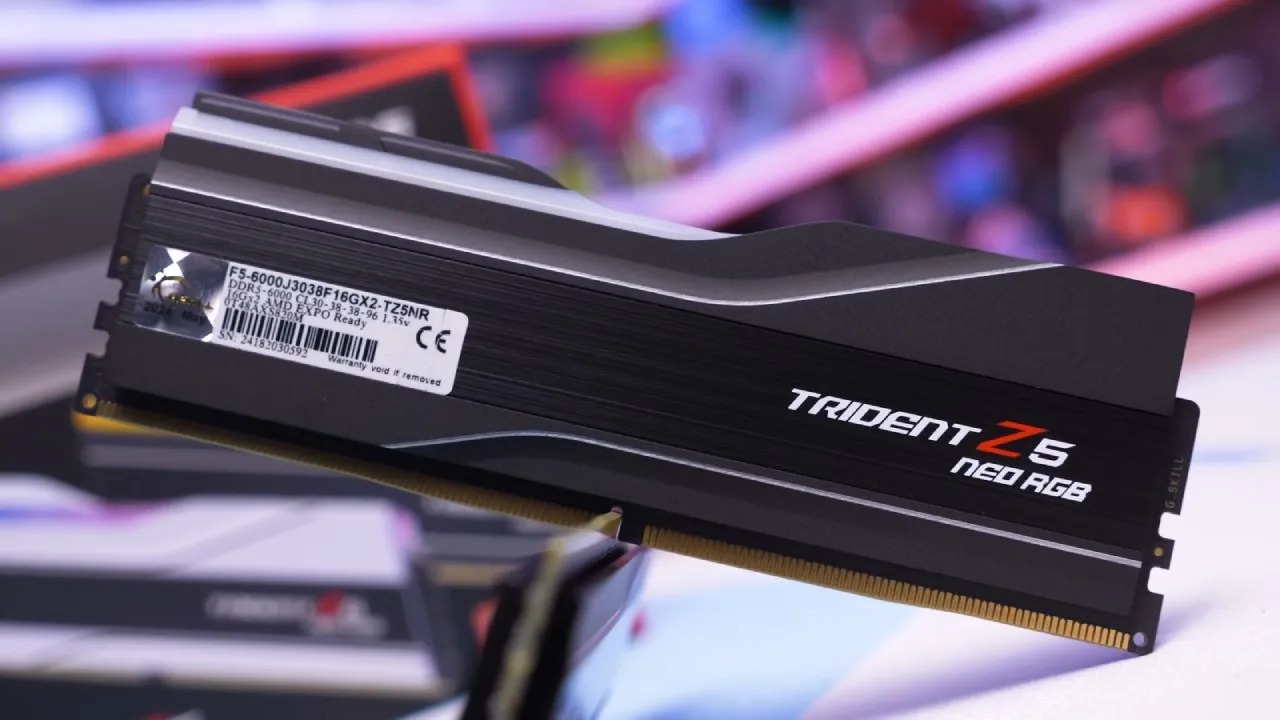
The way DDR5 DIMMs are physically arranged exacerbates the thermal problem. On the ends of the DIM are the memory chips. In the middle are the power management IC (PMIC) and the registered clock driver (RCD).
Placing voltage control on the DIM itself reduces signal interference. It improves wake response, but it also makes high-density memory chips much hotter. The PMIC is usually in the middle of the DIM, which is the hottest part of the DIM. This makes cooling very important.
ECC and Error Correction in DDR5
On-die ECC (error correction code) is now built into almost all DDR5 PC and server DIMMs. Some types of internal DRAM errors can be fixed by on-die ECC, but it is not the same as standard system-level ECC.
Traditional ECC protects the whole data path between the CPU and memory by adding extra data bits. On-die ECC, on the other hand, does not protect against signal-integrity issues or thermal instability caused by bugs in the platform software.
For traditional ECC, modern computers that run Intel Xeon or AMD Threadripper use registered DDR5 ECC DIMs with extra chips per channel. This allows higher density, better yields, and more stable operation under heavy stress.
Desktop DDR5 Challenges Compared to Server Memory
Send it. It is controlled settings with loud fans and engineered airflow where DDR5 memory works, keeping temperatures between 50°C and 60°C. Desktop DDR5 draws on server designs, but it doesn't always offer the same airflow or thermal control.
A lot of the time, DIY or workstation configurations can't match server-class airflow, which is why some desktop users report instability at temperatures as low as 55°C.
Stability is also affected by how different motherboards are built. For example, ASUS Threadripper boards like the TRX50 and WRX90 models exhibit inconsistent throttling behavior, which could lead to thermal runaway.
Users of other brands, like Gigabyte and ASRock, experience more reliable scaling, which preventshelps prevent damage. Silent throttling can slow things down even when it's working right, and acting in strange ways can cause system crashes or memory problems.
How to Monitor and Improve DDR5 Stability
It is very important to monitor the DIM temperatures to avoid overheating and instability. Hardware info64 provides accurate data on Windows, and LM Sensors and RASDaemon can be used by Linux users to monitor thermal performance.
Adding airflow to some desktop setups, such as 3D-printed ducts, small Arctic 40mm fans, or improved case airflow, can help keep DIM temperatures below safe levels.
The airflow required may vary by memory kit. If there is enough airflow, some GSkill DDR5 kits perform better without heat spreaders. In contrast, others perform better with heat spreaders in cooling systems that aren't as effective at cooling. It's important to keep an eye on the DIM temperature zones.
Most DDR5 modules have more than one thermal monitor, usually one at each end and one on the SPD hub or PMIC. Each zone can handle different temperatures. For example, voltage control zones can handle 115°C, but the memory itself shouldn't get above 75°C.
Observed Issues on ASUS Thread Ripper Boards
As of December 2025, ASUS TRX50 and WRX90 boards had a bug that prevented DIM throttle points set in the SPD from being applied. This could cause memory temperatures to rise above safe levels, leading to ECC errors, system instability, or even a complete failure.
The behavior changes all the time. Clearing the CMOS and loading the optimized BIOS settings can sometimes fix it. Still, it usually comes back after a soft reboot.
Desktop DDR5 can become unstable under certain conditions, even if you don't use Threadripper. Even at normal temperatures, mistakes can occur due to small issues such as changes in the signal-to-noise ratio, stress on the voltage regulator, or sensors not in the right place.
DIY and workstation systems can become unstable due to factors such as system load, voltage, and environmental conditions.
Best Practices for Desktop DDR5 Memory
To keep things stable and stop them from getting too hot:
- Actively check the temperatures – you can use Device Info 64 (for Windows) or LM Sensors/RAS Daemon (for Linux).
- If needed, add airflow. Small fans, 3D-printed pipes, or case optimization can make things much more stable.
- Check whether the memory kit works with it. Heat spreaders aren't always helpful; airflow is usually more important.
- Check for BIOS changes. Especially on ASUS boards, newer BIOS versions can improve throttling performance.
- Look out for silent throttling. Performance may change during heavy loads, hurting 1% lows and .1 % lows in gaming. This can happen even if throttling is enabled.

Final Thoughts
DDR5 is fast, but it's very harsh when thermal control isn't done right. Desktop users need to keep an eye on DIM temperatures, ensure there is sufficient airflow, and understand that the type of memory, motherboard, and BIOS all affect stability.
Even small changes to the cooling system have been shown to stop crashes and make the system more reliable. Protecting your DIMs is important if you want to keep their performance and avoid the high costs of replacing current DDR5 memory.
Also, check our other hardware articles below:
- AMD Ryzen 9 9950X3D Review: Setting The Standard For 2025 Gaming CPU
- Amazon Luna 2025 Review: Is Prime Gaming's Cloud Service Your Go-To For Casual Fun?
- AMD RX 9070 XT Review: AMD's RDNA 4 Champion for 1440p Gaming
- GeForce Now Ultimate: Ditching Your Gaming PC For Cloud RTX 4080 Power?
- NVIDIA GeForce RTX 5080 Review (2025): Still A 4K Gaming Powerhouse?
- Intel Core Ultra 9 285K Review And Performance Breakdown (2025)
- AMD Ryzen 7 9800X3D Review: 3D V-Cache Goes God Mode with Stunning Gaming Performance
- Intel Core Ultra 9 285K vs AMD Ryzen 7 9800X3D: In-Depth Gaming Performance and Benchmark Comparison
- NVIDIA GeForce RTX 5080 Super Performance In Cyberpunk 2077: Path Tracing & DLSS 4.0 Tested
- AMD Radeon RX 9070 XT In Cyberpunk 2077: Ray Tracing & FSR 4.0 Tested
- Intel Arc B580 Review: The $250 GPU Revolutionizing 1440p Gaming
- Intel Arc B570 Vs. B580: Value, Specs, And Real-World Gaming Performance
- RTX 5090 Laptop Vs. M4 Max MacBook Pro: Ultimate Raw Performance Vs. Battery Endurance
- Intel Arc b580 Vs. RTX 4060: Game Performance And Value Analysis
- RTX5090 Hell Is Us Demo 4K Ultra Benchmark: DLSS Vs. Native Performance Guide
- NVIDIA RTX 5070 Review: Mid-Range Muscle or Marketing Hype?
- Nintendo Switch 2 Review: Handheld Performance, Features & Value Breakdown
- RTX 5070 Ti Review: Performance, Thermals & Power Efficiency Tested
- Samsung Odyssey OLED G81SF Review 2025: Ultimate 32-Inch QD-OLED Gaming Monitor
- AMD RX 9070 Performance Review: Thermals, Clocks, and Real-World FPS
- AMD Ryzen 5 7600 Review: Best Budget Gaming CPU of 2025?
- AMD Radeon RX 7800 XT Review: RDNA 3 Power For Midrange Gaming
- Asus ROG RTX 5090 Astral OC Vs. Founders Edition: The 4K Gaming Benchmark
- Intel Core i5-13400F Gaming Performance: Still Worth It in 2025?
- ASUS GeForce RTX 5090 LC Liquid Cooled GPU Review: Unmatched Silence & Speed
- ASUS ROG Ally X Handheld Review: Double the Battery, Double the Comfort
- Lenovo Legion Go S Review: The Ultimate Steam Deck 2 Alternative
- Sapphire NITRO+ AMD Radeon RX 9070 XT Review: The Ultimate 4K Gaming GPU
- Alienware 16 Area 51 Review: The Ultimate 2025 Gaming Laptop
- Alienware Area-51 Review: Unmatched 4K, Thermal, and Acoustic Performance
- AMD Ryzen 7 7800X3D: Delivers Gaming Performance Far Beyond Expectations
- AMD Ryzen 9 7900X Review: Powering the AM5 Era with DDR5 & PCIe 5.0
- Intel Core i9‑14900K vs. AMD Ryzen 7 7800X3D: Power Profiles & Gaming Benchmarks
- Intel Core i9 14900K: Specs, Benchmarks, and Competitor Comparison
Editor, NoobFeed
Gaming Hardware Updates
No Data.