
Intel Ultra 5 250K Plus Review: Benchmarks, Gaming Performance, and Power Analysis
Gaming and production benchmarks show consistent uplift while maintaining power levels within expected range for this segment.
Hardware by Nahe Yan on Mar 24, 2026
Ultra 5 250K Plus, or 250KP, is a new $200 CPU from Intel. The Intel Platform Performance Package (PP) is software that comes with the hardware. The software is about 100 MB and is required for the CPU to work properly.
There is also a separate launch for the $300 Ultra 7 270K Plus. The Arrow Lake refresh lineup includes both CPUs, and they work with motherboards that already have the LGA1851 socket. 250K Plus puts Intel's 14th-generation lineup back on par with its 200-series CPUs, which had been falling behind. In some circumstances, it even beats the 285K by a small amount. Turning on extra boost features can even out the results.
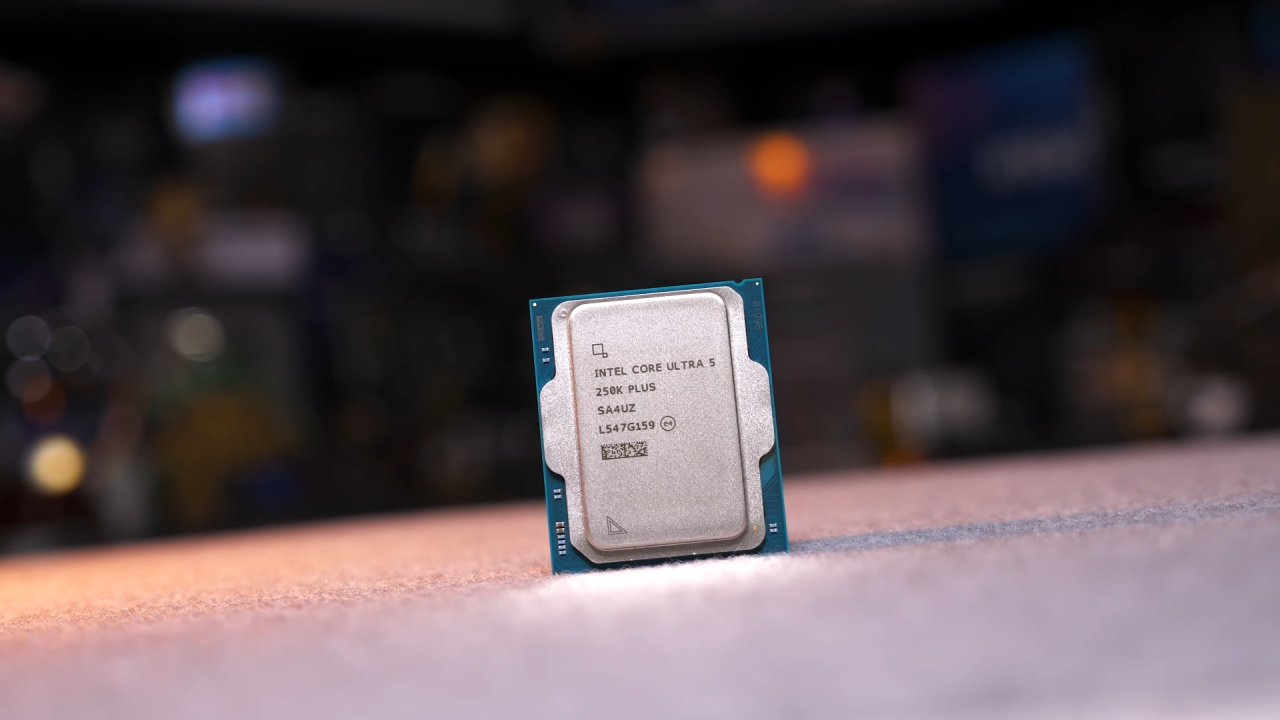
The performance is usually in line with the 14600K and 285K. It falls well short of higher-end X3D CPUs, but those cost more. There are clear gains over the 9600X in gaming and production, with some workloads seeing up to 24% improvement. 250K Plus also performs better than the 245K in almost all situations, thanks to its higher core count and cache, not just faster clock speeds.
Specifications and Market Position
250K Plus costs between $190 and $200. 9600X and 7700X are similar to this one. 9600X costs approximately $190, and the 7700X costs about $250. 7800X3D and other higher-end options cost between $350 and $380. 285K is a lot higher, at about $530.
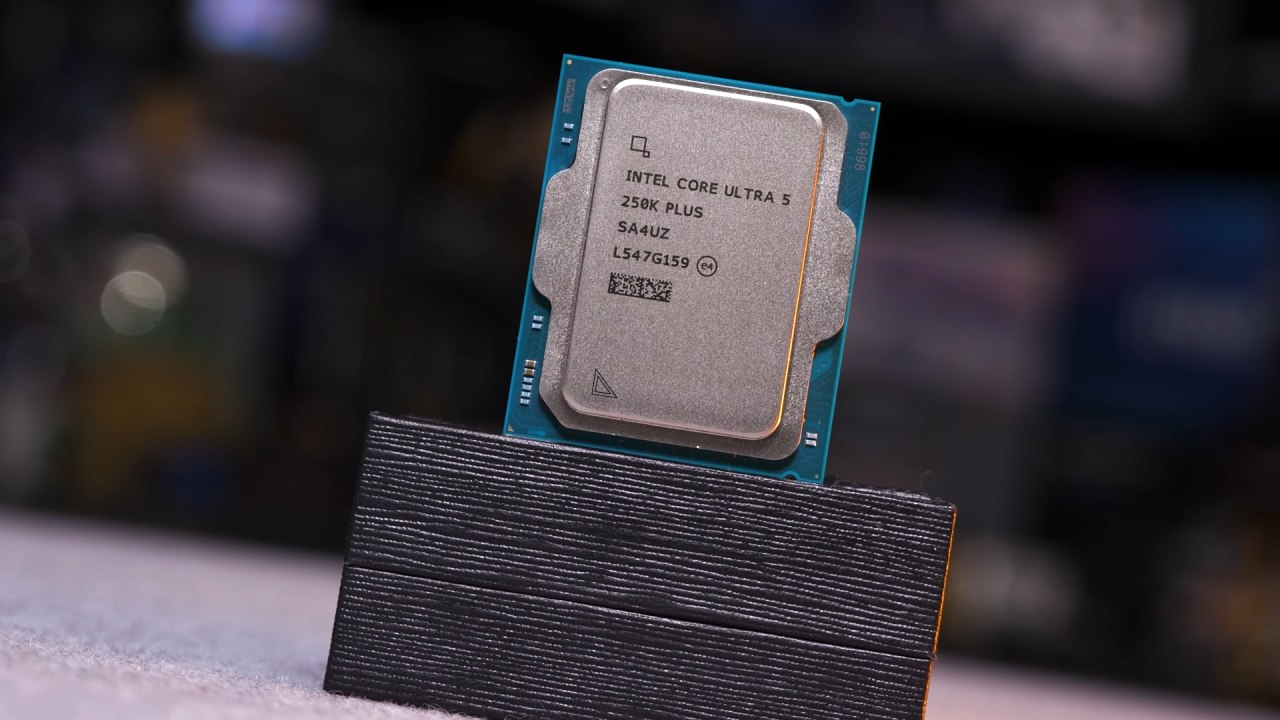
250K Plus has a 6P+12E core configuration, giving it 18 cores and 18 threads. Its maximum boost clock speed is 5.3GHz. It has a reported TDP of 159W and supports DDR5 speeds up to 7200. The L2 cache is 30MB, which is more than the 26 MB of the 245 K. The last 245K had fewer E-cores and slightly lower boost clocks.
Set up the Required Software
There are further procedures to set up the CPU. You have to install the PP package manually after installing the CPU, chipset drivers, and management engine. An extra hotfix .exe was also needed for testing.
We did everything the way it was supposed to be done, but the process was a mess. Installing many components by hand can cause problems. When set up correctly, the CPU works fine, although the configuration is not easy.
Intel also released a tool for optimizing binaries. It only works with 12 apps and gives very little benefit, usually between 1 and 2%. In most cases, the improvement falls within the test variance.
Behavior of Frequency
P-cores averaged about 5.1GHz in all-core workloads, with reductions to 5.0GHz, which is below the promised limit of 5.3GHz. As expected, E-cores remained at 4.6 GHz. The new CPU runs about 100–200 MHz faster than the 245K.
The CPU sometimes reaches 5.3GHz when doing single-core tasks, but most of the time it stays around 5.1GHz. The 245K's highest speed is 5.2GHz, and the 285K's highest speed is 5.7GHz.
How well it Plays Games
At 1080p in Baldur's Gate 3, the 250K Plus with the PP package achieved 109 fps, a 2% increase. In some circumstances, the performance is a little better than the 285K and roughly 8% better than the 245K. But the older X3D CPUs still come out on top, with speeds of 115–116fps.
With the PP package, performance only improved a little in newer games like Outer Worlds 2, where it reached 120 fps. 250K Plus is up to 24% faster than the 9600X.
In Kingdom Come: Deliverance 2, the results were 227 fps, which is around 10% higher than the 245K. The PP package had very little effect on performance in Cyberpunk 2077, which remained around 170 fps.
Improvements over the 245K range are 8%-10%, and over the 9600X range, 10%-24%. But X3D CPUs are still the best for gaming tasks.
Performance in Production
250K Plus reached 152,800MIPS in 7-Zip compression, which is 71% faster than the 9600X. The PP package's decompression speed was 151,000 MIPS, which is about 9% faster than the 14600K.
The render time in Blender was 9.2 minutes, which is 25.8% faster than the 14600K and 22% faster than the 245K. The improvement was 44% compared to the 9600X.
When it comes to Photoshop benchmarks, AMD still has the edge, but its performance is on par with that of higher-end CPUs.
The CPU finished the Chromium compile tests in 133 minutes, far faster than the 9600X, which took 235 minutes.
Energy Use
When Blender was running at full speed, it used about 186W from the outside and 140–150W from the inside. During gameplay, power use ranged from 39W to 171W, with an average of 100W.
Platform Longevity and Value
The LGA1851 platform is probably nearing the end of its life. There aren't many upgrades that can be made to this socket in the future. This differs from the prolonged platform support found elsewhere.
250K Plus offers better pricing and performance than older 200-series CPUs. At $200, it does well in both gaming and production. It doesn't lead in gaming, but it excels at a wide range of tasks.
Final Thoughts
250K Plus fixes problems found in earlier 200-series difficulties. The mid-range segment is seeing better performance, lower prices, and more competition. Gains over the 245K are steady, and production workloads are doing quite well.
The key problems remain the platform's lifetime and the overall system cost, especially memory costs. The CPU itself is a good deal and works well, especially for mixed tasks.
Also, check our other hardware articles:
- AMD Ryzen 9 9950X3D Review: Setting The Standard For 2025 Gaming CPU
- Amazon Luna 2025 Review: Is Prime Gaming's Cloud Service Your Go-To For Casual Fun?
- AMD RX 9070 XT Review: AMD's RDNA 4 Champion for 1440p Gaming
- GeForce Now Ultimate: Ditching Your Gaming PC For Cloud RTX 4080 Power?
- NVIDIA GeForce RTX 5080 Review (2025): Still A 4K Gaming Powerhouse?
- Intel Core Ultra 9 285K Review And Performance Breakdown (2025)
- AMD Ryzen 7 9800X3D Review: 3D V-Cache Goes God Mode with Stunning Gaming Performance
- Intel Core Ultra 9 285K vs AMD Ryzen 7 9800X3D: In-Depth Gaming Performance and Benchmark Comparison
- NVIDIA GeForce RTX 5080 Super Performance In Cyberpunk 2077: Path Tracing & DLSS 4.0 Tested
- AMD Radeon RX 9070 XT In Cyberpunk 2077: Ray Tracing & FSR 4.0 Tested
- Intel Arc B580 Review: The $250 GPU Revolutionizing 1440p Gaming
- Intel Arc B570 Vs. B580: Value, Specs, And Real-World Gaming Performance
- RTX 5090 Laptop Vs. M4 Max MacBook Pro: Ultimate Raw Performance Vs. Battery Endurance
- Intel Arc b580 Vs. RTX 4060: Game Performance And Value Analysis
- RTX5090 Hell Is Us Demo 4K Ultra Benchmark: DLSS Vs. Native Performance Guide
- NVIDIA RTX 5070 Review: Mid-Range Muscle or Marketing Hype?
- Nintendo Switch 2 Review: Handheld Performance, Features & Value Breakdown
- RTX 5070 Ti Review: Performance, Thermals & Power Efficiency Tested
- Samsung Odyssey OLED G81SF Review 2025: Ultimate 32-Inch QD-OLED Gaming Monitor
- AMD RX 9070 Performance Review: Thermals, Clocks, and Real-World FPS
- AMD Ryzen 5 7600 Review: Best Budget Gaming CPU of 2025?
- AMD Radeon RX 7800 XT Review: RDNA 3 Power For Midrange Gaming
- Asus ROG RTX 5090 Astral OC Vs. Founders Edition: The 4K Gaming Benchmark
Editor, NoobFeed
Gaming Hardware Updates
No Data.