
NVIDIA RTX 3070 Still a 1440p Gaming Powerhouse for Under $250
NVIDIA’s Ampere architecture continues to deliver strong results across demanding modern games at 1440p resolution.
Hardware by Masaru Hoshino on Oct 23, 2025
NVIDIA's RTX 3070 earned its reputation quickly after launch—and for good reason. Released in late 2020 at a $499 MSRP, it delivered 2080 Ti-level performance for far less money. Fast forward to 2025, and on the used market, these cards now sell for around $220–$250 depending on the model and condition, placing them firmly in that sensible high-end zone for 1440p gamers.
The card comes equipped with 8GB of GDDR6 memory on a 256-bit bus, 5,888 CUDA cores, and boost clocks around 1.73GHz, all built on Nvidia's Ampere architecture. Being an Nvidia GPU, it also supports DLSS, Super Resolution, and Reflex—features that help squeeze out extra frames and reduce latency in demanding titles.
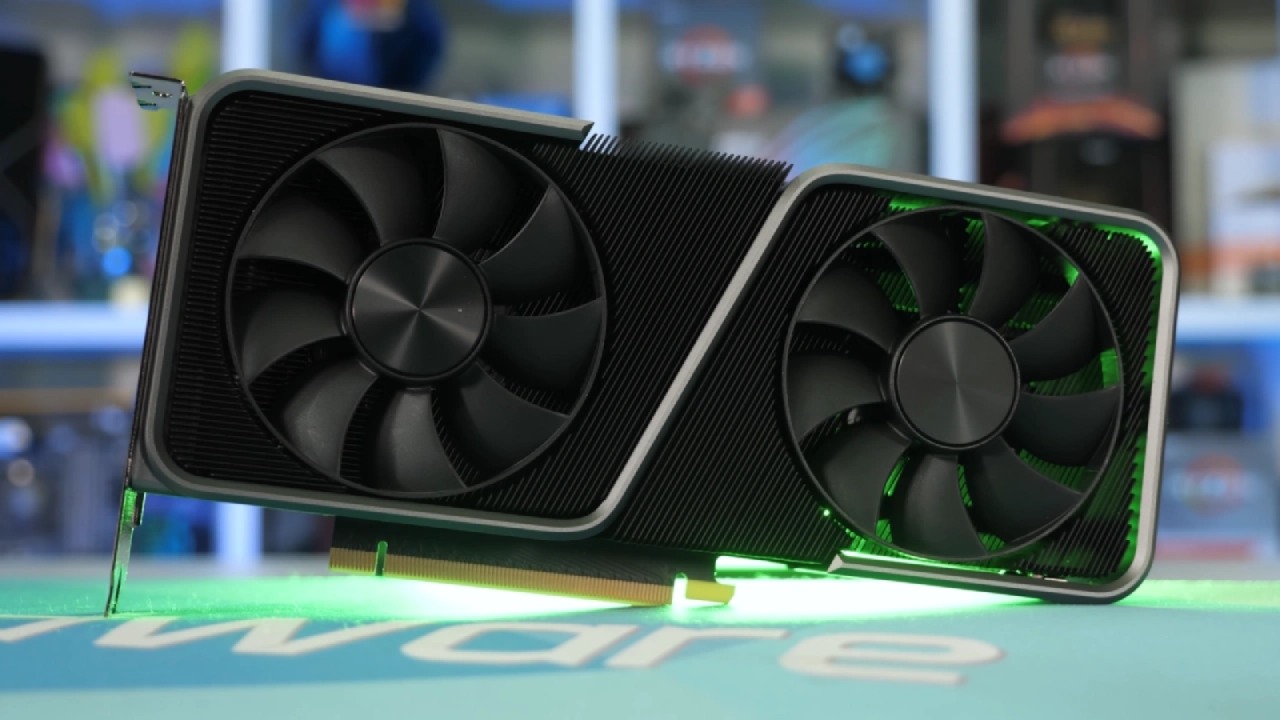
In terms of pure rasterization, a healthy RTX 3070 still feels snappy and capable. It comfortably handles upper-mid to high-end 1440p gaming at high settings, and with the right tweaks, it can even dabble in 4K. For esports players, it remains a 1080p high-refresh monster.
However, there are a few caveats. The most obvious one is the VRAM. While 8GB was fine in 2020, newer titles in 2025 can easily fill that memory, especially at 1440p with ultra textures. Dropping texture quality a notch or two is sometimes necessary.
Ray tracing performance is decent for its generation, but heavy use of it above 1080p quickly exposes memory limitations.
Performance in Modern Games
At 1080p, the RTX 3070 still crushes most games, but the real question is how it fares at 1440p. We focused our tests there, using native resolution and DLSS upscaling to see how much performance can be reclaimed.
Cyberpunk 2077 remains one of the best all-around benchmarks even after five years. At 1440p on high settings, it averaged 79 fps, with a 1% low of 68 fps—an excellent result. Enabling DLSS boosted performance to 116 fps, with 1% lows at 91 fps.
However, turning off upscaling and enabling ray tracing on medium dropped the average to 32fps, showing how tough RT can be on this card. For ray tracing, it's better to use DLSS or drop to 1080p for a smoother experience.
.jpg)
F1 2024, a demanding racing simulator, performed impressively at 1440p ultra-high settings with 132fps averages and 1% lows of 92fps. Even with ray tracing on medium, it managed 101 fps with lows of 70 fps—more than enough for a fast-paced racing experience.
Final Fantasy XVI is another beautiful yet demanding game. At 1440p on high settings, it averaged 60 fps, with lows of 52 fps. Turning on DLSS improved this to 85 fps on average, with smooth delivery and minimal ghosting. For those who prefer a more stable frame rate, DLSS is definitely the way to go.
In The Finals, an intense multiplayer shooter, we achieved 86 fps on epic settings at 1440p, but the 1% lows dropped to 45 fps. Lowering the graphics to medium or enabling DLSS improved performance to 105 fps, with lows of 70 fps. For competitive players, sticking to native resolution and medium settings might be ideal to avoid added latency from upscaling.
God of War Ragnarok at 1440p high settings ran at 100fps on average with lows of 75fps—an excellent showing. DLSS pushed it up to 150fps, though the benefit is minor for a largely single-player experience.
Pushing the Limits
Not every game plays nicely with the RTX 3070's aging architecture. Monster Hunter Wilds, one of the toughest titles to run, delivered only 48 fps at 1440p on high settings, improving to 62 fps with DLSS enabled. Lowering the graphics to medium or low helps, but even then, the 8GB VRAM limit starts to show.
Space Marine 2, another recent release, averaged 60 fps on high settings and 75 fps with DLSS. It's perfectly playable, though users might prefer to tweak settings to their personal preferences.

Spider-Man 2 ran beautifully at 1440p on high settings, averaging 85fps and dropping to 1% lows just below 60fps. Turning on DLSS brought it up to 101fps, improving overall responsiveness and consistency.
Black Myth: Wukong, a visually stunning yet notoriously unoptimized title, struggled even on medium settings. It got 87 frames per second (fps) with DLSS and 75% resolution scaling, whereas it got 58 fps at original 1440p with medium settings. It can be played, but problems with optimization keep it from being great.
Fortnite is the last game that shows off the RTX 3070's physical strength, even if it is CPU-bound. It averaged 165 frames per second (fps) at 1440p on high settings, which is great for competitive play. It is still a top card for esports with a powerful CPU.
Still a 1440p Beast in 2025
After testing across a variety of genres, we can confidently say that the RTX 3070 continues to hold its own in 2025. It's not flawless—the 8GB VRAM can be restrictive in the newest AAA games, and it lacks DLSS 4 and frame generation found on newer GPUs—but for the price, it's an incredible value.
For under $250, you'll struggle to find a better-performing GPU. It delivers excellent 1440p gaming, can handle 4K with some smart tweaks, and continues to benefit from Nvidia's reliable driver support. While newer GPUs like the Intel B580 might offer competition, the RTX 3070 remains a solid choice for those seeking near high-end performance without next-gen pricing.
If you already own one, there's no urgent reason to upgrade. And if you find a well-maintained used unit, it's still one of the smartest buys for 1440p gaming in 2025.
Also, check our other NVIDIA articles below:
- GeForce RTX 5090 Unleashed: Is NVIDIA's New Flagship the Ultimate 4K Gaming GPU?
- NVIDIA GeForce RTX 5080 Review (2025): Still A 4K Gaming Powerhouse?
- RTX 5090 Performance Testing In GTA 5 – 1080p, 1440p, and 4K Max Settings Benchmark
- NVIDIA RTX 5070 Review: Mid-Range Muscle or Marketing Hype?
- RTX 5070 Ti Review: Performance, Thermals & Power Efficiency Tested
- ASUS ROG Astral RTX 5090 OC Edition Review: 32GB GDDR7 & 4K Gaming Benchmark
- ASUS GeForce RTX 5090 LC Liquid Cooled GPU Review: Unmatched Silence & Speed
- MSI GeForce RTX 5090 32GB SUPRIM SOC Review: Power Efficiency, Cooling, and Gaming Performance
- INNO3D RTX 5060 Ti 16 GB X2 Review: Gaming Benchmarks, Temps, and Power Efficiency
- HP Omen 45L Review: RTX 5090 Performance, Thermals, and Value Analysis
- ASUS TUF Gaming GeForce RTX 5060 Ti Review: DLSS 4, Power Efficiency, and Gaming
- ASUS Prime RTX 5060 Ti OC 16GB Review: DLSS 4, Ray Tracing, & Thermals Tested
- NVIDIA GeForce RTX 5060 Review: Specs, Gaming, and Cost per Frame
- MSI GeForce RTX 5090 GAMING TRIO OC Review: A Monster Power GPU
Editor, NoobFeed
Gaming Hardware Updates
No Data.