
Asus ROG Xbox Ally vs. Steam Deck OLED: Performance, Comfort, and Windows Freedom
Ergonomic Xbox-Style Design That Prioritizes Long Gaming Comfort Over Ultra-Thin Trends.
Hardware by Mitsuba Miyu on Feb 15, 2026
Since its release, the Asus ROG Xbox Ally has received many negative reviews. A lot of reviews talk about how short the battery life is, how hard it is to understand the name, and how annoying it is to use Windows on a portable device.
People often talk about how it's like the Steam Deck or the Legion Go. A lot of the criticism, though, comes from comparing the device to the wrong rivals and not understanding what it's meant to do. When viewed through the right lens, the ROG Xbox Ally shows itself to be a strong and surprisingly flexible handheld that works best when used as it was meant to be.
.jpg)
Ergonomics That Redefine Comfort
We noticed right away how good the ROG Xbox Ally feels in our hands. For long game sessions, comfort is more important than thinness, and this is where the device really shines. It's without a doubt one of the most comfy handhelds we've ever used.
The grips are shaped like those on Xbox and fit naturally in your hands. The textured back makes sure it always feels safe. Many handhelds cause hand cramps, especially after long sessions, but the Ally reduces that problem. It feels like the full-size analog sticks, triggers, and face buttons are well-built and respond quickly. Touch feedback adds a level of realism that many other handhelds don't have.
Instead of following the latest trend of ultra-thin designs, Asus put comfort first. The end result is a gadget that feels like a well-thought-out mouse with a full PC inside it.
Front-Facing Speakers That Impress
When handheld games are reviewed, sound quality is often forgotten, but it's an important part of the experience. The Ally has big speaker grills on the front that face straight toward you. It's very clear in sound because the speakers are farther apart than most faces.
It's clear that the right speaker is hitting your right ear and the left speaker is hitting your left ear. This makes a stereo spread that sounds a lot like surround sound. It's amazing how accurate directional noise cues are. The volume yield is also very good.
The speakers are so loud that levels between 6 and 14 out of 100 are usually enough to make listening easy. In most places, pushing past 20 doesn't seem required. These are some of the best portable speakers we've tried.
A Gorgeous 7in 1080p120hz VRR Display
The 7-inch 1080p120hz touchscreen is amazing. It is clear, bright, and sharp enough to see in most places that aren't in full sunlight. Motion looks and feels very smooth because of the 120Hz refresh rate, and VRR makes stuttering much less noticeable when frame rates change.
But this is where many people get the gadget wrong. People often think that all games should run at 1080p when they see a 1080p screen. When that quality slows down performance in demanding AAA games, the device is called "underpowered." But resolution power does not tell you how to best use something.
The 720p Sweet Spot: Where the Ally Becomes a Beast
The ROG Xbox Ally's real trick is to use it as a 720p powerhouse. 720p looks great on a 7-inch screen. When compared to 1080p, the speed boost is huge.
At 720p and medium to high settings, and sometimes even ultra settings, the VRR display can smoothly handle 40 to 50 frames per second in demanding current games. With all settings set to max, older games like Halo: The Master Chief Collection or Doom 2016 can run at 60fps or higher without any issues. It's very smooth to play Spider-Man: Miles Morales at ultra settings in 720p.
The key is to use AMD FidelityFX Super Resolution set to balanced. When the game renders at a lower resolution, it intelligently upscales, greatly improving performance without introducing blur. It's hard to tell the difference between original 720p and upscaled 720p on a small screen, but it's huge between 30fps and 60fps.
The AMD Ryzen Z2A APU is designed to work smarter, not harder. When we think of the Ally this way, we get a smooth, responsive, and truly fun portable gaming experience.
Display Brightness Quirk
One strange thing about the screen is that the brightness dims when it's plugged in. The screen gets bright enough on battery power, but when plugged into the wall charger, it gets about 20% brighter. The screen is clearly brighter when the slider is plugged in, even when the battery is completely dead.
Even though the goal is probably to save battery life, we'd rather have full direct control over the brightest setting, no matter the power source. The screen looks better when plugged in for the best viewing experience.
Battery Life: Understanding the Trade-Off
One of the main issues is the short battery life. The 60Wh battery is about the same as the one in the original Steam Deck. Still, the Ally's more powerful hardware uses more power. In AAA games that are hard to play, you might get about 1.5 to 2.5 hours of free time.
Some people can't go through with it. But the point of view is important. It is big and heavy, the Ally. It's not always the best gadget for long flights as your only source of entertainment. Instead, it shines as the best mobile for home use.
It's used on the couch while someone watches TV or in bed for one last task. It lets you move from room to room without being tied to a desk, but it's still close to an outlet. When the device is plugged in, turbo mode can run indefinitely, letting you use all its features without worrying about remaining battery life.
Because of its versatility, it's a compact powerhouse for your home.
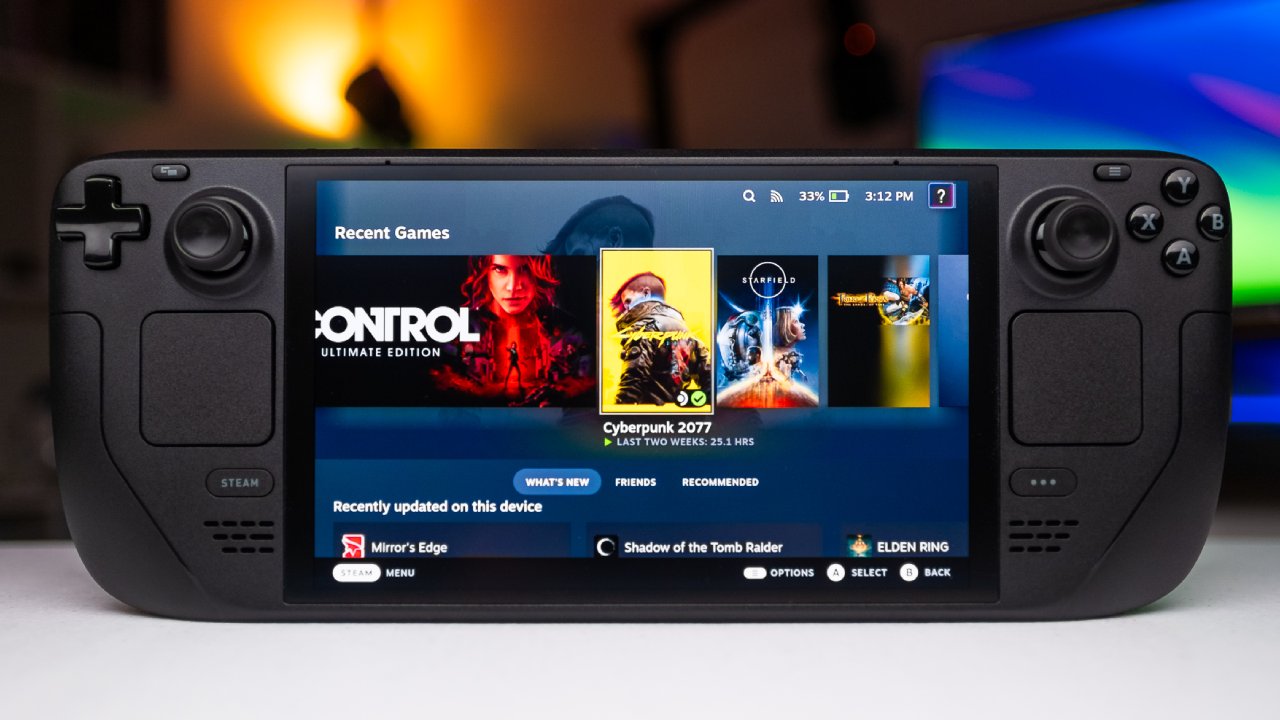
Built-In Xbox Remote Play and Streaming Flexibility
Some people have said that the Ally doesn't play most Xbox games directly, but Xbox Remote Play works perfectly with it. When you sign in with a Microsoft account, streaming from an Xbox console is set up immediately. The process doesn't require much setup.
It looks great to stream and uses a lot less battery than playing demanding games nearby. We can also stream from a PS4 using Steam Remote Play. There have also been reports of PlayStation Remote Play support, which adds to the options.
Windows 11: The Good Thing Behind the Bad
At first, the software is definitely hard to understand. When setting up for the first time, it can take hours to download Windows 11 updates, Armory Crate updates, GPU drivers, BIOS updates, and games.
But once it's set up, Windows is the best thing about the gadget. It runs full Windows 11, so you can use Xbox Game Pass, Steam, the Epic Games Store, GOG, Battle.net, and almost any other PC launcher to get games. No one can get locked into an environment.
The Xbox full-screen mode tries to look like a device and brings together games from different launchers into a single library. Even though it's a little clunky, the versatility is unmatched.
Installing alternatives like Bazzite SteamOS is a choice for users who want an interface that looks like Steam Deck. That being open is a big plus.
Who Should Buy the ROG Xbox Ally?
Not everyone should have the ROG Xbox Ally. It's not the best for people who want an easy "plug and play" console experience. It's not the best choice for someone who needs 6 hours of battery life to play demanding AAA games on long journeys.
Instead, it's great for PC games and DIYers. It's for people who like to change settings around until they get the best mix of performance and looks. It is perfect for people who have libraries on different PCs but only want one gadget.
The Z2A model, which costs about $599 but can be found for as little as $500, goes up against the Steam Deck OLED immediately. At the sale price, it's very hard to resist. Seeing this device on sale is interesting given how the market is moving right now and the fact that hardware prices are rising due to AI demand and supply constraints.
Final Thoughts
That's how the Asus ROG Xbox Ally was judged from the start. People didn't like how long the battery lasted or how well it worked in 1080p, even though that's not how it was meant to be used.
If you change your standards and see the device as a comfortable, powerful, and flexible 720p gaming machine, it becomes one of the best handhelds you can buy. It treats your game library with care, gives you unmatched software freedom, and makes you feel very comfortable.
There are times when people have too high standards. If you look at it the right way, the ROG Xbox Ally is a great small game console that you should give another chance.
Also, check our other hardware articles:
- AMD Ryzen 9 9950X3D Review: Setting The Standard For 2025 Gaming CPU
- Amazon Luna 2025 Review: Is Prime Gaming's Cloud Service Your Go-To For Casual Fun?
- AMD RX 9070 XT Review: AMD's RDNA 4 Champion for 1440p Gaming
- GeForce Now Ultimate: Ditching Your Gaming PC For Cloud RTX 4080 Power?
- NVIDIA GeForce RTX 5080 Review (2025): Still A 4K Gaming Powerhouse?
- Intel Core Ultra 9 285K Review And Performance Breakdown (2025)
- AMD Ryzen 7 9800X3D Review: 3D V-Cache Goes God Mode with Stunning Gaming Performance
- Intel Core Ultra 9 285K vs AMD Ryzen 7 9800X3D: In-Depth Gaming Performance and Benchmark Comparison
- NVIDIA GeForce RTX 5080 Super Performance In Cyberpunk 2077: Path Tracing & DLSS 4.0 Tested
- AMD Radeon RX 9070 XT In Cyberpunk 2077: Ray Tracing & FSR 4.0 Tested
- Intel Arc B580 Review: The $250 GPU Revolutionizing 1440p Gaming
- Intel Arc B570 Vs. B580: Value, Specs, And Real-World Gaming Performance
- RTX 5090 Laptop Vs. M4 Max MacBook Pro: Ultimate Raw Performance Vs. Battery Endurance
- Intel Arc b580 Vs. RTX 4060: Game Performance And Value Analysis
- RTX5090 Hell Is Us Demo 4K Ultra Benchmark: DLSS Vs. Native Performance Guide
- NVIDIA RTX 5070 Review: Mid-Range Muscle or Marketing Hype?
- Nintendo Switch 2 Review: Handheld Performance, Features & Value Breakdown
- RTX 5070 Ti Review: Performance, Thermals & Power Efficiency Tested
- Samsung Odyssey OLED G81SF Review 2025: Ultimate 32-Inch QD-OLED Gaming Monitor
- AMD RX 9070 Performance Review: Thermals, Clocks, and Real-World FPS
- AMD Ryzen 5 7600 Review: Best Budget Gaming CPU of 2025?
- AMD Radeon RX 7800 XT Review: RDNA 3 Power For Midrange Gaming
- Asus ROG RTX 5090 Astral OC Vs. Founders Edition: The 4K Gaming Benchmark
Editor, NoobFeed
Gaming Hardware Updates
No Data.