
SAND: Raiders of Sophie Guide | How to Add Stairs on Trampler
Here's a guide on how to add stairs on trampler in SAND: Raiders of Sophie.
Game Guide by Rubaiyat Shihab on Jul 05, 2026
Ladders between floors on your Trampler get tedious quickly and can be a problem if you get stuck. If you've been feeling that way, then SAND: Raiders of Sophie will let you unlock stairs. They are more space consuming and require additional materials than ladders, but once you have them, moving around your Trampler becomes much easier, particularly on larger builds.
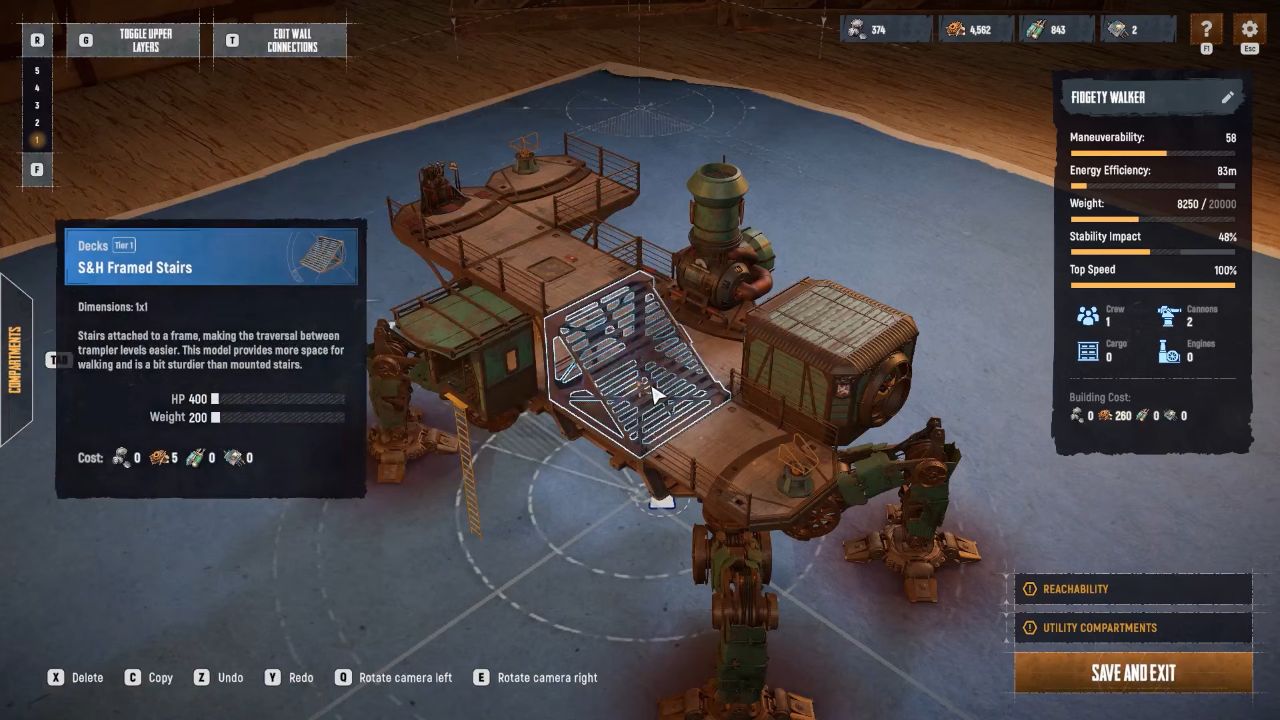
Unlocking Stairs in the Tech Tree
Head to the Tech Tree from the main lobby and find Godski's branch. In this branch there are two types of stairs. The first one you'll come across is Balcony Stairs, which attach to the outside of your Trampler on a balcony. Continue through the branch and you will arrive at Framed Stairs, which are intended for your Trampler.
Placing Framed Stairs
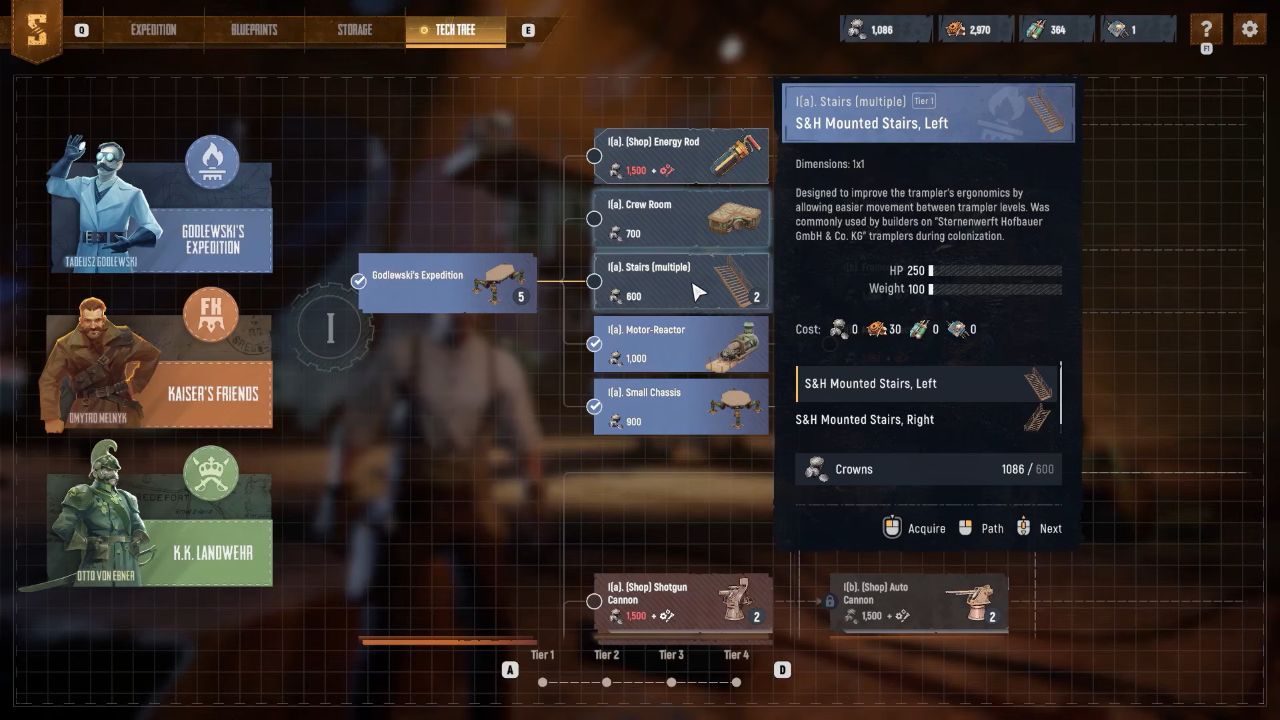
After unlocking the stairs you wish to use, enter the blueprints menu and open your Trampler for editing. To place Framed Stairs, go to the decks tab and drop them anywhere in the build. Remember, they occupy space in the compartments, so design your layout around that before you make a commitment.
Placing Balcony Stairs
If you want to save space inside your Trampler, Balcony Stairs are the better option. You will need to construct balconies on both ends before you can place them. The stairs will appear in red when placed, which simply indicates that they are not connected to a compatible framed compartment. The solution is to install a frame deck (or any other type of framed compartment) adjacent to the balcony, giving the stairs a place to land.
When everything is in place, you won't need ladders to move around your Trampler again.
Also, check our SAND: Raiders of Sophie Review and other guides below:
- SAND: Raiders of Sophie Guide | How to Get Mechanical Parts
- SAND: Raiders of Sophie Guide | How to Get Threads
- SAND: Raiders of Sophie Guide | How to Get Fabric Scraps
- SAND: Raiders of Sophie Guide | How to Add Cannons
- SAND: Raiders of Sophie Guide | How to Build Trampler
- SAND: Raiders of Sophie Guide | How to Get Pneumatic Parts
- SAND: Raiders of Sophie Guide | How to Get Scrapped Ammo
- SAND: Raiders of Sophie Guide | How to Get Weird Corals
- SAND: Raiders of Sophie Guide | How to Refuel Trampler
- SAND: Raiders of Sophie Guide | How to Sell & Buy Items
- SAND: Raiders of Sophie Guide | How to Reload Cannons Faster
- SAND: Raiders of Sophie Guide | How to Unlock Weapons in Shop
- SAND: Raiders of Sophie Guide | How to Repair Trampler
- SAND: Raiders of Sophie Guide | How to Unlock Motor Reactors
- SAND: Raiders of Sophie Guide | How to Drive Trampler
- SAND: Raiders of Sophie Guide | How to Farm Coral Chunks
- SAND: Raiders of Sophie Guide | How to Get Secure Entrance in Trampler
- SAND: Raiders of Sophie Guide | How to Heal
- SAND: Raiders of Sophie Guide | How to Extract Resources
- SAND: Raiders of Sophie Guide | How to Unlock Trampler Chassis
- SAND: Raiders of Sophie Guide | How to Earn Crown Fast
- SAND: Raiders of Sophie Guide | How to Unlock Armors
- SAND: Raiders of Sophie Guide | How to Get Gunpowder
- SAND: Raiders of Sophie Guide | How To Get Extra Slot in Storage
- SAND: Raiders of Sophie Guide | How to Get Best Gunpowder
- SAND: Raiders of Sophie Guide | How to Get Medkits
- SAND: Raiders of Sophie Guide | How to Get Leviathan Meat
- SAND: Raiders of Sophie Guide | How to Open Locked Doors
- SAND: Raiders of Sophie Guide | How to Unlock Cargo Decks
- SAND: Raiders of Sophie Guide | How to Complete Contracts
- SAND: Raiders of Sophie Guide | How to Get Alloy Steel
- SAND: Raiders of Sophie Guide | How to Get Metal Rods
- SAND: Raiders of Sophie Guide | How to Get Weapon Parts
Editor, NoobFeed
Latest Articles
No Data.