

Steam Machine Hands-On Overview Covering Hardware, Connectivity, and Gaming Features
Steam Machine combines compact hardware, integrated wireless connectivity, and multiple display options for flexible gaming setups.
Hardware by Godrics01 on Jun 25, 2026
Steam Machine is designed to bring a PC gaming experience into a living room-friendly form factor while running SteamOS. It combines a compact design, built-in wireless connectivity, multiple display options, and support for a wide range of controllers. From unboxing to initial setup, the process is straightforward and focused on getting games up and running quickly.
The box for the 2TB Steam Machine with the Steam Controller bundle includes the Steam Controller, additional accessories, and the Steam Machine itself. Depending on the model purchased, the contents may vary, and some versions may include fewer items. Under the top packaging, the Steam Controller is stored separately.

Steam Machine Design and Connectivity
The 2TB Steam Machine models, including both standalone and bundle versions, also include two extra faceplates. These can be swapped onto the front of the system to customize it. Steam Machine can be lifted from the box using the attached handle. Standalone models are packaged in the same way. After pulling the sealing tab and opening the box, you will find the Steam Machine, an HDMI cable, and a power cord compatible with your region's power outlets.
Steam Machine measures roughly six inches square, making it similar in size to a small tissue box. Despite its compact footprint, it includes the connectivity needed for both living room and desktop gaming setups. On the front, there are two USB-A ports, a microSD card slot, an LED strip, an indicator LED, and the power button.
The rear panel includes DisplayPort, HDMI, power input, Gigabit Ethernet, one USB-C port, and two USB-A ports. Wi-Fi and Bluetooth antennas inside the system are intended to reduce interference.
Steam Machine also has a built-in wireless adapter for the Steam Controller, so you can connect a Steam Controller directly to the machine without the Steam Controller puck. Because the power supply is built into the chassis, there is no need for a separate power brick, making cable management easier.
Customizable Faceplates
The front faceplate is removable on all Steam Machine models. If you have the 2TB model, two additional faceplates are included. One features a solid walnut finish, while the other uses a bright red fabric covering.
CAD files and design details for these faceplates are planned for release, allowing the community to create and share custom designs. Getting started is simple. We only need to connect the Steam Machine to power and attach it to a display using the included HDMI cable.
You can also connect through DisplayPort if preferred, or use both outputs simultaneously. Before powering on the system, make sure it is placed on a hard surface, not directly on carpet or in an enclosed space. The cooling system draws air through the bottom vent and exhausts it through the rear, so adequate airflow is necessary for proper operation.
Initial Setup Process
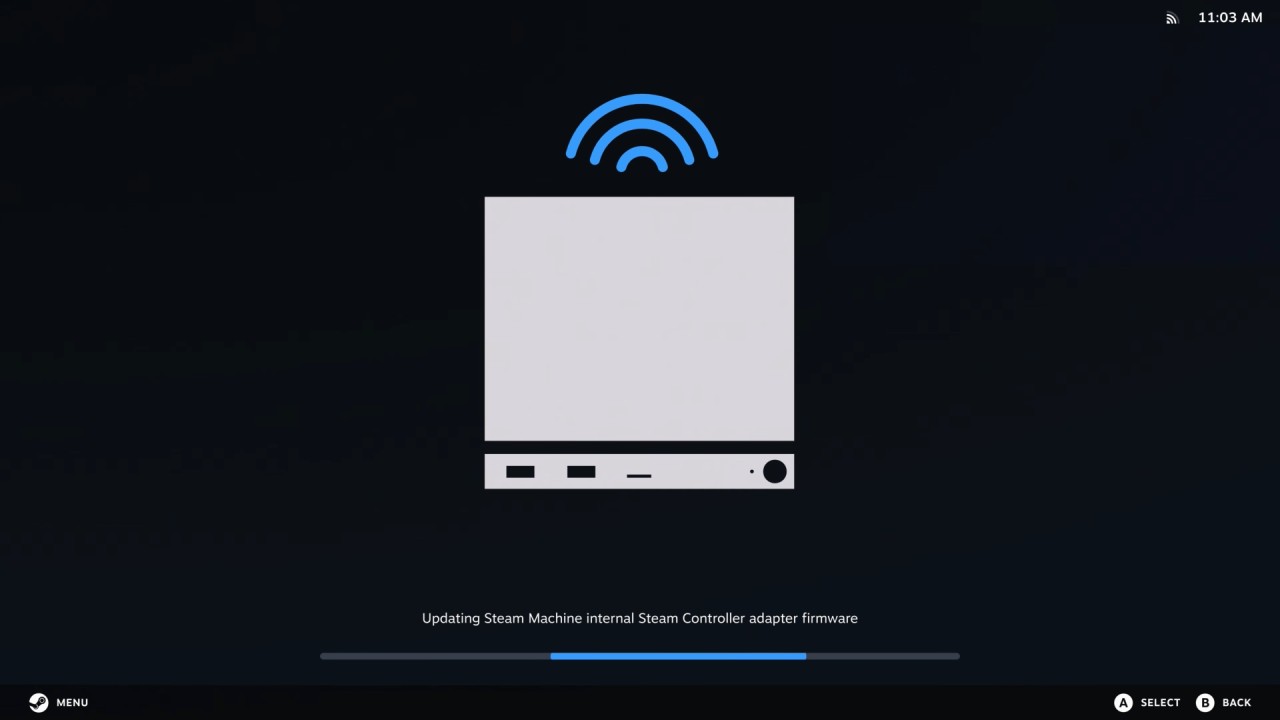
When you press the power button, the setup directions appear on the screen. Set up the Steam Controller if you bought the package or already have one. Connect the Steam Controller puck to the Steam Machine and turn it on. Follow the steps shown on the screen to complete any necessary changes.
Once updates are finished, you will be prompted to pair the controller directly with the Steam Machine. We found this setup method useful because it allows features such as powering on the Steam Machine directly from the controller. Like the Steam Controller puck, the internal wireless adapter supports pairing up to four Steam Controllers simultaneously.
You are not limited to the Steam Controller. Steam Machine supports every controller supported by Steam, allowing you to use whichever input method feels most comfortable. You can connect controllers, keyboards, or mice through USB during setup. Bluetooth pairing options are also available later through the system settings.
After signing in, you are greeted with a familiar interface. If you have used Big Picture Mode or a Steam Deck before, your Steam library will already feel familiar. Steam Machine runs SteamOS, delivering the same gamepad-focused interface found on Steam Deck. We get integrated system updates, streamlined navigation, and the quality-of-life features associated with SteamOS devices.
Desktop Mode is also available, providing access to a traditional desktop environment whenever needed.
Managing, purchasing, downloading, and launching games can all be handled through the controller-focused interface. Steam Machine includes a verification program similar to the Steam Deck compatibility system. You can quickly see whether a game is marked as Verified, Playable, Unsupported, or Untested.
With six times the performance of the Steam Deck, many games that were previously unsupported or playable only on the Steam Deck can now run well on Steam Machines and achieve Verified status. You can change the faceplates, but you can also change the colors and actions of the Steam Machine's LEDs or turn them off completely. You can change the starting movies and keyboard styles just like you can change the Steam Deck.
The LED strip can even show the progress of downloads while games or updates are being installed, so you can see what's going on without opening any extra apps. When you finish gaming, you can place the Steam Machine into sleep mode directly from the controller or by pressing the power button on the system. This allows you to quickly resume gaming later while maintaining the convenience expected from a living room gaming device.
Editor, NoobFeed
Latest Articles
No Data.