
AMD RX 9070 XT eGPU Dock Paired with Lenovo Legion Go Review: 4K Gaming Benchmarks
Experience seamless 4K gaming on AMD RX 9070 XT and AG02 eGPU dock with AMD Frame Generation and USB4 connectivity
Hardware by Tanvir Kabbo on Jul 08, 2025
The AMD RX 9070 XT delivers exceptional price-to-performance for GPU enthusiasts, especially when paired with a capable eGPU dock. By combining powerful hardware with portable form factors, you can enjoy near-desktop graphics on the go without sacrificing quality or frame rates.
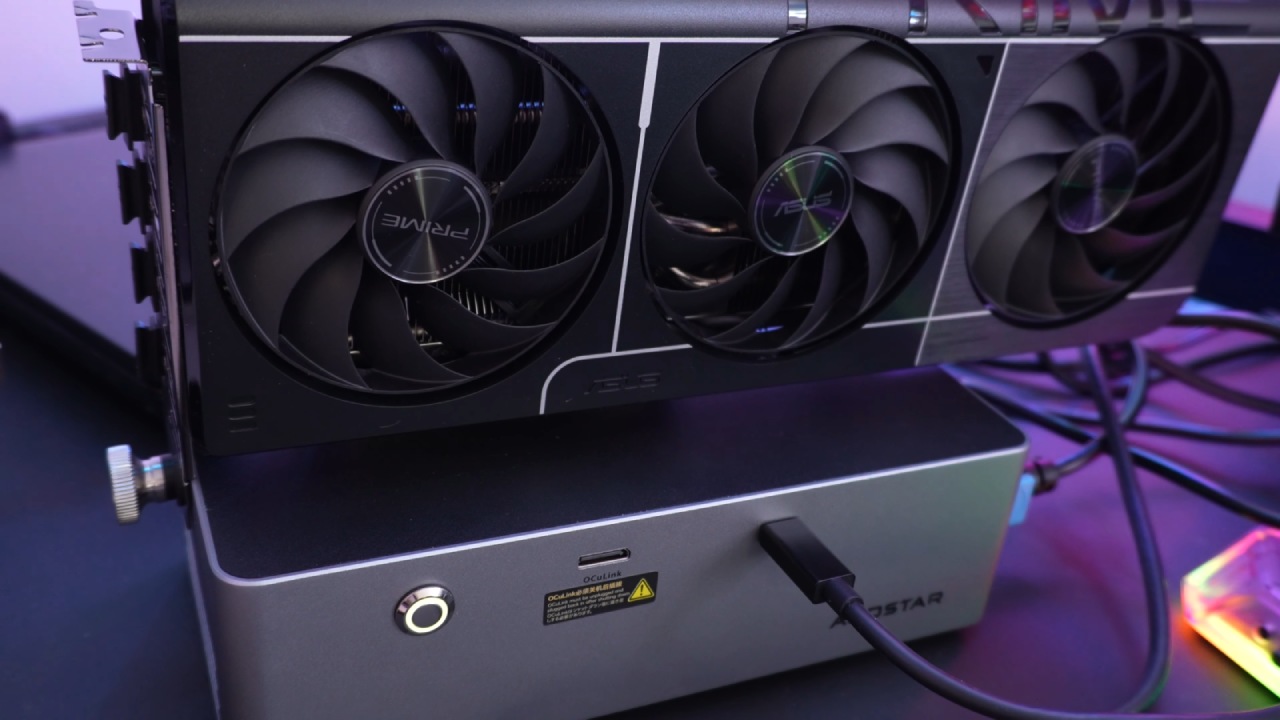
eGPU Dock Setup
We start by preparing the AG02 dock and removing the protective wrap from the RX 9070 XT. This chassis ensures sufficient power delivery with an 800W PSU and Oculink and USB4 connectivity. Slide the GPU into the PCIe slot, tighten it with a thumb screw, and then plug in the included PCIe power cables to install it.
Once the graphics card is seated, attach the USB4 cable from your host device to the dock. If you prefer wired networking, plug an Ethernet cable into the dock's RJ-45 socket.
If you rely on wired networking, you can also attach an Ethernet connection to the dock's RJ-45 port. The LED indicator lights up after the device is powered on, verifying that the connection is successful and that the driver is ready for installation.
Installing Drivers and Integrating the System
The most recent AMD drivers were downloaded straight from AMD's website after the physical connection was made. The installation wizard prompted a reboot to apply the GPU drivers, followed by a second restart to update the chipset drivers.
Once Windows 11 booted again, we discovered that the "Safely Remove Hardware" feature does not recognize the eGPU as hot-swappable. To avoid a system crash or blue screen, always close or exit your host system's applications before disconnecting the USB4 cable.
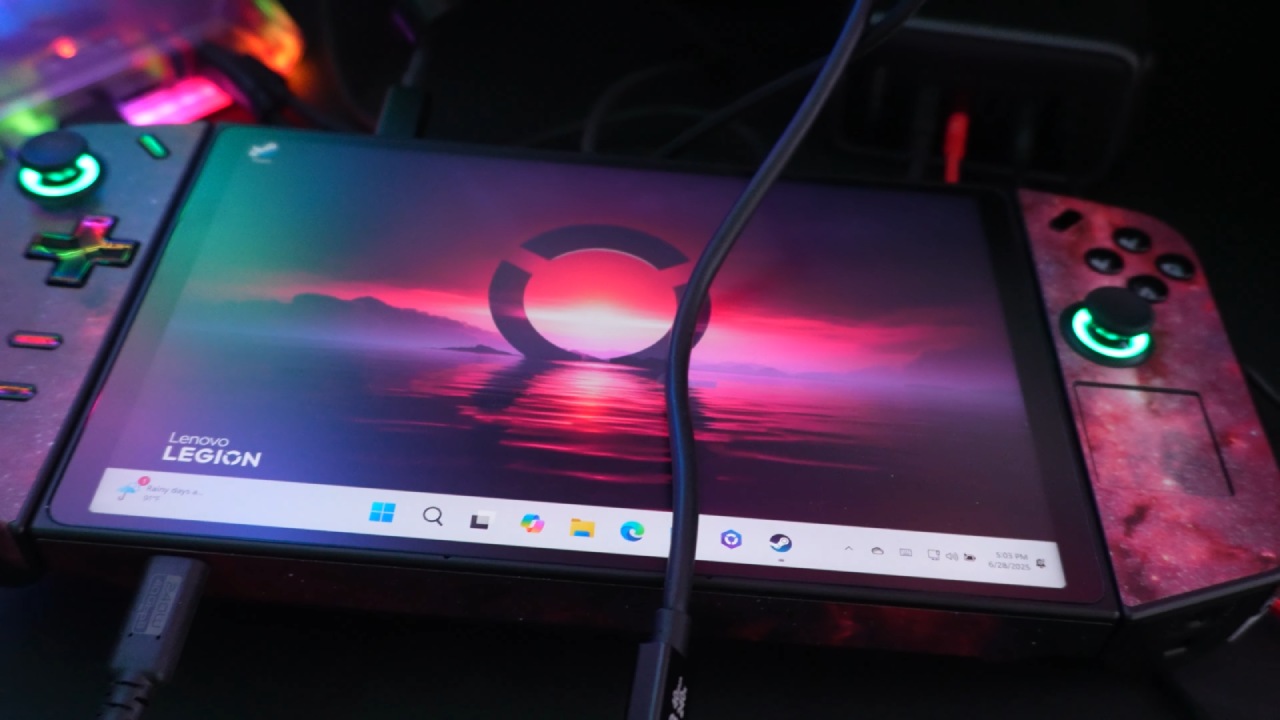
Synthetic Benchmark Performance
In our 3DMark Time Spy test, the RX 9070 XT scored 6,220 points, demonstrating strong DirectX 12 performance. Port Royal, which emphasizes real time ray tracing, yielded 17,198 points, while Fire Strike posted 28,869 points in DirectX 11.
Our storage benchmark on a Samsung EVO 2280 2TB NVMe SSD registered sequential read speeds of 2,100 MB/s. We also evaluated AMD FSR 2, achieving up to 140 fps with a 66% quality preset impact, and measured a latency of 58.45 ms in our input time-spy test.
Real World Gaming Performance
When we fired up Cyberpunk 2077 at 4K with VSync off, the game felt smooth but hovered around the mid-50 fps mark—good, but not quite as fluid as we hoped. Once we turned on AMD Frame Generation, though, everything came alive: frame rates jumped into the 90–100 fps range, and the world felt noticeably more responsive under our thumbs.
In Call of Duty 6's multiplayer matches, we consistently saw about 60 fps at 4K, which kept every firefight feeling crisp and immediate. Even in Dying Light—an older title that often gets overlooked—the RX 9070 XT handled Ultra settings surprisingly well, delivering anywhere from 30 to 60 fps and reminding us that classic games can still shine on modern hardware.
Horizon Forbidden West ran at a consistent 40–50 fps, providing fluid visuals despite the demanding open world. God of War at 4K hovered around 60 fps with FSR off; while FSR isn't strictly necessary, it can yield modest improvements in more complex scenes.
Less demanding titles such as Stray, Trip The Ark 2, Forza Motorsport 7, and Quake Champions all ran between 80-120 fps, confirming that USB4 bandwidth is sufficient for high refresh gameplay.
Monster Hunter: Wilds proved nearly unplayable without FSR and Frame Generation, averaging only 40 fps; enabling these features boosted performance to 60–80 fps, restoring smooth gameplay.
.jpg)
Value Proposition
By combining the AMD RX 9070 XT with the AG02 eGPU dock, we achieved near-desktop gaming performance via USB4. Driver updates were completed in two reboots, and installation was simple.
Simulated results have shown the GPU's enormous potential, while real-world studies have shown that turning on AMD FSR 2 and Frame Generation can yield significant performance improvements.
High-end gaming on the go without the entire desktop footprint is made possible by this arrangement's remarkable performance, ease of use, and versatility.
Check our Other Handheld Articles :
- ASUS ROG Ally X Handheld Review: Double the Battery, Double the Comfort
- Nintendo Switch 2 Vs. Original Switch 1: A Full Comparison
- How To Connect A Camera And Join Voice Chat With Nintendo Switch 2
- Nintendo Switch 2 Review: Handheld Performance, Features & Value Breakdown
- ROG Xbox Ally X Vs. ROG Ally X: Display, Battery & Controls
- ASUS ROG Ally X vs. Steam Deck OLED: Display, Battery & Gaming Benchmarks
- MSI Claw 8 AI+ Review: Display, Controls & Gaming
- Nintendo Switch 2 vs. Steam Deck OLED: Gaming, Performance, Battery, Display and Value
- Nvidia GeForce Now on Steam Deck: Battery Life, Gameplay, Streaming
Senior Editor, NoobFeed
Gaming Hardware Updates
No Data.