
MSI Claw A8 Review: AMD Ryzen Z2 Extreme Powers Portable Gaming
Discover how MSI’s first AMD powered handheld combines an 8-inch 120Hz display, 16 compute unit GPU, and long battery life for true desktop class gaming on the go
Hardware by Masaru Hoshino on Jul 27, 2025
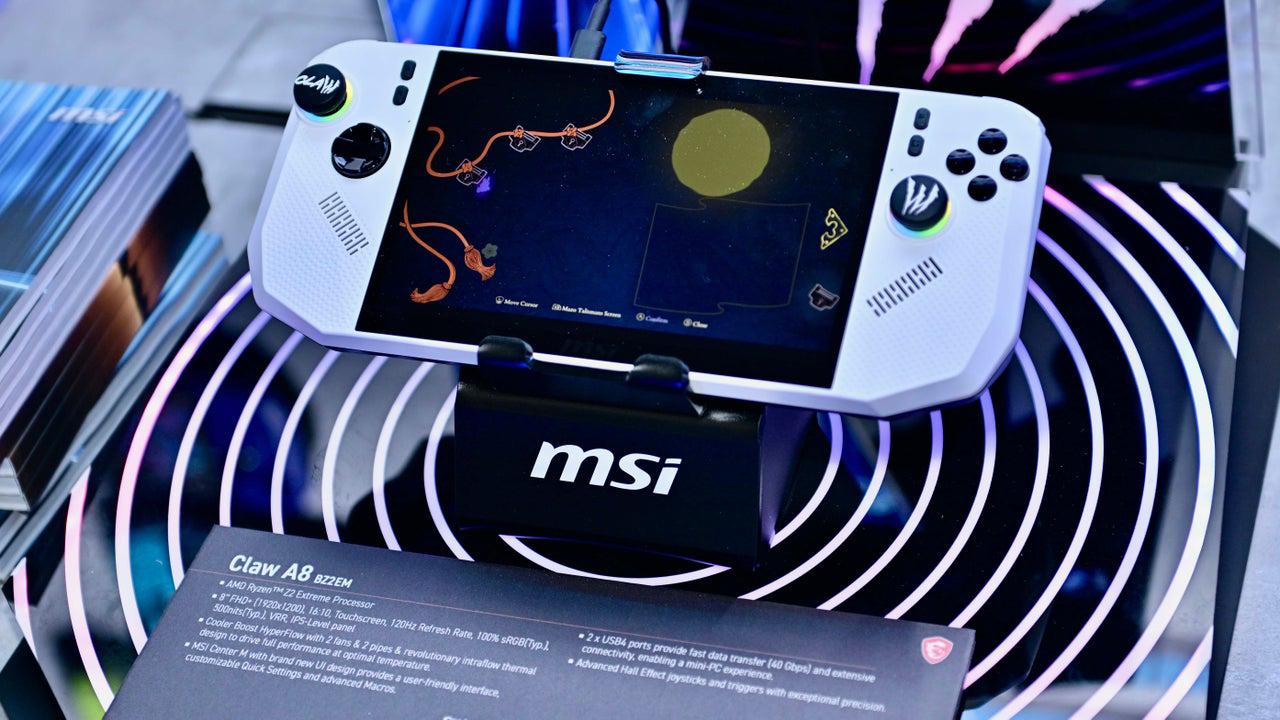
MSI Claw A8 is MSI’s first handheld device powered by an AMD processor, Ryzen Z2 Extreme APU. It brings high-end laptop power into a small, portable package. The device comes in two eye-catching colors, white and a bold green, so it stands out from other handhelds.
Inside, it packs eight CPU cores, a powerful graphics unit, and fast memory, all working together to run demanding games smoothly. With a bright 8 inch, 120Hz screen and a comfortable, well balanced design, Claw A8 makes it possible to enjoy desktop quality gaming anywhere.
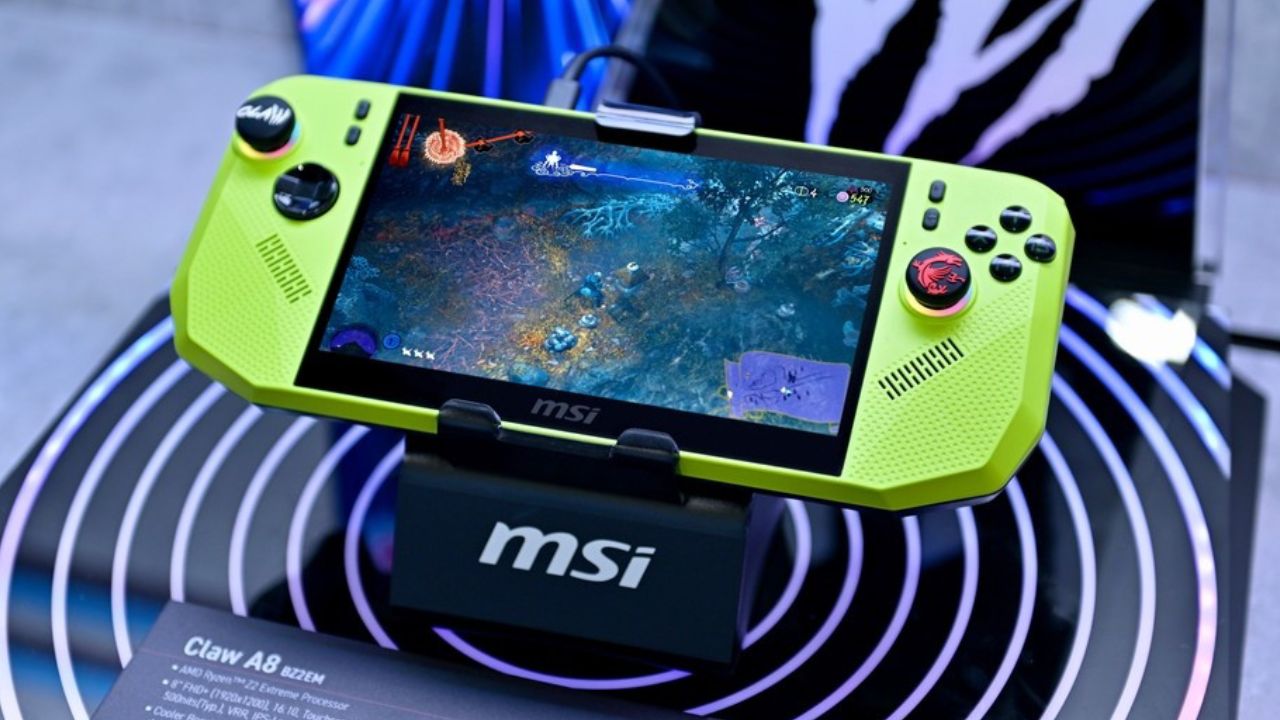
Design and Ergonomics
We immediately noticed that Claw A8’s aesthetics set it apart. Available in white or green finishes, the green model offers a refreshing take compared to more subdued rivals. The slimmed down grips cradle your palms comfortably, and the added front face grip texture locks your fingers in place during intense sessions.
On the back, two programmable macro keys and slightly recessed triggers ensure you can customize and reach every button without strain.
Display and Controls
Equipped with an 8-inch 120Hz IPS display at 1920×1200 resolution, Claw A8 delivers smooth visuals and variable refresh rate support. Dual Hall based analog sticks surround subtle RGB accents, while top mounted shoulder buttons, triggers, and a tactile volume rocker sit within easy reach.
You’ll also find a 3.5 mm audio jack, a microSD slot, and two USB4 ports (each running at 40 Gbps), plus a multifunction power button that doubles as a fingerprint sensor.
Internal Hardware and Specifications
Under the hood, AMD Ryzen Z2 Extreme APU features eight cores, 16 threads, and a 2 GHz base clock that boosts up to 5.1 GHz. Its integrated RDNA 3.5 GPU offers 16 compute units and 8 GB of dedicated VRAM, leaving 16 GB of the total 24 GB LPDDR5X system RAM (running at 8000 MHz) for games and applications.
Storage comes via a 1 TB M.2 SSD, easily upgradable through the removable backplate. Networking is handled by Wi Fi 7 and Bluetooth 5.4, and an 80Wh battery supports 65 W fast charging.
Performance Benchmarks
In our benchmarks, we compared Z2 Extreme to its predecessor, Z1 Extreme, under identical power settings to see how much performance uplift you can expect. In 3DMark Time Spy at a sustained 17-watt TDP, Z1 scored 5539 while Z2 managed 2917, and when we raised the ceiling to 25 watts, Z1 improved to 3317, whereas Z2 jumped to 3495.
In real world gaming with Cyberpunk 2077 at a 17-watt TDP on Steam Deck preset (900p), Z1 averaged around 35 fps, whereas tZ2 delivered roughly 45.6 fps, demonstrating a clear uplift even at the same power budget.
We also tested higher power scenarios: in Geekbench 6 at 30 watts, we saw a single core score of 2781 and a multi core score of 12086, and in 3DMark Time Spy at 30 watts, Z2 scored 4660.
These results confirm that, although the gains vary by workload, Z2 Extreme consistently outperforms Z1 under comparable conditions.
Software and User Interface
MSI’s Center M and Quick Settings overlays integrate smoothly with Windows 11. Center M serves as a customizable game launcher, letting you scan directories, change cover art, and switch backgrounds.
Quick Settings—accessible without leaving your game—offers AI driven performance profiles (Performance, Endurance, Manual), each adjusting CPU/GPU power, fan curves, and RGB lighting.
In Manual mode, you can push up to 35 watts sustained, 40 watts short bursts, and 48 watts peak power for 10 seconds.
Cooling and Thermal Management
The Cooler Boost HyperFlow dual fan system channels air towards both the CPU and display, maintaining balanced temperatures even under load. We found that, even with aggressive fan curves, surface temperatures remain comfortable for handheld use.
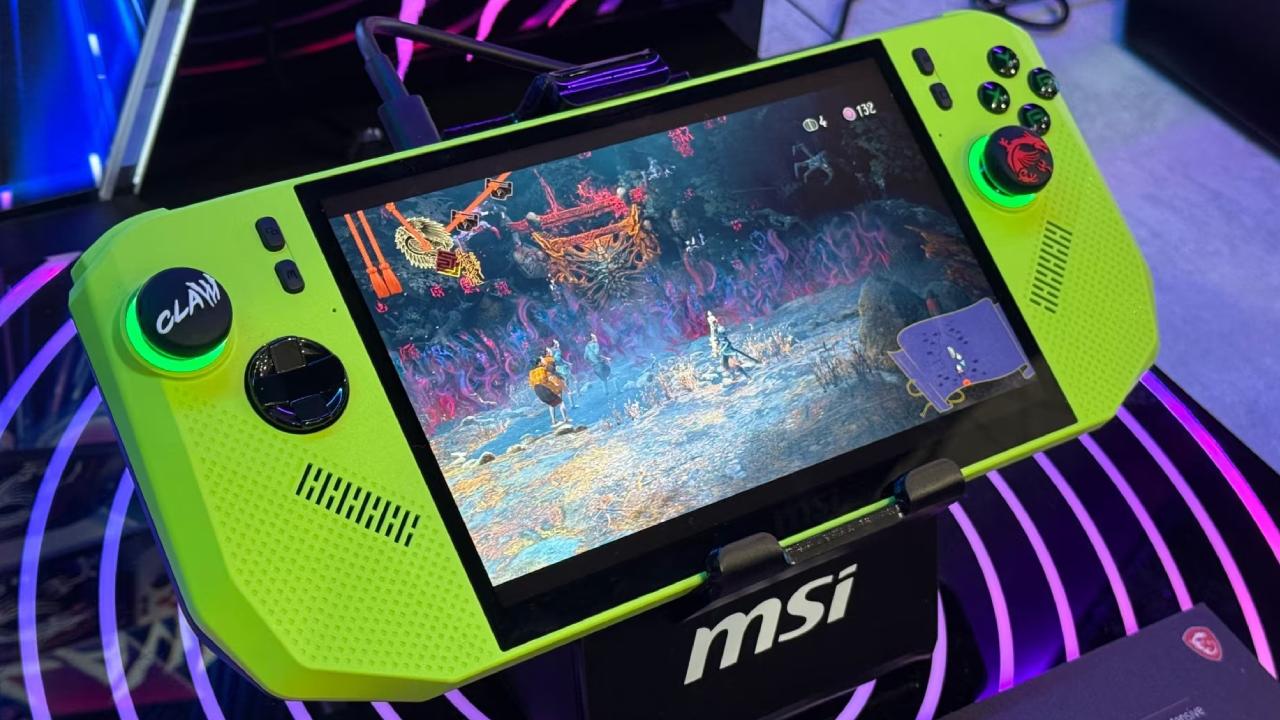
Battery Life in the Real World
At a 6-watt TDP running retro or indie titles like Shredder’s Revenge, total system draw hovers around 8.7 watts (50% brightness, 60 Hz), translating to over 9 hours of gameplay on the 80Wh battery.
Under medium settings at a 17-watt TDP, you can still expect several hours of mixed use gaming before recharging.
First Impressions
We love Claw A8’s bold design, expansive display, and flexible performance controls. Although it’s heavier than some competitors at 765 g, its balance and build quality make longer sessions enjoyable.
With more thorough testing—including Steam OS benchmarks, higher TDP gaming, and extended battery trials—on the horizon, you’ll want to keep an eye on how this AMD powered handheld continues to evolve.
Check our Other Handheld Articles :
- ASUS ROG Ally X Handheld Review: Double the Battery, Double the Comfort
- Nintendo Switch 2 Vs. Original Switch 1: A Full Comparison
- How To Connect A Camera And Join Voice Chat With Nintendo Switch 2
- Nintendo Switch 2 Review: Handheld Performance, Features & Value Breakdown
- ROG Xbox Ally X Vs. ROG Ally X: Display, Battery & Controls
- ASUS ROG Ally X vs. Steam Deck OLED: Display, Battery & Gaming Benchmarks
- MSI Claw 8 AI+ Review: Display, Controls & Gaming
- Nintendo Switch 2 vs. Steam Deck OLED: Gaming, Performance, Battery, Display and Value
- PlayStation Portal Review: Remote Play, Cloud Streaming & Travel Gaming
- PlayStation Portal vs. Lenovo Legion Go: Best Portable Gameplay
Editor, NoobFeed
Gaming Hardware Updates
No Data.