
NBA 2K27 Guide | How to Use Cap Breakers
Here's a guide on how to use Cap Breakers in NBA 2K27.
Game Guide by Navid Kabbo on Sep 11, 2026
Cap Breakers are one of the most important ways to improve a MyPLAYER in NBA 2K27. They allow you to push certain attributes beyond the normal potential of your build, making it possible to reach important Badge, Animation, and Takeover thresholds.
However, Cap Breakers are permanent, so you should plan your upgrades carefully before applying them.
What are Cap Breakers in NBA 2K27?
Cap Breakers allow you to increase an attribute beyond the maximum cap established when you created your MyPLAYER.
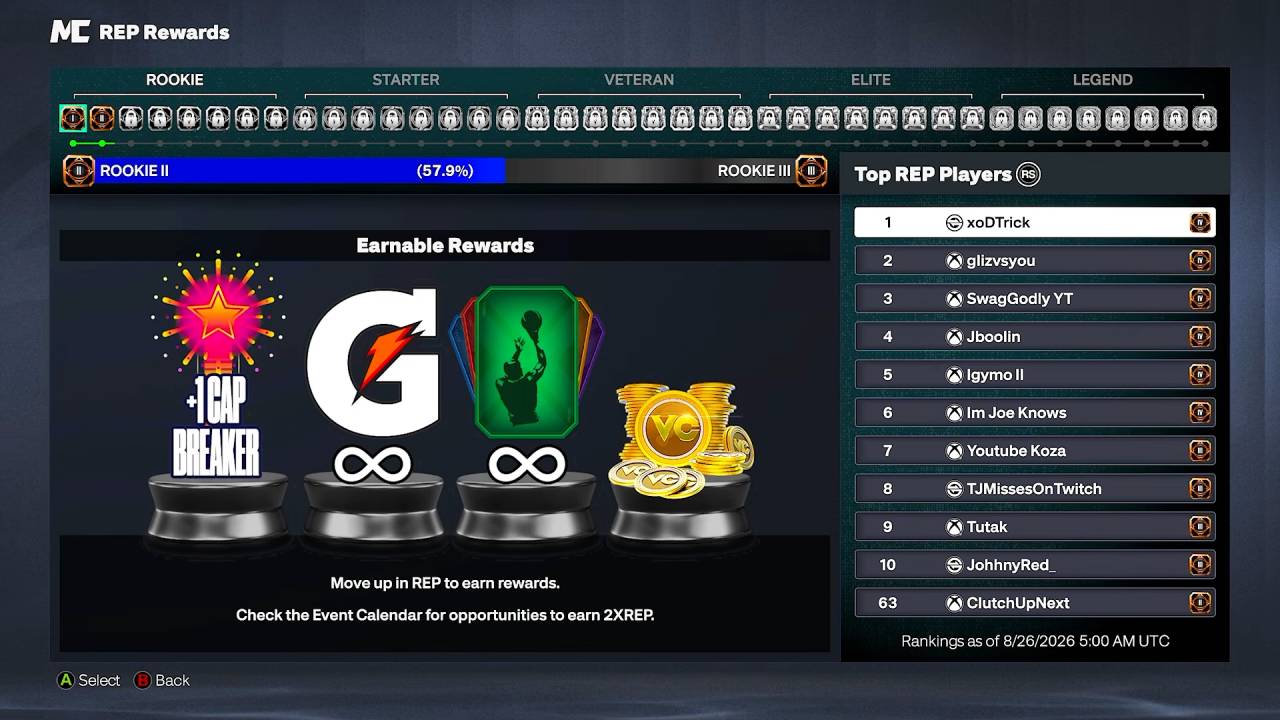
Your build's height, weight, and wingspan can still limit how high an attribute can go, so Cap Breakers cannot completely remove the restrictions created by your physical build.
Each individual attribute can receive a maximum of five Cap Breakers. Once applied, a Cap Breaker cannot be removed or moved to another attribute.
How to Preview Cap Breakers
NBA 2K27 makes planning your Cap Breakers easier than in previous games.
You can use the MyPLAYER Builder to test your future Cap Breaker options. Once your build reaches 99 OVR in the Builder, the Cap Breaker preview becomes available and shows how the upgrades would affect your attributes.
You can also test Cap Breaker options through the NBA 2K HQ Companion app before committing to your build.
This is worth doing before spending VC because it lets you see whether your intended upgrades actually fit your build.
Where Should You Use Cap Breakers?
The best place to use a Cap Breaker depends on your MyPLAYER's role, but you should generally use them to reach an important threshold rather than simply increasing your highest-rated attribute.

Good targets include:
- Reaching a higher Badge tier
- Unlocking an important Animation
- Increasing your primary scoring attribute
- Improving Ball Handle or Speed With Ball on a Guard
- Increasing Perimeter Defense or Steal on a defensive build
- Improving Driving Dunk for a finishing build
- Raising Three-Point or Mid-Range Shot for a shooting build
For example, if your build is one point away from an important Badge requirement, using a Cap Breaker to reach that threshold can be considerably more valuable than putting the same upgrade into an attribute that doesn't unlock anything useful.
How to Use Cap Breakers Correctly
Before applying a Cap Breaker, follow these steps:
- Check your build's current attribute caps.
- Open the Cap Breaker preview in the MyPLAYER Builder.
- Identify the Badges or Animations you want to unlock.
- Check which attribute threshold you need.
- Apply the Cap Breaker only after confirming the upgrade.
The key is to plan backward from what you want your MyPLAYER to do.
If you're creating a scoring guard, for example, you may want to prioritize shooting or ball-handling thresholds. A defensive build should instead look toward Perimeter Defense, Steal, Block, or other defensive attributes.
Build Specialization Cap Breakers
NBA 2K27 also places restrictions on Cap Breakers earned through Build Specialization.
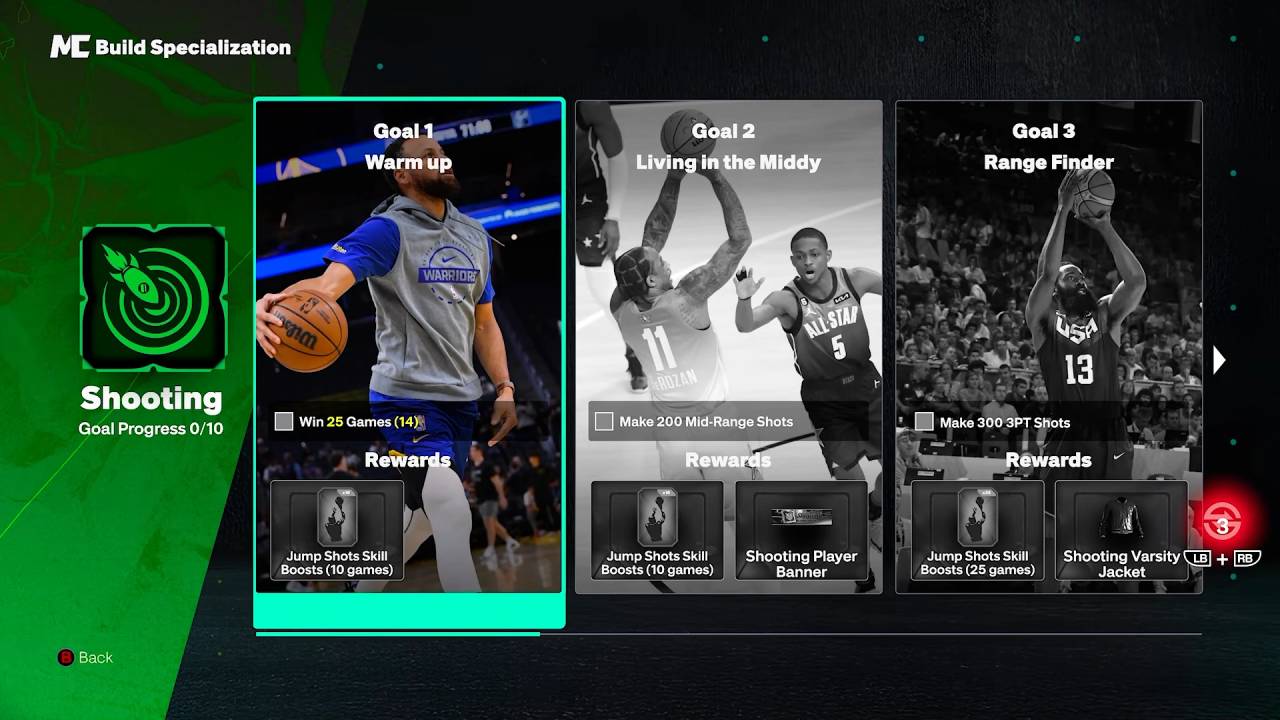
These Cap Breakers must be applied within the attribute category you specialized in, with Free Throw being an exception. For example, a Cap Breaker earned through a Shooting specialization cannot simply be moved to a defensive attribute.
Because of this restriction, choose your Build Specialization with your long-term MyPLAYER plan in mind.
Common Cap Breaker Mistakes
There are a few mistakes you should avoid when spending Cap Breakers.
Don't Spend Them Immediately
Having a Cap Breaker available doesn't mean you should use it immediately. Save it until you know exactly what attribute you want to improve.
Don't Ignore Your Build's Physicals
Height, weight, and wingspan can affect the maximum potential of your attributes. A Cap Breaker can't completely overcome those restrictions.
Don't Chase Overall Rating
A higher overall rating isn't necessarily the best use of a Cap Breaker. Reaching an important Badge or Animation requirement can be much more valuable.
Don't Forget They Are Permanent
Once you apply a Cap Breaker, you cannot move it later. Always check the Builder preview before confirming your choice.
Final Thoughts
Cap Breakers are best used as targeted upgrades rather than simple attribute boosts. Before spending one, check your build's future potential and determine whether the upgrade will unlock a valuable Badge, Animation, or other important threshold.
Most importantly, use the 99 OVR MyPLAYER Builder preview to test your options before making a permanent decision. Planning your Cap Breakers alongside your original build can make your MyPLAYER considerably stronger in the long run.
FAQ
Q. How many Cap Breakers can you use on one attribute?
A. You can apply a maximum of five Cap Breakers to a single attribute.
Q. Can you remove Cap Breakers after using them?
A. No. Cap Breakers are permanent once applied and cannot be moved to another attribute.
Q. When can you preview Cap Breakers in NBA 2K27?
A. The Cap Breaker preview becomes available in the MyPLAYER Builder when your build reaches 99 OVR.
Q. Can Cap Breakers exceed 99?
A. Cap Breakers increase an attribute's potential beyond its original cap, but your build's physical measurements can still limit its maximum potential.
Q. Can Build Specialization Cap Breakers be used on any attribute?
A. No. Specialization-earned Cap Breakers must be used within the corresponding attribute category, with Free Throw as an exception.
Editor, NoobFeed
Latest Articles
No Data.