
Ryzen 9600X POST Problems Improved After Latest ASRock BIOS Update
New BIOS and AGESA updates improve Ryzen 9600X POST stability on several ASRock AM5 motherboards during testing.
Hardware by Shinji Okazaki on Mar 06, 2026
There are still many reports online from people having trouble with instability or failed boots. People are still worried that CPUs will break or behave unexpectedly.
ASRock has released a new BIOS update, and AMD has provided an updated AGESA to fix a problem with the AMD Ryzen 5 9600X. The problem doesn't involve discolouration or physical damage. Still, some ASRock motherboards don't work with this CPU when it's in use.
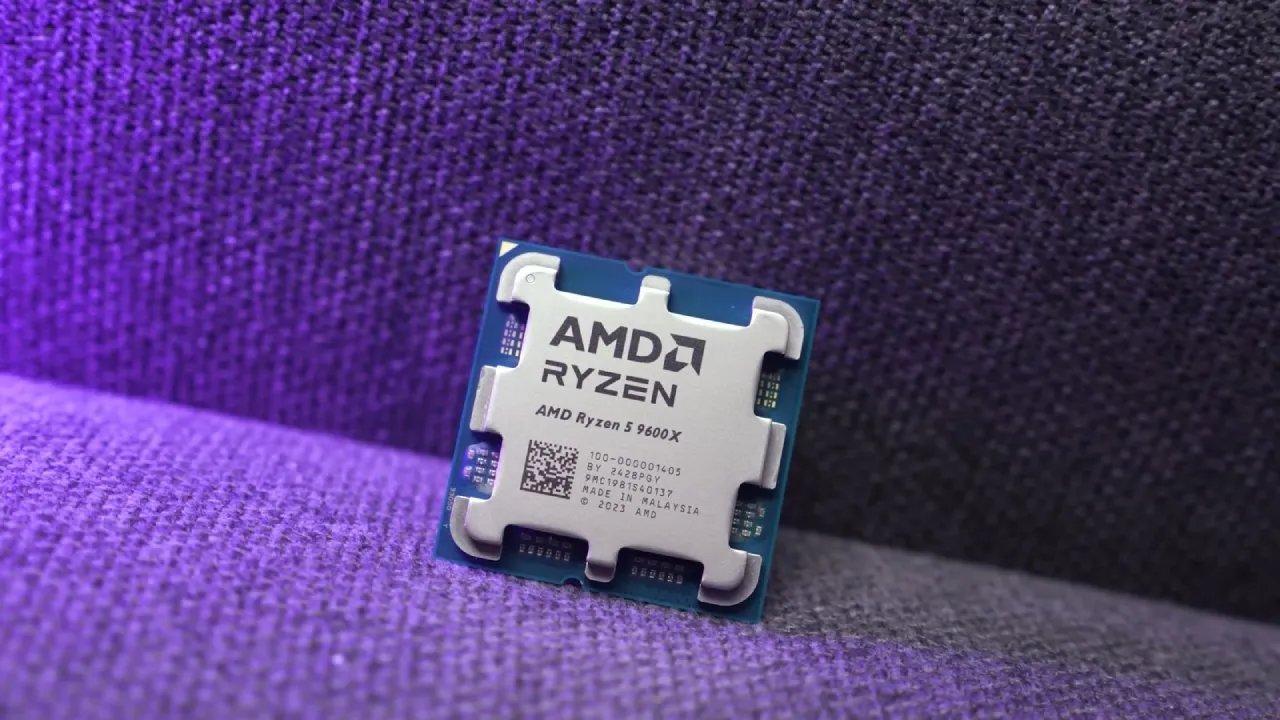
Looking at the Non-POST Problem
The testing environment includes several ASRock motherboards, including the Taichi, Taichi Lite, X870 Phantom Gaming Nova, and X870 LiveMixer Wi-Fi. ASRock also sells newer X870E boards, as well as the original launch-day X870E board. As part of an ongoing CPU inquiry, the goal is to assemble a long-term, gaming-focused build.
Testing has already begun on a Ryzen 5 9600X that sometimes won't POST. The first results look good. The build will stay active for a long time and keep running games to see if the CPU ultimately breaks down from prolonged use.
The Taichi White graphics card, based on the Radeon 9070 XT, will be used by the system. During the research, the GPUs may be switched out; this card is part of the test system in the initial setup.
Information about CPU Failure Reports
ASRock has a bad reputation for making systems where CPUs, especially X3D models, fail in a big way, with smoke, burn marks, or broken sockets. For months now, people have been looking at these failures.
So far, efforts to recreate the situation have not been successful. Several test systems have been operating nonstop without experiencing the same failures. Some of the test gear came from users whose CPUs failed in a big way. In one example, the socket was so badly broken that a professional had to repair it before testing could continue.
This problem isn't just with ASRock boards. In the last several months, other motherboard brands have also had similar problems. However, there are more complaints about them occurring with ASRock hardware.
The failure rate for affected AMD systems is substantially lower than the CPU degradation issue some Intel 13th- and 14th-generation CPUs have. Some estimates suggest that between 1% and 10% of CPUs may be affected, but the actual percentage is closer to 1%.
Secondary Behavior: CPUs That Don't Start Up
Along with the tales of catastrophic failures, a second problem has arisen. Some CPUs won't even start up on certain ASRock boards, while they work well on other brands.
Ryzen 5 9600X has been tested and shown to act this way. During POST, the processor becomes unstable, especially when rapid memory setup is used. Before February, BIOS changes made the problem easier to see during testing.
A yellow LED during POST or the system freezing during memory training are two signs. The system sometimes starts up without any problems, but other times it needs memory removed to start.
Even resetting the CMOS doesn't always fix the problem. Adding just one memory stick often lets the system POST again. Sometimes, after booting with one memory module, the second can be reinserted without any problems. However, the system may become unstable again later. Other signs include the machine freezing during Windows updates, hard locks that require a reset, or black screens when you're using it normally.
Update the BIOS with AGESA 1.3.0.0A
ASRock issued a BIOS update with AGESA 1.3.0.0A in February 2026. The update is meant to fix the non-POST behavior that some systems are having. Before this upgrade, the current test CPU often showed a POST failure. A new build will check whether the BIOS and AGESA upgrades fix the problem after prolonged use.
The system will run nonstop in a corner of the workplace, starting games over and over again. The goal is to monitor long-term stability and identify failure patterns.
Keeping an Eye on CPU Discoloration
We take the CPUs out every now and then to check them. Testing looks for color changes at the bottom of the CPU. These systems are not running too fast. Some contact areas may show small discoloration, but most of the time the marks wash out.
Different CPUs have different places where discolouration might happen. It can happen on the edges or other parts of the contact surface. X3D processors usually work at moderate power levels; the amount of electricity that comes through the socket shouldn't hurt them.
Putting Together the Test System
Hyte X50 case and the ASRock Phantom Gaming 360 LCD AIO cooler are used to build the system. There are red and green parts in the setup, along with a Taichi White GPU.
The case can hold a 360mm radiator that is installed on the front or the side. To achieve the most air movement, fans are placed at the bottom and the front. During testing, the fans in the cooler may not work as fast. The GPU also has an LCD screen that may show pictures or animations.
Design and Features of the Case
Hyte X50 case has two USB-A ports, one USB-C port, and a jack for headphones and a microphone. Instead of a conventional surface-mounted click switch, the power button has a mechanical switch.
The mounting mechanism keeps the side panels from being accidentally removed, and they glide into place firmly. One side panel has holes, and you can also choose a glass panel variant. The case has a bottom dust filter that gives it a lot of ground clearance. There are intake fans at the front and bottom of the chassis to help with airflow.
Benchmarks for Baseline Performance
Radeon 9070 XT Taichi White and the GeForce 5070 Ti were evaluated in baseline performance tests. 5070 Ti runs Cyberpunk better at 1080p Ultra settings. But the difference isn'tworth the $300. At 1440p, the performance is quite similar, with only slight variation in the 1% lows. At 4K resolution, the 9070 XT occasionally performs better, indicating it scales better at higher resolutions.
NVIDIA hardware performs better with ray tracing enabled. For instance, one test indicates 94 fps at 1080p, while another shows 84 fps. The disparity narrows at 1440p, but both GPUs struggle to maintain playable frame rates at full ray tracing settings. Enabling upscaling significantly improves 4K performance. In rare circumstances, frame generation can reach 224 fps, but 1% lows are still far lower. AMD also has frame generation technology, although DLSS is still better at it right now.
More Testing of the Game
Both GPUs perform well in Monster Hunter: World at 1080p and 1440p. In most cases, performance is still good in 4K. Shadow of the Tomb Raider gives us a basis to compare. NVIDIA is slightly ahead at 1080p, with 339 fps compared to 319 fps. At 4K, the disparity decreases, with the 9070 XT getting about 126 fps. Ray tracing tests still show that Nvidia hardware is better, although both GPUs can still be used at all tested resolutions.
Results of the CPU Comparison
The build also compares the Ryzen 5 9600X to the Ryzen 9 9850X3D. In Borderlands, the gap between the two CPUs is still modest, with some runs showing 76 fps versus 77 fps.
The CPUs in Deus Ex Mankind Divided deliver about the same results, such as 135 fps vs. 134 fps at 1080p. Monster Hunter Wilds is starting to reveal larger variances across CPUs. At 1080p, the 9850X3D gets 138 fps, whereas the 9600X gets 103 fps. The gap gets a lot smaller with 4K.
Shadow of the Tomb Raider shows that the 9850X3D works better at lower resolutions. Still, the results are the same at 4K, where GPU limits are the most important factor.
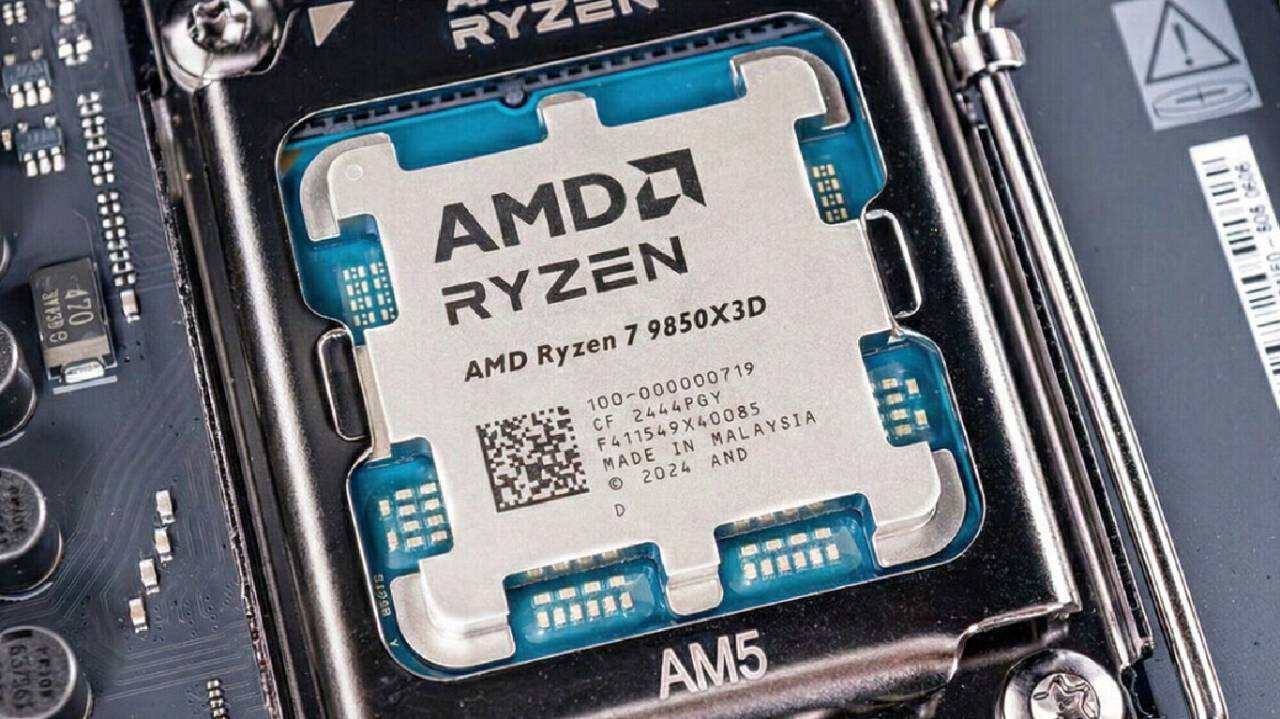
Testing for Long-term Stability
Ryzen 5 9600X, which previously failed to POST, now boots the PC without any problems. Performance is in line with expectations for gaming workloads.
In a continuous testing scenario, the system will stay active for a long time. The method turns on the machine, starts a game, runs the workload for a while, turns off, and then starts over. Testing will show whether the CPU eventually stops working or remains stable over the long term.
Final Thoughts
You still have to choose between doing the long-term test with the Ryzen 9 9850X3D or the Ryzen 5 9600X, which was unstable before. 9600X is the CPU with problems, and it might yield better results for testing failures.
The most recent results show that the BIOS upgrade and AGESA improvements have made the afflicted PCs more stable. If you are having problems with POST, update your BIOS to the latest version. This will make the AM5 ecosystem more stable and compatible.
Also, check our other AMD articles below:
- AMD Ryzen 9 9950X3D Review: Setting The Standard For 2025 Gaming CPU
- AMD Ryzen 7 9800X3D Review: 3D V-Cache Goes God Mode with Stunning Gaming Performance
- AMD RX 9070 Performance Review: Thermals, Clocks, and Real-World FPS
- AMD Ryzen 5 7600 Review: Best Budget Gaming CPU of 2025?
- AMD Radeon RX 7800 XT Review: RDNA 3 Power For Midrange Gaming
- Sapphire NITRO+ AMD Radeon RX 9070 XT Review: The Ultimate 4K Gaming GPU
- AMD Ryzen 7 7800X3D: Delivers Gaming Performance Far Beyond Expectations
- AMD Ryzen 9 7900X Review: Powering the AM5 Era with DDR5 & PCIe 5.0
- Intel Core i9‑14900K vs. AMD Ryzen 7 7800X3D: Power Profiles & Gaming Benchmarks
Editor, NoobFeed
Gaming Hardware Updates
No Data.