
Windrose Guide | How to Play Co-op With Friends
Here's a guide on how to play co-op with friends in Windrose.
Game Guide by Rubaiyat Shihab on Apr 21, 2026
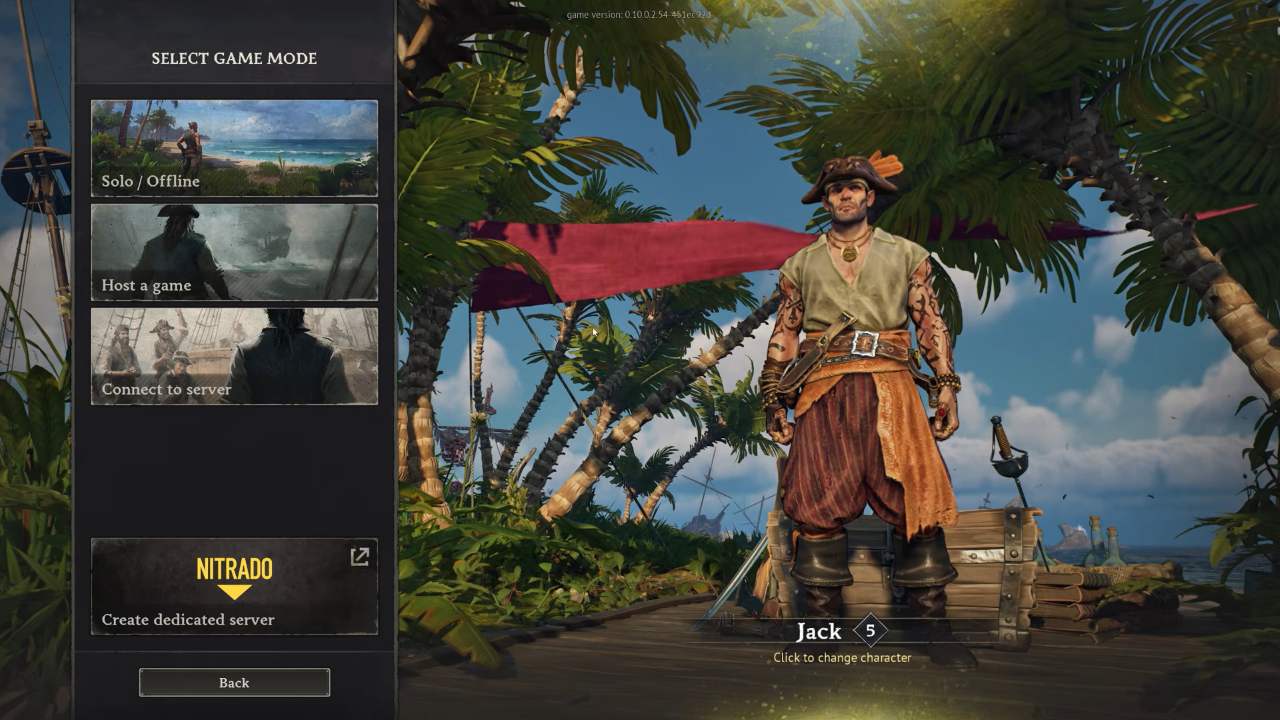
It is nice to play Windrose individually but a crew makes sailing and exploring even better. There are four players you can play with on dedicated servers, which are included with the game. In case you wish to have more than that then you will need to run your own server.
You can set-up a game with your friends in a few minutes and it is not difficult provided you adhere to the following steps.
How to invite your friends
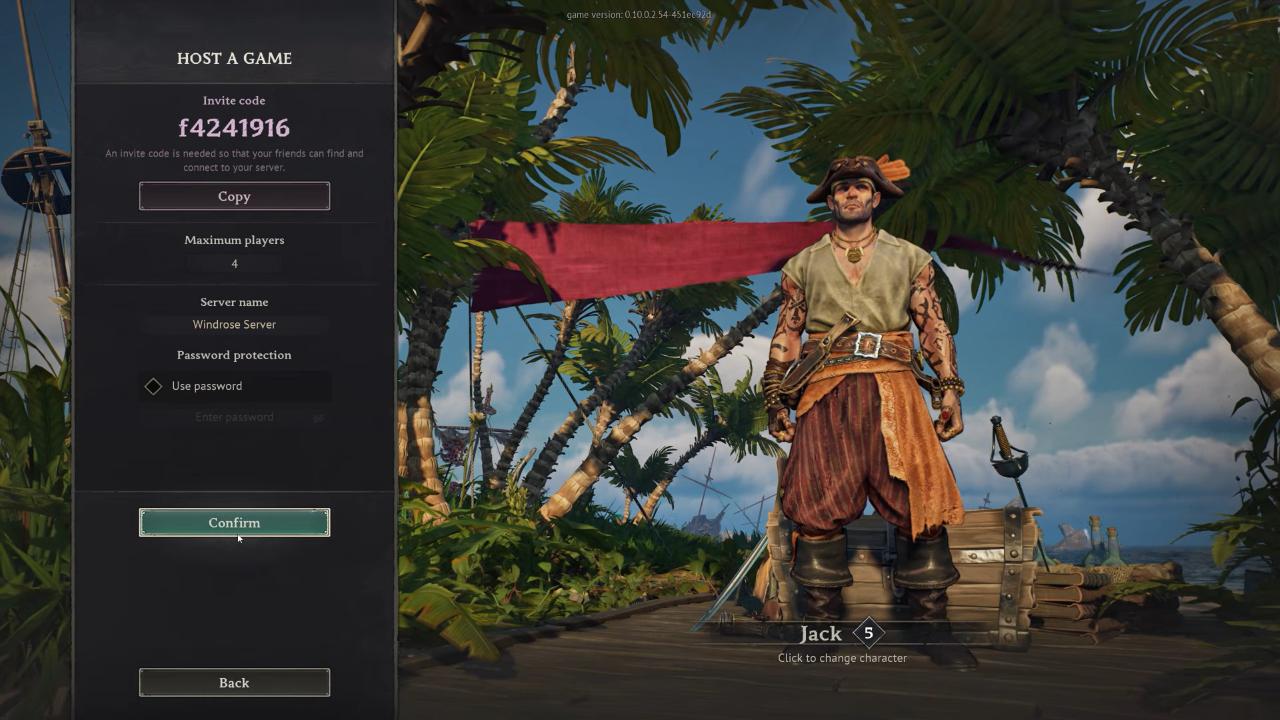
The first thing that you should do is to ensure that all those that you want to play with are on your Steam friends list. You are all set to send them a request with their Steam ID. You choose a save file on the menu when you wish to host a game. Your old one can be used or you can create another one in case you do not want your solo world to be mixed up. After you load the setup screen, the game will give you an Invite Code. All you need to do is to share that code with your friends via Steam, Discord, or messaging.
Playing with a Friend
When it is your friend who hosts, you only need to select an option of joining a game in the main menu. You will have to enter the Invite Code that your friend has sent you. In case the host password-protected the server, you will need to enter that too. You should also request the code and the password simultaneously in order to get inside fast.
After typing in the information, you will find yourself into their world and you will be able to begin your adventure together.
Also, check our Windrose Review and other guides below:
- Windrose Beginner's Guide | Gameplay Tips & Tricks
- Windrose Guide | How to Get Your First Ship
- Windrose Guide | How to Make Rope
- Windrose Guide | How to Repair Ketch Ship
- Windrose Guide | How to Get Fast Travel Bell
- Windrose Guide | How to Get Misty Orchid
- Windrose Guide | How to Get Coarse Fabric
- Windrose Guide | How to Get Charcoal & Ash
- Windrose Guide | How to Get Pearl
- Windrose Guide | How to Get Tumbaga Ingots
- Windrose Guide | How to Get Bird Meat
- Windrose Guide | How to Get Animal Fat
- Windrose Guide | How to Make Potions Buffs
- Windrose Guide | How to Get Meat
- Windrose Guide | How to Get Sweet Potato
- Windrose Guide | How to Get Egg
- Windrose Guide | How to Teleport to Base Without Fast Travel
- Windrose Guide | How to Upgrade Weapon Class
Editor, NoobFeed
Latest Articles
No Data.