
Best RTX 5070 Ti Graphic Cards Roundup: MSI, ASUS, Palit, Gigabyte
Performance differences among the RTX 5070 Ti models remain minimal despite varied cooling solutions and aesthetic design choices.
Hardware by Masaru Hoshino on Nov 14, 2025
New GPU models are constantly being released, offering improved performance, enhanced cooling, and increased functionality. The RTX 5070 Ti range comprises several partner models, each featuring slight yet significant differences in noise, thermals, aesthetics, and build quality.
The MSI Ventus 3X OC, ASUS TUF Gaming OC, Palit GameRock OC, Gigabyte Gaming OC, and the Gigabyte Aorus Master all compete closely, with differences that may influence your buying decision depending on pricing and priorities.
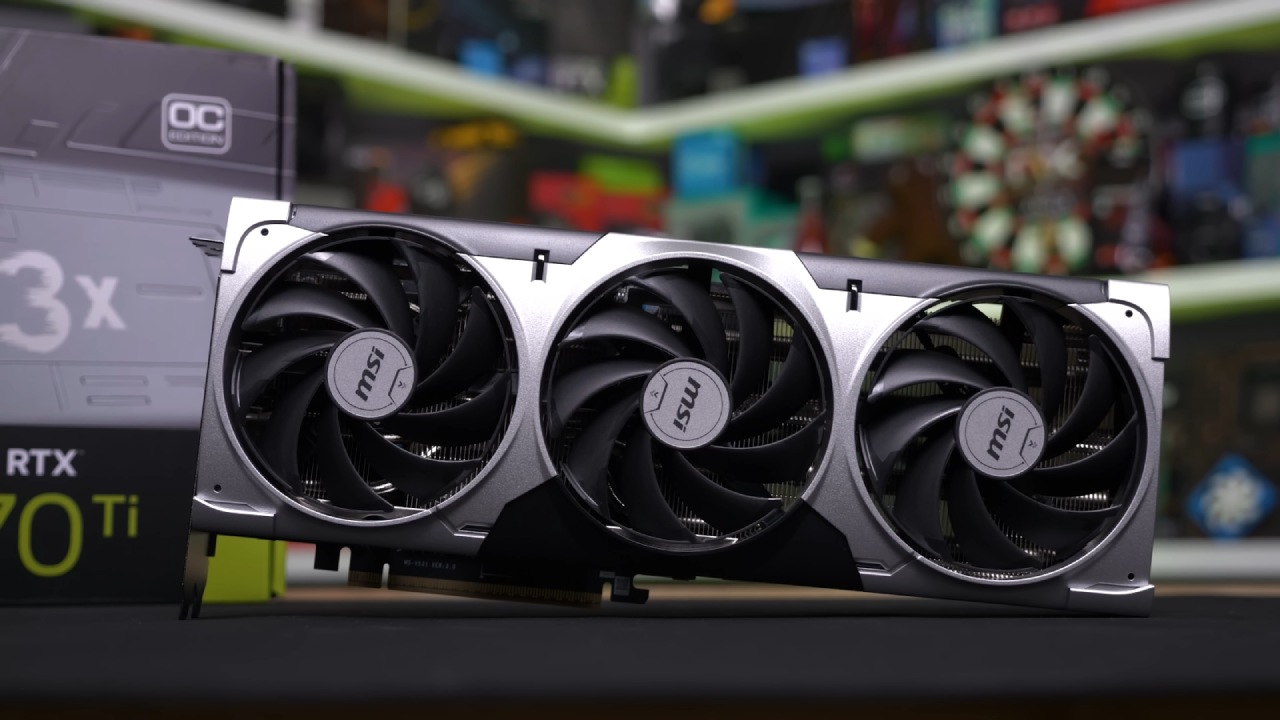
MSI Ventus 3X OC Overview
The MSI Ventus 3X OC aims to serve as the MSRP-focused version of the RTX 5070 Ti and stands as one of the more affordable models. Even with its value-oriented target, the build quality remains respectable, featuring a metal frame, metal backplate, and plastic shroud. Its size is modest at a little over two slots thick, making it suitable for most ATX and even smaller cases.
You will not find RGB lighting, dual BIOS, or additional connectors here. Still, the inclusion of a GPU holder is appreciated. For users who want solid performance without luxury add-ons, the Ventus remains an appealing choice.
ASUS TUF Gaming OC Overview
The ASUS TUF Gaming OC appears to be similar in size to the Ventus in promotional images. Still, in person, it is noticeably larger, thicker at three slots, and heavier, featuring larger fans for improved cooling potential. The metal shroud enhances its excellent build quality.
At the same time, features such as dual BIOS, an additional HDMI 2.1 HDMI 2.1 port, RGB illumination, and a GPU holder contribute to its premium feel. The card appears more impressive overall, and while its price generally reflects this, we can acknowledge the added value it offers through these enhancements.
Palit GameRock OC Overview
The Palit GameRock OC shares a similar length with the TUF Gaming but has slightly more thickness. It features a solid metal frame and a a metal backplate, accompanied by a plastic fan shroud. The model also features a dual BIOS, a GPU holder, and a small mouse pad as an accessory.
Its most unique aspect is the heavy RGB color-shifting shroud, especially appealing when the card is mounted vertically. While the bold aesthetic may not suit everyone's preference, it is refreshing to see Palit offer a design that stands out rather than blends into the crowd.
.jpg)
Gigabyte Gaming OC Overview
The Gigabyte Gaming OC continues to utilize the familiar dark gray design language, which integrates seamlessly with most builds. It is slightly over three slots thick and longer than the TUF Gaming, but still sized appropriately for most ATX cases.
It features dual BIOS, a GPU holder, subtle RGB lighting on the side, and additional RGB lighting behind the fans, making it well-suited for vertical installations. The extended four-year guarantee is one of the standout features of this product. It provides you with real long-term protection, making Gigabyte's value proposition stronger than that of many other companies.
Gigabyte Aorus Master Overview
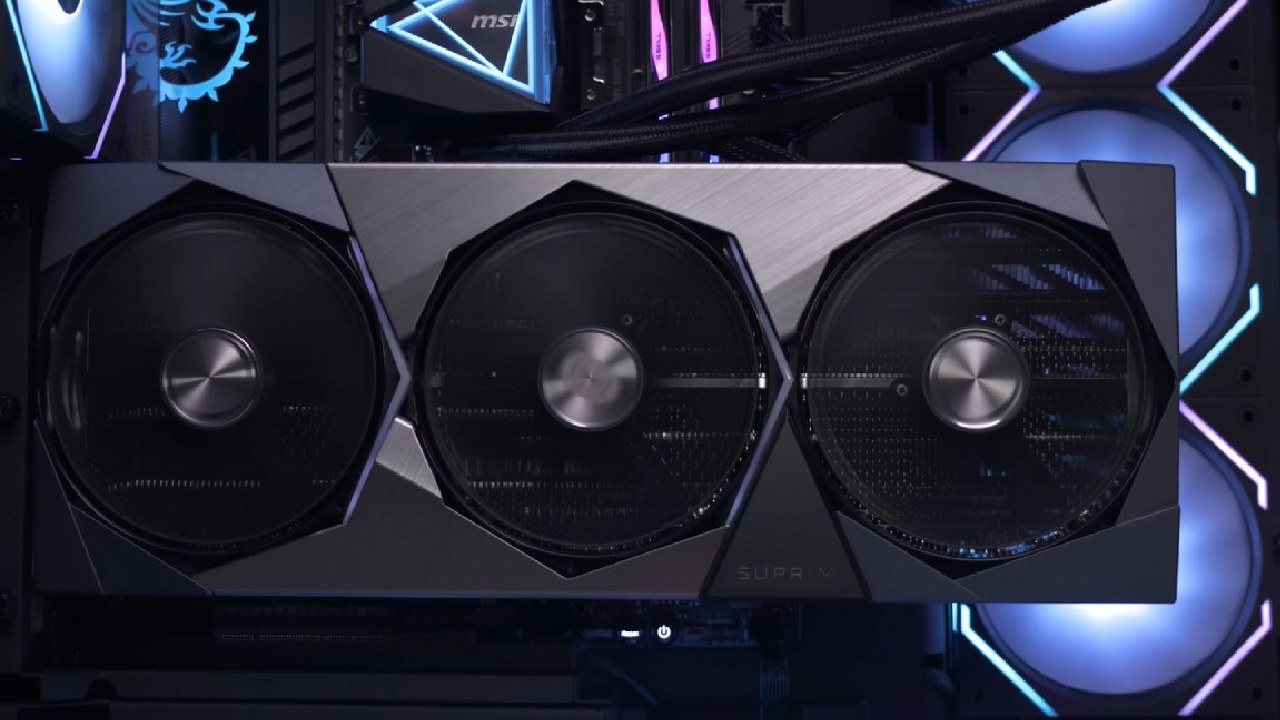
The Aorus Master is one of the largest GPUs on the market for those seeking a premium flagship experience. It is four slots thick and roughly 36cm long, making it larger than many RTX 4090 models.
The Aorus Master features dual BIOS, a GPU holder, extensive RGB lighting, and a customizable display for displaying images, statistics, or animations. Unlike the Gaming OC, the RGB lighting is built directly into the fans, creating a striking and unique appearance. This card clearly aims at users who value both high-end performance and dramatic visual flair.
Connectivity and Power
All models use a 12V-2x6 connector for power delivery. When a native cable is not used, the Ventus includes an adapter with dual 8-pin inputs. In contrast, the other four models include adapters that require three 8-pin connections. On the output side, all cards offer three DisplayPort 2.1 b connections and one HDMI 2.1 b, with the ASUS TUF Gaming being the only one to include two HDMI 2.1 b ports for added flexibility.
Performance Summary
Using the Ventus as the baseline reference, the RTX 5070 Ti demonstrates approximately 12% higher performance than the RTX 4070 Ti Super at 4K and about 8% higher at 1440p. This puts it next to the RTX 4080 Super; however, it costs less in the US, at $750. Prices and availability in stores are still uncertain, which could impact the practical usefulness of each model in real-life applications.
DLSS 4 and multi-frame generation are still somewhat situational, depending on the game, and provide significant boosts in some games but only modest ones in others. All RTX 50-series cards include these features. The standard boost clock is listed at 2450 MHz. Still, all models increase significantly, depending on workload, cooling, and power limits.
Performance Differences Between Models
In real-world gaming tests, the premium models deliver slightly higher average FPS compared to the Ventus. The Gigabyte Gaming OC runs approximately 2.5% faster, while the ASUS TUF Gaming and Palit GameRock OC reach around 3% faster. The Aorus Master leads at roughly 4.5% ahead.
These differences remain minor and typically unnoticeable during gameplay. Still, they serve as evidence of stronger cooling solutions and more generous power limits on higher-end models.
Power Consumption
Power draw varies slightly between models. The Ventus consumes the least power, while the other four models draw approximately 8–10% more, which aligns with their slightly elevated performance results. It is difficult to determine whether Ventus benefits from higher efficiency or if the variation stems from sample differences; however, the results remain consistent across testing.
Noise Levels
All of the tested GPUs shut off their fans completely at idle, ensuring silent operation when the system is not under load. During gaming, none of the cards becomes loud. The Ventus, being the smallest, produces the most noise at around 40dB, which is still comfortable for most users.
The ASUS TUF Gaming is the quietest, followed by the Gigabyte Gaming OC and Aorus Master, and lastly the Palit. In some situations, the TUF Gaming did make a little coil whine, but the others mostly didn't. This is an important feature to consider if you require something that operates quietly.
Thermals
All five models still have good thermal performance. The Ventus reaches roughly 65°C when working hard, whereas the other cards stay closer to 60°C, with only slight variations between them. The Aorus Master and Gaming OC offer significantly better thermal performance.
At the same time, the Palit GameRock OC has slightly higher memory temps. However, these variances are not significant in the real world and do impact the device's performance or longevity. ASUS has the most useful BIOS mode differences. It has an almost silent profile, yet it performs better and runs cooler.
Gigabyte's options also work, although the silent profiles might be adjusted to be even quieter. Palit's BIOS modes exhibit limited variation and would benefit from more substantial differentiation to provide users with clearer options between silence and performance.
Choosing the Right RTX 5070 Ti
The best RTX 5070 Ti model for you will ultimately depend on the actual retail pricing. Since the performance difference between models is minimal, the most affordable option typically offers the best value. If the price is right, the MSI Ventus is a good initial choice.
However, the premium versions compensate for their higher prices by offering quieter operation, cooler performance, enhanced RGB lighting, additional connectionss,improvedr build quality, and longer warranties.
You should be cautious not to overpay, especially if the prices approach those of the base RTX 4080 machines, which are significantly faster. As long as the prices are fair, each of the five models in the RTX 5070 Ti category provides a robust and well-rounded experience.
Also, check our other NVIDIA articles:
- GeForce RTX 5090 Unleashed: Is NVIDIA's New Flagship the Ultimate 4K Gaming GPU?
- NVIDIA GeForce RTX 5080 Review (2025): Still A 4K Gaming Powerhouse?
- RTX 5090 Performance Testing In GTA 5 – 1080p, 1440p, and 4K Max Settings Benchmark
- RTX 5090 Laptop Vs. M4 Max MacBook Pro: Ultimate Raw Performance Vs. Battery Endurance
- NVIDIA RTX 5070 Review: Mid-Range Muscle or Marketing Hype?
- RTX 5070 Ti Review: Performance, Thermals & Power Efficiency Tested
- Asus ROG RTX 5090 Astral OC Vs. Founders Edition: The 4K Gaming Benchmark
- ASUS ROG Astral RTX 5090 OC Edition Review: 32GB GDDR7 & 4K Gaming Benchmark
- ASUS GeForce RTX 5090 LC Liquid Cooled GPU Review: Unmatched Silence & Speed
- MSI GeForce RTX 5090 32GB SUPRIM SOC Review: Power Efficiency, Cooling, and Gaming Performance
- INNO3D RTX 5060 Ti 16 GB X2 Review: Gaming Benchmarks, Temps, and Power Efficiency
- HP Omen 45L Review: RTX 5090 Performance, Thermals, and Value Analysis
- ASUS TUF Gaming GeForce RTX 5060 Ti Review: DLSS 4, Power Efficiency, and Gaming
- ASUS Prime RTX 5060 Ti OC 16GB Review: DLSS 4, Ray Tracing, & Thermals Tested
- NVIDIA GeForce RTX 5060 Review: Specs, Gaming, and Cost per Frame
- MSI GeForce RTX 5090 GAMING TRIO OC Review: A Monster Power GPU
Editor, NoobFeed
Gaming Hardware Updates
No Data.