
Intel Arc iGPU Shows Desktop-Class Efficiency in a Laptop Form Factor
Intel’s latest Arc iGPU demonstrates major gains in efficiency and frame rates compared to previous integrated graphics generations.
Hardware by Tanvir Kabbo on Feb 10, 2026
Integrated graphics have long been treated as the CPU's appendix, a vestigial organ, and the laughingstock of PC gaming. Over the last couple of years, though, AMD has made massive strides in iGPU performance, turning what used to be an afterthought into something genuinely usable.
Now, Intel is stepping into the ring with a new contender that aims to challenge AMD's recent dominance in this space.
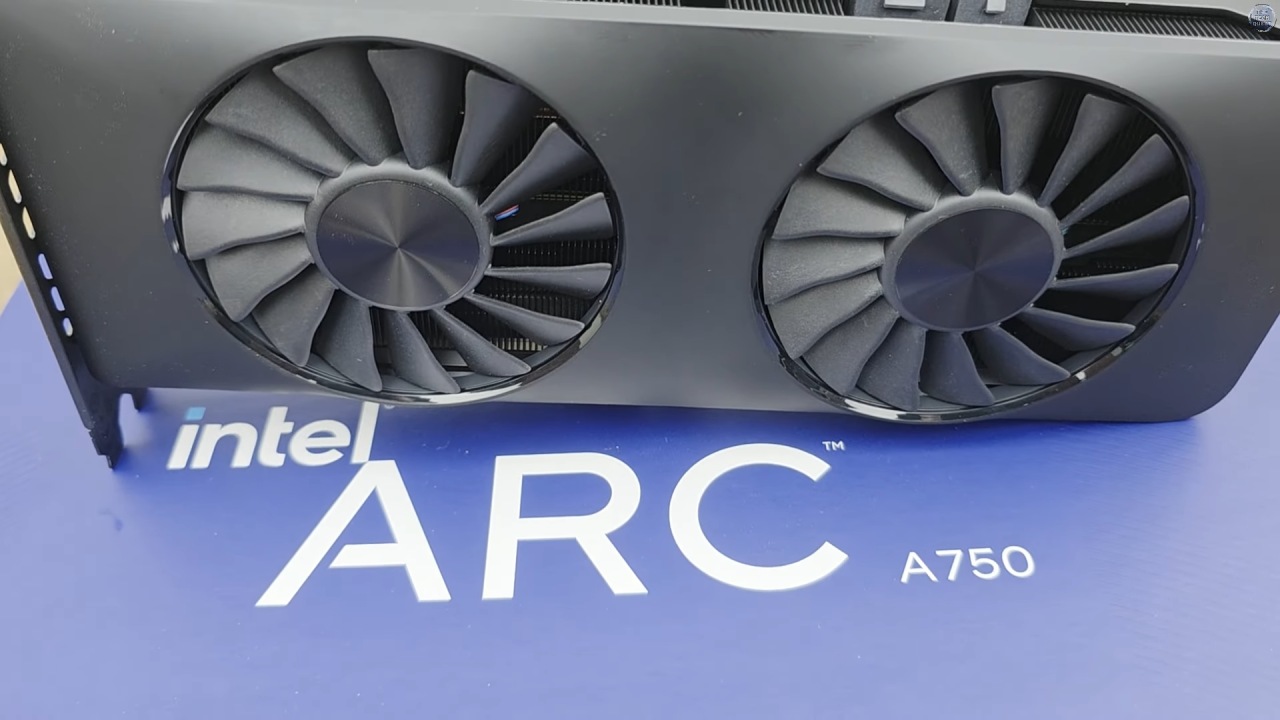
Intel Arc Enters the iGPU Conversation
Word on the street is that Intel's new Arc B390 iGPU is a beast. Not an AMD Strix Halo kind of beast, which is more of a high-end APU category, but a serious iGPU that competes directly with AMD's already impressive 780M and 880M solutions.
We want a maximum core frequency of 2.5 GHz and 12 Xe-cores, whatever that means in terms of real-world scalability. We tried the iGPU with Intel's newest CPU, which seems to have gotten its moniker by tossing darts at a postcode directory. Strangely, they didn't include "AI" in the name, which is strange given current trends.
A Look at the Dual-Display ZenBook
Before diving into performance, we spent some time with the laptop Intel sent over, a dual-display ASUS ZenBook. It's evident from the start that ASUS is serious about its design. The small, square 100W power brick is cute in a strange way. The unboxing experience is much better, with that unmistakable high-end electronics fragrance.
On the underside, alongside some other interesting design touches, we find the new Intel branding. However, the Copilot PC label underneath is far less exciting. There's also a built-in kickstand designed to prop up the dual-screen setup.
In terms of I/O, one side features Thunderbolt ports that appear to be Thunderbolt 5, though it's unclear whether every port meets that spec. On the other side, there's another Thunderbolt port and a square USB port that seems to double as the power button. Ventilation cutouts reveal some genuinely good-looking heatsinks, which is always a promising sign.
Modular Keyboard and Usability
Opening the laptop confirms that one-hand opening works smoothly, helped by a thicker lower chassis. The standout feature here is the modular keyboard. Typing directly on a touchscreen is never great, but this detachable keyboard transforms the experience. It snaps magnetically into place, connects via contact pins, and feels solid rather than gimmicky.
The keyboard also supports Bluetooth, letting you place it on a desk while using more exotic dual-display configurations. The result looks futuristic and, more importantly, practical. It's one of the better dual-display laptop implementations we've seen.
Setting the Baseline With AMD's 780M iGPU
To understand where Intel's Arc iGPU stands, we first revisited current AMD iGPU performance. For this, we used a mini PC powered by a Ryzen7 7840HS with a 780M iGPU.
This isn't AMD's newest option, as the 880M is slightly faster, and the higher-end 890M can be up to 30% quicker according to manufacturer testing. Keep that in mind when interpreting the results, as AMD does offer stronger iGPUs.
Esports Performance on the 780M
With CS2 running at 1080p on low settings, the 780M delivers well over 100 fps. That's a genuinely playable experience and even works well with high-refresh-rate 1080p displays.
For esports-focused players, this level of performance is more than usable and shows just how far iGPUs have come.
.jpg)
Pushing Into AAA Territory
Cyberpunk at 1080p medium settings is far more demanding. Here, we saw mid-30fps performance. While that doesn't feel amazing, it's still impressive given that this is an iGPU running a modern AAA title at 1080p medium. Compared to older solutions like UHD630, which struggled at 720p low settings years ago, the progress is obvious. That said, we wouldn't personally want to play Cyberpunk like this for extended sessions.
Battlefield 6 at 1080p on medium settings tells a similar story. After dealing with secure boot frustrations, performance landed in the low 30 fps range. It runs, but it doesn't feel good, especially in online multiplayer. Still, the fact that it's even playable at these settings on an iGPU is noteworthy.
Unreal Engine5 Stress Test
Stalker2, powered by Unreal Engine5, really pushes the hardware. At 1080p low settings, visual fidelity takes a hit, but performance lands close to what we saw in Cyberpunk at medium settings. Frame rates often dip into the mid-20fps range, which isn't ideal, but again, the fact that it runs at all on an iGPU is impressive.
First Impressions of Intel Arc iGPU Gaming
After enduring the usual Windows11 setup experience, the dual OLED displays immediately stand out as stunning. Once in-game, Intel's Arc iGPU starts to show its strengths.
In CS2, performance jumps dramatically, often exceeding 200fps depending on the scene. Compared to the 780 M's average of around 140fps, this is a substantial uplift. The game runs much more smoothly, and the lowest frame rates are much higher.
Cyberpunk Performance and Efficiency
At 1080p with medium settings, Cyberpunk's performance started in the mid-30s and climbed to almost 60fps. In general, this is about a 55% performance boost over the 780M. More importantly, it turns a rough experience into something actually usable.
Enabling ultra-quality upscaling pushes performance comfortably beyond 60fps, delivering a solid gaming experience on an iGPU that isn't a flagship halo product.
Power Draw, Thermals, and Acoustics
One of the most impressive aspects is efficiency. Under full GPU load, Intel's performance overlay showed around 100% utilization while power draw fluctuated between 12W and 16W. By comparison, the 780M was pulling around 30W during gaming.
That efficiency translates directly into excellent acoustics. During Cyberpunk testing, the laptop remained effectively silent, delivering a near-MacBook-like experience. Thermals are just as impressive, with the GPU sitting around 65 °C under load.
Battlefield 6 and Memory Behavior
In Battlefield 6, performance jumped from roughly 29fps on the 780M to nearly 50fps on the Arc iGPU. That difference dramatically improves how the game feels, especially once light upscaling is enabled.
Interestingly, Battlefield 6 used nearly 8GB of video memory on the Intel system. When we retested on the AMD system with a full 8GB allocation, we didn't see any performance improvement. This suggests that the GPU's raw power, not the amount of memory, was the problem.

Stalker 2 Revisited
Stalker 2 had trouble with stutters at first, probably because it was using a lot of RAM, which peaked at about 27GB. The system's performance improved significantly after it was restarted and memory pressure was reduced. The frame rate went from 28 fps to about 45 fps, a 65% increase.
The iGPU used a little more power in this title, peaking at about 22W, but that's still a lot less than the 780M used. The balance between performance and efficiency is still quite good.
Final Thoughts
Intel might truly be back. This Panther Lake-based chip delivers efficiency that rivals, and in some cases embarrasses, Apple's silicon. More than anything, it builds excitement for future Arc GPUs. If Intel can scale this efficiency and performance into desktop Arc products, there's real potential for a serious competitor in the GPU market.
That wraps up our deep dive into Intel's latest iGPU. If you're excited about efficient gaming on integrated graphics, this is a very promising step forward.
Also, check our other hardware articles:
- AMD Ryzen 9 9950X3D Review: Setting The Standard For 2025 Gaming CPU
- Amazon Luna 2025 Review: Is Prime Gaming's Cloud Service Your Go-To For Casual Fun?
- AMD RX 9070 XT Review: AMD's RDNA 4 Champion for 1440p Gaming
- GeForce Now Ultimate: Ditching Your Gaming PC For Cloud RTX 4080 Power?
- NVIDIA GeForce RTX 5080 Review (2025): Still A 4K Gaming Powerhouse?
- Intel Core Ultra 9 285K Review And Performance Breakdown (2025)
- AMD Ryzen 7 9800X3D Review: 3D V-Cache Goes God Mode with Stunning Gaming Performance
- Intel Core Ultra 9 285K vs AMD Ryzen 7 9800X3D: In-Depth Gaming Performance and Benchmark Comparison
- NVIDIA GeForce RTX 5080 Super Performance In Cyberpunk 2077: Path Tracing & DLSS 4.0 Tested
- AMD Radeon RX 9070 XT In Cyberpunk 2077: Ray Tracing & FSR 4.0 Tested
- Intel Arc B580 Review: The $250 GPU Revolutionizing 1440p Gaming
- Intel Arc B570 Vs. B580: Value, Specs, And Real-World Gaming Performance
- RTX 5090 Laptop Vs. M4 Max MacBook Pro: Ultimate Raw Performance Vs. Battery Endurance
- Intel Arc b580 Vs. RTX 4060: Game Performance And Value Analysis
- RTX5090 Hell Is Us Demo 4K Ultra Benchmark: DLSS Vs. Native Performance Guide
- NVIDIA RTX 5070 Review: Mid-Range Muscle or Marketing Hype?
- Nintendo Switch 2 Review: Handheld Performance, Features & Value Breakdown
- RTX 5070 Ti Review: Performance, Thermals & Power Efficiency Tested
- Samsung Odyssey OLED G81SF Review 2025: Ultimate 32-Inch QD-OLED Gaming Monitor
- AMD RX 9070 Performance Review: Thermals, Clocks, and Real-World FPS
- AMD Ryzen 5 7600 Review: Best Budget Gaming CPU of 2025?
- AMD Radeon RX 7800 XT Review: RDNA 3 Power For Midrange Gaming
- Asus ROG RTX 5090 Astral OC Vs. Founders Edition: The 4K Gaming Benchmark
Senior Editor, NoobFeed
Gaming Hardware Updates
No Data.