
ASUS ROG Maximus Z790 Formula Review: Motherboard for Intel 14th Gen Builds
Integrated Wi-Fi7 and Thunderbolt 4 connectivity deliver ultra-fast network bandwidth and versatile peripheral support for high-performance desktop setups.
Hardware by Masaru Hoshino on Aug 05, 2025
ASUS Maximus z790 Formula is ROG's top-of-the-line motherboard, designed to deliver outstanding performance, reliable cooling, and flexible connectivity in a clean white design. Straight out of the box, it supports high-end liquid cooling to keep your CPU and other components running smoothly during long gaming sessions or intensive workloads.
Built-in Wi-Fi 7 and Thunderbolt 4 ports offer lightning-fast network speeds and seamless connections for external drives, displays, and peripherals. Its reinforced power delivery system ensures stable voltage to the latest processors, making it easy to push your hardware to higher clock speeds without compromise.
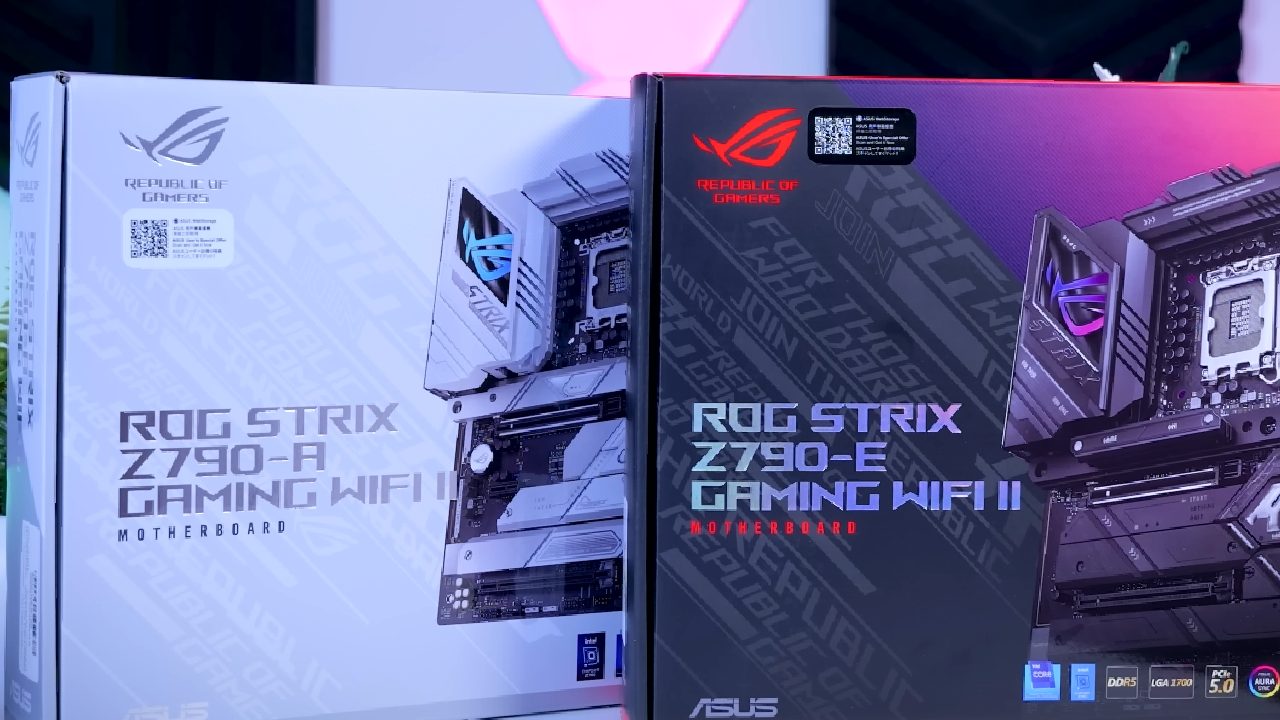
NDA Restrictions and Preview Limitations
Certain details remain under NDA until the official launch date, so only high-level observations can be shared at this time.
Although full graphical previews and pricing are pending, the core hardware and bundled accessories already reveal Asus's focus on refinement and enthusiasm for hands-on customization.
In-Box Contents
We discovered a surprisingly robust accessory package. Alongside the Formula White edition board itself, the box includes a collectible "membership card" styled after trading cards, a consistent white key ring, and a set of stylish stickers for personalizing your setup.
You'll also find essential SATA cables, a temperature probe for thermal monitoring, an extra thermal pad for one of the M.2 slots, and a dedicated fan mount for optional memory cooling.
Waterblock and Cooling Improvements
The integrated waterblock has been upgraded to an all-copper, nickel-plated construction, effectively resolving the water-cooling issues reported on the previous generation.
While EK branding is conspicuously absent, the tougher material selection should improve endurance and avoid leaks under rigorous overclocking circumstances.
Digital Manual and Driver Disc
Asus has replaced the typical paper handbook with a fully digital user manual that can be accessed through quick-start prompts.
Although the tactile experience of flipping through pages is missed, the driver disc still provides onboard utilities, though early engineering samples may ship with limited firmware content.
Wi-Fi 7 Dongle and Connectivity
DIM Flex Memory Cooling white Wi-Fi 7 dongle employs push-fit magnetic fittings, dispensing with screws for effortless attachment.
With a PCB supporting 320 MHz channels—double the width of Wi-Fi 6's 160 MHz and quadruple Wi-Fi 5's 80 MHz—you can expect substantially higher wireless throughput in compatible environments.
A standout feature is DIM Flex, which uses a thermal probe on the board's rear to detect memory temperatures.
If module temperatures drop below defined thresholds—such as 60°C—you can tighten memory timings in BIOS for extra performance. We're eager to see how this translates to real-world gains once high-speed DIMMs arrive.
Board Layout and Power Delivery
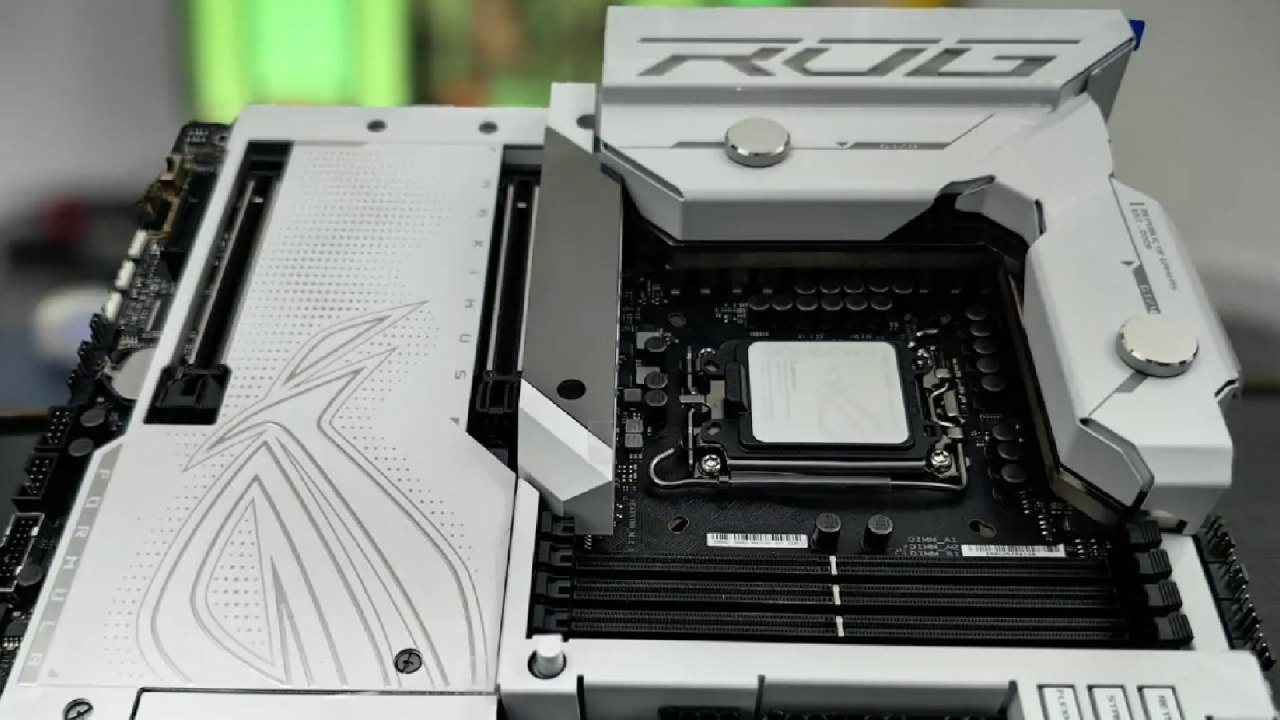
At first glance, the board's heft is impressive, thanks to extensive heatsinks that support both air and liquid cooling. Power delivery features dual 8-pin CPU connectors and a solid-pin 24-pin ATX header.
Four top-mounted fan headers cover CPU fans, AIO pumps, and chassis fans, accompanied by Q-code diagnostics, FlexKey, and an addressable RGB header for customization.
LiveDash OLED and M.2 Slots
The 2 in LiveDash OLED display on the I/O shroud lets you monitor system metrics or display custom graphics. Beneath it lies a PCIe 5.0 M.2 slot, with three additional double-sided and one single-sided M.2 socket under the main heatsink, all equipped for optimal SSD cooling and high-speed storage.
Rear I/O and Networking
The rear I/O offers Thunderbolt 4 via two Type-C ports, USB 5 Gbps, and multiple USB 10 Gbps ports, plus 2.5 Gb Ethernet.
Although some may note the step back from 10 Gb Ethernet on prior models, the balance of high-speed USB and Thunderbolt ensures broad connectivity for peripherals and external drives.
Onboard HDMI remains for CPUs with integrated graphics—remember to connect displays to your discrete GPU when in use.
Design Impressions and Next Steps
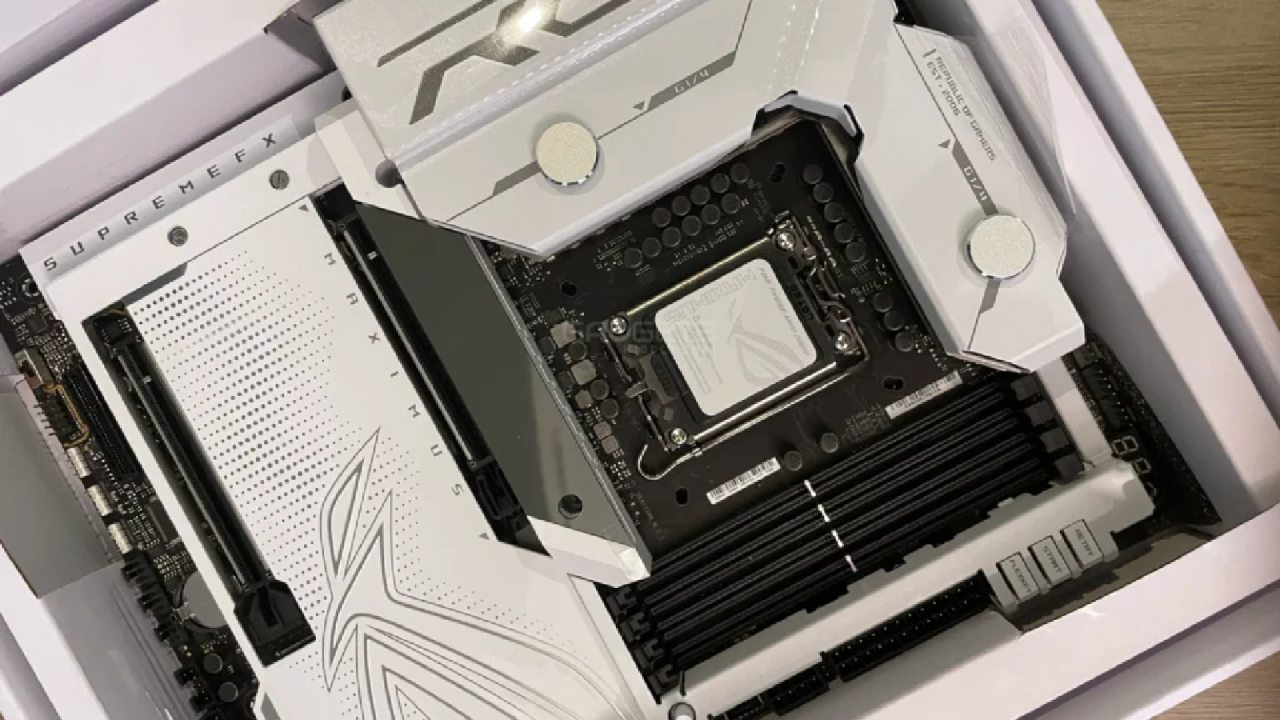
White Formula design continues to stand out, evoking fond memories of earlier Deluxe boards. While we share some apprehension about changes under the hood, the enhancements to cooling, connectivity, and customization promise a compelling package.
Full testing—including overclocking benchmarks, thermal analysis, and real-world networking performance—will arrive in the forthcoming in-depth review.
Check Our Other Articles:
- GeForce RTX 5090 Unleashed: Is NVIDIA's New Flagship the Ultimate 4K Gaming GPU?
- NVIDIA GeForce RTX 5080 Review (2025): Still A 4K Gaming Powerhouse?
- RTX 5090 Performance Testing In GTA 5 – 1080p, 1440p, and 4K Max Settings Benchmark
- NVIDIA RTX 5070 Review: Mid-Range Muscle or Marketing Hype?
- RTX 5070 Ti Review: Performance, Thermals & Power Efficiency Tested
- ASUS ROG Astral RTX 5090 OC Edition Review: 32GB GDDR7 & 4K Gaming Benchmark
- ASUS GeForce RTX 5090 LC Liquid Cooled GPU Review: Unmatched Silence & Speed
- MSI GeForce RTX 5090 32GB SUPRIM SOC Review: Power Efficiency, Cooling, and Gaming Performance
- INNO3D RTX 5060 Ti 16 GB X2 Review: Gaming Benchmarks, Temps, and Power Efficiency
- HP Omen 45L Review: RTX 5090 Performance, Thermals, and Value Analysis
- ASUS TUF Gaming GeForce RTX 5060 Ti Review: DLSS 4, Power Efficiency, and Gaming
- ASUS Prime RTX 5060 Ti OC 16GB Review: DLSS 4, Ray Tracing, & Thermals Tested
- NVIDIA GeForce RTX 5060 Review: Specs, Gaming, and Cost per Frame
- MSI GeForce RTX 5090 GAMING TRIO OC Review: A Monster Power GPU
Editor, NoobFeed
Gaming Hardware Updates
No Data.